Quick verdict
ActiveCampaign is worth a serious look if your business has real customer journeys to automate. It is not the tool I would choose just because someone wants to “start doing email marketing.”
That difference matters.
ActiveCampaign has grown into a broad autonomous marketing platform: email campaigns, marketing automation, segmentation, CRM-style contact handling, landing pages, reporting, AI-assisted campaign work, SMS and WhatsApp paths, ecommerce connections, integrations, and API access. That is useful depth when a team has leads, lifecycle stages, repeat campaigns, sales handoffs, or customer behavior to act on.
It can also be too much.
The easy mistake is buying ActiveCampaign because the feature list looks mature or because a first-year promotion makes the entry price feel reasonable. The better way to judge it is narrower: can you map one real customer journey, build it during trial, and justify the paid tier at your actual contact count?
For my money, ActiveCampaign makes the most sense for small businesses, agencies, ecommerce teams, and marketers who have moved beyond simple newsletters. It is weaker for beginners who need the cheapest way to send occasional emails, or for buyers who have not yet cleaned their contact list, tags, segments, or follow-up logic.
I would start with the 14-day trial, build one real automation, then compare the live plan price before treating any offer path as a real deal.
Next step: If ActiveCampaign still matches your marketing workflow, check the current buyer route and plan fit before committing to a paid tier.
Review snapshot
| Review point | Practical take |
|---|---|
| Best for | Businesses that need email automation, segmentation, CRM-style follow-up, and lifecycle campaigns |
| Not ideal for | Beginners who only need a low-cost newsletter tool or one-off email sender |
| Main use case | Turning leads, contacts, and customer behavior into repeatable automated marketing journeys |
| Free path | 14-day free trial, with no permanent free plan confirmed in the public pricing path |
| Pricing note | Contact-based and plan-based; the entry price is only useful after checking your real contact tier |
| Main strength | Mature automation depth combined with email, segmentation, integrations, AI, reporting, and CRM paths |
| Main concern | Real cost can rise with contacts, add-ons, users, billing interval, and higher-tier feature needs |
| Direct alternatives to compare | GoHighLevel, ClickFunnels, Agencywhiz depending on whether the buyer needs agency CRM, funnels, or operations |
| Best next step | Trial one real automation before annual billing or a higher-tier plan |
What is ActiveCampaign?
ActiveCampaign is a marketing automation platform built around email campaigns, customer journeys, segmentation, CRM-style contact management, reporting, integrations, and newer AI-assisted marketing workflows.
The current public positioning is no longer just “email marketing software.” ActiveCampaign presents itself as an autonomous marketing platform, with Active Intelligence helping users build campaigns, suggest actions, personalize timing, and support cross-channel work across email, SMS, WhatsApp, CRM, and connected apps.
That does not mean every buyer needs all of it.
The cleaner way to think about ActiveCampaign is this: it is a lifecycle marketing system for businesses that have enough customer movement to automate. New leads, post-purchase flows, abandoned carts, webinar follow-ups, sales handoffs, reactivation campaigns, client onboarding, customer education, and segmented newsletters are all more natural fits than a basic monthly announcement.
Our review approach compares public product pages, pricing details, help documentation, buyer terms, workflow fit, and nearby alternatives. I do not treat a coupon, first-year offer, or low starting price as proof that ActiveCampaign fits the buyer.
The common misunderstanding is assuming automation depth always means better value. It only does when the buyer has a real process to automate. Without that process, ActiveCampaign can become a polished dashboard full of features that nobody maintains.
Who should use ActiveCampaign?
ActiveCampaign is a good fit for businesses that already know follow-up matters.
A small service business can use it when leads come from forms, ads, consultations, webinars, or referrals and need structured nurturing. The condition is simple: someone has to define the stages. New lead, booked call, no-show, proposal sent, won customer, inactive customer. If those stages are clear, ActiveCampaign becomes easier to justify.
An ecommerce team can use it for abandoned cart flows, post-purchase education, win-back campaigns, product interest segments, and customer lifecycle messages. The buyer should verify ecommerce integration support, plan-level reporting, SMS or WhatsApp add-ons if needed, and whether the contact tier still makes sense as the list grows.
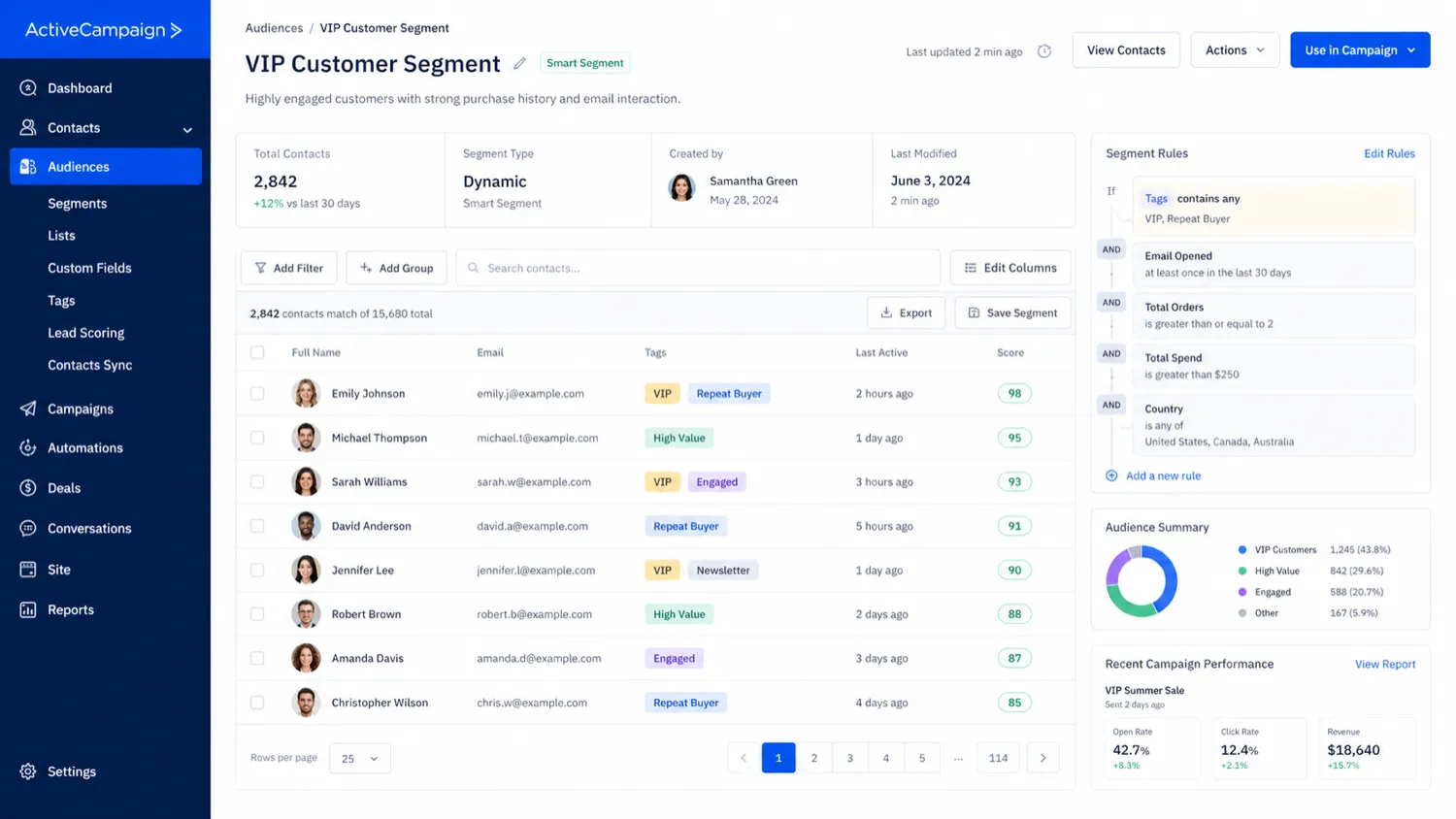
A marketing team can use it when segmentation is more important than blasting the whole list. ActiveCampaign becomes more valuable when contacts are tagged, filtered, scored, and routed based on behavior. The buyer should check whether the segmentation depth they need sits in Starter, Plus, Pro, or Enterprise.
An agency may use it for client automation builds, especially when clients need email workflows rather than a full funnel operating system. The agency still needs to verify user limits, account ownership, handoff responsibility, and whether client reporting expectations require a higher tier or a different platform.
A team with connected systems may also find it useful because ActiveCampaign supports many integrations and API-based workflows. That is a strength only if someone owns the data hygiene and integration maintenance.
Who should avoid ActiveCampaign?
I would be careful with ActiveCampaign if you only need a simple newsletter sender.
A lightweight email tool may be easier, cheaper, and less distracting if your real workflow is “write email, choose list, send.” ActiveCampaign’s extra depth becomes valuable when you use it. It does not become valuable just because it exists.
Solo beginners should also slow down. The interface can be approachable in places, but the buying decision involves contact tiers, plan gates, automation depth, add-ons, annual billing, and refund language. That is a lot to manage if the buyer has not yet proven that email marketing is a repeatable channel.
I would avoid jumping in if you have messy contact data. Duplicate contacts, unclear consent, old tags, weak segmentation, and no lifecycle map can make the trial feel confusing. In that case, clean the list and define one journey first.
Buyers who mainly need funnel pages and checkout flows should compare another route before paying. ActiveCampaign can support landing pages and follow-up, but it is not the same buying decision as a funnel-first platform.
I would also be cautious if refund flexibility is important. ActiveCampaign has a promotional 30-day guarantee path, but the general refund policy is strict. The safe move is to understand both before paying.
How ActiveCampaign fits into a real workflow
A good ActiveCampaign workflow starts before the software.
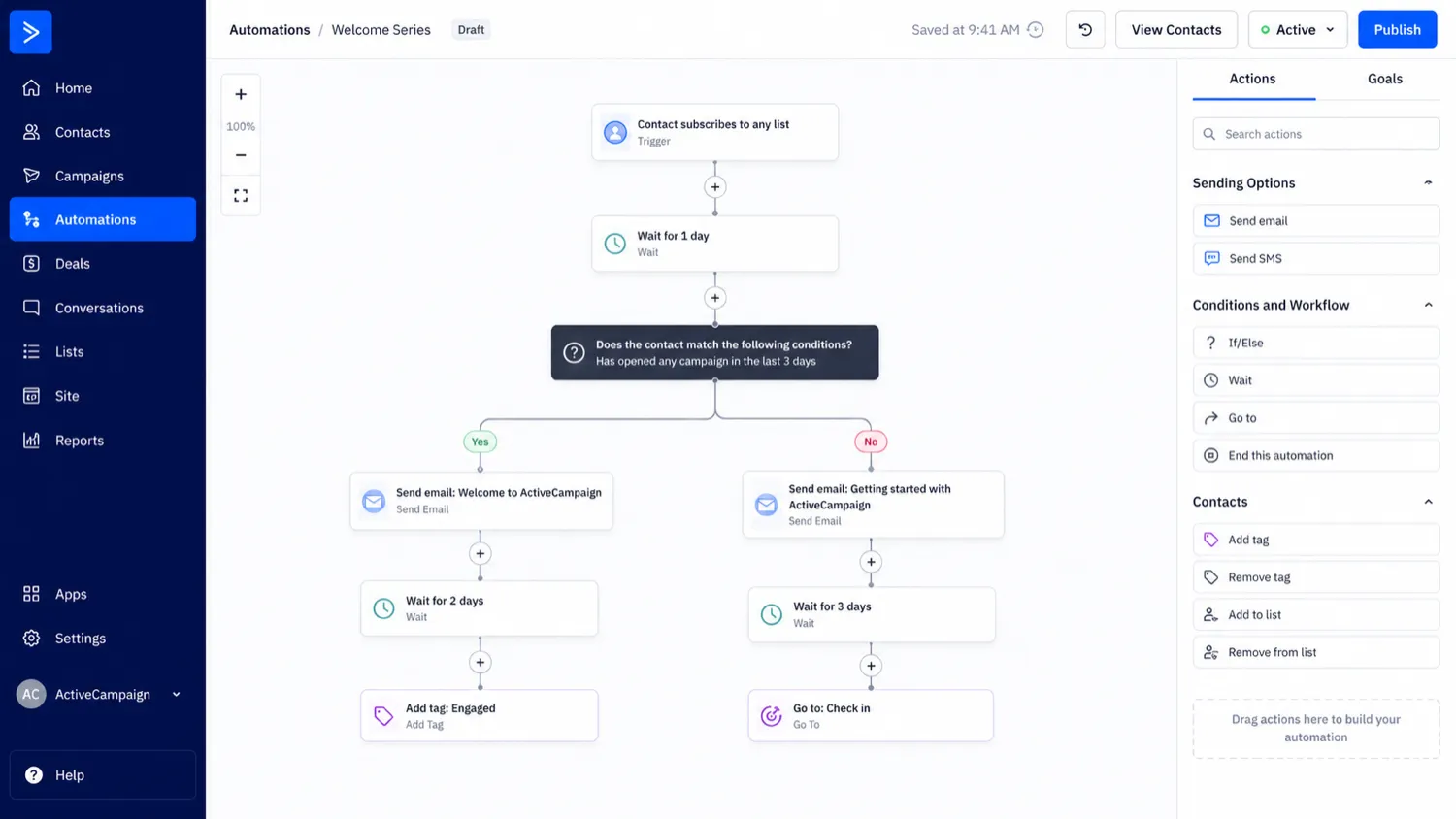
The buyer should begin with one customer journey, not with a tour of every feature. For example: a new lead downloads a guide, receives a welcome email, gets tagged by interest, receives a follow-up sequence, clicks a product link, gets moved into a sales handoff, and receives different messaging if no action happens after a few days.
That is the kind of workflow ActiveCampaign is built to support.
The practical sequence looks like this:
- Define the business goal.
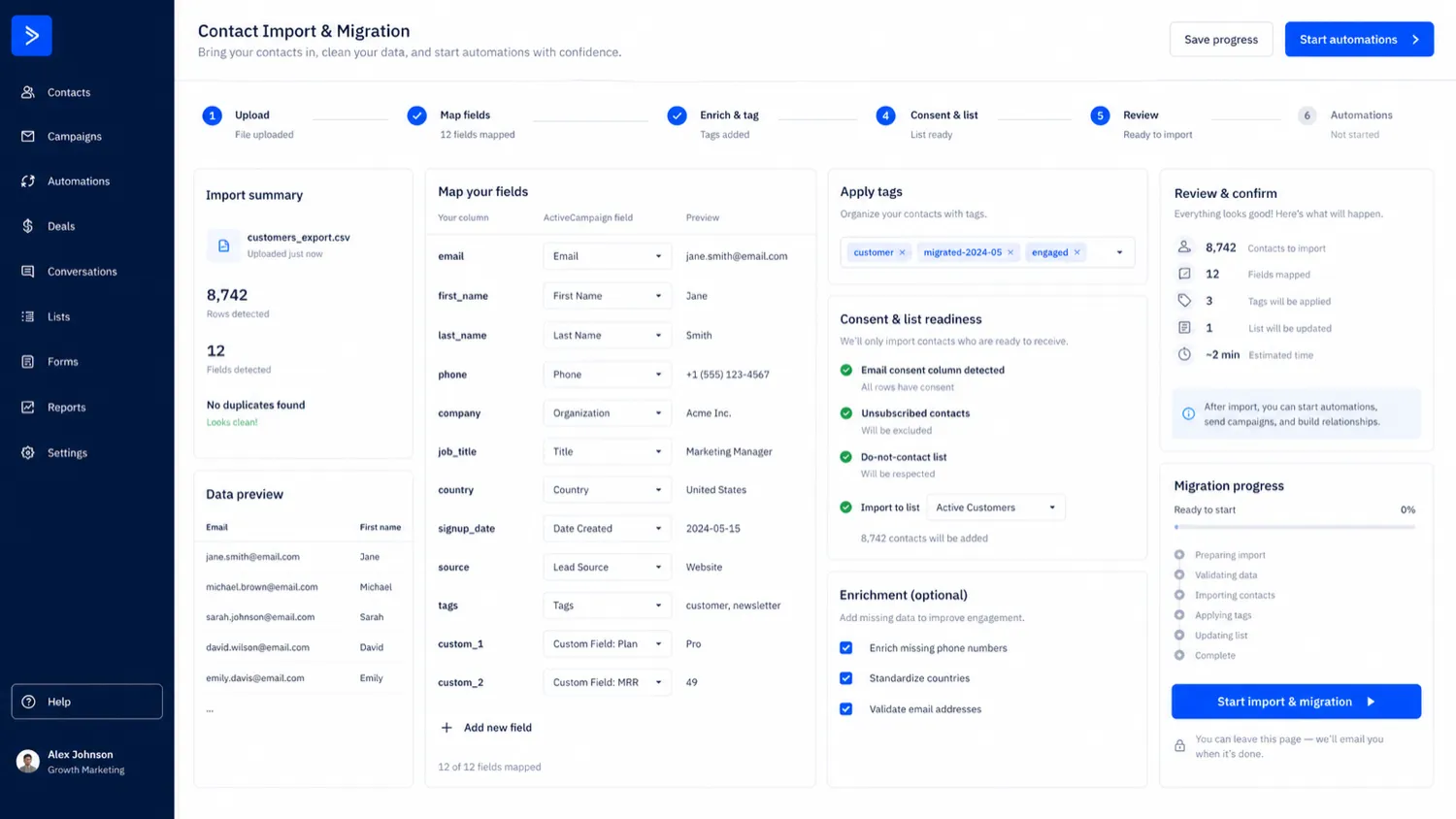
- Clean or import a small contact segment.
- Decide which tags, fields, lists, or events matter.
- Build one campaign or automation.
- Test personalization, timing, and branching logic.
- Check reporting and contact history.
- Decide whether the plan supports the workflow without expensive surprises.
The platform can save time when the journey repeats. It can also create maintenance work if the team builds too many automations too quickly.
Workflow test: If you can name one journey worth automating, use the trial to build that journey before comparing paid tiers.
Real-world buyer scenarios
A local service business may use ActiveCampaign to follow up with leads who request a quote. The platform can send education emails, tag interests, trigger reminders, and help sales staff see contact history. The risk is buying too much platform before the lead flow is stable.
An ecommerce brand may use it to recover abandoned carts, send post-purchase sequences, segment repeat buyers, and connect email with customer behavior. This can be a strong fit, but the buyer should check ecommerce integration depth, contact growth, send limits, and whether SMS or WhatsApp messaging sits in an add-on.
An agency may use ActiveCampaign for client nurture workflows. That can work well when the agency provides strategy and setup. It becomes weaker when the client expects an agency CRM, funnel builder, reporting portal, and client-account operating system in one place. In that case, GoHighLevel may deserve a closer comparison.
A creator or newsletter-first buyer may find ActiveCampaign too heavy. If the goal is mostly publishing essays or sending simple updates, the automation depth may not repay the setup time. This is where the buyer should compare lighter newsletter tools before assuming the more advanced platform is automatically better.
Key features that actually matter
Marketing automation builder
The automation builder is the main reason to consider ActiveCampaign. It lets buyers create multi-step journeys based on triggers, conditions, contact behavior, and campaign actions.
Buyer note: this matters most when you already know the journey you want to build. If the journey is vague, the builder can feel impressive without producing much business value.
Email marketing and campaign creation
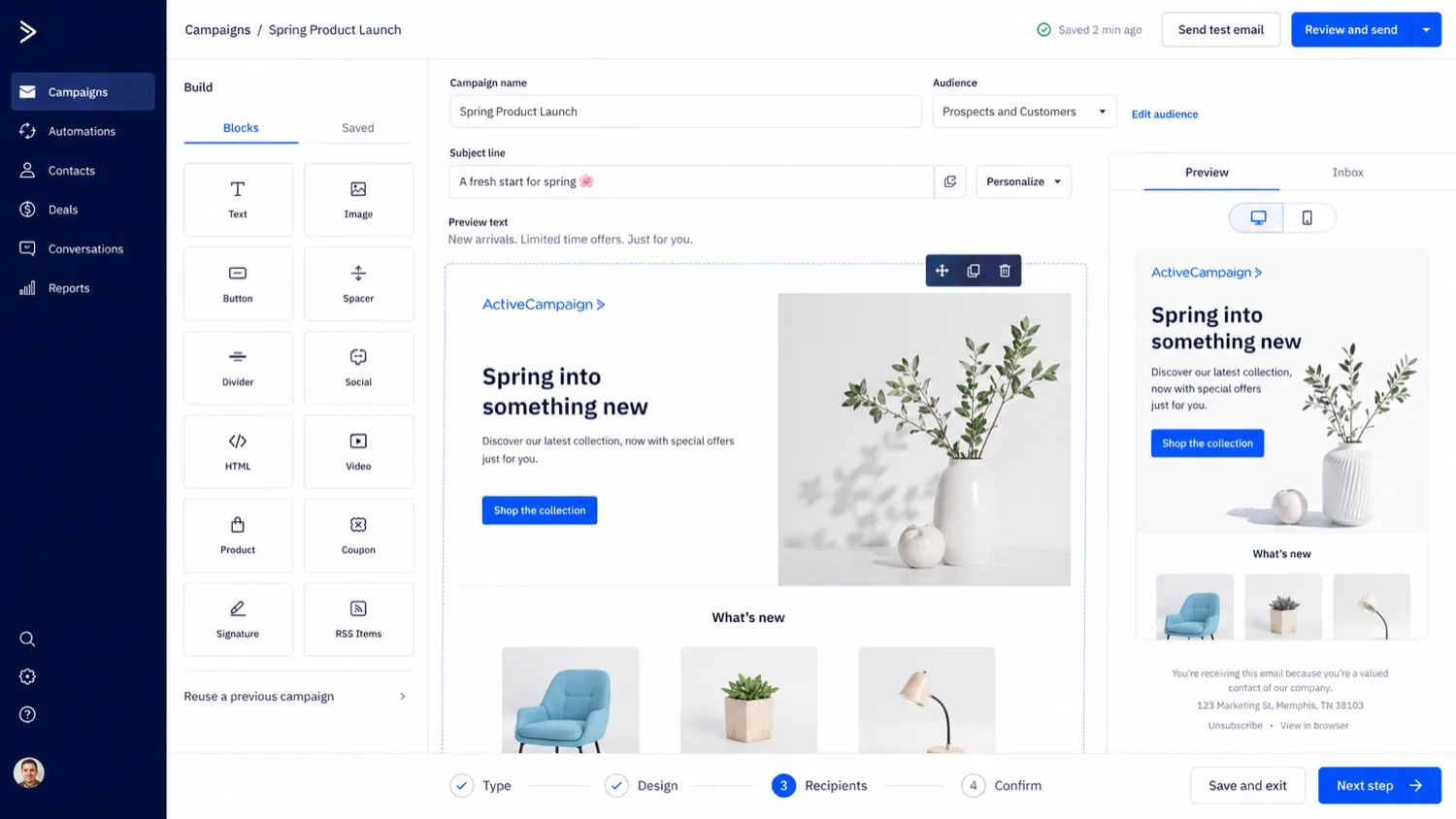
ActiveCampaign includes email campaign creation, templates, personalization, scheduling, testing paths, and AI-assisted campaign support. For teams sending regularly, this can become the daily working layer.
Buyer note: do not judge this only by whether the editor looks easy. Judge whether your team can create, approve, personalize, and send campaigns repeatedly without bottlenecks.
Segmentation and personalization
Segmentation is where ActiveCampaign moves beyond basic broadcasting. Tags, fields, lists, behavior, and plan-level segmentation options can help buyers send more relevant messages.
Buyer note: segmentation only works if contact data is clean. If your tags and fields are messy, the platform will not fix the strategy by itself.
CRM-style contact and sales workflow
ActiveCampaign can support CRM-style contact history, ecommerce connections, sales workflow add-ons, and pipeline-related needs. It is useful when marketing and sales follow-up need to talk to each other.
Buyer note: verify what is included in your tier and what requires an add-on. Do not assume every CRM-style feature is bundled into the plan you first see.
Integrations, API, and connected stack support
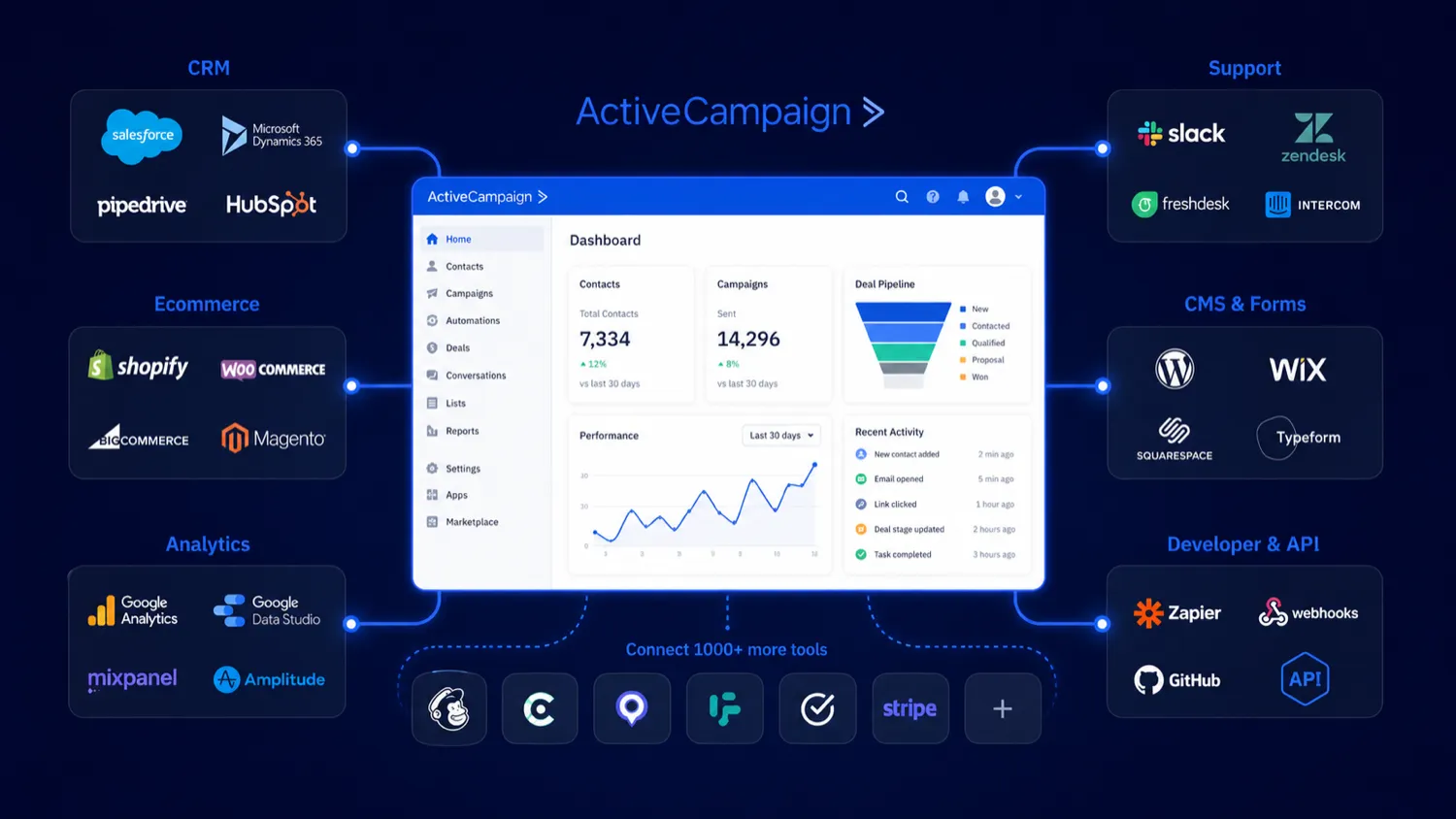
ActiveCampaign’s integration ecosystem is a major advantage for teams that already use ecommerce, CRM, analytics, support, scheduling, or developer systems. API access is also documented for custom interfaces and third-party connections.
Buyer note: integrations need ownership. Someone should know who manages API credentials, broken connections, field mapping, and data sync issues.
Pricing and plan value
ActiveCampaign pricing deserves a slower read than the homepage headline.
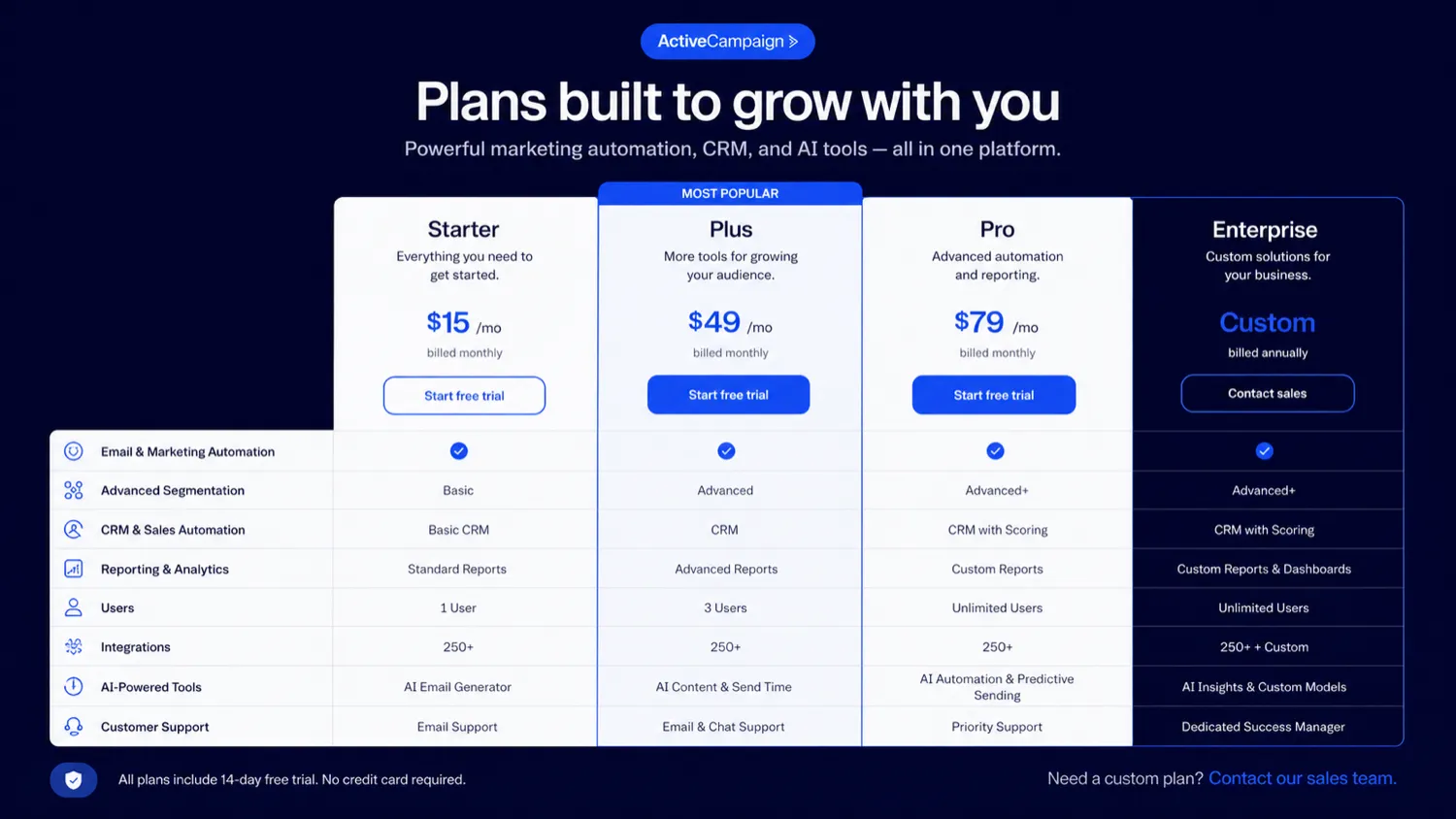
The public pricing page presents Starter, Plus, Pro, and Enterprise paths. It also asks buyers to choose contacts and shows plan differences across automation, segmentation, AI access, CRM and ecommerce integrations, users, reporting, add-ons, SMS, WhatsApp, and support.
At the time of review, ActiveCampaign’s own public comparison content refers to pricing starting at $15 per month for 1,000 contacts, while the live pricing page may require contact and plan selection to show the final number. That is exactly why I would not treat the entry price as the buying decision.
The better pricing question is: which plan supports the workflow you actually need at your real contact count?
Starter may be enough if you need personalized email campaigns, limited segmentation, basic automation, and a smaller setup. But Starter can become limiting if your workflow needs deeper segmentation, unlimited automation actions, stronger reporting, advanced AI support, ecommerce depth, landing pages, or CRM-style sales workflows.
Plus and Pro make more sense when automation is central to the business. Enterprise becomes more relevant when support, scale, permissions, SSO, dedicated account support, or advanced business requirements matter.
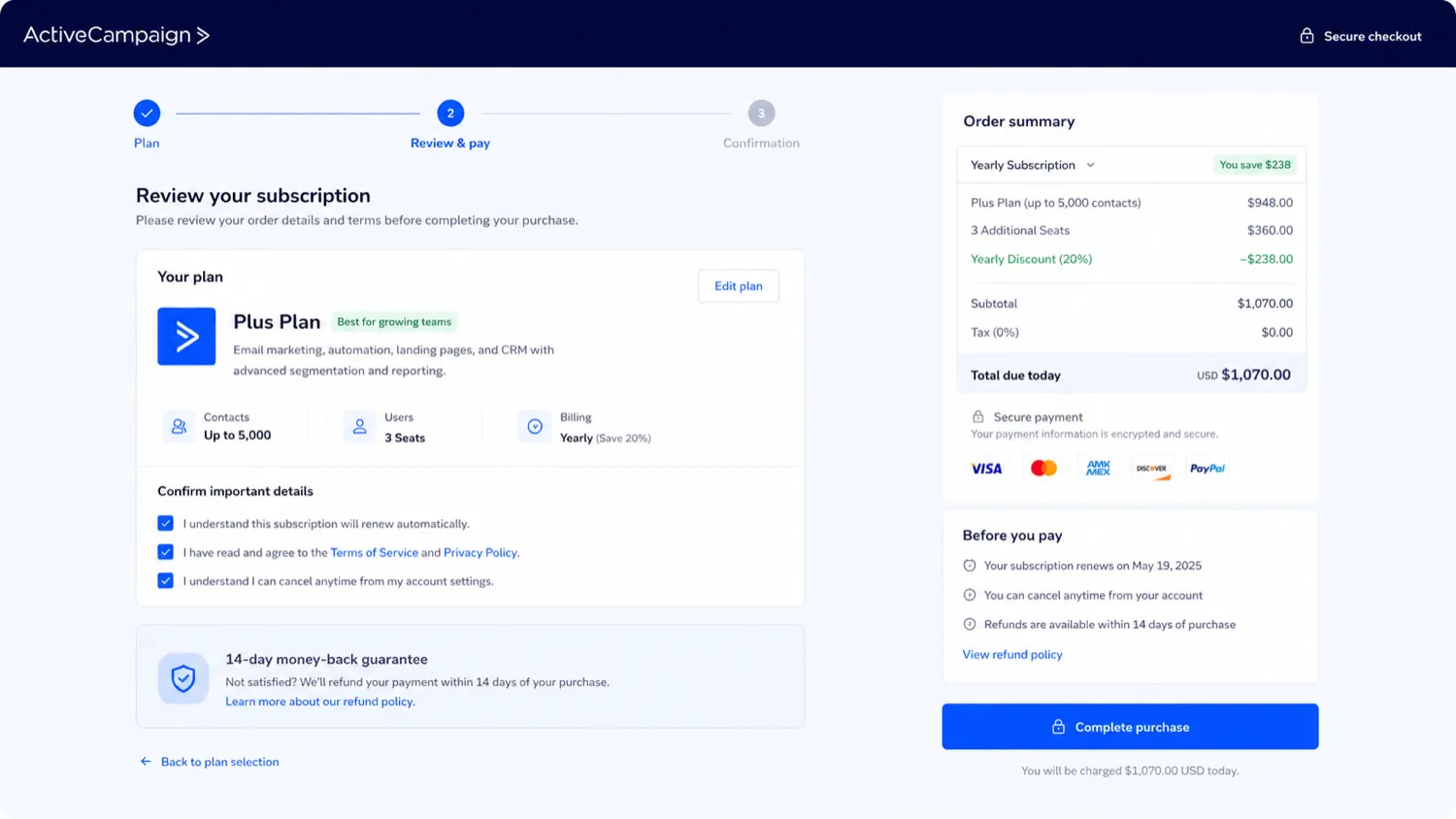
Annual billing can improve the number, but it also increases commitment risk. I would not move to annual billing until the buyer has built at least one real automation, confirmed the plan gates, and checked the cancellation and refund terms.
Pricing check: Compare ActiveCampaign only after you know the plan tier and contact level your real workflow requires.
Free plan, trial, coupon, and checkout notes
ActiveCampaign does not look like a permanent-free-plan purchase path. The safer evaluation route is the 14-day free trial.
That trial is useful if the buyer uses it correctly. Browsing templates and clicking around the dashboard is not enough. A proper trial should include one real contact segment, one campaign or automation, one reporting check, and one plan-fit review.
Coupon logic should come after that.
A public coupon code was not confirmed as the stable official savings path in the data I reviewed. The more realistic savings routes are the trial, annual billing, first-year promotional messaging, live checkout terms, and the current DealBestDaily offer route. The ActiveCampaign coupon page is worth checking only after the workflow fit is clear.
Refund language also needs care. ActiveCampaign promotes a 30-day money-back guarantee, but its general refund policy says the company does not provide partial or full refunds. The guarantee terms require cancellation and a refund request within the stated window for the promotion. I would treat that as conditional, not as a blanket safety net.
Checkout order: Trial first, plan fit second, offer route third. A discount should improve a good purchase, not justify a poor-fit plan.
What I would check before buying ActiveCampaign
If I were buying ActiveCampaign for a real marketing workflow, I would check these items before paying:
- Whether the 14-day trial is long enough to build one real automation, not just inspect the dashboard.
- Whether Starter is enough or whether Plus, Pro, Enterprise, or an add-on is actually required.
- The live price at the real contact count, including unsubscribed or inactive contact handling where relevant.
- Whether automation actions, segmentation, users, landing pages, reporting, CRM, ecommerce, SMS, WhatsApp, or API needs are gated by plan.
- Whether annual billing is worth the commitment after testing the workflow monthly or during trial.
- Whether the promotional 30-day guarantee applies to the exact checkout path.
- Whether your team has someone responsible for tags, fields, contact hygiene, integrations, and automation maintenance.
A simple test before paying
Before paying, I would run a small test like this:
- Choose one real use case: lead nurture, abandoned cart, webinar follow-up, onboarding, or reactivation.
- Import or create a small clean test segment.
- Build one campaign or automation from start to finish.
- Add one meaningful branch, tag, or behavior-based condition.
- Check whether the reporting tells you what action to take next.
- Confirm which plan tier includes every feature used in the test.
- Compare the live price against one direct alternative before annual billing.
This test is intentionally narrow. The goal is not to explore every tool in the account. The goal is to prove whether ActiveCampaign saves time inside one workflow you will actually repeat.
Pros explained
The biggest pro is automation depth. ActiveCampaign is not a bare-bones email sender with a few autoresponders attached. It is built for customer journeys, branching logic, behavior-based follow-up, and contact-level decision-making. That matters when marketing is not one email, but a sequence of events.
The second pro is the combination of email, segmentation, CRM-style context, integrations, and AI-assisted marketing work. For a growing team, having these pieces in one platform can reduce the need to stitch together several smaller tools.
The third pro is the trial path. A 14-day trial is not long enough to master the whole platform, but it is enough to test one real automation. Used properly, that can prevent a poor-fit purchase.
The fourth pro is ecosystem depth. Integrations and API access make ActiveCampaign more useful for teams with ecommerce stores, CRMs, scheduling tools, support systems, forms, analytics, or custom workflows.
The caveat is that these pros only matter when the buyer has enough marketing process to use them. ActiveCampaign is strongest when the workflow is real.
Cons explained
The first con is pricing complexity. Contact count, plan tier, users, add-ons, billing interval, AI limits, CRM needs, SMS, WhatsApp, ecommerce depth, and reporting can all affect value. The headline starting price does not answer the real buying question.
The second con is learning curve. ActiveCampaign can be powerful and still feel like too much for a beginner. If the buyer has no list structure, no tags, no automation map, and no testing habit, the platform may feel heavier than expected.
The third con is refund caution. The general refund policy is strict, while the 30-day money-back guarantee is promotional and conditional. Buyers should read both before treating checkout as risk-free.
The fourth con is add-on risk. Some buyers may assume CRM, sales, SMS, WhatsApp, advanced reporting, or deeper AI actions are included the way they imagine. That assumption can be expensive. The safer path is to verify the current plan comparison before paying.
Green flags and red flags
Green flags are easy to spot with ActiveCampaign.
If you can describe your customer journey clearly, that is a good sign. If you already have contacts, lifecycle stages, segmentation needs, ecommerce behavior, or sales handoff problems, ActiveCampaign may have enough depth to justify the setup.
If your team already sends regular campaigns and wants smarter automation, that is another positive signal. ActiveCampaign is much easier to defend when it replaces manual follow-up or improves timing across journeys.
If integrations matter, that can also be a green flag. A connected marketing stack benefits more from ActiveCampaign than a buyer who only wants an isolated email editor.
The red flags are just as important.
If the purchase is mostly coupon-driven, slow down. If the buyer cannot name one automation worth building, slow down. If the team has messy data and no one owns list hygiene, slow down. If the buyer expects a simple newsletter tool, compare lighter options first.
The strongest red flag is assuming ActiveCampaign will create marketing strategy for a business that has not defined its customer journey. AI can help with campaign work, but it does not remove the need for clear goals, clean data, and human ownership.
ActiveCampaign vs alternatives
ActiveCampaign should be compared by buyer job, not by feature count alone.
GoHighLevel vs ActiveCampaign
GoHighLevel is a stronger comparison if the buyer is an agency that wants CRM, funnels, client accounts, appointment flows, reputation tools, and marketing operations in one agency-centered system.
ActiveCampaign is the cleaner first look when email automation, segmentation, lifecycle marketing, and customer journeys are the main job. GoHighLevel may feel broader; ActiveCampaign may feel more focused on marketing automation quality.
ClickFunnels vs ActiveCampaign
ClickFunnels is the better comparison when the buying decision is about funnel pages, offer pages, checkout flow, upsells, and selling products through a funnel.
ActiveCampaign is stronger when the business already has contacts and needs lifecycle messaging after leads or customers enter the system. Many businesses can use both types of tools, but they solve different first problems.
Agencywhiz vs ActiveCampaign
Agencywhiz is more adjacent than direct. It belongs in the comparison if the buyer is solving agency operations, client management, or service delivery problems.
ActiveCampaign is a better fit when the core question is customer messaging, segmentation, email automation, CRM-style follow-up, and campaign performance.
Adjacent route: marketing-growth hub
If you are still deciding between automation, funnels, agency systems, and broader SaaS tools, the Marketing & Growth hub is the better next comparison path. ActiveCampaign is not always the first tool to choose; it depends on whether lifecycle automation is the bottleneck.
Trust, refund, and buyer-risk notes
ActiveCampaign is established, widely reviewed, and feature-rich. That does not remove buyer risk.
The pricing risk is the most obvious. Contact-based plans can look affordable at the starting point and feel different after list growth, higher-tier requirements, or add-ons enter the picture. Buyers should verify the live plan comparison and checkout price before committing.
The refund risk is more subtle. The general help policy says ActiveCampaign does not provide partial or full refunds. The 30-day money-back guarantee exists as a promotional path with its own cancellation and refund request requirements. I would not treat those as the same thing.
The support risk depends on expectations. Some public reviews praise the platform and its support; others complain about business support, cancellation friction, pricing, or account handling. That mixed signal does not mean every buyer will have a bad experience. It does mean annual billing should come after a real trial, not before.
The data risk is operational. ActiveCampaign becomes more valuable when contacts, tags, fields, permissions, and integrations are clean. If no one owns those pieces, automation can become fragile.
The AI risk is expectation-based. Active Intelligence may help build and optimize campaigns, but buyers should still review messaging, conditions, brand fit, and reporting logic. AI can speed up campaign work; it should not replace marketing judgment.
Final verdict
I would consider ActiveCampaign if your business has repeatable customer journeys, enough contacts to segment, and a clear reason to connect email automation with CRM-style follow-up, ecommerce behavior, integrations, or sales handoff.
I would skip it if you only need a basic newsletter, a low-cost email sender, or a simple campaign tool without much automation logic. In that case, ActiveCampaign may be more platform than your current workflow needs.
I would compare it with GoHighLevel if agency CRM and client operations matter more, ClickFunnels if funnel and checkout flow matter more, and Agencywhiz if agency operations are the bigger problem.
The safest next step is not to buy from the feature list. Start with one real automation, test it during the trial, confirm the live plan price at your contact count, read the refund and guarantee terms, and only then decide whether ActiveCampaign deserves a paid place in your marketing stack.
