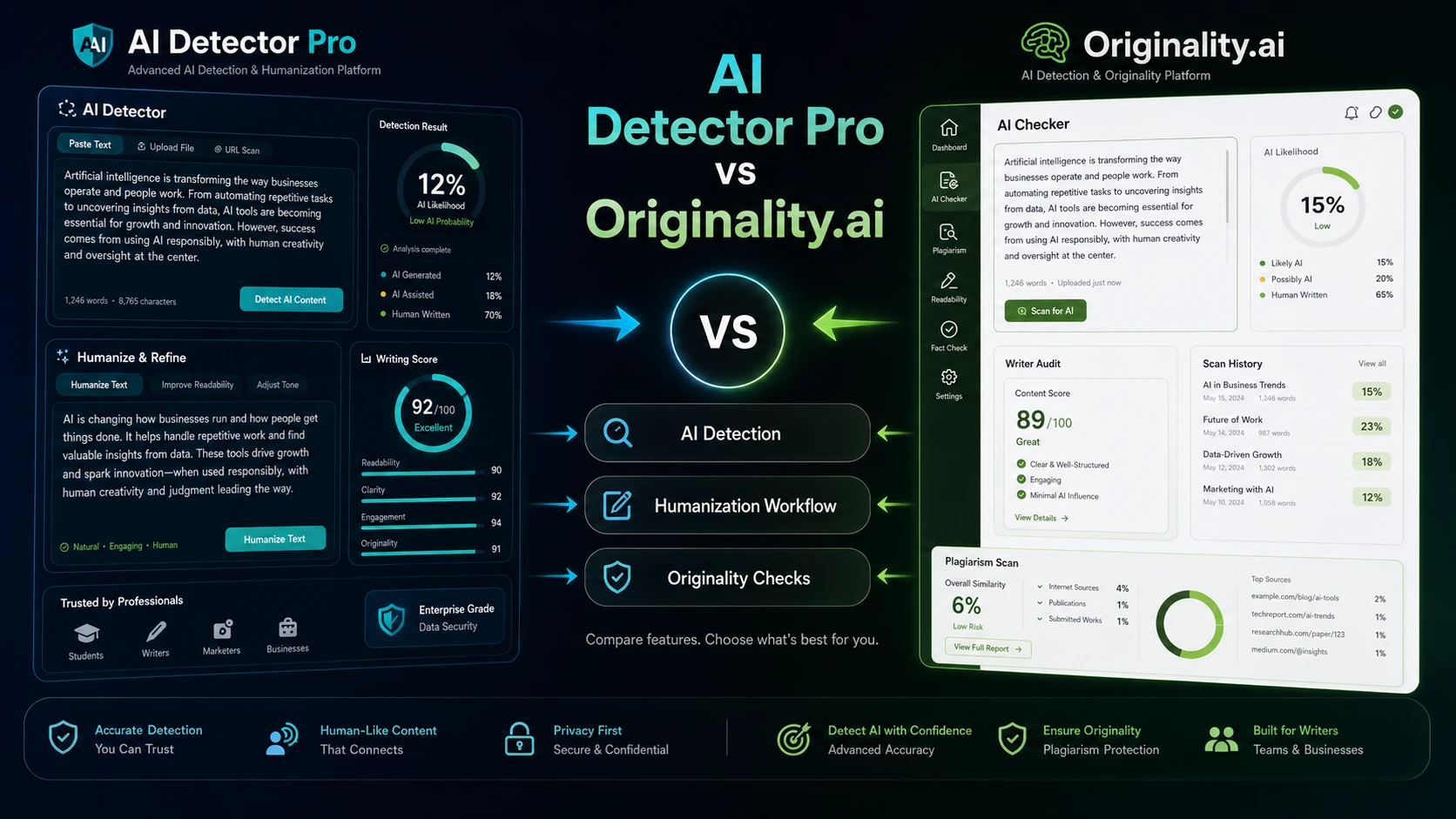
AI Detector Pro vs Originality.ai is a useful comparison because the two tools sit near the same AI-detection problem, but they do not serve the same buyer job. AI Detector Pro is easier to understand as a document cleanup tool: check a draft, see what looks AI-like, then revise the risky language. Originality.ai is closer to a publisher QA platform: AI detection is important, but plagiarism checking, readability, reporting, team use, WordPress workflow, and API access can matter just as much.
That difference matters before you look at price. A solo writer may not need a full integrity workflow. A publisher may outgrow a simple document checker quickly.
Quick verdict
Choose AI Detector Pro if you want a focused way to review a working draft, identify passages that may trigger AI detection, and revise the text before sending it to a client, teacher, editor, or publishing workflow.
Choose Originality.ai if you need AI detection as one part of a larger editorial QA process, especially when plagiarism, readability, fact-checking, shareable reports, WordPress checks, team review, or API access may affect the buying decision.
The main mistake is treating this as a pure accuracy contest. Detector output should be treated as a risk signal, not final proof of authorship. Start with workflow fit, then check current plan limits, billing terms, and any savings route before paying.
At-a-glance comparison
| Decision point | AI Detector Pro | Originality.ai |
|---|
| Best for | Draft cleanup and AI-risk review | Publisher, agency, and editorial QA |
| Pricing style | Free path plus paid Basic and Unlimited plans | Pay-as-you-go, Pro, and Enterprise paths |
| Free plan or trial | Free monthly scan path appears available | Free detector tool exists, but paid workflow should be checked |
| Workflow strength | Find AI-like text, revise wording, review tone | AI, plagiarism, readability, grammar, fact, reports, and QA |
| Team fit | Possible, but plan-level needs should be verified | Stronger fit when team, reports, API, or WordPress matter |
| Main risk | Too narrow if you need full content integrity checks | Too heavy if you only need occasional draft review |
| Best next step | Read the AI Detector Pro review or store guide before checkout | Read the Originality.ai review or store guide before choosing a plan |
Choose AI Detector Pro if…
AI Detector Pro makes more sense if the document itself is your main problem. You have a draft. You want to know which parts may look AI-generated. You want practical editing help before that draft is submitted, sent to a client, published, or reviewed by someone else.
That is a different job from managing a full editorial department. AI Detector Pro is more attractive when your workflow is personal and document-level: paste or upload text, review highlighted passages, check tone, use phrase-level guidance, and rewrite carefully. The official site currently positions it around detecting and removing AI signals, with multilingual detection, a pinpoint editor, tone analysis, phraseology, and Word or Google Docs plugin support.
It is also the simpler first test if you are a freelancer or solo writer who does not yet know whether paid AI-detection software deserves a permanent place in your workflow. The public pricing page currently shows a free path with limited monthly AI scans and paid Basic and Unlimited options, but buyers should verify the live plan limits, billing interval, rollover rules, and checkout total before relying on the visible pricing.
You may not love AI Detector Pro if you need plagiarism checking, content optimization, fact-checking, team reporting, or publisher-level QA in the same workspace. It can help with the “does this draft look AI-written?” problem, but it should not be treated as a complete editorial integrity system.
For a deeper product-level read before paying, use the AI Detector Pro store guide or the AI Detector Pro review before moving to a checkout or coupon route.
Choose Originality.ai if…
Originality.ai makes more sense if your workflow continues after the AI-detection result. Publishers, SEO teams, agencies, and content managers often need to answer more than one question: Is the draft likely AI-written? Is it plagiarized? Is it readable? Does it need grammar review? Can the result be shared with an editor, manager, client, or writer? Can the same process repeat across many drafts?
That is where Originality.ai becomes the stronger fit. Its current public positioning combines AI detection with plagiarism checking, readability, fact-checking, grammar checking, reports, Chrome or Google Docs workflows, WordPress support, team management, and API access depending on the selected path. That does not automatically make it the better tool for every buyer. It means the value case is broader.
Originality.ai is especially worth checking when content volume is recurring. A solo blogger checking one article a month may not need the extra structure. A publisher checking many outsourced drafts may care more about reports, history, credits, team controls, and repeatability than the lowest visible monthly price.
Pricing also needs more thought. The current public pricing page shows Pay-as-you-go, Pro, and Enterprise-style paths, with credit-based usage and monthly or annual options. Because credit rules, expiry behavior, top-ups, team access, and plan gating can affect real cost, buyers should verify the current pricing page and expected monthly word volume before choosing.
Use the Originality.ai store guide if you need plan and buyer-fit context, or the Originality.ai review if you want a deeper decision before paying.
Avoid both if…
Avoid both tools if you need a legally final authorship judgment. AI detectors can support review, but they should not be used as the only evidence for high-stakes decisions about students, employees, contractors, or writers. A result may help you decide what to inspect next. It should not replace human review, policy, documentation, or context.
Avoid both if you have not defined the workflow yet. “I need an AI detector” is too vague. A better starting question is: are you trying to clean up your own draft, review freelancer work, protect a publishing workflow, document a student writing process, or check content at scale?
Also avoid both if you only need a casual one-off check and have no plan to act on the result. In that case, a free test may be enough. Paying makes more sense when the output changes your editing, review, approval, or publishing process.
Pricing and plan fit
AI Detector Pro has the friendlier first-click path for a solo writer because the public pricing page currently shows a free option with limited monthly AI scans. Paid plans appear more useful when you need more scans, more humanization support, plugins, data export, branded or white-label reports, or possible API access. The safer buyer move is to verify the current plan limits and checkout terms, especially because visible discounts and plan wording can change.
Originality.ai requires more usage planning. Its pricing page currently presents a paid platform built around credits and plan levels, with Pay-as-you-go, Pro, and Enterprise paths. That can make sense if you know your monthly review volume. It can feel less simple if you only want to check a few drafts. Buyers should confirm credit rules, expiry, top-up options, annual billing, team needs, and which features are included in the plan they are considering.
Here is the compact buyer checklist before paying:
- For AI Detector Pro, verify the live free-plan limit, monthly or annual billing state, scan limits, humanization rules, rollover language, plugin access, API add-on terms, refund wording, and final checkout total.
- For Originality.ai, estimate monthly words or documents, then verify credits, expiry rules, Pay-as-you-go vs subscription fit, WordPress or API needs, team access, report sharing, refund policy, and whether annual billing is worth the commitment.
- For both tools, decide whether you need draft cleanup or publisher QA before checking any coupon or deal route.
- Do not choose either product only because a discount appears available; confirm the final checkout total and current plan limits first.
Workflow fit
The cleanest split is this: AI Detector Pro is better when the next action is editing the same draft. Originality.ai is better when the next action is approving, rejecting, documenting, or routing content through a larger QA process.
AI Detector Pro’s workflow feels more immediate. A writer can use it as a pre-submission checkpoint. A freelancer can review a client article before delivery. A student or professional can inspect wording that looks too predictable or machine-like. The value is not just the detection result; it is the editing loop after the result.
Originality.ai’s workflow is broader. A content manager can check AI detection and plagiarism. An editor can consider readability or grammar. A publisher can use shareable reports. A technical team can explore API access if the workflow needs to be integrated into a larger system. A WordPress-based team may care that checks can fit closer to the publishing environment, but plugin availability and plan requirements should be verified before purchase.
This is why feature-count comparison can mislead buyers. Originality.ai has the wider toolkit. AI Detector Pro may still be the better fit when the buyer only needs a focused document-level review process.
Feature depth and practical limitations
AI Detector Pro’s depth is in detection plus revision. Its site emphasizes finding detectable AI signals, highlighting risky text, tone analysis, phraseology, and humanization support. That is useful when the buyer is responsible for improving the document, not just labeling it.
The limitation is that this workflow can become too narrow for teams that need plagiarism review, editorial audit trails, site-level QA, or broader integrity reporting. Buyers should also remember that the official AI Detector Pro site itself warns that no tool can be 100% accurate. That is the right mental model: use the result to guide review, not to end the discussion.
Originality.ai’s depth is in content integrity. AI detection is only one piece. The platform also positions plagiarism, readability, fact-checking, grammar, reports, Chrome or Google Docs support, WordPress workflow, team management, and API access as part of the broader toolset. That can create a stronger long-term fit for agencies and publishers.
The limitation is complexity. More checks mean more decisions. A buyer has to decide which model, plan, credit volume, report workflow, and team setup are actually needed. If you are checking occasional personal drafts, that may be unnecessary overhead.
Team, business, or advanced use
Originality.ai is the stronger candidate for teams and businesses when the selected plan includes the controls and workflow depth you need. Public materials currently point to team management, shareable reports, API access, WordPress support, and enterprise paths. That makes it easier to justify for publishers, agencies, education-adjacent review teams, or businesses that need repeatable checks.
AI Detector Pro can still fit a small team or agency if the workflow is mostly draft-level review and editing. Its plan page mentions branded reports, white-label reports, data export, plugins, and API as a possible add-on. Those features should be verified against the current plan before a business treats it as a team system.
The real team question is not “which tool has more features?” It is whether your team needs a repeatable review workflow. If one person is cleaning up drafts, AI Detector Pro may be enough. If several people need reports, content history, plagiarism review, WordPress integration, or API workflow, Originality.ai is usually the more natural product to evaluate first.
Coupon, deal, and next-step path
Do not start with the coupon page if you are still unsure which tool fits. First decide whether your job is draft cleanup or publisher QA.
If AI Detector Pro is the better workflow match, use the AI Detector Pro store page for plan context, then use the AI Detector Pro coupon route only as a final savings and checkout verification step.
If Originality.ai is the better workflow match, use the Originality.ai store page or Originality.ai review first, then check the Originality.ai coupon route only after you know which plan makes sense.
Coupon availability should not decide this comparison. A discount on the wrong workflow is still a bad purchase.
Final verdict
Choose AI Detector Pro if your real need is document-level cleanup: check a draft, find AI-like passages, revise the text, and move forward without building a full publishing QA system around the process.
Choose Originality.ai if your real need is broader editorial quality control: AI detection plus plagiarism, readability, fact-checking, reporting, team workflow, WordPress, API, or repeatable publisher review.
If you are still unsure, do not start with the discount. Start with the workflow split: personal draft cleanup or recurring content QA. Then check the store guide, read the deeper review if needed, and use the coupon route only after the better product match is clear.
FAQ
Is AI Detector Pro or Originality.ai better for beginners?
AI Detector Pro is usually easier for beginners who only want to check and revise a draft. Originality.ai can still be beginner-friendly, but it asks the buyer to think about credits, reports, scan types, and whether the broader QA workflow is actually needed.
Originality.ai is usually the stronger publisher candidate because it combines AI detection with plagiarism checking, readability, grammar, fact-checking, reports, team workflow, WordPress, and API paths. Publishers should still verify current plan limits and credit rules before buying.
Should I choose based on coupon availability?
No. Use coupons only after product fit is clear. AI Detector Pro and Originality.ai both may have savings routes, but the first decision should be workflow fit: draft cleanup versus publisher QA.
AI Detector Pro is often the more direct fit for a solo writer who wants to review and improve a draft. Originality.ai may be worth it for solo users who publish frequently, manage outsourced content, or need plagiarism and quality checks in addition to AI detection.
What should I verify before paying?
Verify live pricing, billing interval, usage limits, credit or scan rules, refund language, plugin access, API needs, team features, report sharing, and final checkout total. For AI Detector Pro, focus on scan and editing workflow. For Originality.ai, focus on credits and recurring QA volume.