
Spark Plugin Pricing, Plans & Squarespace Fit
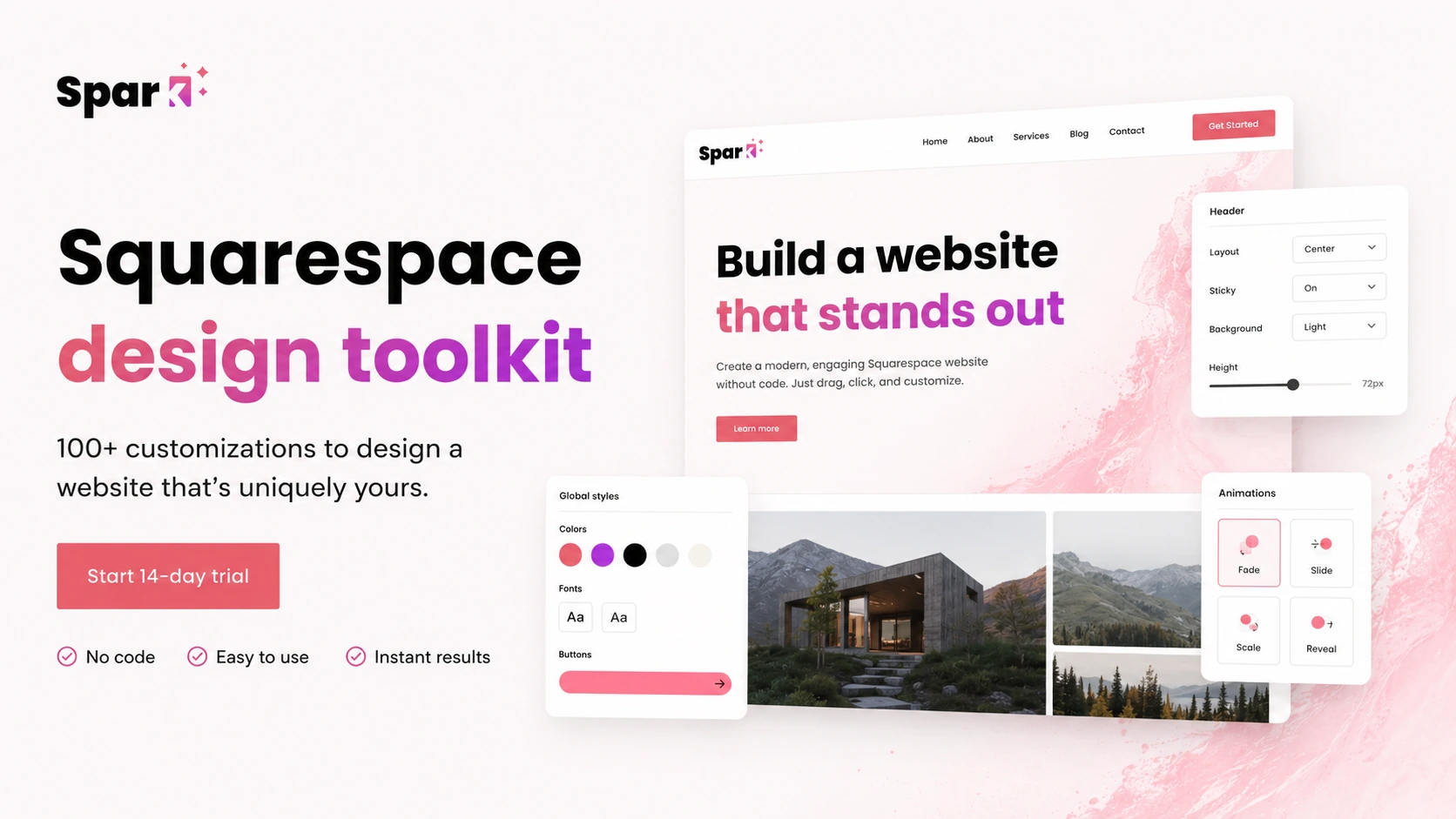
Spark Plugin is best understood as a no-code design toolkit for Squarespace websites. It helps site owners, designers, and agencies add visual effects, navigation upgrades, marketing elements, and block-level styling without writing custom CSS for every change.
Fit → price → checkout
Use these routes after the official-site check: coupon first, review for fit, compare if unsure.
Spark Plugin pricing snapshot
Fast commercial checks before pricing, coupons, or a deeper review.
Personal is the lowest public plan and is aimed at solo professionals and small websites.
The official pricing page says full access is available during the trial with no credit card required.
Business includes unlimited features and Pro features, so it is the plan to compare if the 10-feature cap feels tight.
Spark Plugin presents yearly billing as the visible saving path, while public coupon availability is not guaranteed.
Spark Plugin product tour
Spark Plugin is easier to judge visually than through a feature list alone. The most useful tour assets should show how it installs into Squarespace, how a buyer selects a block, and how design changes appear without hand-writing CSS.
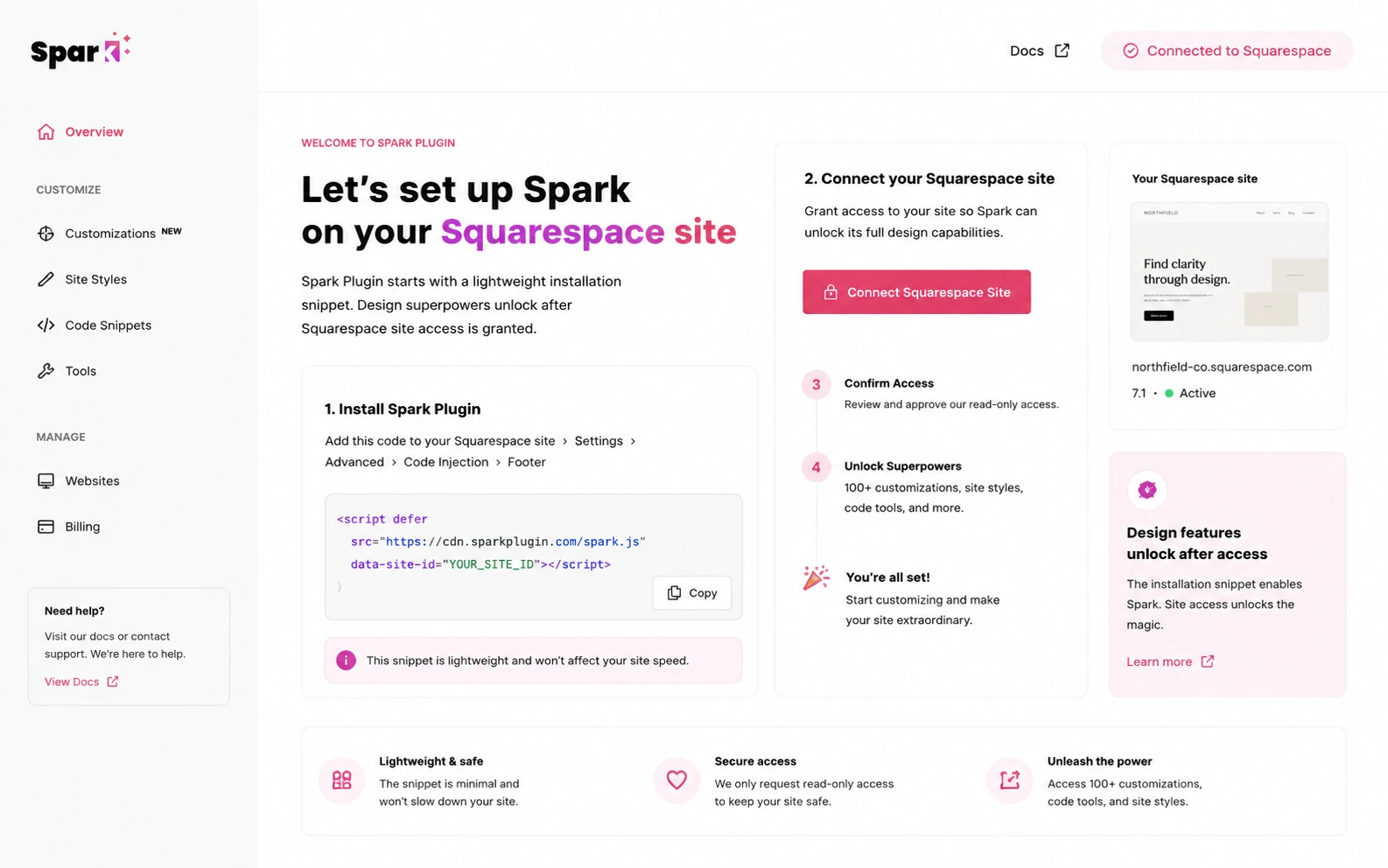
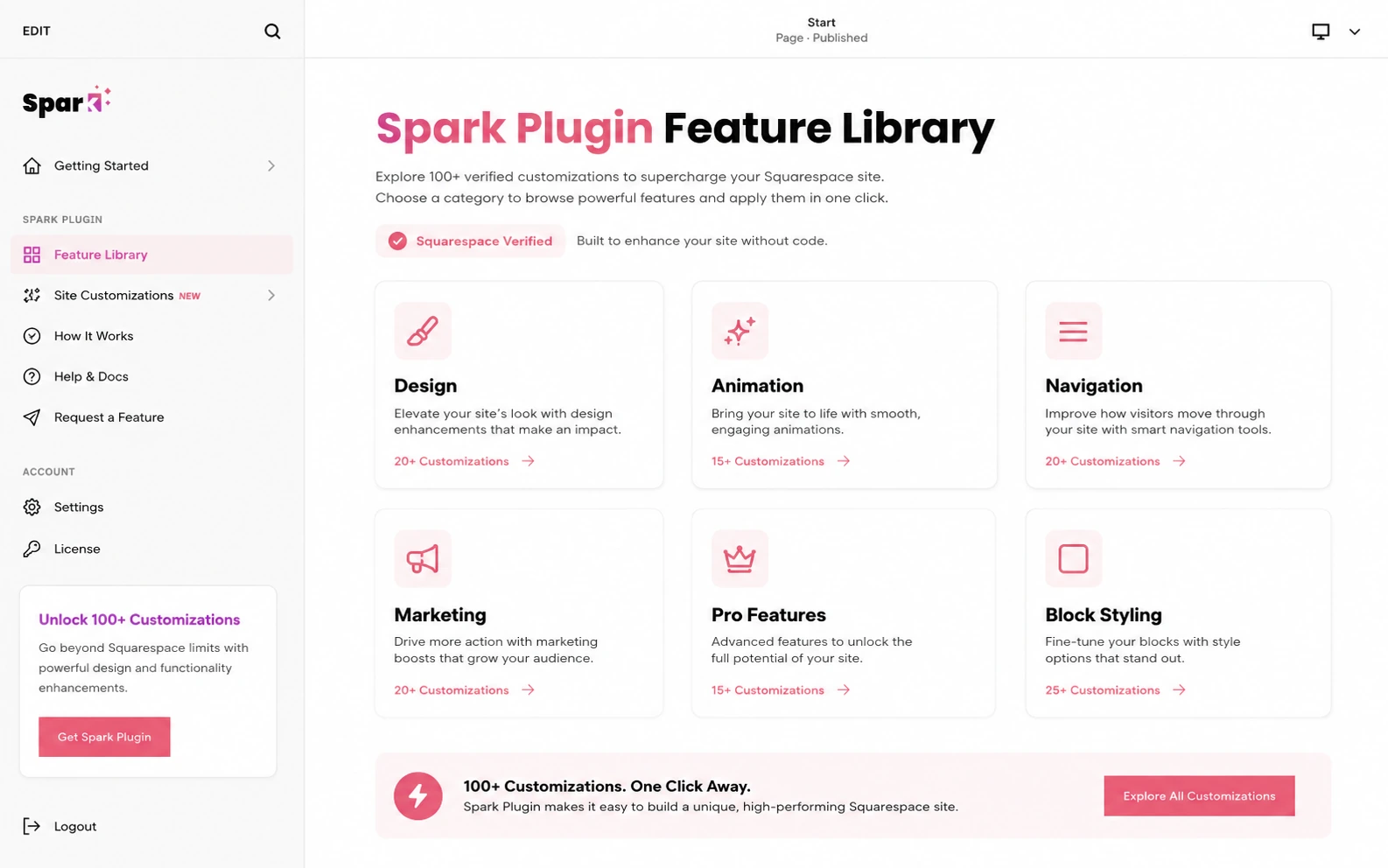
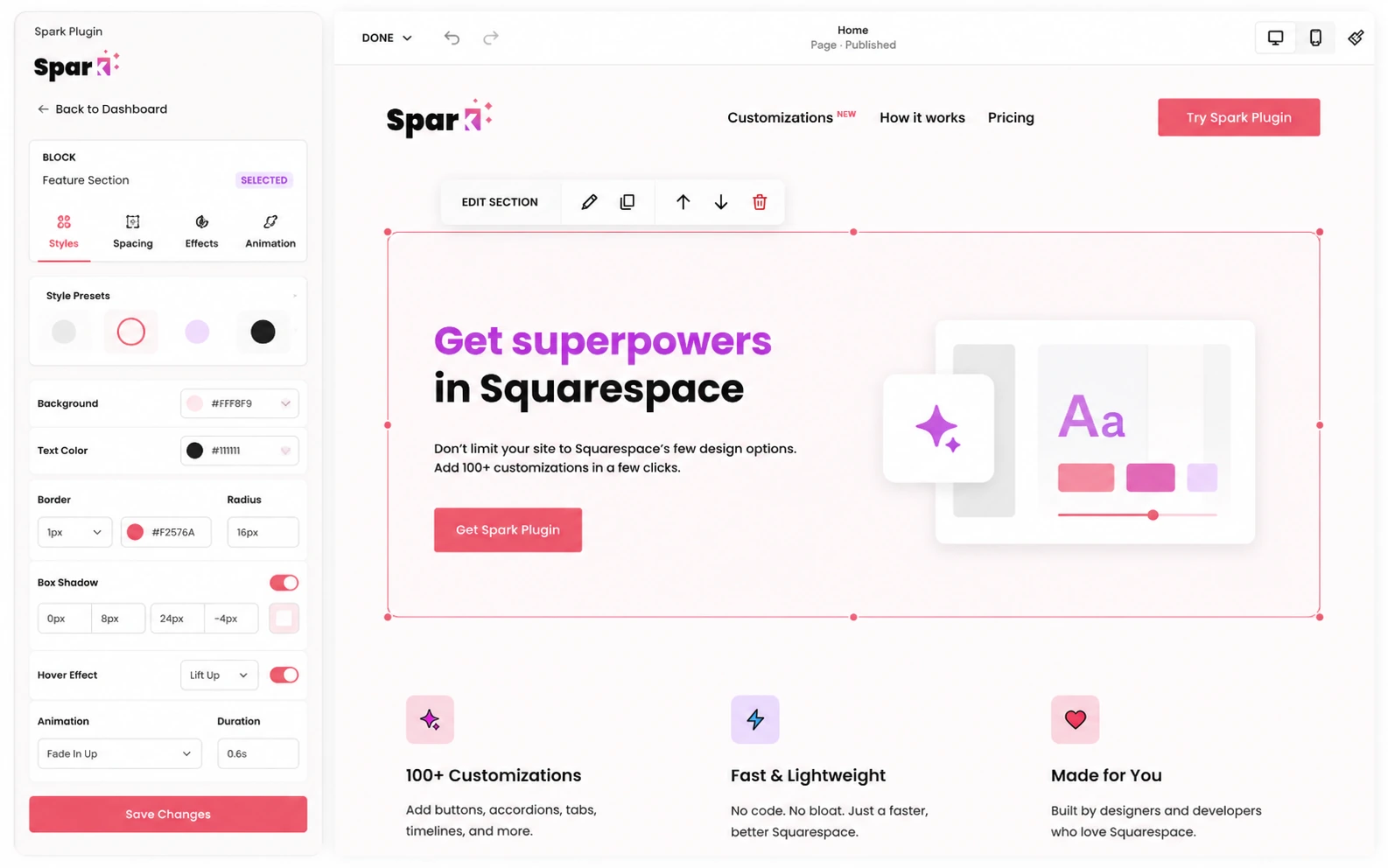
Spark Plugin should be evaluated as a Squarespace enhancement layer. It is not trying to replace Squarespace or build full applications. The buying question is narrower: will this plugin save enough CSS work, visual tweaking, and client-site polish to justify a recurring subscription?
What Spark Plugin actually does
Spark Plugin gives Squarespace users a library of no-code customizations for visual design, animation, navigation, marketing elements, and block-level styling. Instead of writing CSS for every button, header, image, menu, gallery, or effect, the buyer installs Spark Plugin and applies changes through a visual interface.
- Improves existing Squarespace websites rather than replacing the website platform.
- Covers styling, interaction, navigation, marketing, and visual effects.
- Fits buyers who want more control than native Squarespace settings.
Who gets the cleanest value from it
The cleanest fit is a Squarespace user who already likes the platform but keeps running into visual limitations. For a solo site owner, Spark Plugin can be a shortcut around small CSS tasks. For a designer, the value depends on whether it speeds up repeat client requests such as better buttons, mobile menus, galleries, headers, or animated sections.
- Solo professionals can use it for small website polish.
- Small businesses can improve conversion-facing details like buttons, announcement bars, and navigation.
- Agencies can evaluate whether the Agency plan makes client work easier across multiple sites.
Pricing and plan fit
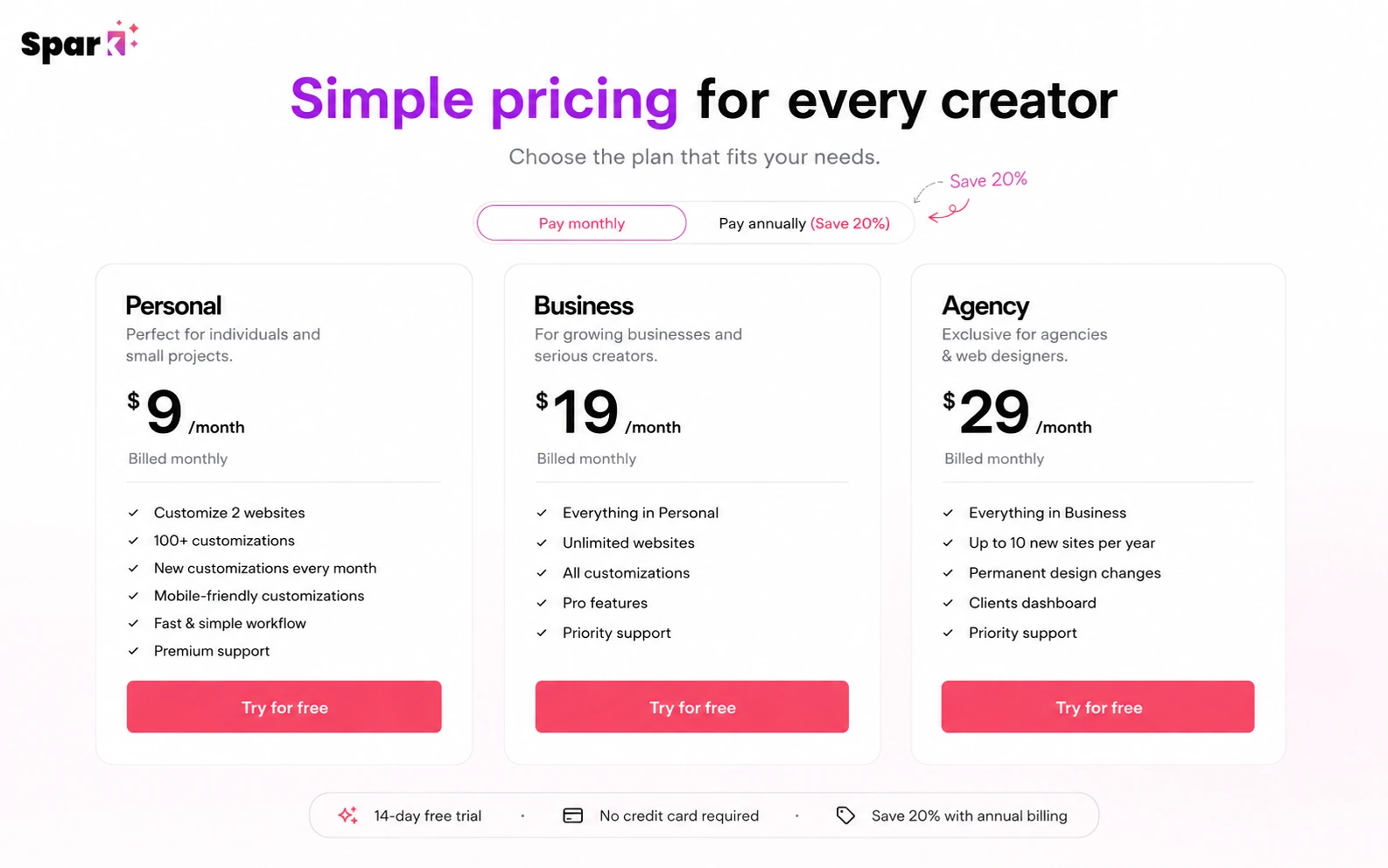
Spark Plugin pricing is simple at first glance, but the plan-fit decision matters. Personal is the cheapest entry point, but it is limited to 10 features. Business is the more serious option for buyers who want full access and Pro features. Agency is a different decision because it is aimed at designers managing client websites and includes rules around permanent design changes after a qualifying subscription period.
- Personal is best for smaller sites that need a limited number of customizations.
- Business is the safer comparison point when unlimited features matter.
- Agency should be reviewed as a client-workflow plan, not just a higher price tier.
Video walkthrough for real workflow context
A feature list can make Spark Plugin sound broader than it is. A workflow video is useful because it shows the real buying rhythm: install the plugin, choose a customization, apply it to a Squarespace block or site element, then decide whether the result is clean enough to keep.
What buyers should verify before checkout
Before paying, verify three practical things. First, your Squarespace plan should support the installation path. Second, the features you need should be available on the plan you are choosing. Third, cancellation and refund expectations should be clear, because the terms do not promise refunds for unused subscription time unless agreed.
- Confirm Squarespace code injection access before relying on Spark Plugin.
- Check whether the required customization is Personal, Business, or Pro-only.
- Read the cancellation and refund terms before switching from trial to paid.
Best next step
If you already use Squarespace and only need cleaner design control, start with the trial and test the exact site effects you plan to use. If you are comparing full website builders, open alternatives before buying because Spark Plugin does not replace the platform. If you are an agency, compare the Agency rules carefully before presenting Spark Plugin as a client maintenance advantage.
- Use the trial first if Squarespace is already your chosen platform.
- Compare alternatives if you are still choosing the website platform itself.
- For agencies, verify site count, client dashboard, and permanence rules before checkout.
Best savings path from this store page
This is the clearest savings route to check once the product already looks like a fit.
DealBestDaily readers can test the exclusive Spark Plugin code for 10% off all payments within the first 12 months. Apply the code at checkout and confirm the discounted total before paying.
10% off for the first 12 months
Save 20% on yearly billing
Use comparison routes when the category fit is still open
Use these comparison routes when the product still looks plausible, but the category fit is not fully settled.
Better fit if the buyer is willing to move to WordPress and wants theme-level control instead of improving a Squarespace site.
Worth checking when the buyer wants an all-in-one site and funnel builder rather than a Squarespace customization layer.
More relevant for SaaS or startup landing pages where the buyer may prefer a dedicated website builder over Squarespace add-ons.
A simpler alternative when the buyer wants an easier website builder path and does not need advanced Squarespace-specific design effects.
Verification points worth checking before you click out
Where this store usually fits best in the workflow
Spark Plugin can help a small business improve buttons, headers, menus, visual sections, and conversion-facing details without starting a full redesign.
The plugin fits buyers who can describe the design change they want but do not want to maintain custom CSS snippets across a Squarespace site.
Designers can use Spark Plugin to test whether common client styling requests can be handled faster through the dashboard than through manual CSS work.
A site owner can use the trial to test whether visual improvements are enough before committing to a bigger platform migration or redesign project.
Practical checkpoints before and after signup
- Confirm the site is on Squarespace and can use the required install method.
- List the exact customizations you want to test so the trial is not wasted on browsing effects.
- Compare Personal and Business based on feature access, not just price.
- Apply the most important changes to real site blocks, navigation, or marketing sections.
- Check desktop and mobile behavior before judging the plugin as production-ready.
- Watch for any conflict with existing custom code or third-party Squarespace tools.
- Verify monthly versus yearly billing and whether annual savings are worth the commitment.
- Read the refund and cancellation language before converting from trial to paid.
- For agency use, confirm the conditions around permanent changes and client-site management.
Fast-read signals for workflow fit and buying friction
Questions readers usually ask before choosing this store
What is Spark Plugin best for?
Spark Plugin is best for Squarespace users who want more design control without writing custom CSS for every visual change. It is strongest for site polish, navigation upgrades, animation effects, marketing elements, and block-level styling.
Does Spark Plugin have a free plan?
A free plan is not clearly listed on the public pricing page. Spark Plugin does list a 14-day free trial with no credit card required, which is the safest way to test whether the plugin fits a real Squarespace site before paying.
How much does Spark Plugin cost?
The official pricing page lists Personal from $9 per month, Business from $19 per month, and Agency from $29 per month. Buyers should verify the billing interval, site count, feature access, and any current yearly saving before checkout.
Are Spark Plugin coupon codes usually available?
Public coupon availability should not be assumed. The more reliable savings path is the official trial, the yearly billing discount, and any live DealBestDaily route that can be verified at the time of purchase.
What should buyers check before paying for Spark Plugin?
Buyers should confirm their Squarespace plan supports the install path, the chosen Spark Plugin plan includes the needed features, and the cancellation or refund terms are acceptable. Agencies should also verify the site-count and permanent-change rules.
Choose the next route that matches what you still need to decide
The strongest next click depends on whether you still need product judgment, a savings route, or a broader category comparison.