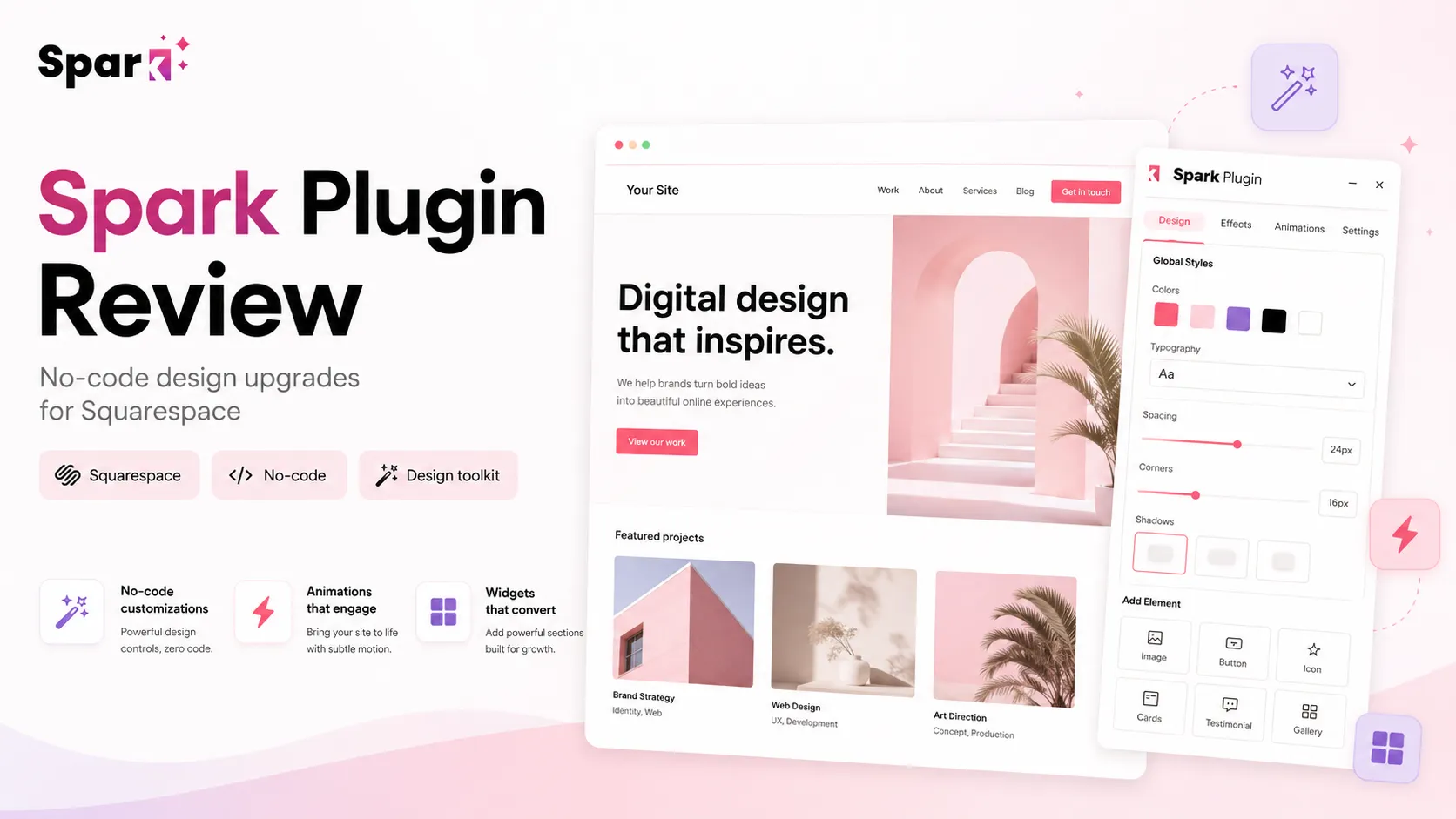
Quick verdict
Spark Plugin is worth considering if you are already committed to Squarespace and the real problem is design control, not website-platform choice.
That is the first filter I would use.
Spark Plugin is not a general no-code app builder, an automation platform, or a replacement for Squarespace. It is a Squarespace enhancement layer: a no-code design toolkit that lets you add visual effects, navigation upgrades, marketing elements, block styling, and polish that would otherwise require custom CSS, extra snippets, or a designer who knows the Squarespace ecosystem well.
For the right buyer, that can be very useful. A small business owner can improve a live site without rebuilding it. A designer can move faster on common client requests. A creator can test visual upgrades before deciding whether a bigger redesign is necessary.
The caution is that Spark Plugin is only valuable if those customizations matter to your actual site. A subscription for design effects can look inexpensive at the entry level, but the lowest plan has feature limits, and cancellation behavior matters if the design becomes part of a live business or client site. I would not judge it only by the monthly price.
The safer path is to use the 14-day trial with a specific checklist: install it on the real Squarespace site, test the exact features you need, check mobile behavior, and verify whether Personal, Business, or Agency is the plan that actually fits.
Next step: If Spark Plugin still fits your Squarespace workflow, test the live buyer route before choosing a plan.
Review snapshot
| Review point | Practical take |
|---|---|
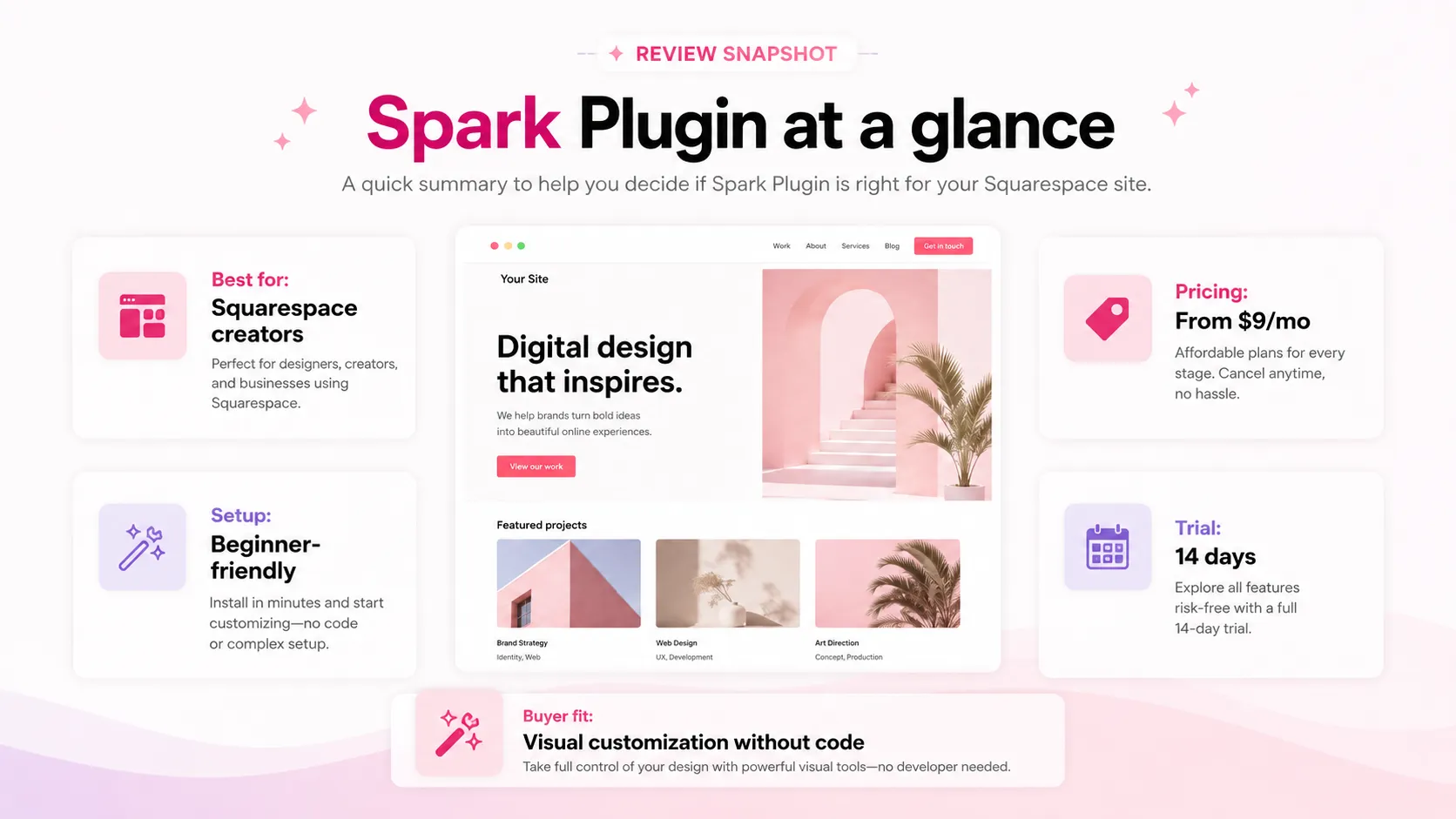
| Best for | Squarespace users who want more design control without hand-writing CSS for every change |
| Not ideal for | Buyers outside Squarespace, teams needing backend logic, or anyone expecting a one-time plugin purchase |
| Main use case | Adding animation, navigation, marketing, block styling, and visual polish to an existing Squarespace site |
| Pricing note | Public pricing currently starts at $9/month, but plan limits matter more than headline price |
| Trial path | 14-day trial with no credit card listed on the public site |
| Main strength | Focused, Squarespace-specific customization library with a fast install workflow |
| Main concern | Cancellation behavior, feature limits, and client-site dependency need careful review |
| Direct alternatives | SquareKicker, Ghost Plugins, individual custom CSS/plugins |
| Adjacent routes | GeneratePress, Simvoly, Versoly, Webnode if the buyer is considering leaving Squarespace |
| Best next step | Test the exact customizations you need during the trial before committing to monthly or yearly billing |
What is Spark Plugin?
Spark Plugin is best understood as a no-code design customization toolkit for Squarespace websites.
It helps site owners and designers change how Squarespace blocks, navigation, buttons, galleries, menus, marketing elements, and animations behave without writing custom CSS for each change. It does not replace Squarespace. It sits on top of a Squarespace site and gives buyers more styling and interaction options.
That narrow focus is useful. Spark Plugin is not a full website builder, app builder, automation platform, or custom development framework. It is strongest when the buyer already wants to stay on Squarespace but needs more visual control than the native editor provides.
The common wrong expectation is thinking it solves every website problem. It will not fix weak positioning, poor page structure, bad copy, or a site that should probably move to another platform. What it can do is reduce the friction of making an existing Squarespace site look more custom.
Our review approach compares public product pages, pricing details, help and policy language, buyer workflow fit, and nearby alternatives. I would not treat a free trial, yearly discount, or low entry price as proof that the product fits. The better test is whether Spark Plugin saves enough design time on a real Squarespace site to justify becoming part of the site stack.
Who should use Spark Plugin?
Spark Plugin makes the most sense for Squarespace users who can point to specific design changes they want to make.
A small business owner may use it to improve headers, buttons, galleries, menus, and conversion-facing details without paying for a custom redesign. A creator or solo professional may use it to make a portfolio, service page, or landing page feel less template-like.
A Squarespace designer may find it useful for repeated client requests: better navigation, scroll effects, custom button treatments, image styling, or marketing widgets. An agency can consider the Agency plan if it manages multiple client sites and wants a more systematic workflow.
The condition is the same in each case: the buyer should have real site problems to solve during the trial. Browsing effects without a plan can make a site busier rather than better.
Who should avoid Spark Plugin?
Spark Plugin is not a good fit if you are not using Squarespace. If you need a standalone website builder, funnel builder, app builder, backend workflow, database-driven site, or WordPress theme system, start somewhere else.
I would also avoid it if your Squarespace setup cannot use the required installation path or already relies on custom code that may conflict with another layer. The feature list becomes irrelevant if the install path is not stable.
Buyers who only need one tiny design tweak should be careful too. A subscription can make sense for repeated design control, but a one-off plugin, a small CSS snippet, or a designer’s help may be more sensible for a single change.
Finally, do not buy Spark Plugin only because a discount or yearly saving is visible. A lower price is useful only after the workflow fit is clear.
How Spark Plugin fits into a real workflow
A good Spark Plugin workflow starts before you install anything.
First, list the exact design problems on the site. Maybe the header feels flat. Maybe the mobile menu needs better styling. Maybe a product page needs stronger buttons. Maybe a service page needs subtle animation, a logo carousel, or a better before-and-after visual. Without that list, the trial can turn into effect browsing.
Then install Spark Plugin on the real Squarespace site or a safe test version of it. The official setup path is designed around a small code snippet and then direct editing inside the site experience. That is a practical advantage, but only if the site owner is comfortable with the install step and has the right Squarespace access.
After that, test the highest-impact features first. I would not spend the trial period exploring every possible effect. I would apply the three to five customizations most likely to improve the page: a navigation improvement, a button style, a block styling change, one animation, and one marketing or conversion element.
Then check desktop and mobile. This is the part buyers often underweight. A visual effect can look good on a large screen and feel awkward on a phone. Since many Squarespace sites serve local businesses, portfolios, creators, and service providers, mobile behavior is not optional.
The final step is deciding whether the change belongs in the long-term site stack. If the feature becomes part of a critical client page or business funnel, cancellation behavior matters. If it is only a temporary campaign effect, monthly billing may be safer than annual commitment.
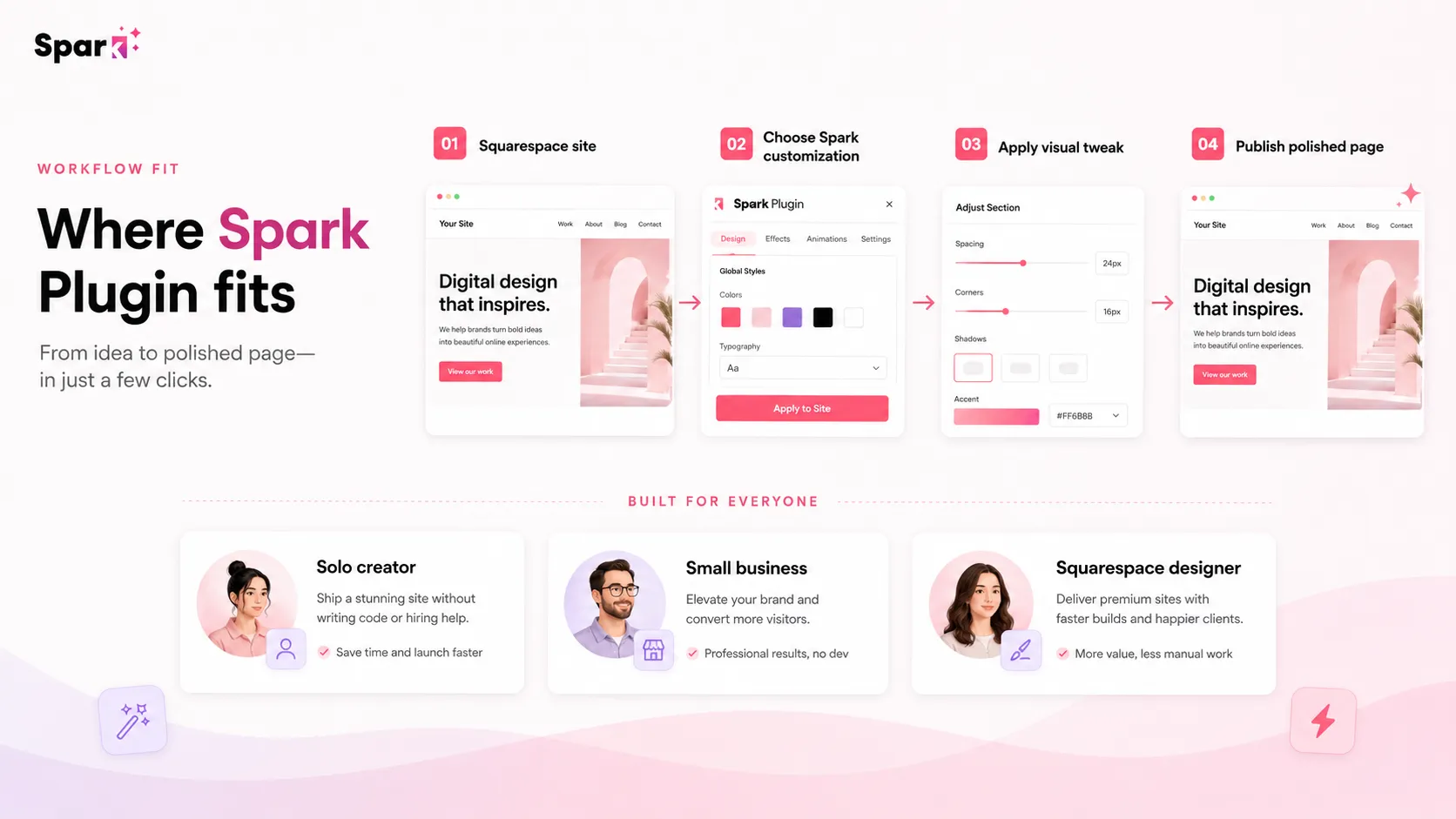
Workflow check: Spark Plugin is easier to judge on a real Squarespace page than from a feature list alone.
Real-world buyer scenarios
A service business polishing a live Squarespace site
A local service business may already have a Squarespace site that works well enough but looks too generic. Spark Plugin can help when the improvements are specific: cleaner navigation, stronger buttons, better section styling, or a subtle visual cue that makes the page easier to understand.
The risk is cosmetic overwork. A business site does not need every animation. It needs trust, clarity, and a clean path to the next action. I would test only the effects that make the page easier to use.
A designer handling repeat client requests
A Squarespace designer may hear the same requests again and again: improve the menu, style this block, add movement, make the mobile experience cleaner. Spark Plugin can reduce the manual CSS burden if those requests match the feature library.
The buyer check is whether the subscription model fits the client process. If clients expect design work to remain stable after handoff, plan rules and cancellation behavior matter.
A site owner deciding between polish and migration
Sometimes the real question is not “Should I buy Spark Plugin?” It is “Should I stay on Squarespace?”
If the site is basically right but lacks visual polish, Spark Plugin may be a sensible test. If the site needs database logic, advanced SEO architecture, custom commerce behavior, or a different content system, a platform move may be more honest than another design layer.
Key features that actually matter
No-code Squarespace customization
The core value is the ability to customize Squarespace visually without writing CSS for every change. That matters for site owners who want more control and for designers who want repeatable speed.
Buyer note: test the exact customization you care about, not the general promise of “100+ features.”
Navigation and menu upgrades
Mega menus, dropdown improvements, mobile menu styling, search bar options, and header changes can affect how visitors move through the site. These features are useful when they help users find services, products, resources, or booking paths faster.
Buyer note: test navigation changes on mobile before making them part of a live site.
Animation and visual polish
Hover effects, scroll animations, loading screens, word loops, and image effects can make a Squarespace site feel more custom. They can also make a page feel noisy if used without restraint.
Buyer note: use motion to guide attention, not just to show that the tool can animate things.
Marketing and conversion elements
Announcement styling, countdown timers, live chat triggers, video popups, social styling, and sale labels can support a business page when there is a clear visitor action.
Buyer note: add these only when they support a real action such as booking, buying, subscribing, watching, or contacting.
Agency and client-site workflow
The Agency plan is more than a larger subscription. It affects client management, permanent changes, and service delivery.
Buyer note: verify the current Agency plan rules before promising Spark Plugin-based work to a client.
Pricing and plan value
Spark Plugin’s public pricing is clearer than many small plugin tools, but the buying decision still needs care.
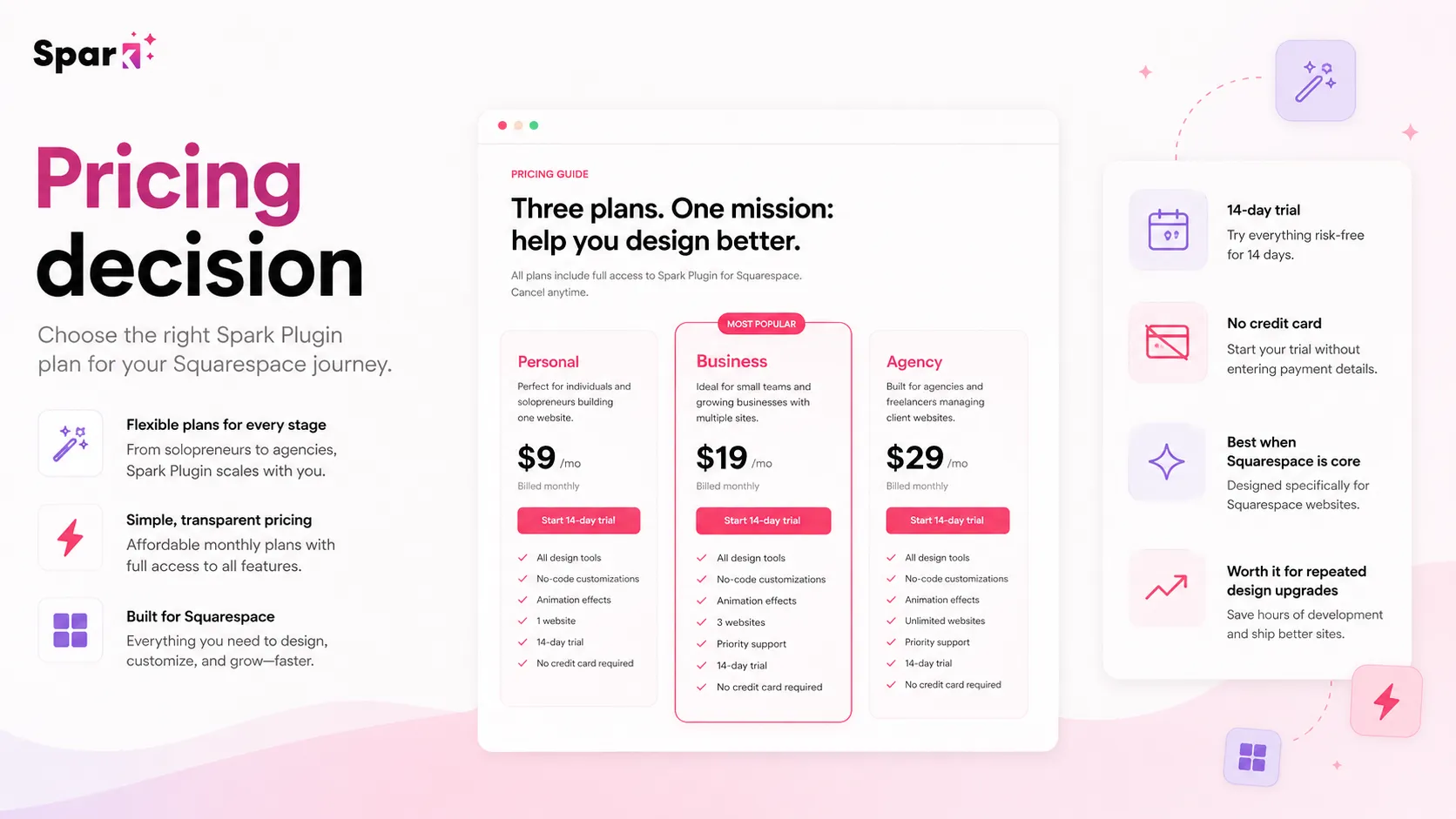
At the time of review, the public pricing page shows three main subscription paths: Personal from $9/month, Business from $19/month, and Agency from $29/month. The site also presents yearly billing as a saving path and lists a 14-day trial with no credit card required.
The Personal plan is the low-cost entry point, but I would not treat it as the default best deal. It is best for smaller sites or solo professionals who can live within the feature limit. If the buyer needs only a handful of customizations, this may be enough.
The Business plan is the more realistic comparison for buyers who want full access, Pro features, and fewer plan-level restrictions. If you are evaluating Spark Plugin because you want broad design freedom, Business may be the plan that reflects the real value proposition more accurately than the entry price.
The Agency plan is for designers and agencies managing multiple client sites. It can be compelling, but only if the buyer understands the permanent-change condition, site-count rules, and client management workflow. This is not a plan I would choose casually.
For most individual buyers, the safest path is trial first, then monthly if the tool becomes useful, then yearly only after the design changes have proven durable. For agencies, the safer path is to verify the current Agency rules before building Spark Plugin into a client offer.
Pricing check: Do not choose Spark Plugin by headline price alone. Compare feature access, site count, billing interval, and cancellation impact first.
Free plan, trial, coupon, and checkout notes
Spark Plugin does not need a free plan to be testable because the official trial path is the more important evaluation route.
The public site lists a 14-day trial with no credit card required. That is the right place to begin. A design plugin should be judged on a real page, not from screenshots or feature names. During the trial, the buyer should test the exact features that would justify paying.
I would treat coupon availability as secondary. Spark Plugin’s visible saving path is the trial, plan selection, and yearly billing option. If a DealBestDaily route shows active offers, check it only after the product fit is clear.
The checkout order I would use is simple: test the site fit, choose the correct plan, read cancellation language, then check current offers. Reversing that order is how buyers end up paying for tools they barely use.
Refund expectations should also be conservative. Spark Plugin’s terms say subscriptions are billed in advance, renew automatically unless canceled, and unused time is not refunded unless agreed. That does not mean the product is unfair. It means the trial period matters.
What I would check before buying Spark Plugin
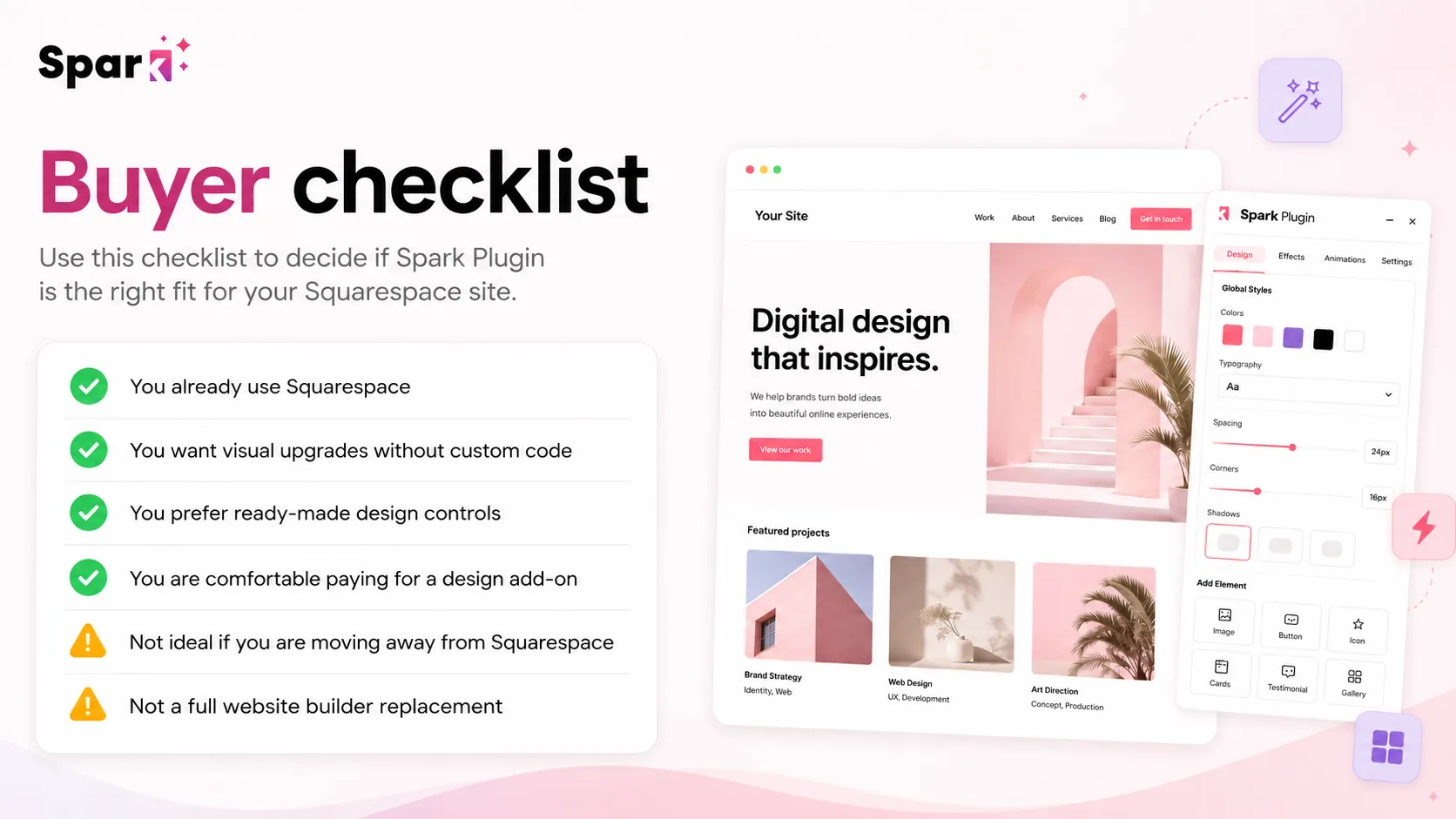
If I were buying Spark Plugin for a real Squarespace workflow, I would check seven things before paying.
- Squarespace compatibility. Confirm the site can use the required installation method and is not on an unsupported setup.
- The exact features needed. List the actual customizations you plan to use before starting the trial.
- Personal versus Business limits. Decide whether 10 features are enough or whether full access and Pro features are the real requirement.
- Mobile behavior. Test any navigation, animation, or layout change on mobile before treating it as production-ready.
- Cancellation impact. Understand what happens to customizations if you cancel, especially on Personal or Business.
- Agency conditions. If using Spark Plugin for clients, verify site counts, permanent-change rules, and handoff expectations.
- Monthly versus yearly billing. Use yearly billing only when the tool has already proven value on the site.
A simple test before paying
Before paying, I would run a small test like this:
- Pick one important page on the Squarespace site.
- Write down three design problems you want to fix.
- Install Spark Plugin during the trial and apply only those three improvements.
- Check the page on desktop, tablet, and mobile.
- Compare the result with what you could do using native Squarespace settings or a small CSS snippet.
- Decide whether the feature limit pushes you toward Personal or Business.
- Read cancellation terms before converting from trial to paid.
The goal is not to see whether Spark Plugin has many features. The goal is to see whether it solves the specific design friction that made you look for a plugin in the first place.
Pros explained
It is focused on Squarespace
Spark Plugin’s biggest advantage is focus. If you use Squarespace and want more design control, the category fit is clear. If your problem is platform flexibility, custom logic, or a different CMS, that same focus becomes a limitation.
The trial is genuinely useful
A 14-day trial with no credit card is valuable because design tools need real testing. The trial only works if you bring a checklist: install it, apply the changes you actually need, and judge the result on a real page.
The feature library covers practical site polish
The customization categories include navigation, marketing elements, button styling, block styling, search, labels, video popups, and mobile menu changes. That is broader than decoration, but still plan-dependent.
The Agency route can fit client work
For designers and agencies, Spark Plugin may reduce repetitive styling work across client sites. The caution is that client work requires more diligence around handoff, cancellation behavior, and permanent-change rules.
Cons explained
It only makes sense inside Squarespace
Spark Plugin is narrow by design. That is useful for committed Squarespace users and irrelevant for buyers still deciding between platforms. Choose the site platform first, then the enhancement layer.
The entry plan may not reflect real usage
The Personal plan creates an attractive starting price, but the feature limit matters. If you need broader design freedom, Business may be the more honest comparison.
Cancellation behavior can affect live designs
For Personal and Business buyers, the public pricing FAQ says customizations are hidden if the subscription is canceled. That matters if the site depends on those changes.
Refund protection should not be assumed
The terms say unused subscription time is not refunded unless agreed. I would not sign up with a refund-first mindset. Prove fit before the trial ends.
Green flags and red flags
Green flags:
- You already use Squarespace and want to stay there.
- You can list the exact design upgrades you need before starting the trial.
- The trial confirms the tool works well on your actual site.
- The Business or Agency plan clearly saves design time you would otherwise spend on manual CSS or client revisions.
- Mobile behavior looks clean after applying the customizations.
Red flags:
- You are choosing Spark Plugin before confirming Squarespace is the right platform.
- You only need one small effect and may not use a subscription repeatedly.
- You are buying the lowest plan without checking feature limits.
- You are using it for client sites without verifying cancellation and permanent-change rules.
- You expect Spark Plugin to solve copy, conversion strategy, SEO architecture, or custom backend problems.
Spark Plugin vs alternatives
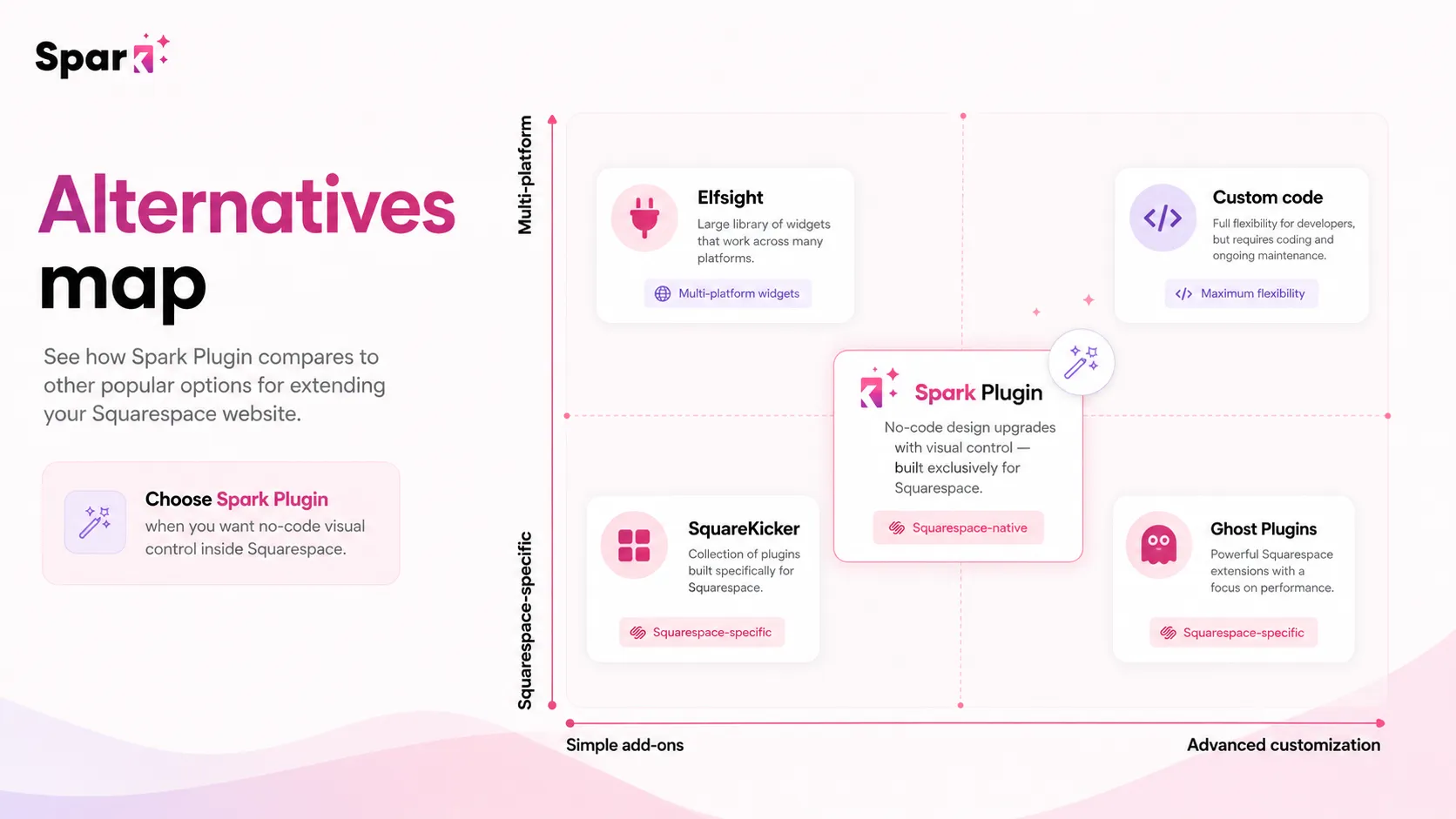
Spark Plugin has two types of alternatives: direct Squarespace customization tools and adjacent website-building routes. I would not mix them together.
SquareKicker vs Spark Plugin
SquareKicker is the closest direct comparison because it also focuses on no-code design control for Squarespace. It may be stronger if you want a mature design-extension workflow and care deeply about how changes behave after active editing or subscription use. Spark Plugin may feel simpler if you want a quick customization library and a trial-based way to test design effects.
Ghost Plugins vs Spark Plugin
Ghost Plugins is a better comparison if you want individual Squarespace plugins, free resources, or one-off enhancements rather than a broad subscription toolkit. Spark Plugin is stronger when you want one interface for many design, navigation, animation, and marketing customizations.
Custom CSS or a Squarespace designer vs Spark Plugin
A small CSS snippet or a designer’s help can be better if the site needs one precise fix. Spark Plugin becomes more interesting when the buyer needs repeated adjustments and wants to control them without asking for code every time.
GeneratePress, Simvoly, Versoly, and Webnode as adjacent routes
These are not direct Spark Plugin alternatives. They matter when the buyer is reconsidering the website platform itself. GeneratePress points toward WordPress control; Simvoly, Versoly, and Webnode point toward different builder experiences. If you want to improve an existing Squarespace site, Spark Plugin remains the more relevant comparison.
Trust, refund, and buyer-risk notes
Spark Plugin feels credible as a focused Squarespace design tool, but the buyer-risk checks are still important.
First, verify live pricing before checkout. Public pricing currently shows Personal, Business, and Agency tiers, but plan details, site counts, yearly savings, and feature access should be checked at the point of purchase.
Second, read the cancellation language. If your customizations are hidden after cancellation, Spark Plugin is not just a temporary design helper. It becomes part of the site’s ongoing operating cost.
Third, agencies should not rely on memory or older reviews for client-site rules. Check the current Agency plan terms before selling Spark Plugin-based design work as permanent.
Fourth, do not assume every effect will behave perfectly with existing custom code or third-party tools. The official help language is generally positive about compatibility, but real sites can have conflicts. Test before committing.
Fifth, treat privacy and account security like you would with any site-connected service. Spark Plugin’s policy describes account, support, analytics, and service-provider data use. That is normal enough for this type of tool, but business owners and agencies should still understand what account access and site editing involve.
The simple version: Spark Plugin is not risky because it is obscure or suspicious. The risk is more practical. You may add it to a live site, build designs around it, and then discover that the plan, cancellation behavior, or client workflow is different from what you assumed.
Final verdict
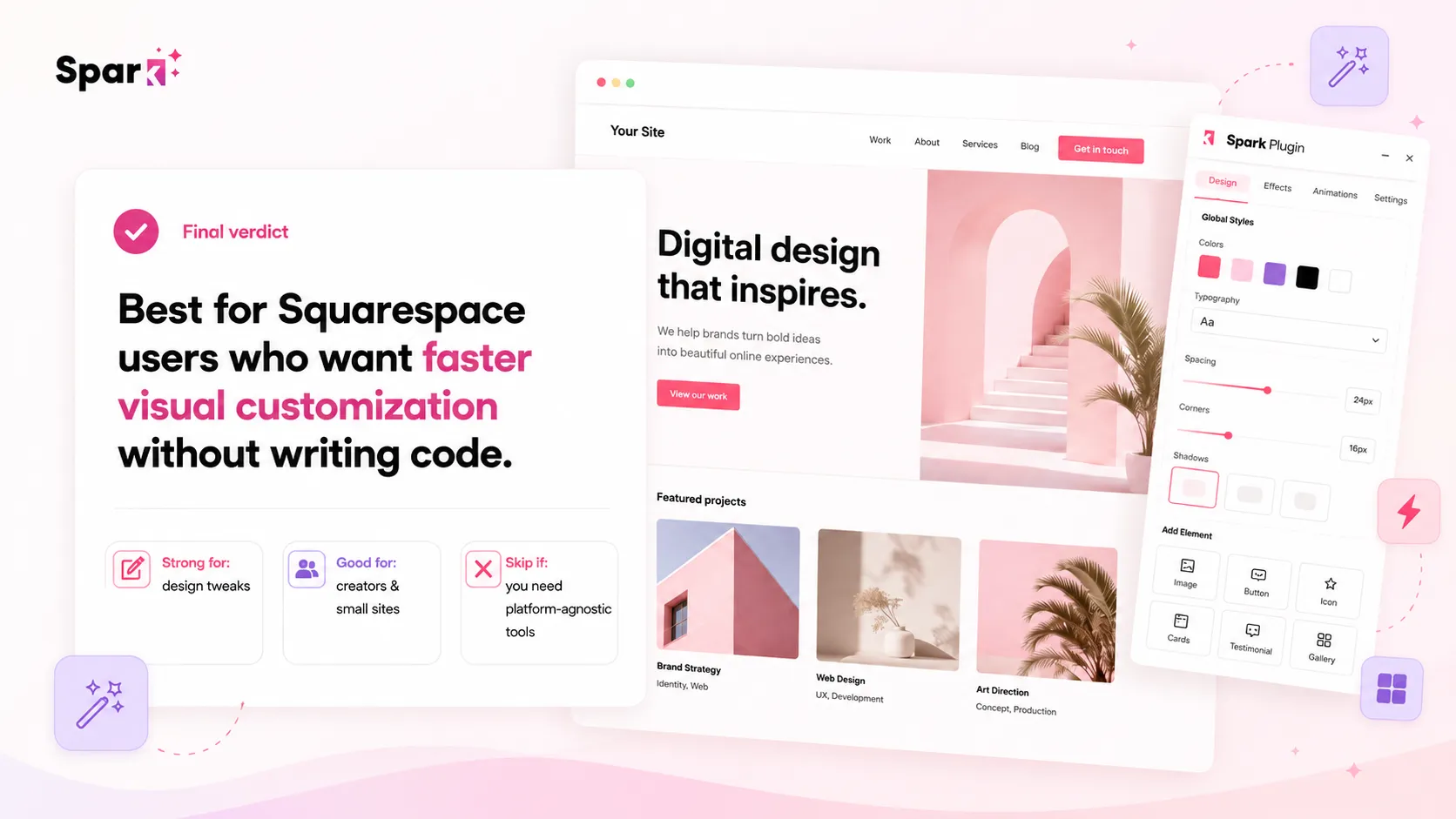
I would consider Spark Plugin if I already had a Squarespace site and wanted more design control without turning every visual improvement into a custom CSS task.
I would be more interested if the site had repeated design needs: better navigation, richer buttons, subtle motion, marketing elements, mobile menu styling, custom block presentation, or client-site polish. In that situation, Spark Plugin is not just decoration. It can become a practical workflow shortcut.
I would skip Spark Plugin if I were not committed to Squarespace, if I needed backend logic, if one small CSS tweak would solve the problem, or if I was expecting a one-time purchase. I would also slow down if the design changes were mission-critical and I had not yet understood what happens after cancellation.
I would compare Spark Plugin with SquareKicker if I wanted the closest design-extension alternative. I would compare it with Ghost Plugins if I wanted individual Squarespace enhancements. I would compare it with GeneratePress, Simvoly, Versoly, or Webnode only if the real question was whether to leave Squarespace or rebuild the site elsewhere.
For my money, Spark Plugin is strongest when you treat the trial like a real site test. Bring a short list of design problems, apply the changes, check mobile behavior, and read the plan rules before paying. If the tool saves repeated design work inside Squarespace, it can make sense. If the trial only makes the site look busier, the safer decision is to skip it and solve the deeper site problem first.
