
SiteSpeakAI Pricing, Plans & Support Fit
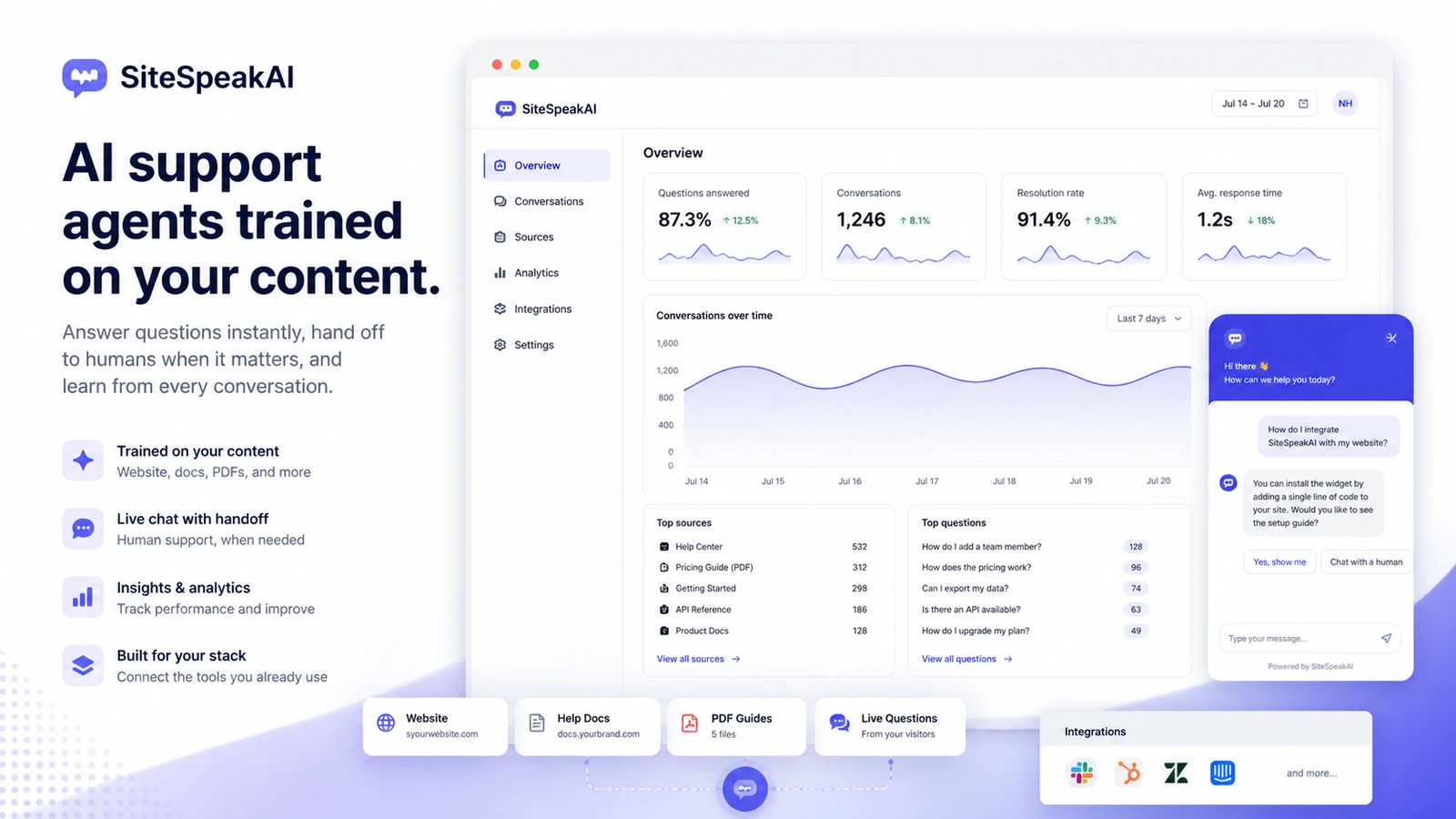
SiteSpeakAI is an AI customer-service chatbot platform for creating website agents trained on business content. It fits buyers who want a support widget, lead capture, live chat fallback, content training, conversation history, and automation around repeated visitor questions rather than a personal chatbot for one-off productivity.
Fit → price → checkout
Use these routes after the official-site check: coupon first, review for fit, compare if unsure.
SiteSpeakAI pricing snapshot
Fast commercial checks before pricing, coupons, or a deeper review.
SiteSpeakAI product tour for support chatbot fit
Watch the product tour as a real website-support test. The useful question is not whether SiteSpeakAI can make a chatbot, but whether the buyer can train it on current content, install it cleanly, hand conversations to humans when needed, and choose a plan that matches expected support volume.
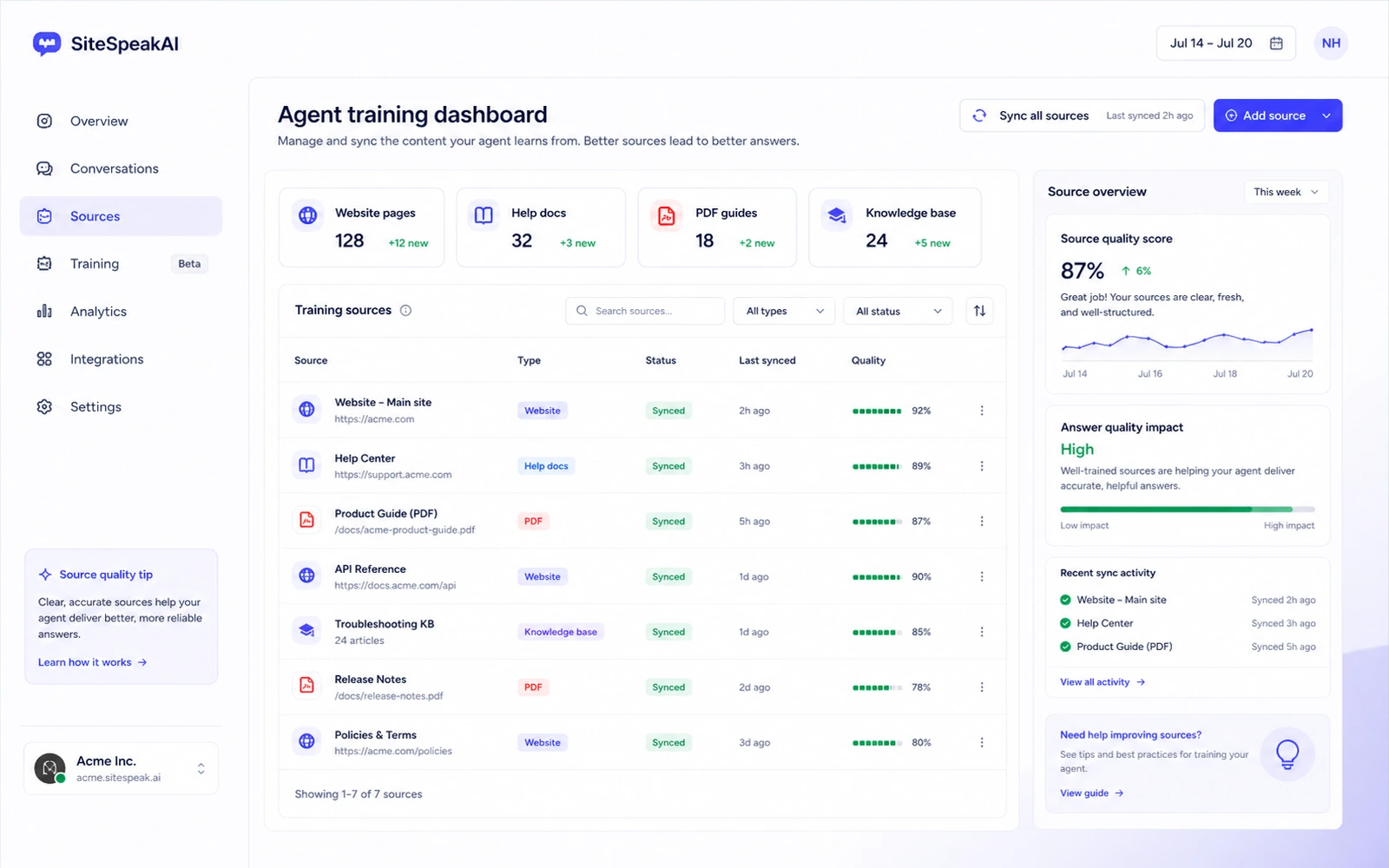
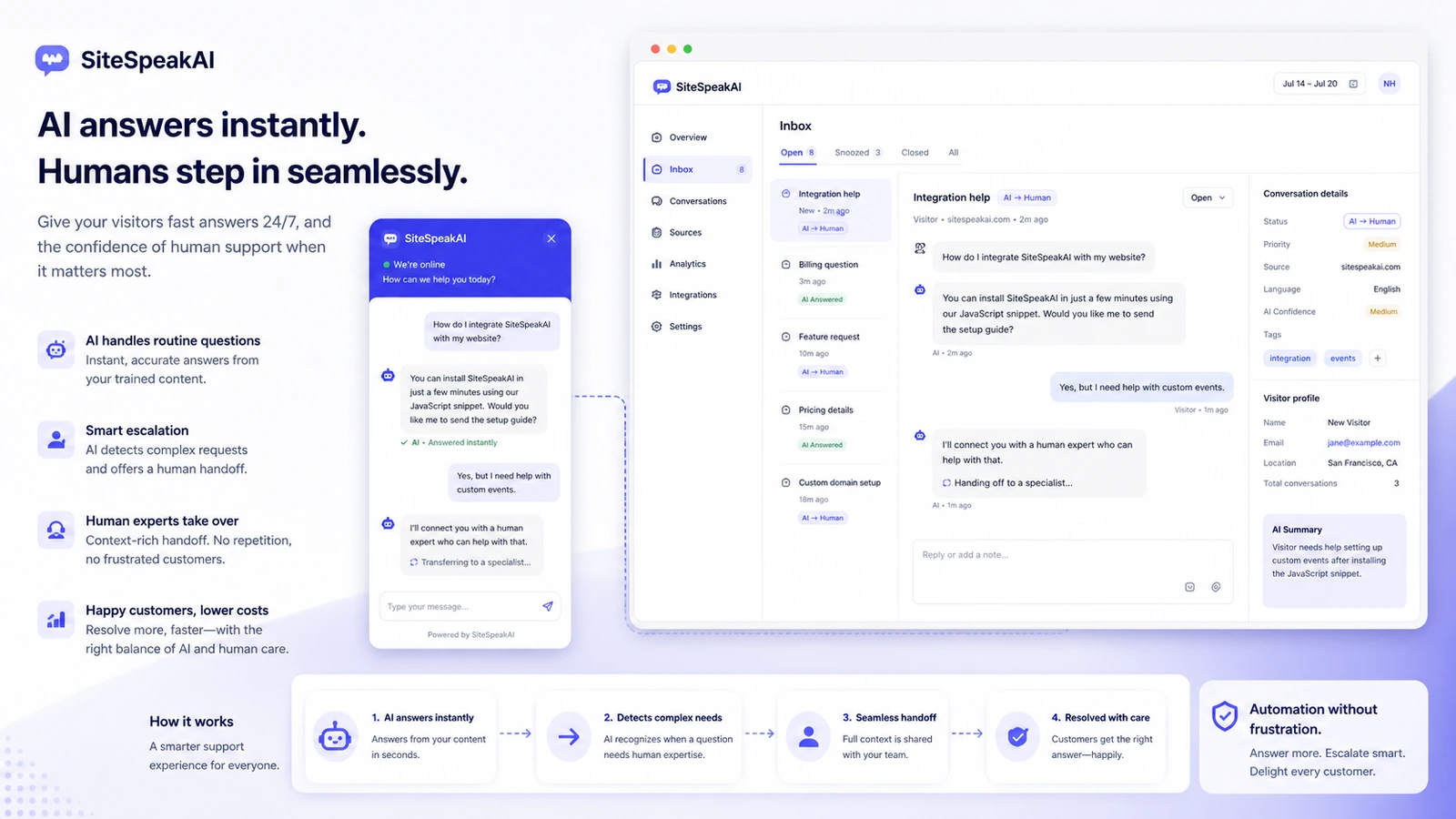
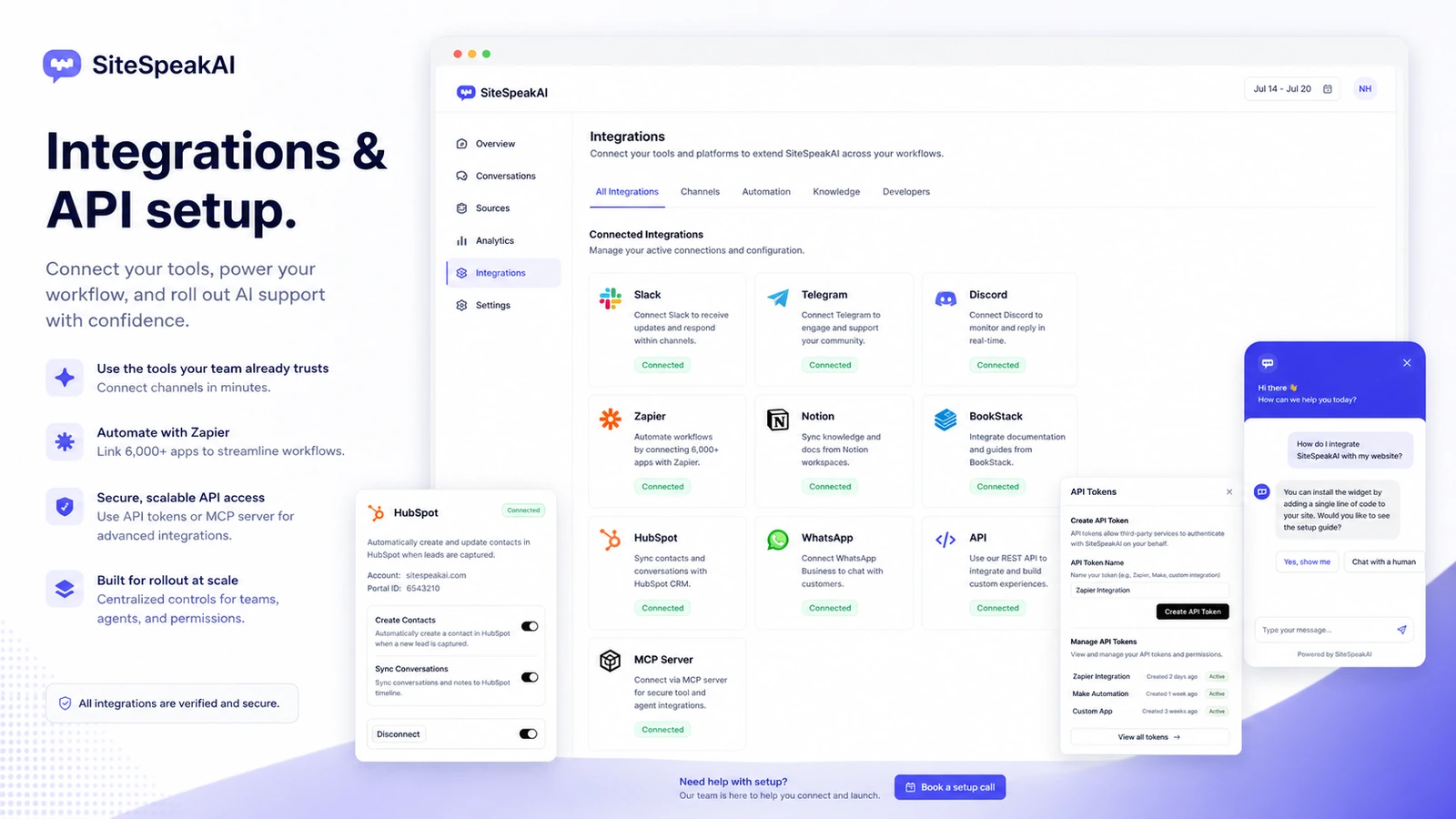
SiteSpeakAI should be evaluated as a website-support automation tool. The buying decision comes down to source quality, answer reliability, live chat fallback, message credits, plan limits, and whether the bot can reduce repeated support work without creating a worse customer experience.
What SiteSpeakAI actually does
SiteSpeakAI helps buyers create a custom AI chatbot, train it on website content or other business sources, and embed it into a site so visitors can ask questions. It is not just a decorative chat bubble. The practical value comes from whether it can answer repeated support, sales, onboarding, course, or knowledge-base questions accurately enough to reduce manual work.
- Use it when visitors ask the same questions repeatedly.
- Judge it by training-source quality, not only by the look of the widget.
- Keep human fallback available for questions the AI should not answer alone.
Pricing and plan fit
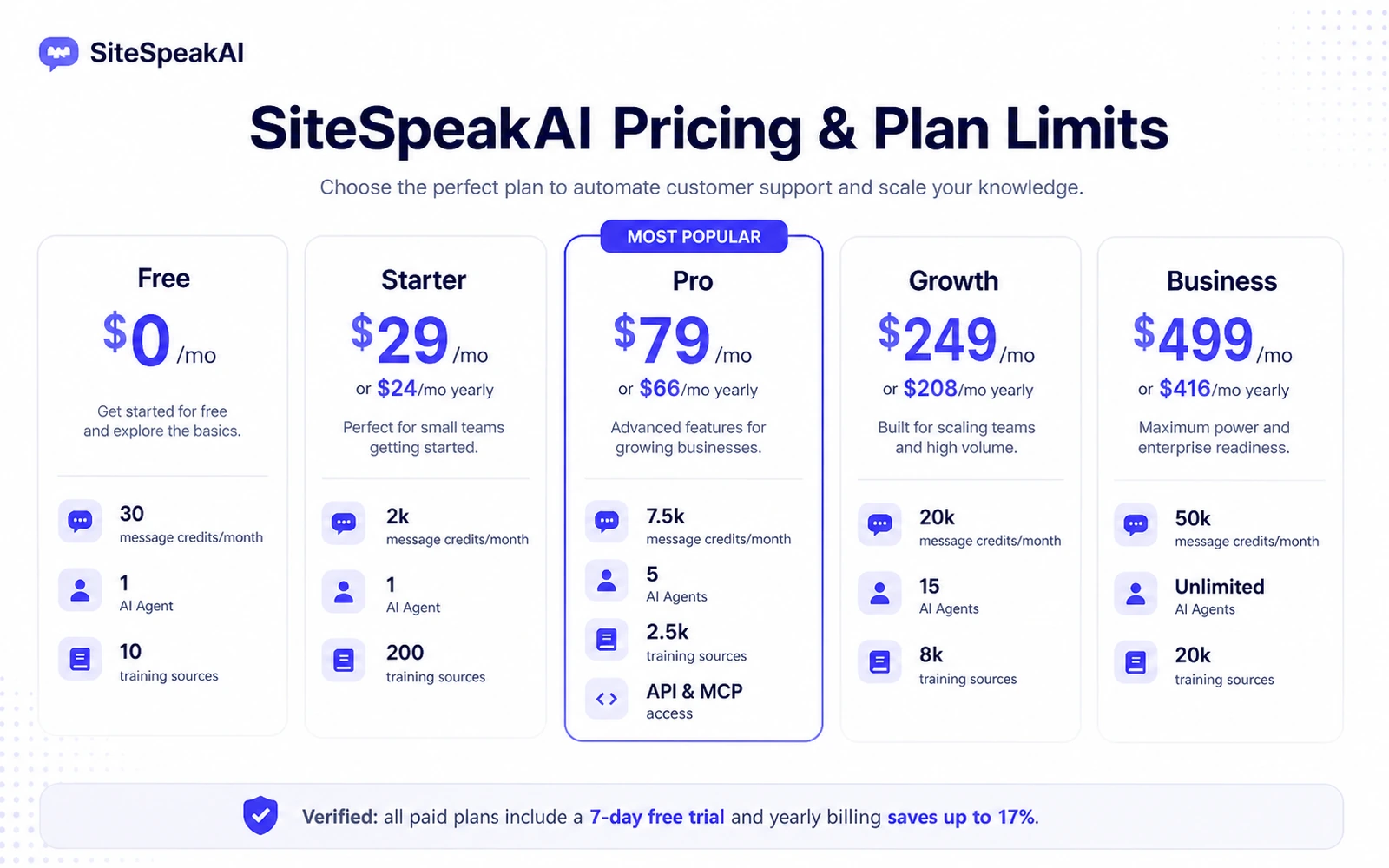
The free plan is useful for early testing, with 30 message credits per month, one AI agent, and 10 training sources. Paid plans start at $29/month on the public pricing page, and yearly billing lowers the displayed monthly equivalent. The buyer question is whether the expected support volume, source count, integrations, API needs, and handoff workflow justify the jump from Free to Starter, Pro, Growth, or Business.
- Free works best for setup and answer-quality testing.
- Starter is the first serious small-site path when 2,000 monthly message credits are enough.
- Pro and higher matter when API, MCP Server, advanced models, WhatsApp, HubSpot, auto-sync, or custom domain features affect the workflow.
Product tour video for buyer context
The main video is useful if you want to understand the training workflow before paying. Watch how SiteSpeakAI connects business content to a chatbot and think about your own source quality while viewing it. If your help docs, pages, PDFs, or course material are incomplete, the video should prompt a cleanup step before you judge any paid plan.
When the paid plan starts making sense
A paid SiteSpeakAI plan makes more sense when the bot has already shown it can answer real visitor questions, capture useful leads, reduce repeated support work, and hand off to a human when needed. Buyers should also check whether the plan includes the channels and technical features they need, especially API, MCP Server, WhatsApp, HubSpot, Slack, Telegram, Discord, Zapier, Notion, or BookStack.
- Upgrade after testing real questions, not after reading the feature list.
- Match integrations and channels to the stack the team already uses.
- Use annual billing only after the trial proves that answer quality is strong enough.
Inline video for real use-case fit
This use-case video is helpful for buyers who sell courses, digital products, memberships, or knowledge-heavy services. Watch how the chatbot is framed around a specific buyer journey rather than a generic support desk. That difference matters because SiteSpeakAI works best when the buyer can define the exact content, questions, and conversion path the bot should support.
Refund and checkout risk
SiteSpeakAI's terms state that payments are not refunded after they are made. That does not make the product a bad fit, but it changes the buying sequence. Use the free plan, check the 7-day trial path on paid plans, confirm the live checkout terms, and avoid annual billing until the bot has answered real questions well enough to justify the subscription.
- Read the terms before paying.
- Cancel during the trial if the bot does not fit the workflow.
- Do not rely on public coupon claims unless the checkout route confirms them.
Best savings path from this store page
This is the clearest savings route to check once the product already looks like a fit.
SiteSpeakAI lists yearly billing savings of up to 17%, making annual billing the main official no-code savings route for active chatbot users.
Try paid plans for 7 days
Starter from $24/month yearly
Use comparison routes when the category fit is still open
Use these comparison routes when the product still looks plausible, but the category fit is not fully settled.
Chaindesk deserves a comparison when the buyer wants a broader no-code support-agent platform with many integration and datastore workflow checks.
Chatbase is a natural comparison when the buyer wants a simpler chatbot builder and wants to compare pricing, live chat gaps, retraining, and analytics tradeoffs.
Verification points worth checking before you click out
Where this store usually fits best in the workflow
SiteSpeakAI fits websites where visitors repeatedly ask about pricing, setup, services, policies, product details, or account questions. The buyer should test answer quality with real questions before judging paid plan value.
SiteSpeakAI can support lead capture when the chatbot is trained to answer buying questions and guide users toward the next step. It works better when the buyer has clear offers, clear pages, and approved sales language.
Training a chatbot on course or knowledge content can help visitors find relevant answers faster. The buyer should verify that the plan supports enough sources and message credits for the expected student or customer volume.
SiteSpeakAI can be useful for internal knowledge-base style workflows when employees need quick answers from company content. Buyers should confirm access controls, API needs, and source-update cadence before relying on it internally.
Practical checkpoints before and after signup
- List the repeated questions that currently cost support time or block conversions.
- Check whether the answers already exist in clean pages, files, docs, courses, or help content.
- Compare SiteSpeakAI with Chaindesk and Chatbase if the buying decision is still about platform fit.
- Train one AI agent on a narrow, approved source set.
- Ask real customer or visitor questions before trusting the bot with public traffic.
- Check whether the answer quality is strong enough before starting a paid trial or annual plan.
- Compare Free, Starter, Pro, Growth, and Business by message credits, agents, training sources, actions, integrations, API access, and support level.
- Verify whether API, MCP Server, WhatsApp, HubSpot, or custom domain features are needed before choosing a higher tier.
- Confirm the refund and cancellation position at checkout because the terms say completed payments are not refunded.
- Launch the bot on a limited page or use case first.
- Monitor conversations and improve sources before expanding across the website.
- Re-check pricing when message volume, training sources, or support channels grow.
Fast-read signals for workflow fit and buying friction
Questions readers usually ask before choosing this store
What is SiteSpeakAI best for?
SiteSpeakAI is best for websites that receive repeated support, sales, course, service, or knowledge-base questions. It makes the most sense when the buyer already has useful content to train the bot and wants a customer-facing AI assistant with live chat fallback.
Does SiteSpeakAI have a free plan or free trial?
Yes. The public pricing page lists a free plan with 30 message credits per month, one AI agent, and 10 training sources. Paid plans show a 7-day free trial, so buyers can test a larger plan before staying subscribed.
What should buyers verify before paying for SiteSpeakAI?
Buyers should verify message credits, AI agent limits, training-source limits, auto-sync needs, live chat and escalation workflow, API or MCP Server access, integrations, yearly billing savings, and the current checkout terms before paying.
Is SiteSpeakAI better than Chatbase or Chaindesk?
It depends on the workflow. SiteSpeakAI is attractive when the buyer wants website support automation with live chat, training sources, and practical customer-service workflows. Chatbase may feel simpler for basic chatbot building, while Chaindesk is worth comparing for broader no-code support-agent and datastore workflows.
Does SiteSpeakAI support API access and integrations?
Yes, SiteSpeakAI publishes API documentation, and the pricing page lists API access, MCP Server access, and integrations such as Slack, Telegram, Discord, Zapier, HubSpot, WhatsApp, Notion, and BookStack. Buyers should still confirm the exact plan that unlocks the specific integration or API feature they need.
Choose the next route that matches what you still need to decide
The strongest next click depends on whether you still need product judgment, a savings route, or a broader category comparison.