
Rella Pricing, Plans & Team Workflow Fit
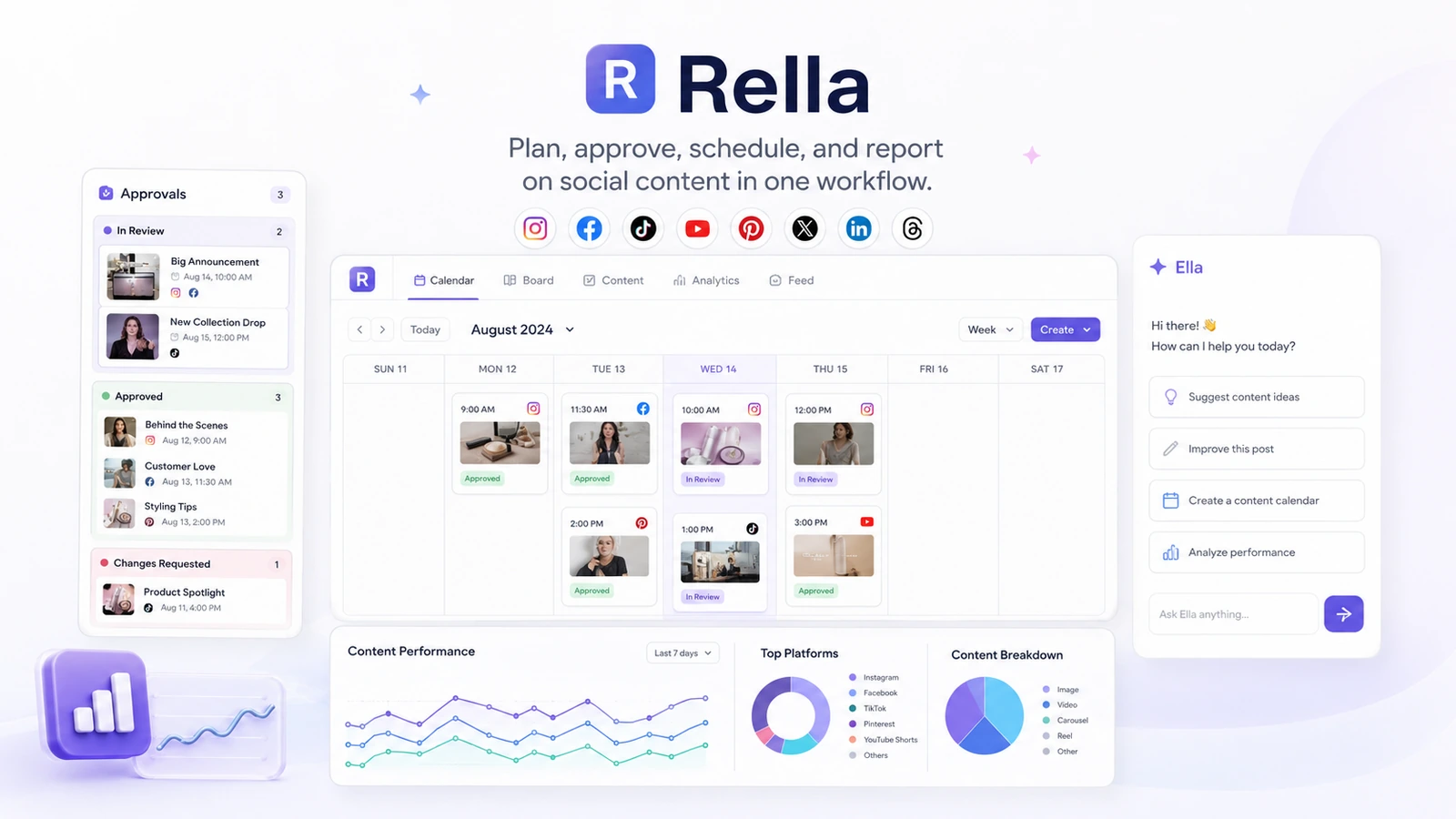
Rella is a social media content management and collaboration platform for creators, social media managers, agencies, and teams that need planning, approvals, scheduling, and reporting in one place. Its AI angle comes from Ella, a built-in assistant for content ideas, captions, strategy prompts, and workflow support, but the core value is still team coordination around social content.
Fit → price → checkout
Use these routes after the official-site check: coupon first, review for fit, compare if unsure.
Rella pricing snapshot
Fast commercial checks before pricing, coupons, or a deeper review.
Rella product tour
Rella needs practical visuals because the buying decision depends on workflow clarity. The most useful tour shows the calendar, project management view, approvals, reporting, and how Ella supports social media work without turning Rella into a generic AI writer.
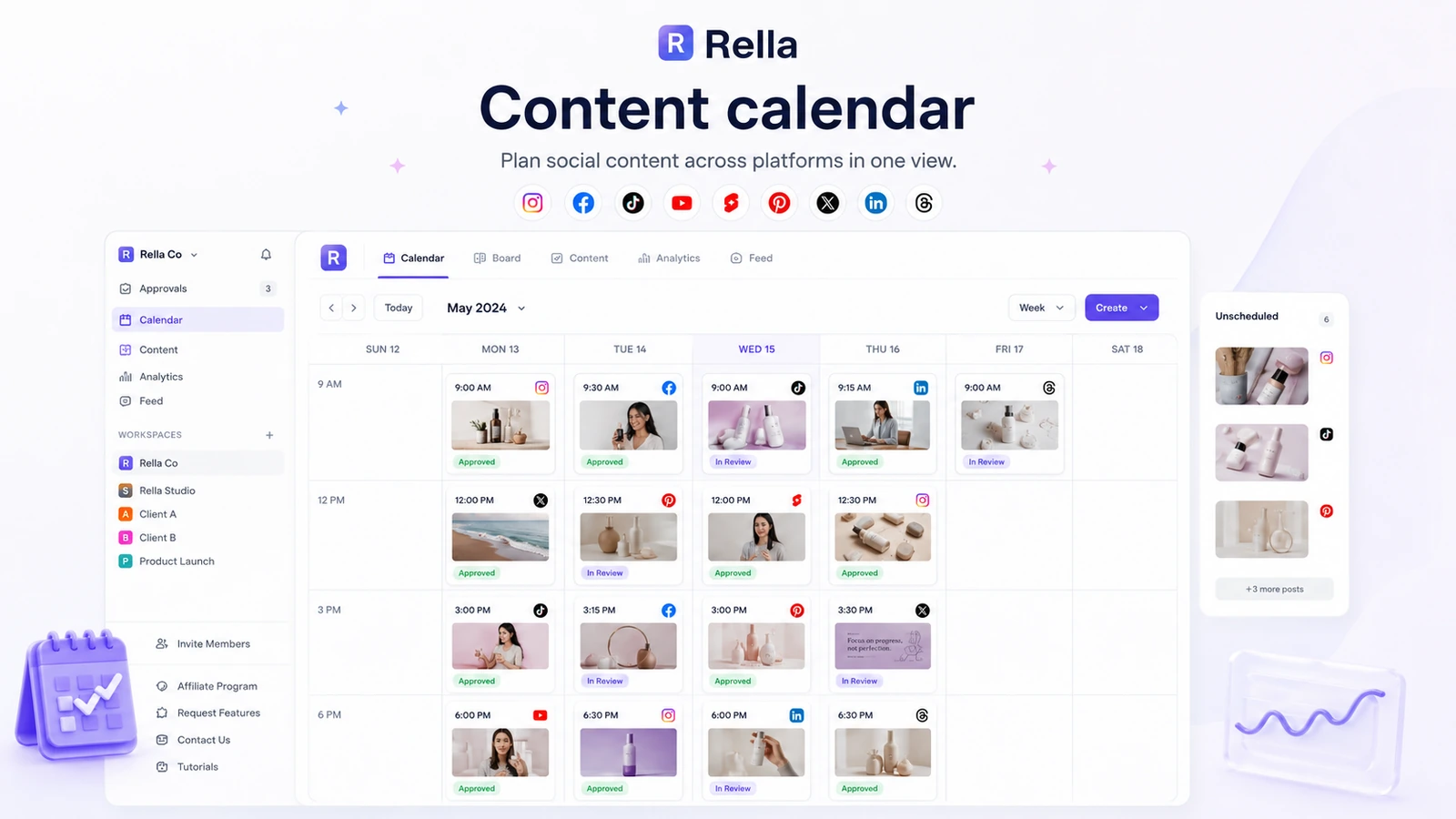
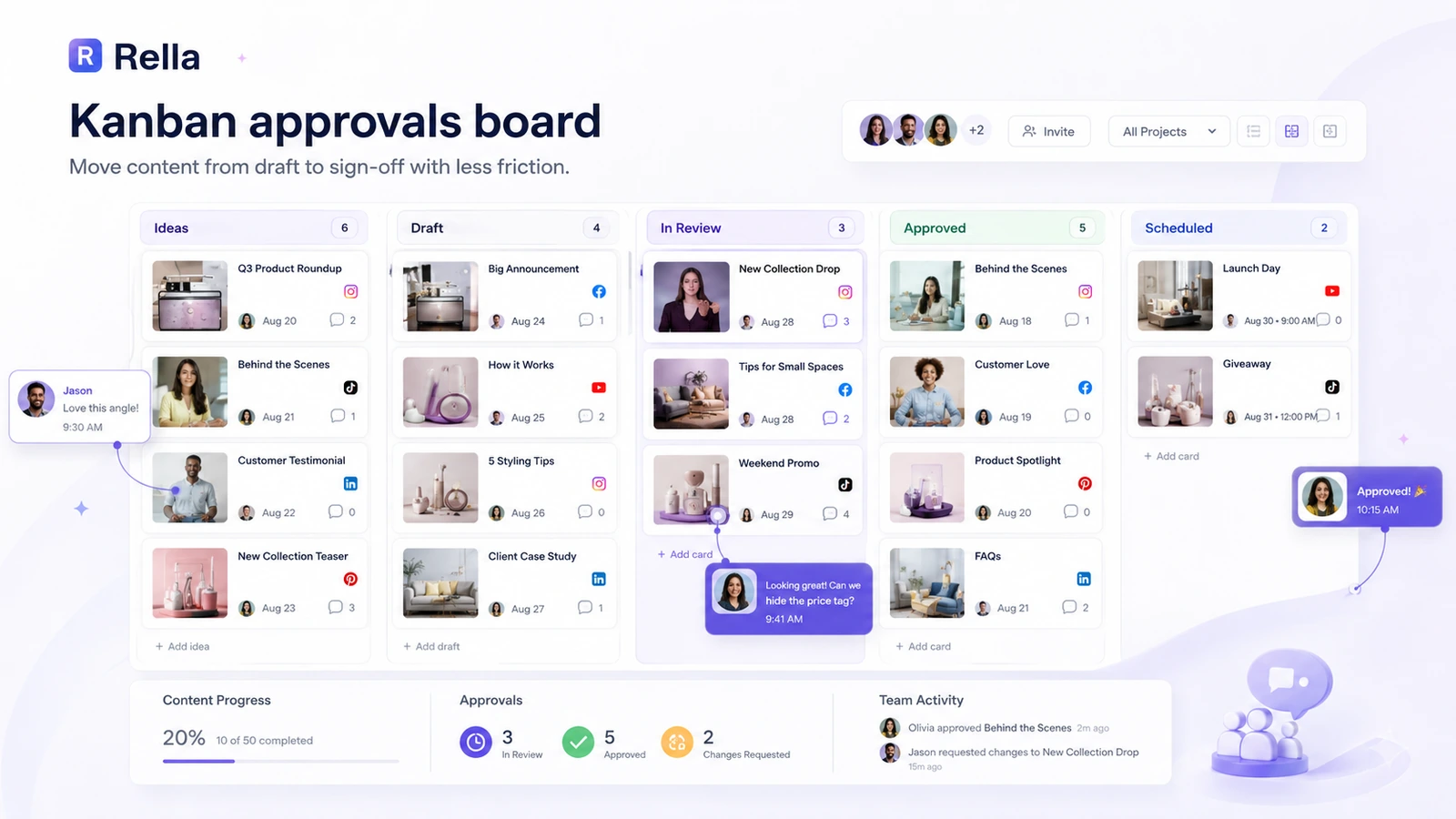
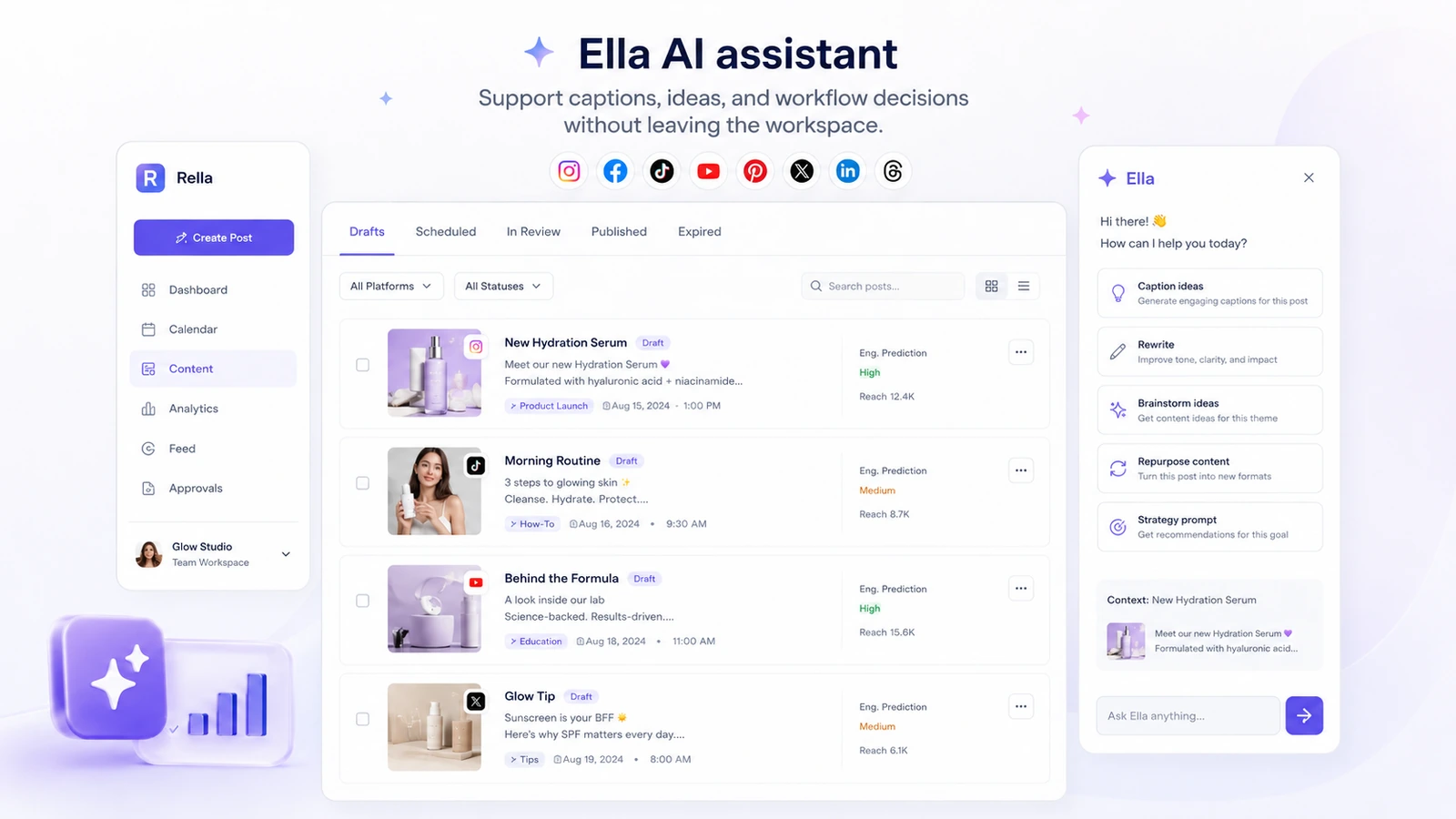
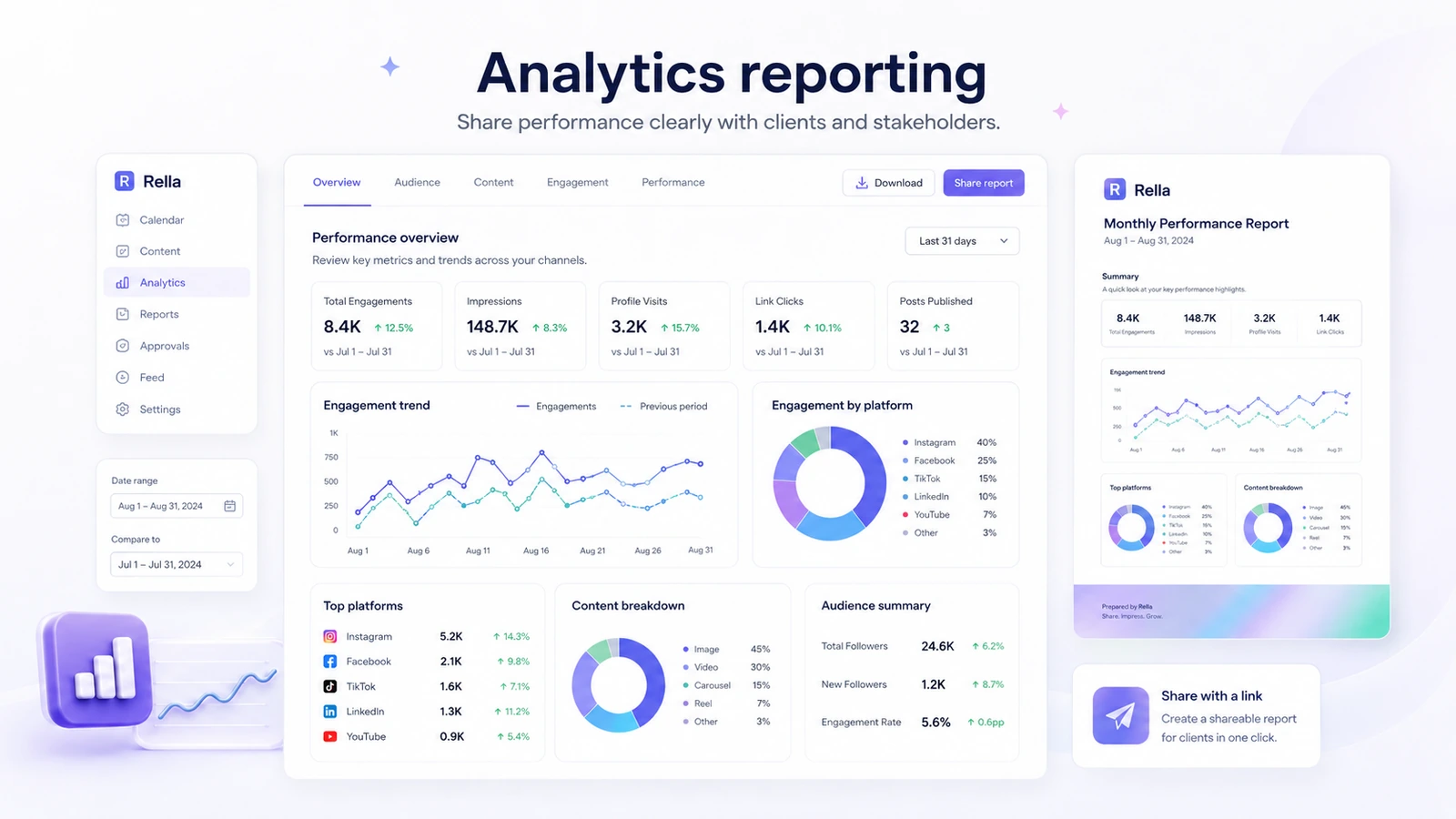
Rella should be evaluated as a social media operations tool, not just an AI productivity app. The product is trying to bring planning, content statuses, approvals, scheduling, reporting, and AI assistance into one workflow for people who manage social content with clients or teammates. That makes it more serious than a simple calendar, but also less attractive if all you need is cheap solo scheduling.
What Rella actually does
Rella brings social content planning, project management, approvals, scheduling, and analytics into one workspace. The official site emphasizes content calendars, auto posting, Instagram feed planning, Kanban boards, tasks, comments, and client collaboration. That mix makes the most sense when the buyer is replacing a messy stack of spreadsheet, calendar, project board, email, and scheduler.
- Plan and schedule social posts across major platforms
- Move content through statuses, tasks, comments, and approval steps
- Share content and reports with clients or collaborators
- Use Ella AI for captions, ideas, strategy prompts, and workflow questions
Where Ella AI fits
Ella is Rella's built-in AI assistant. Official Rella content describes Ella as support for drafting, ideation, rewriting, expanding bullet points, repurposing long-form material into social captions, and brainstorming campaign ideas. That is useful, but it should be treated as workflow support rather than the only reason to buy Rella.
Pricing is seat-based, not client-based
Rella's pricing is based on member seats. The official pricing FAQ says unlimited Social Spaces are included with each subscription, while anyone who needs to edit content must be added to the subscription. That distinction is important for agencies: a client who only reviews or comments may not create the same cost as a team member who edits and manages content.
- Rella Pro starts at $24 USD per member per month on annual billing
- Premium adds stronger external collaboration, social inbox, workflows, and Ella AI Assistant
- Premium Plus adds onboarding, prioritized support, unlimited Ella usage, and custom branding
- The real cost depends on how many people need editing access
Collaboration is the strongest buying case
Rella's most convincing use case is not a solo user posting once a week. It is a social media manager, agency, or in-house team that needs clients, creators, designers, and managers to see the same content pipeline. Shared content, approval steps, public communication, analytics reports, and social space management are what make Rella feel more specialized than generic project management tools.
- Good for client approvals and social content feedback loops
- Useful when multiple brands or clients must stay separated
- More focused than a general project board for social-specific workflows
Analytics and reporting are useful, but not the whole story
Rella includes analytic reporting, and its tutorial content says teams can generate unlimited analytics reports and share reports by link. That is useful for recurring client updates. Still, buyers who mainly need advanced analytics should compare Rella against analytics-first or enterprise social media platforms before deciding.
- Good fit for lightweight client-facing reporting
- Useful when reports need to be shared without extra spreadsheet work
- Not necessarily the first choice if advanced analytics is the main buying reason
Refund and renewal risk
Rella's terms are strict about paid subscription refunds. That does not mean buyers should avoid the product, but it does mean the free trial carries real importance. Use the trial to run a realistic workflow: create content, assign tasks, share a post with a client, test approval comments, schedule content, and review reporting.
- Use the 14-day trial before upgrading
- Cancel before the trial or renewal if the workflow does not fit
- Do not rely on a refund as the safety net
Best next step with Rella
Start with the free trial and test Rella against a real social media workflow. For a solo creator, compare it against cheaper schedulers. For an agency or team, test the approval workflow, client access, reporting, seat count, and whether Ella saves enough planning time to justify Premium or Premium Plus.
- Solo users should compare against lower-cost schedulers first
- Agencies should test client review and paid editor seat count
- Teams should compare Pro versus Premium around collaboration and Ella AI
Best savings path from this store page
This is the clearest savings route to check once the product already looks like a fit.
A third-party coupon tracker reports a Rella checkout code for a storewide discount. Treat it as a checkout-test path and confirm the final price before subscribing.
Start free trial
Pro plan from official pricing
Use comparison routes when the category fit is still open
Use these comparison routes when the product still looks plausible, but the category fit is not fully settled.
Verification points worth checking before you click out
Where this store usually fits best in the workflow
Rella is useful when agencies need clients to review, comment, and approve social content without scattering feedback across email, spreadsheets, and chat.
In-house teams can use Rella to centralize the content calendar, assign tasks, manage statuses, and keep upcoming posts visible.
Teams can use Ella to generate captions, brainstorm ideas, rewrite posts, and repurpose content while keeping the work inside the planning system.
Rella can help managers share analytics reports through links, which is useful when clients need regular performance visibility.
Practical checkpoints before and after signup
- List how many people need editing access versus view or comment access.
- Prepare one real client, campaign, or brand workflow to test inside Rella.
- Test planning, approvals, scheduling, reporting, and Ella AI with real content instead of sample tasks.
- Check whether clients understand the shared content flow without extra explanation.
- Compare Pro, Premium, and Premium Plus around collaboration needs, Ella usage, social inbox, workflows, and support.
- Read the refund and auto-renewal terms because paid subscriptions are final.
- Audit paid seats monthly so inactive editors do not quietly raise the cost.
- Use clear statuses and approval rules so Rella does not become another messy project board.
Fast-read signals for workflow fit and buying friction
Questions readers usually ask before choosing this store
What is Rella best for?
Rella is best for social media managers, agencies, creators, and teams that need one place to plan content, manage approvals, schedule posts, collaborate with clients, and share reports.
Does Rella have AI features?
Yes. Rella includes Ella, an AI assistant for captions, ideas, strategy prompts, rewriting, repurposing, and workflow questions. Buyers should compare plans because AI usage and unlimited Ella access are tied to higher tiers.
How much does Rella cost?
Rella's official pricing starts at $24 USD per member per month on annual billing for Rella Pro. Premium and Premium Plus cost more and add stronger collaboration, Ella AI features, support, and customization.
Does Rella offer a free plan?
Rella does not list a permanent free plan on its pricing page, but it does offer a 14-day free trial. Buyers should use that trial to test a real workflow before paying.
Does Rella offer refunds?
Rella's terms state that paid subscriptions are final and that refunds are not offered for paid subscriptions. This makes the free trial and plan fit check especially important before checkout.
Choose the next route that matches what you still need to decide
The strongest next click depends on whether you still need product judgment, a savings route, or a broader category comparison.