
Relevance AI Pricing, Plans & GTM Fit
Relevance AI is a low-code and no-code AI workforce platform for building agents, tools, and multi-agent teams that can run sales, GTM, support, research, and internal workflow tasks. It is not just a chatbot widget. The product makes more sense when a buyer has repeatable processes, clear data sources, and a real plan for delegating work to agents instead of manually prompting an assistant every day.

Fit → price → checkout
Use these routes after the official-site check: coupon first, review for fit, compare if unsure.
Relevance AI pricing snapshot
Fast commercial checks before pricing, coupons, or a deeper review.
Relevance AI product tour
Watch this tour as a practical workflow check. The useful question is not whether the agent builder looks impressive, but whether you can define one job clearly enough for an agent to run it, connect the tools it needs, review outputs safely, and estimate action usage before upgrading. Pay close attention to how agents, tools, and workforces are assembled, because that is what determines whether Relevance AI becomes an operating layer or just another AI dashboard.
Relevance AI should be evaluated as an AI workforce platform, not as a quick coupon click. A buyer who already has a repeatable workflow can use it to build agents, equip them with tools, connect knowledge, and turn manual GTM or operations tasks into semi-autonomous work. A buyer who only wants a simple chat widget may find the platform heavier than necessary.
What Relevance AI actually does
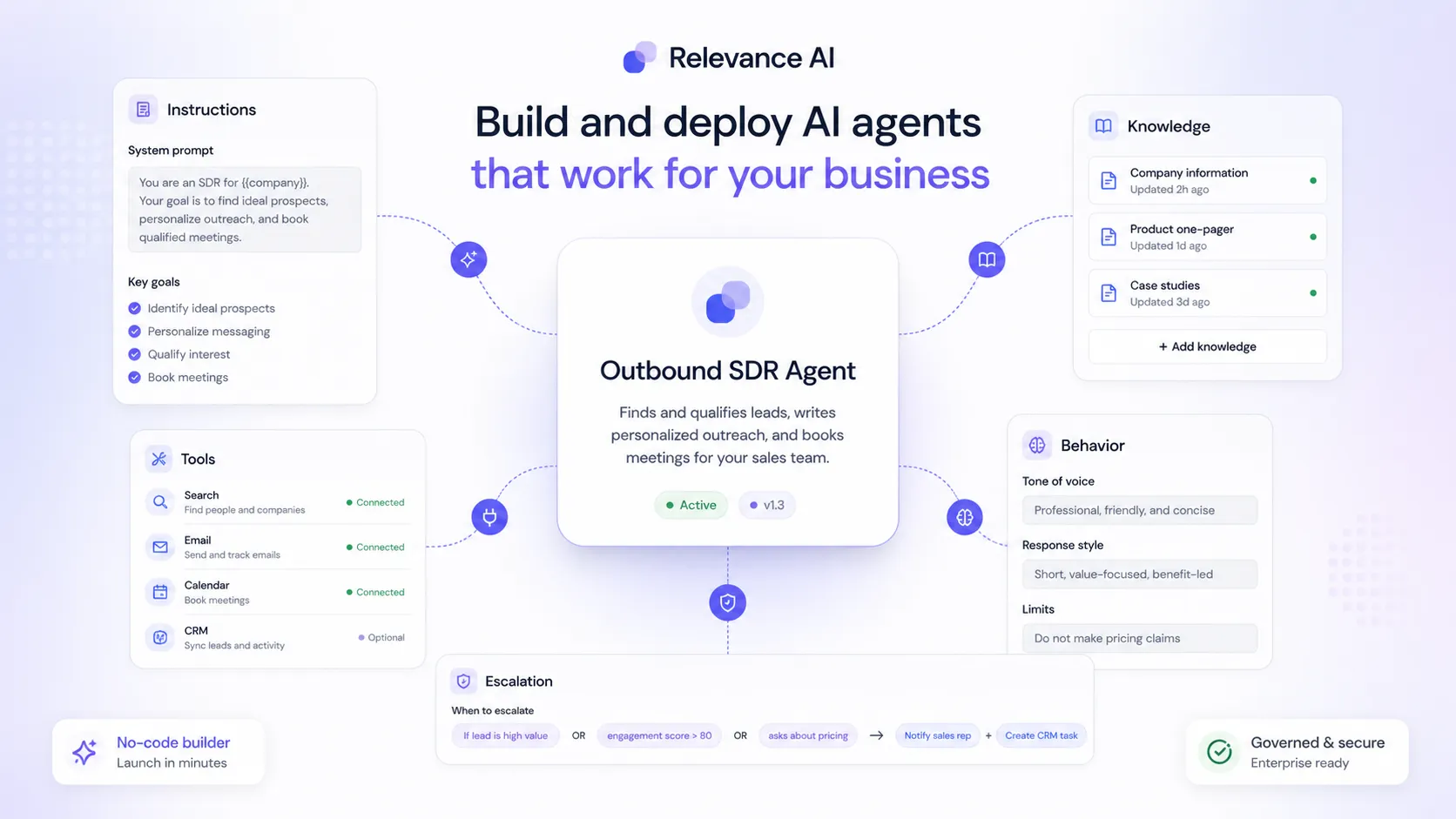
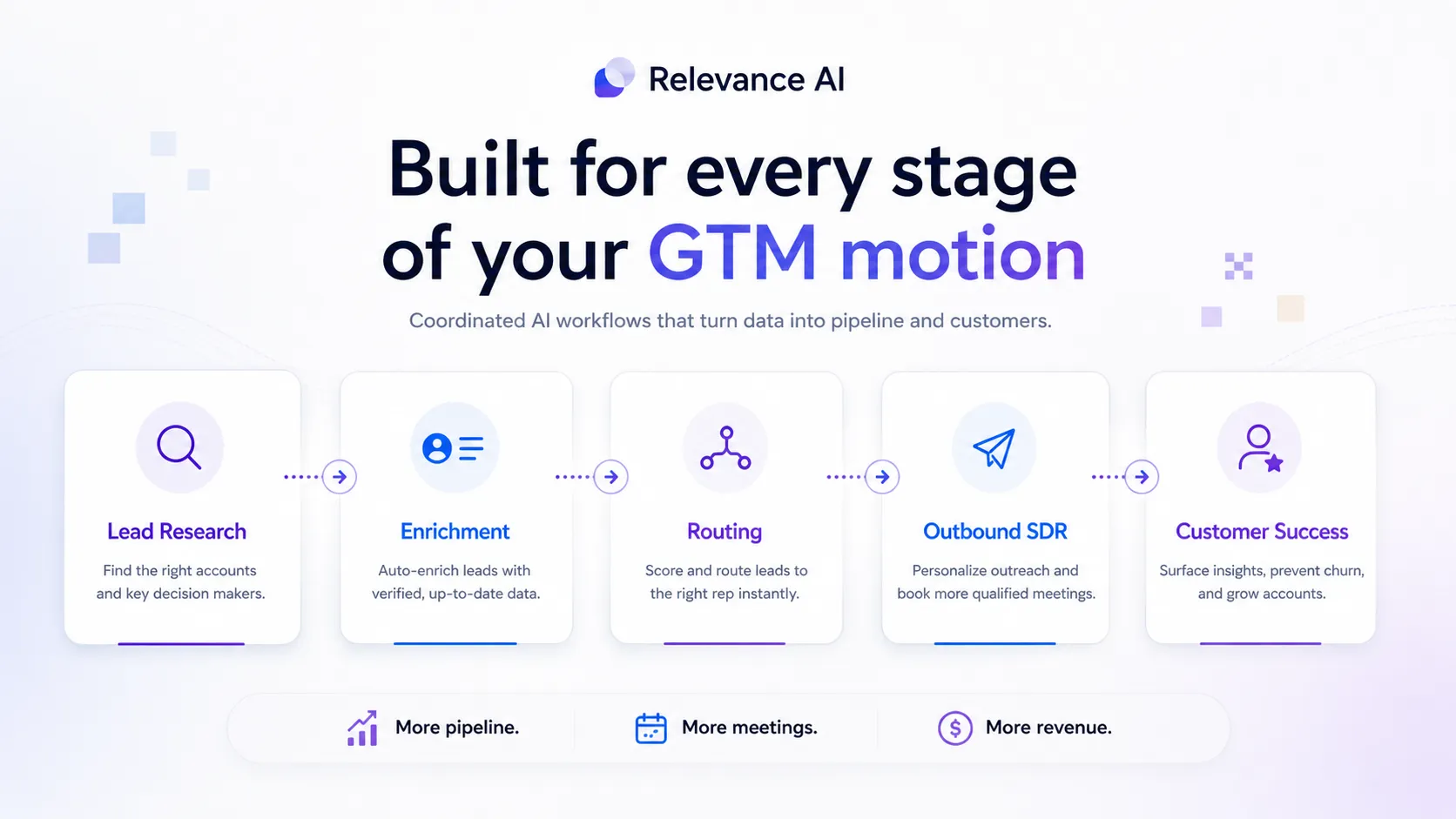
Relevance AI lets teams build AI agents and workforces that can complete defined tasks with tools, integrations, knowledge sources, and human oversight. The strongest use case is not casual prompting. It is taking a workflow such as lead research, routing, enrichment, outbound follow-up, customer success handoff, or internal research and giving agents enough structure to run parts of that job repeatedly.
- Build agents from scratch, templates, or natural-language instructions.
- Add tools so agents can act instead of only generating text.
- Use knowledge sources so agents work from company-specific context.
- Combine agents into workforces for larger GTM or operations workflows.
Pricing and plan fit
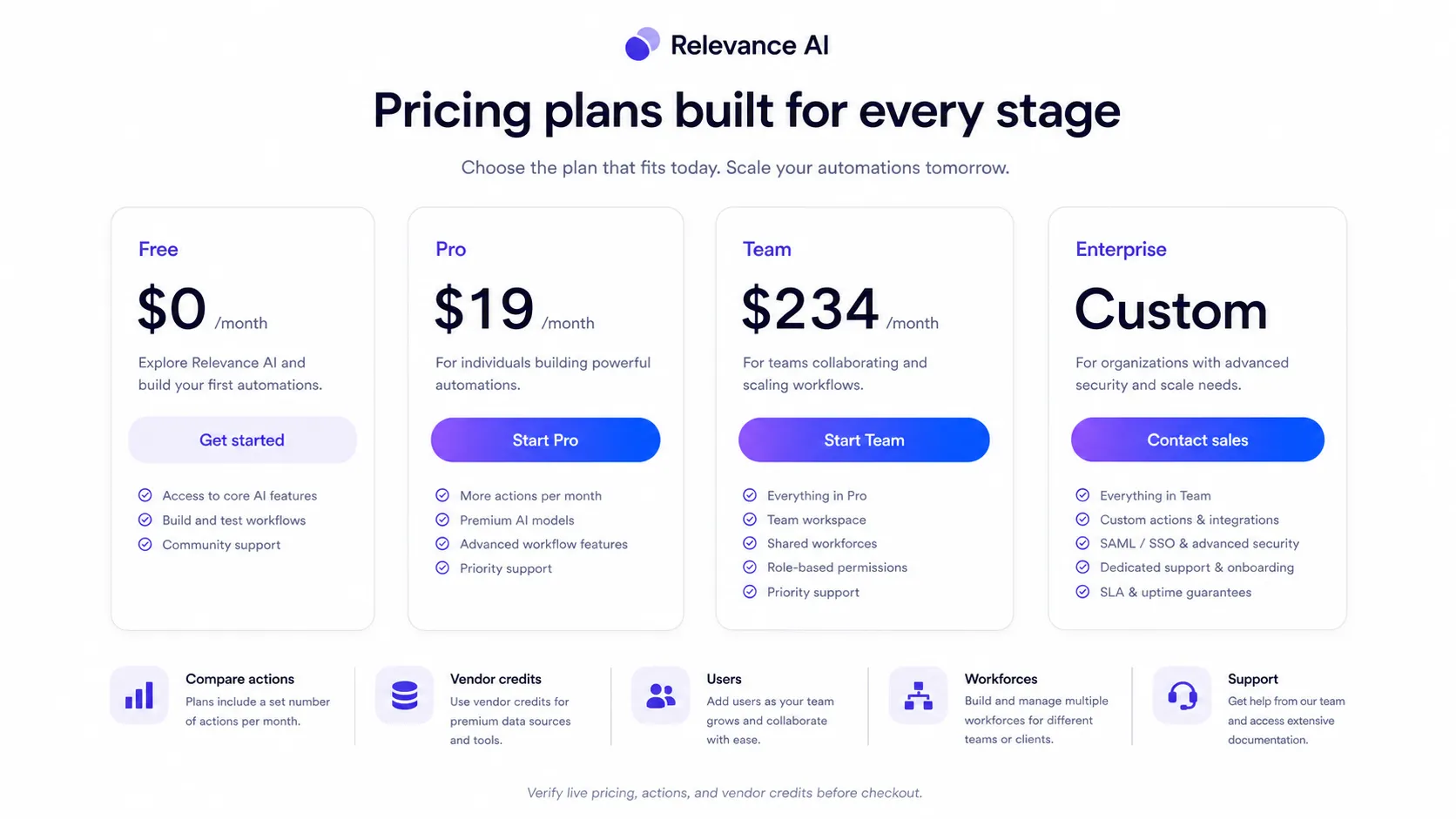
The free plan is useful for learning the builder and testing whether one agent can complete a narrow task. Paid tiers make more sense when you need more actions, workforces, users, scheduling, escalations, triggers, activity tracking, calling or meeting agents, analytics, or collaboration. Do not judge the plan only by the monthly number. Estimate action usage, vendor credits, number of builders, number of end users, and whether you need team controls.
- Free is best for learning and small experiments.
- Pro is the first serious automation path for builders and GTM operators.
- Team is for collaboration, end users, shared projects, analytics, and larger workloads.
- Enterprise is the route for security, multi-org, implementation, and dedicated account needs.
Video check for workflow setup
This second video is useful if you want a slower, step-by-step view before trying the platform yourself. Watch how a beginner tutorial moves from the idea of an agent into actual setup steps, because that is where many buyers discover whether they have enough process clarity. Pay attention to the parts about agents, tools, and configuration. Those moments help you decide whether the free plan is enough for learning or whether you should delay paid checkout until your first workflow is better defined.
Where the product is strongest
Relevance AI is strongest for teams that already have sales, GTM, support, or operations processes with repeatable steps. It can help delegate research, enrichment, CRM updates, email drafting, lead routing, meeting preparation, and customer success tasks. The platform becomes more valuable when the work has clear rules, trusted data sources, and a human review path for exceptions.
- GTM and sales teams can use agents for research, routing, and outreach support.
- Operations teams can test internal workflows before rolling agents out to end users.
- Technical teams can extend workflows with API keys, SDKs, code steps, and external systems.
- Managers can use activity, escalation, and analytics features to see whether agents are actually helping.
What to verify before checkout
Before paying, verify current pricing, annual versus monthly billing, action limits, vendor credits, build users, end users, shared projects, premium triggers, calling or meeting agents, and support level. Also check whether your target integrations are native, available through API, or require extra configuration. If security matters, review SOC 2, GDPR, data ownership, deletion, and enterprise controls before inviting the team.
- Confirm the live price and billing interval on the official pricing page.
- Check whether unused vendor credits are refundable or carried forward.
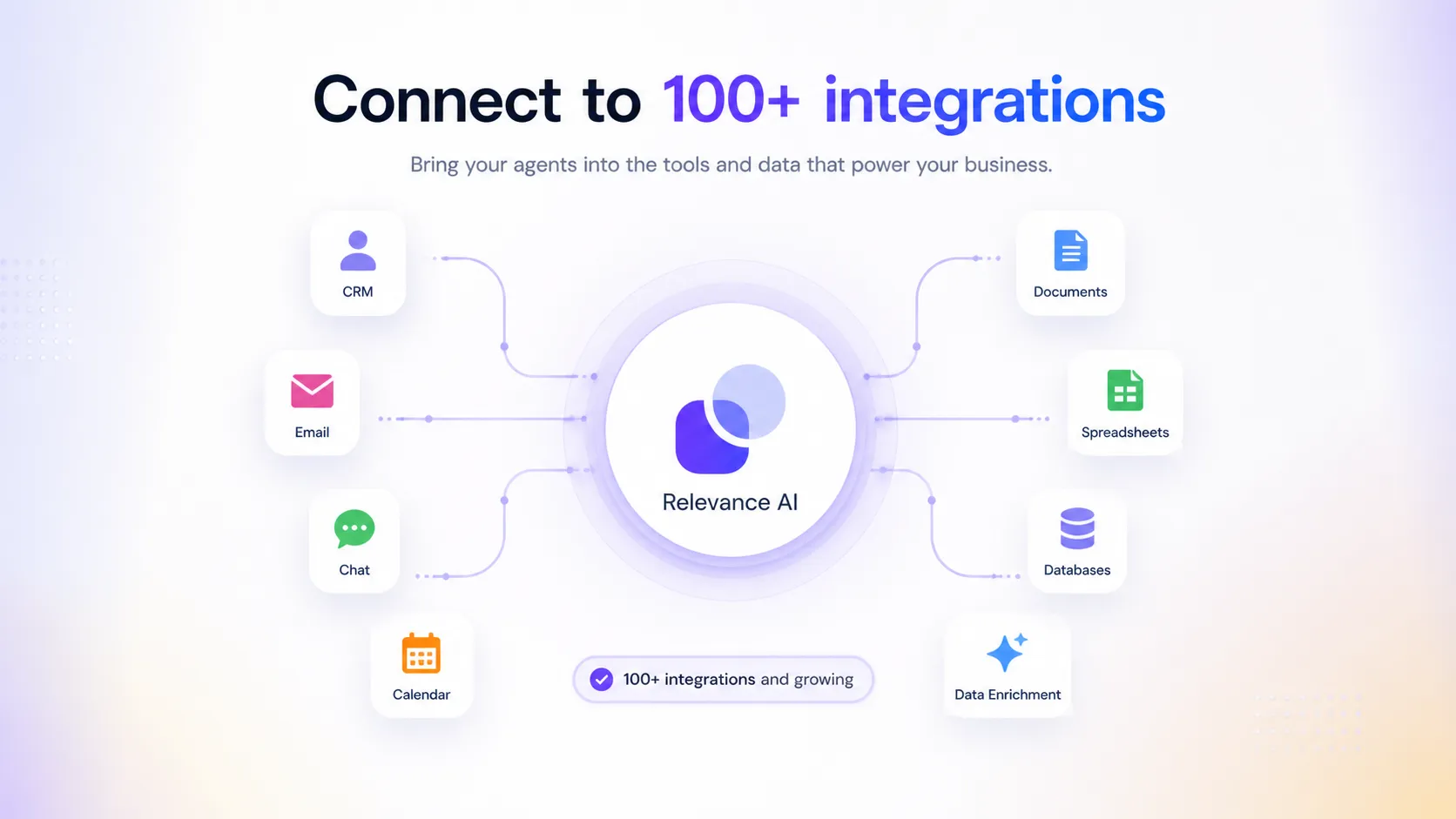
- Confirm whether your target CRM, email, calendar, Slack, data, and sales tools are supported.
- Review security and data-handling docs before uploading sensitive workflows.
Alternatives and next step
If you mainly need a website chatbot, Chaindesk or Chatbase may be simpler. If you need a custom support assistant trained on company knowledge, CustomGPT may be easier to evaluate. If you need broad workflow automation with many app connections, Make may be the more familiar starting point. Relevance AI is the better candidate when the buyer wants agents and workforces that can run a defined business process, not only answer questions.
- Choose Relevance AI when multi-agent workflow ownership is the real requirement.
- Compare Chaindesk or Chatbase if the need is mainly support chat or website Q&A.
- Compare CustomGPT when the buyer wants a knowledge assistant more than a workforce platform.
- Compare Make when app-to-app automation is the priority and AI agents are secondary.
Best savings path from this store page
This is the clearest savings route to check once the product already looks like a fit.
The Team annual path is aimed at buyers who need shared projects, more users, larger action volume, and stronger collaboration support.
Includes annual vendor credits
Larger annual vendor credit allowance
Use comparison routes when the category fit is still open
Use these comparison routes when the product still looks plausible, but the category fit is not fully settled.
Chaindesk is more focused on AI support chat and knowledge-base style customer assistance, so it may be simpler if a buyer only needs a website chatbot.
Chatbase is usually easier to evaluate for embedded customer-facing chatbots, while Relevance AI is broader and better suited to agent workforces.
CustomGPT may fit buyers who want a controlled knowledge assistant rather than a multi-agent GTM or operations workflow.
Make is stronger as a broad app automation platform, while Relevance AI is better when AI agents need to own reasoning-heavy workflow steps.
Verification points worth checking before you click out
Where this store usually fits best in the workflow
Sales and marketing teams can use Relevance AI to build agents for lead research, routing, enrichment, outbound preparation, follow-up support, and customer success handoffs.
Operations teams can use agents to handle repetitive research, data cleanup, meeting preparation, task routing, and structured handoffs with human review.
Teams can connect knowledge sources and tools so agents can answer questions, summarize context, and escalate cases where a human should stay involved.
Technical buyers can use API keys, SDKs, and integrations to trigger agents programmatically or connect them into external workflows.
Practical checkpoints before and after signup
- Map one workflow, including input source, agent task, tools, output owner, review step, and success metric.
- Estimate monthly action usage before comparing Free, Pro, Team, or Enterprise plans.
- Confirm integrations, vendor-credit usage, and whether your data can safely be uploaded or connected.
- Build one narrow agent first instead of trying to automate an entire department.
- Track whether the agent saves time after setup, not just whether the first demo feels impressive.
- Check where human escalation or approval is still needed before going live.
- Review permissions, shared projects, build users, end users, analytics, and support requirements.
- Document who owns each agent and what happens when an agent produces uncertain output.
- Confirm security, data ownership, deletion, and enterprise controls if sensitive business data is involved.
Fast-read signals for workflow fit and buying friction
Questions readers usually ask before choosing this store
What is Relevance AI best for?
Relevance AI is best for teams that want to build AI agents and multi-agent workforces around clear business processes. It is strongest when the buyer already knows the workflow, data source, and review path they want to automate.
Does Relevance AI have a free plan?
Yes. The public pricing page lists a free plan with limited monthly actions, one workforce, one user and project, marketplace access, integrations, and community access. Buyers should use it to test a real workflow before upgrading.
Is Relevance AI mainly a chatbot tool?
No. Relevance AI can support chat-style use cases, but its broader role is building agents, tools, knowledge workflows, and AI workforces. If you only need a simple website chatbot, lighter alternatives may be easier to evaluate.
What should I verify before paying for Relevance AI?
Check the live price, billing interval, action limits, vendor credits, build users, end users, workforces, shared projects, integrations, cancellation terms, and security requirements. These details matter more than the headline monthly price.
What is the safest next step for a buyer?
Start with the free plan, build one realistic agent, and measure whether it improves a workflow you already understand. Move to the review page for deeper tradeoffs, then check the coupon or pricing path once the product fit is clear.
Choose the next route that matches what you still need to decide
The strongest next click depends on whether you still need product judgment, a savings route, or a broader category comparison.