Kompa Pricing, Plan Fit & Framer UI Kit
Kompa is best understood as a Framer UI kit and design system plugin for designers who build client websites repeatedly. It is not an SEO analytics platform. The buyer question is whether a one-time component library can save enough Framer build time to justify paying for Pro after testing the free version.
Fit → price → checkout
Use these routes after the official-site check: coupon first, review for fit, compare if unsure.
Kompa pricing snapshot
Fast commercial checks before pricing, coupons, or a deeper review.
Kompa product tour
Kompa's media story should focus on the Framer workflow: browsing reusable sections, styling them to match a brand, and deciding whether the Pro component library saves enough time across real projects.
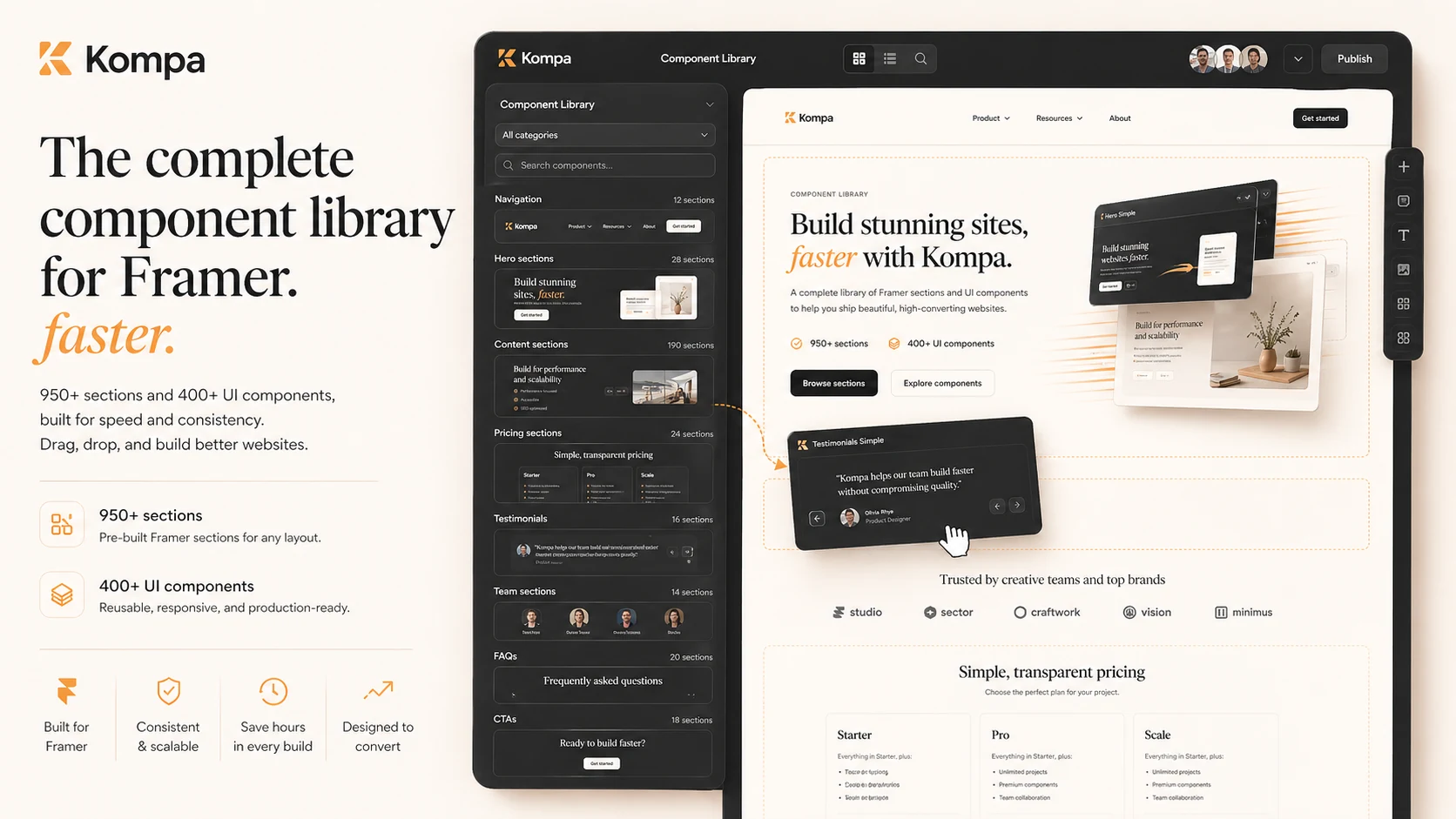
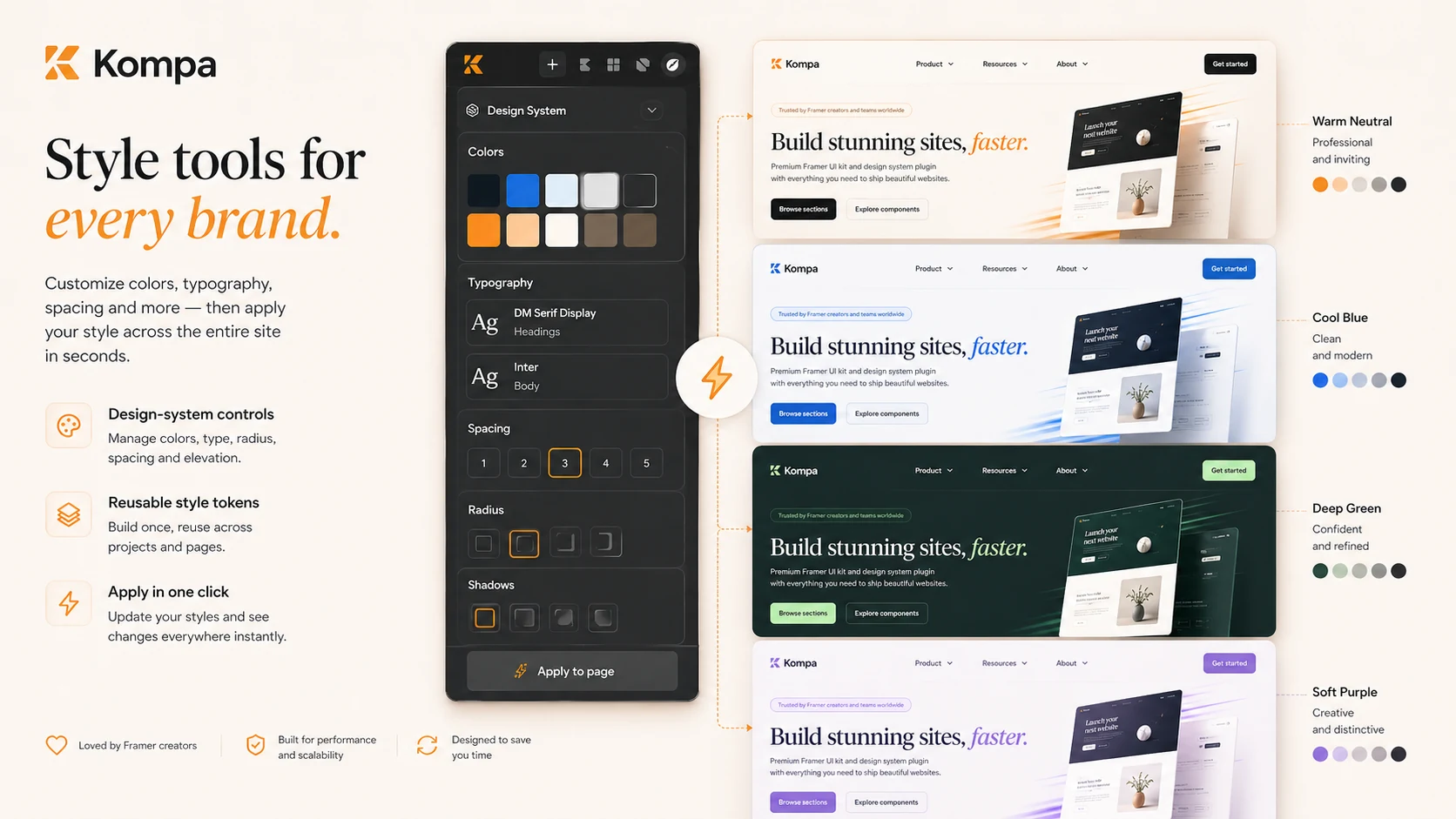
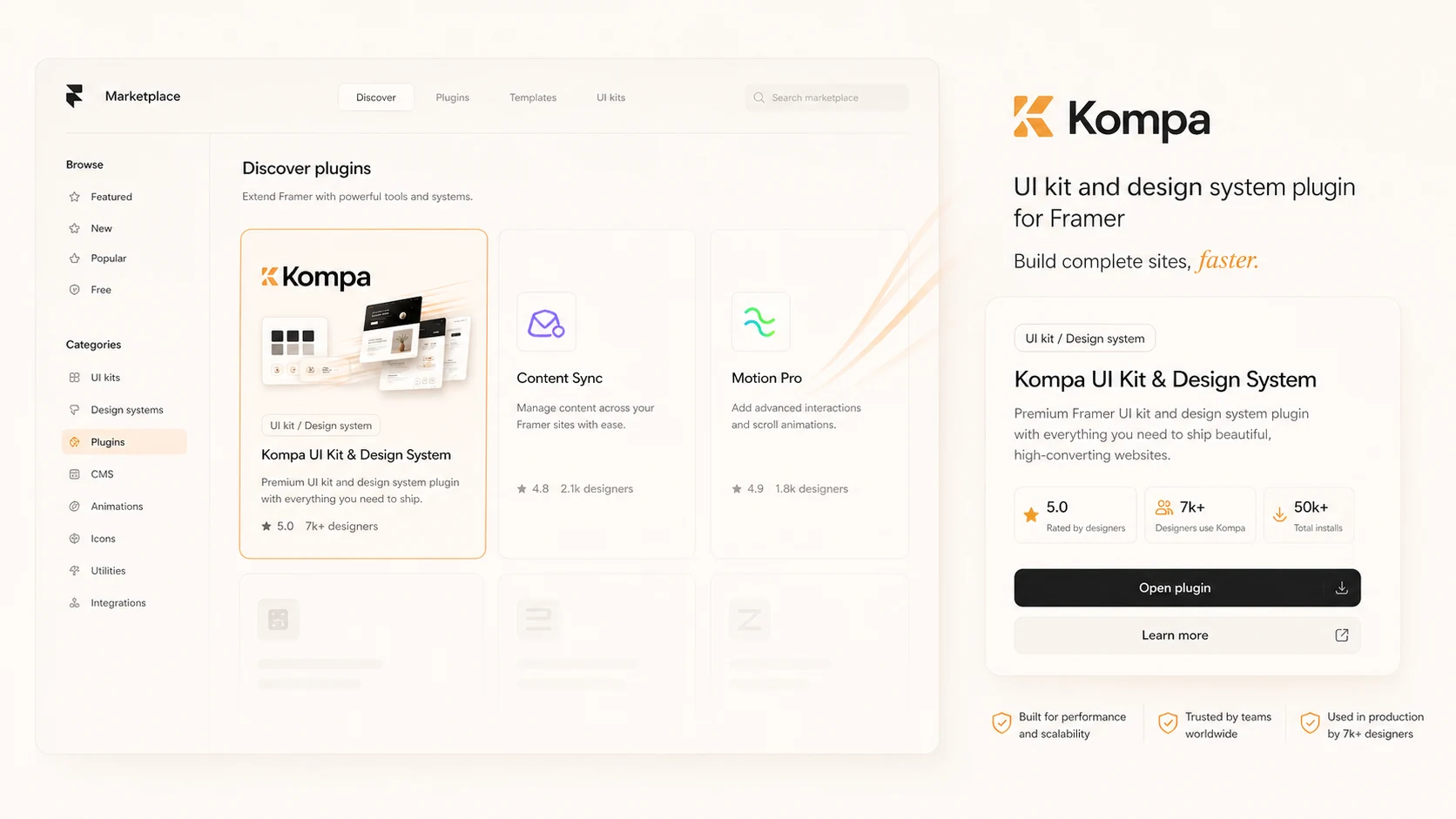
Kompa belongs in the website design workflow, not in SEO analytics. Treat it as a Framer-specific production tool: useful when the buyer already builds in Framer and wants reusable, responsive sections instead of rebuilding navbars, pricing blocks, hero sections, and style systems from scratch.
What Kompa actually does
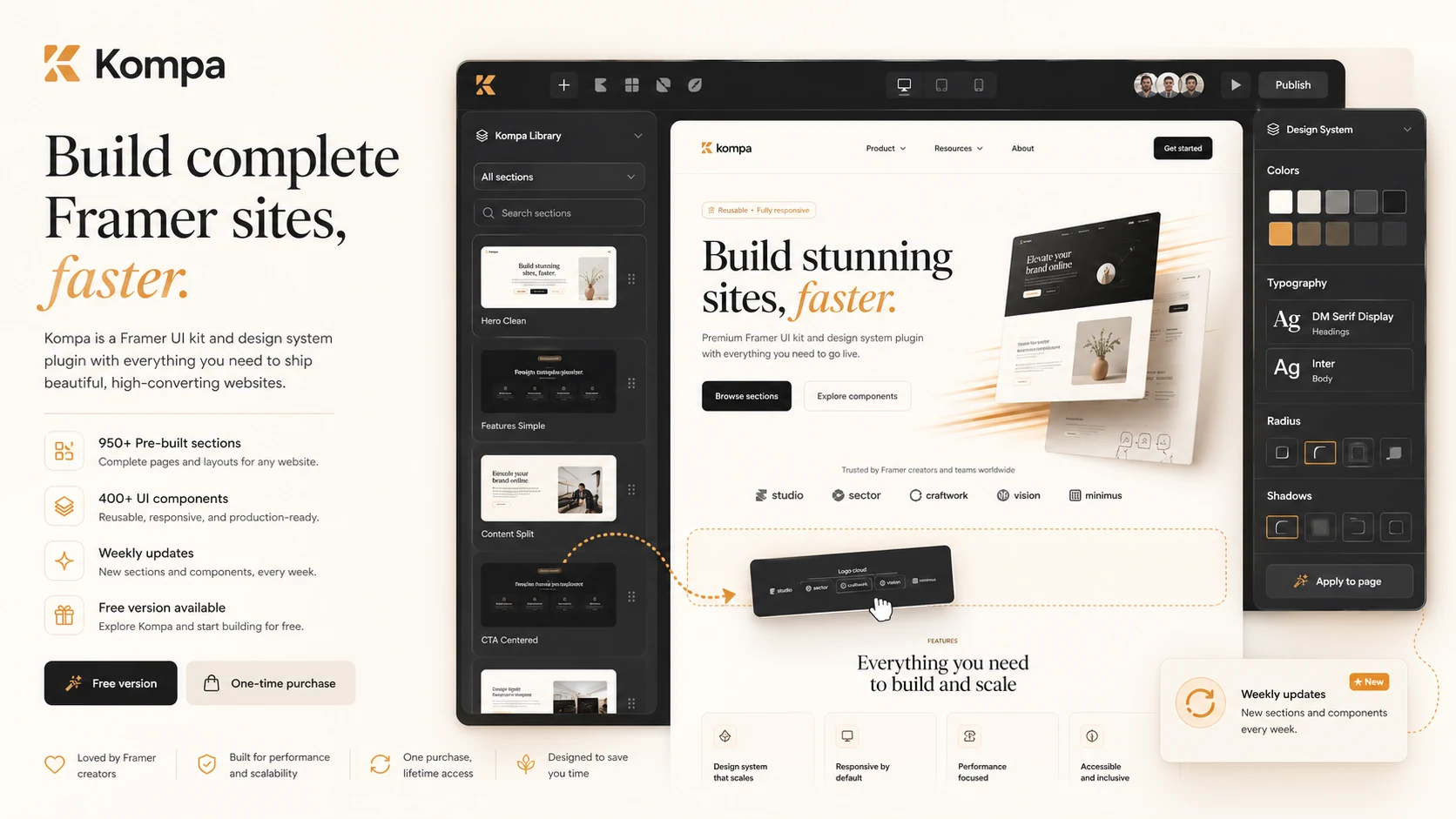
Kompa gives Framer users a ready-made UI kit, design system tools, and a growing component library for building websites faster. The official site emphasizes hundreds of prebuilt sections, responsive layouts, style customization, weekly additions, and a Pro path for freelancers and agencies working on client projects.
- Reusable Framer sections and components
- Color and text style tools for faster brand adaptation
- Full page templates, sections, and advanced code components in Pro
Who gets the most value from Kompa
Kompa is strongest for freelancers and small agencies that build Framer websites for clients. The more often you repeat similar website structures, the easier it is to justify the one-time Pro purchase. A solo beginner can still use the free version, but the paid value is clearer for people shipping multiple projects.
- Freelancers building client sites in Framer
- Agencies standardizing layout work
- Template creators who need faster page assembly
How the free and Pro paths differ
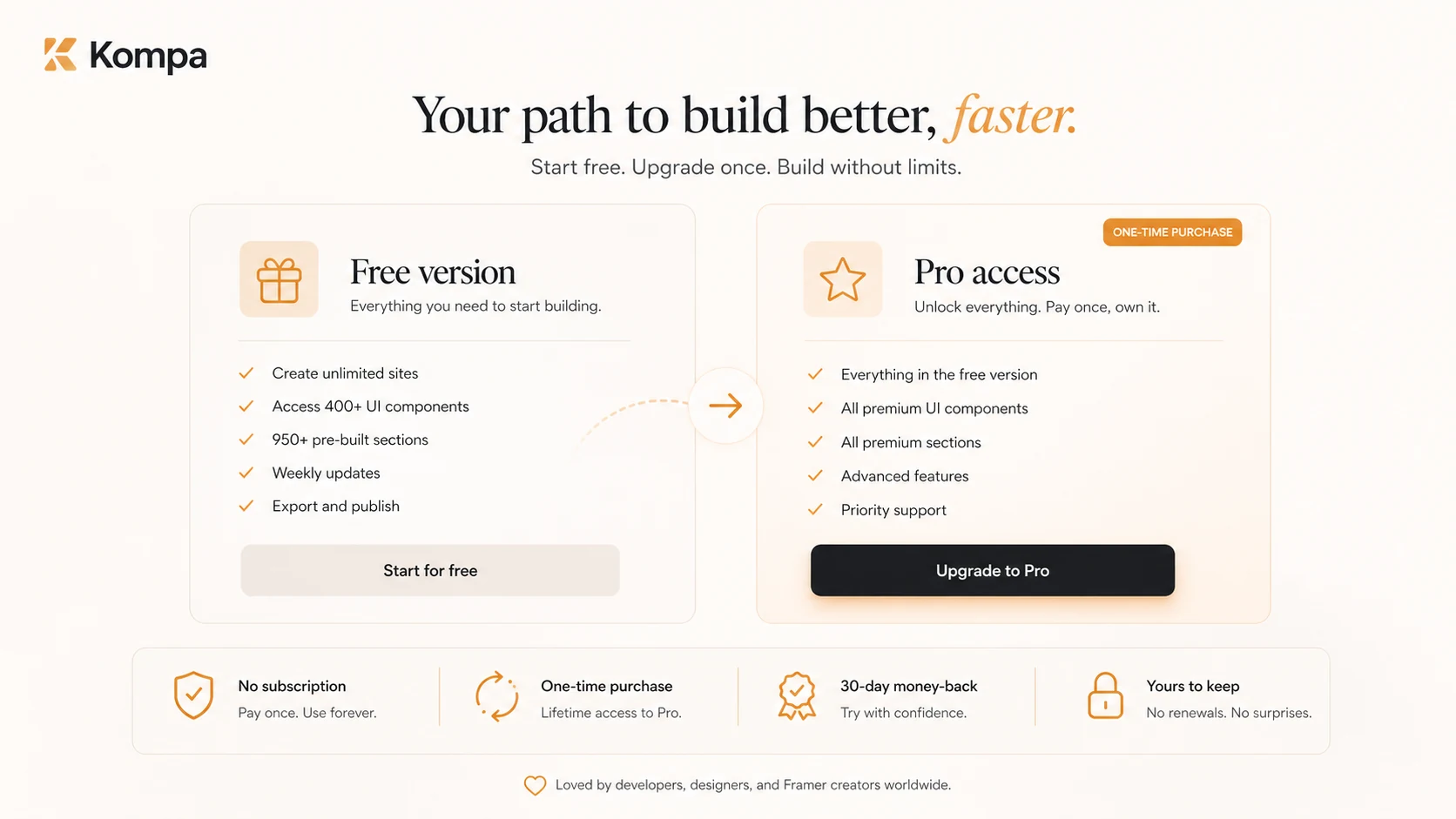
The free version is useful for checking the basic plugin experience, including core tools such as text and color styling plus basic sections. Pro is the commercial path for the full library, with the pricing page showing access to 950+ premium components, page templates, advanced code components, unlimited projects, live Framer support, and a single-user license.
- Free version for workflow testing
- Pro for the full component library
- Single-user license to verify before agency use
Pricing and refund checks before checkout
Kompa's pricing is unusually simple compared with subscription SaaS: the latest public pricing page shows Pro at $129 as a one-time purchase, with a $229 reference price and no monthly or yearly fees. The refund message needs a closer read, because the pricing page promotes a 30-day guarantee while the terms page frames refunds around unresolved major technical issues.
- Check the live Pro price at checkout
- Confirm whether a coupon field has a verified public code
- Read the refund terms before relying on the guarantee
Video walkthrough worth watching
A Kompa-specific tour is best for understanding the product itself, while a broader Framer plugin tutorial helps buyers judge whether plugin-based workflows feel natural. Watch for how quickly components can be inserted, styled, and adjusted inside a real Framer project.
Best next step
The safest next step is to open the free version or marketplace listing first, then compare the official pricing page only after the workflow feels useful. Buyers who are still unsure about Framer itself should compare website builder options before treating Kompa as the main purchase.
- Test the free version if you are Framer-curious
- Open Pro pricing if Framer is already your production platform
- Compare website builders if platform choice is still undecided
Best savings path from this store page
This is the clearest savings route to check once the product already looks like a fit.
Kompa presents a free demo and implementation consulting path for buyers evaluating social listening and AI data intelligence before requesting a custom business setup.
Custom brand monitoring route
AI search visibility consulting route
Use comparison routes when the category fit is still open
Use these comparison routes when the product still looks plausible, but the category fit is not fully settled.
Spark Plugin is closer when the buyer works in Squarespace, while Kompa is the better fit for Framer component-based website production.
Versoly is closer to a complete website builder path, while Kompa assumes the buyer is already building inside Framer.
GeneratePress fits WordPress theme workflows, while Kompa fits Framer designers who want reusable sections and faster client-site assembly.
Simvoly suits buyers comparing hosted website and funnel building, while Kompa is narrower and more useful for Framer-specific design production.
Verification points worth checking before you click out
Where this store usually fits best in the workflow
Kompa is most useful when a designer repeatedly builds Framer sites for clients and wants a faster way to assemble common sections without losing brand control.
Framer template creators can use Kompa as a structured starting point, then customize layouts before packaging or publishing their own work.
The color and text style tools can help buyers establish a more consistent Framer foundation before placing sections into a project.
A freelancer who bills for client projects can evaluate Kompa by comparing the one-time Pro price against hours saved across several builds.
Practical checkpoints before and after signup
- Confirm that Framer is the platform you actually use for paid or serious projects.
- Start with the free version if you have not tested Kompa inside a real Framer workflow.
- Check whether single-user licensing fits your agency or team setup.
- Verify the current Pro price, any coupon field, and whether the displayed discount is still active.
- Read the refund terms instead of relying only on the pricing-page headline.
- Compare Kompa against the cost of rebuilding sections manually across several projects.
- Use Kompa on a narrow client workflow first, such as hero, pricing, testimonial, and navigation sections.
- Measure whether the library speeds up delivery without adding cleanup work.
- Keep an eye on weekly additions only if they match real project needs.
Fast-read signals for workflow fit and buying friction
Questions readers usually ask before choosing this store
What is Kompa best for?
Kompa is best for Framer designers who build websites repeatedly and want a reusable library of sections, components, templates, and style tools. It is not a general website builder or SEO analytics platform.
Does Kompa have a free plan?
Yes. Kompa publicly describes a free version with core tools such as text and color styling plus basic components and sections. It is the safer first step before buying Pro.
How much does Kompa Pro cost?
At the latest public check, Kompa's pricing page listed Pro at $129 as a one-time purchase, with no monthly or yearly subscription. Buyers should verify the live checkout price before paying.
Is Kompa good for teams?
Kompa can help agencies and teams standardize Framer website production, but the pricing page describes a single-user license. Teams should verify seat, workspace, and collaboration requirements before checkout.
What should I verify before buying Kompa?
Verify that you are committed to Framer, that the free version feels useful in your workflow, that the Pro license fits your usage, and that the refund terms match your risk tolerance.
Choose the next route that matches what you still need to decide
The strongest next click depends on whether you still need product judgment, a savings route, or a broader category comparison.