
GravityWrite Pricing, Plans & Workflow Fit
GravityWrite is best understood as a multi-format AI content platform for buyers who want one place to draft blogs, generate visuals, plan social posts, and test light video or website workflows. The store decision should focus less on chasing a public coupon code and more on whether the Plus, Pro, or Bundle path matches your actual content volume.
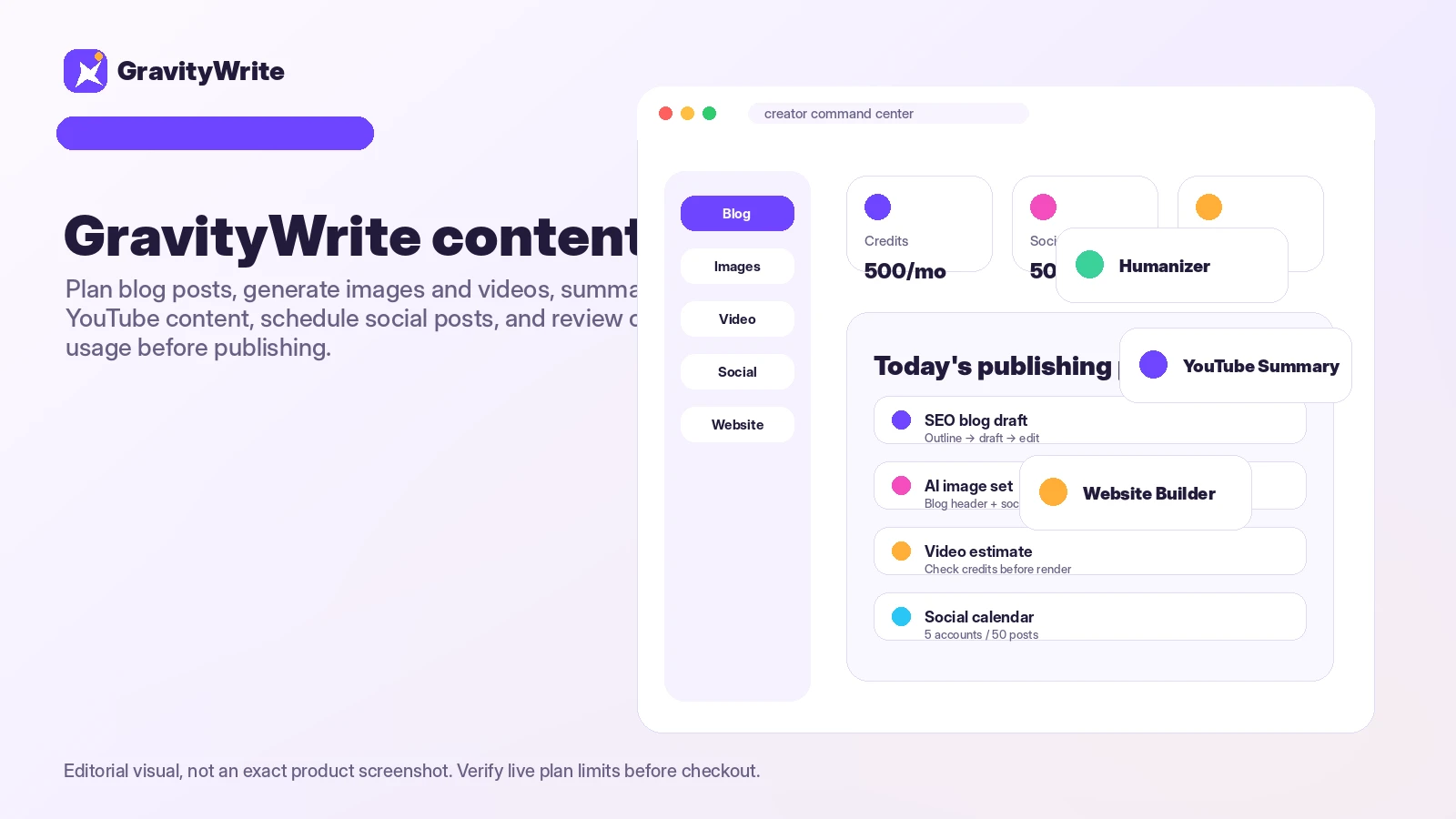
Fit → price → checkout
Use these routes after the official-site check: coupon first, review for fit, compare if unsure.
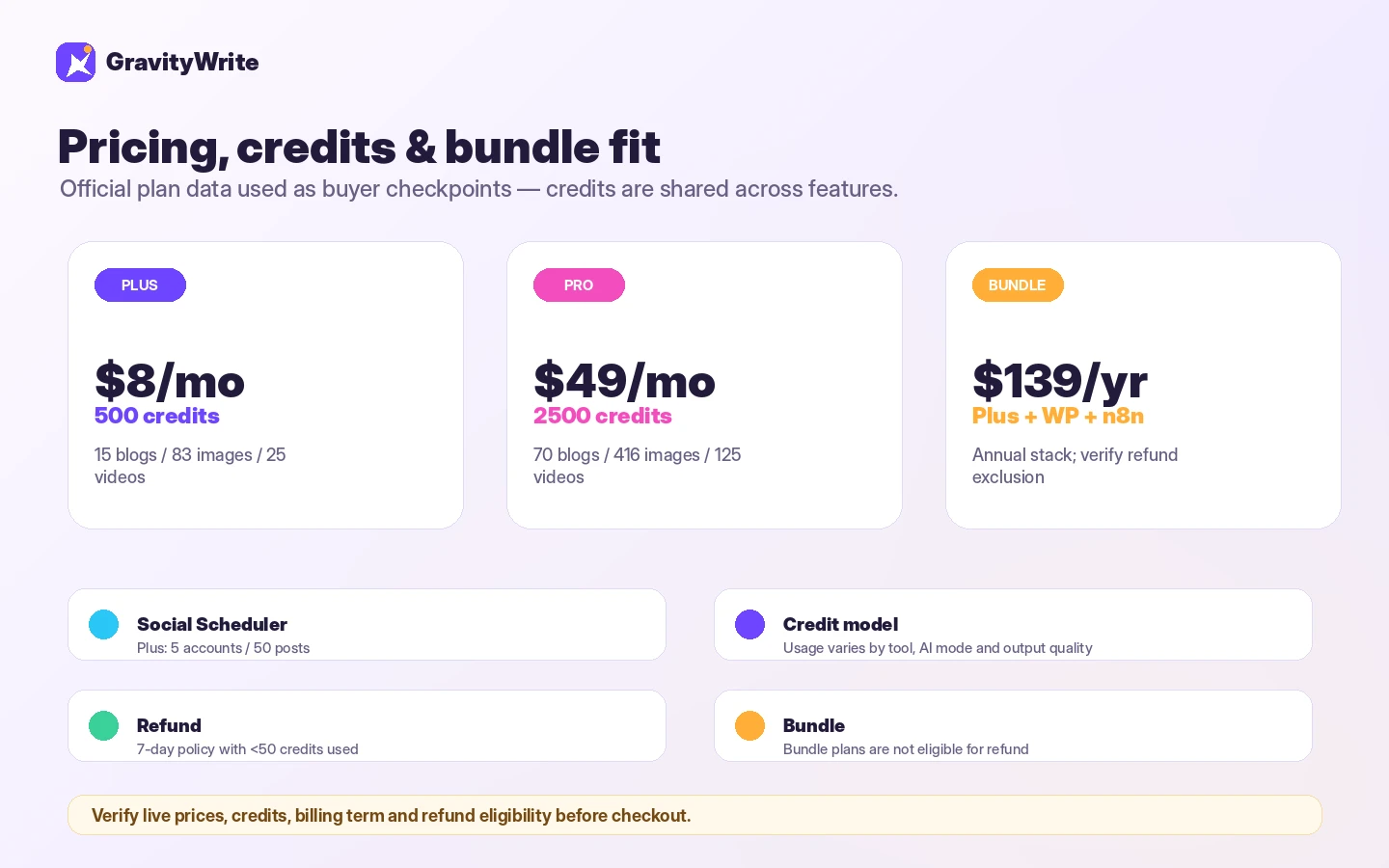
GravityWrite pricing snapshot
Fast commercial checks before pricing, coupons, or a deeper review.
Plus plan on the public pricing page.
Higher credits and broader monthly usage.
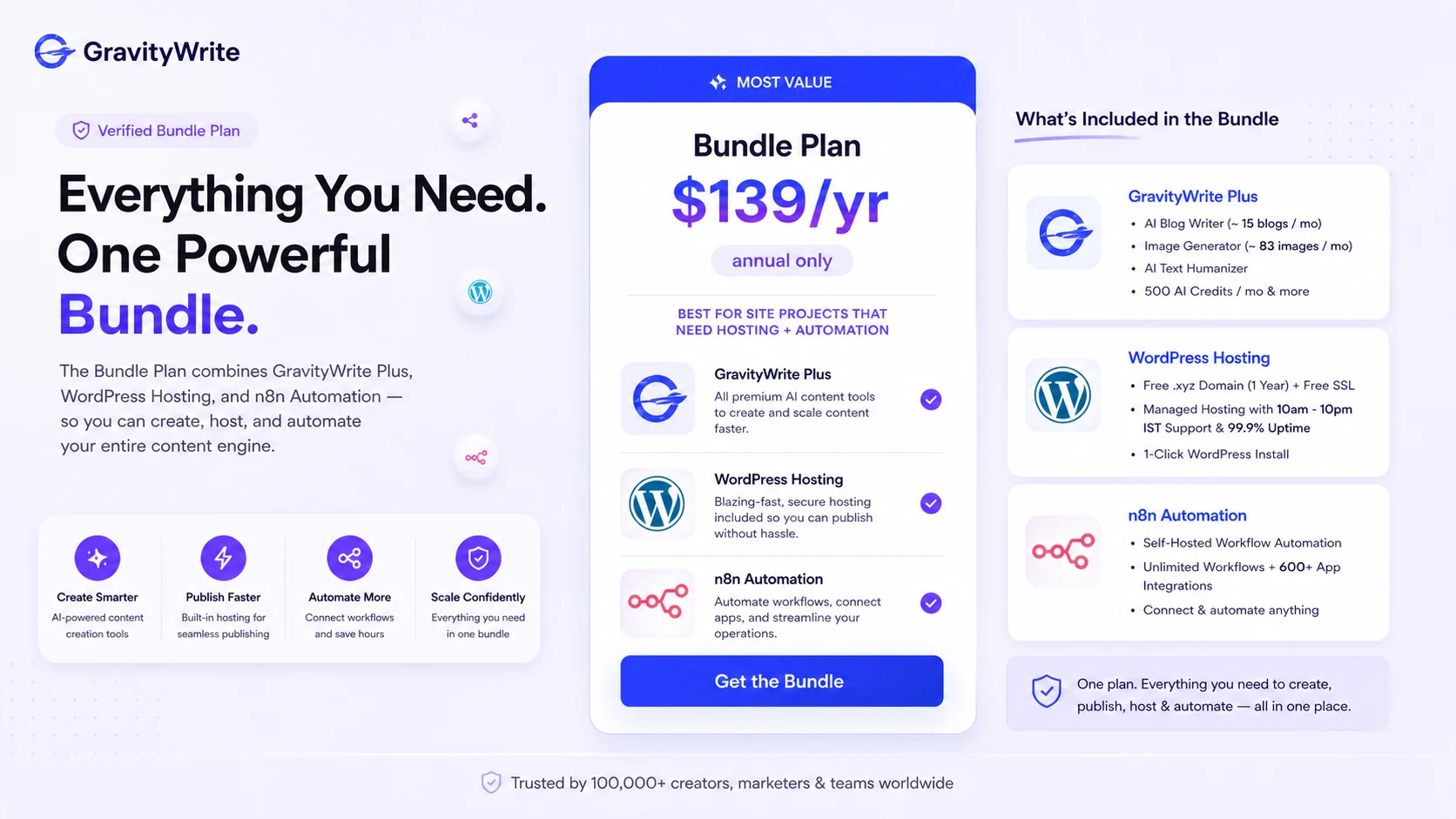
Annual-only route with GravityWrite Plus, hosting, and n8n.
Conditional subscription refund; bundle plans are excluded.
GravityWrite product tour for plan-fit buyers
Watch the product demo as a workflow check, not just a feature tour. It is most useful if you pay attention to how quickly you can move from a short idea to a usable draft, whether the guided tool flow feels comfortable, and whether the interface looks like something you would open every week before paying for Plus or Pro.
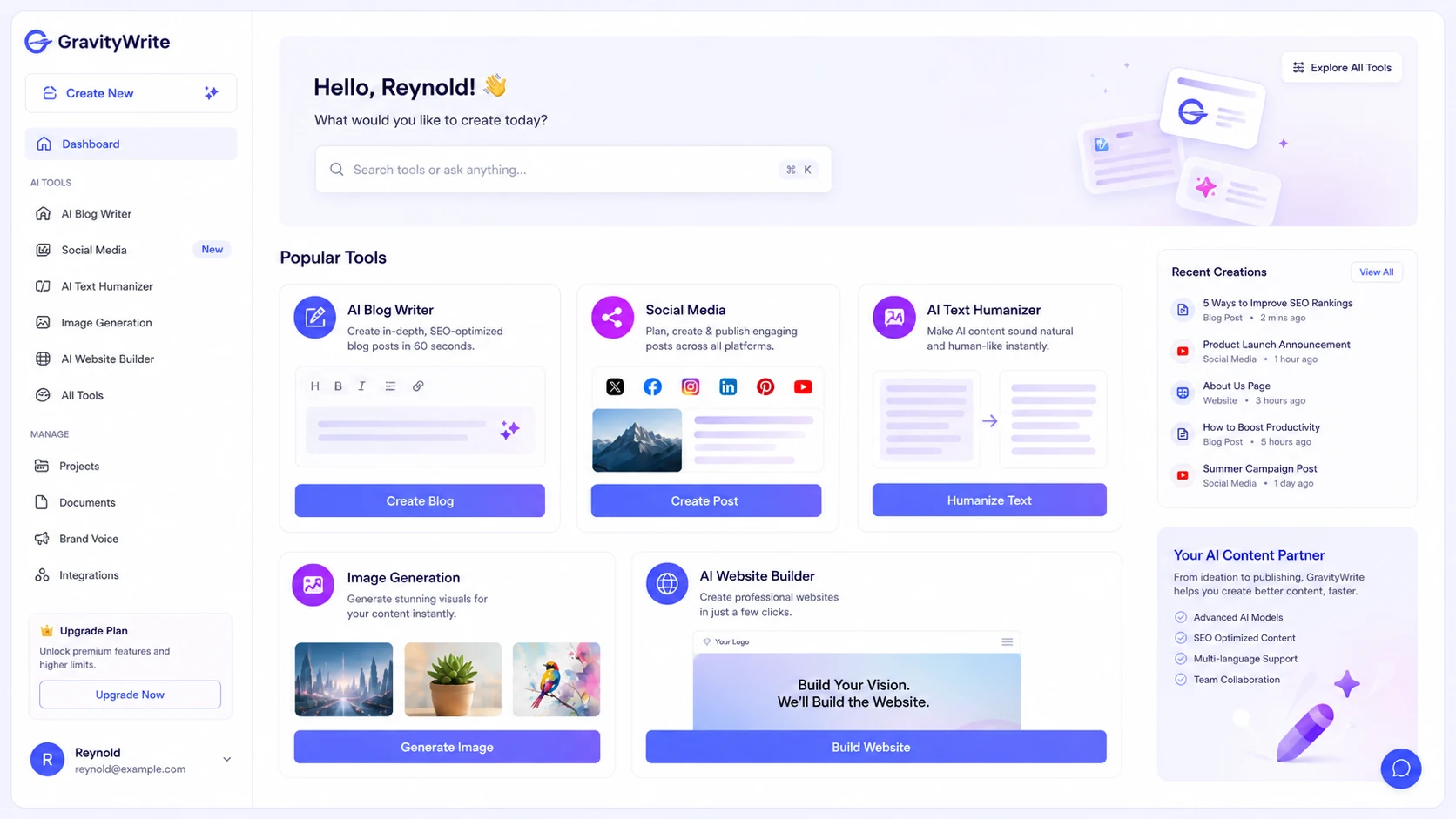
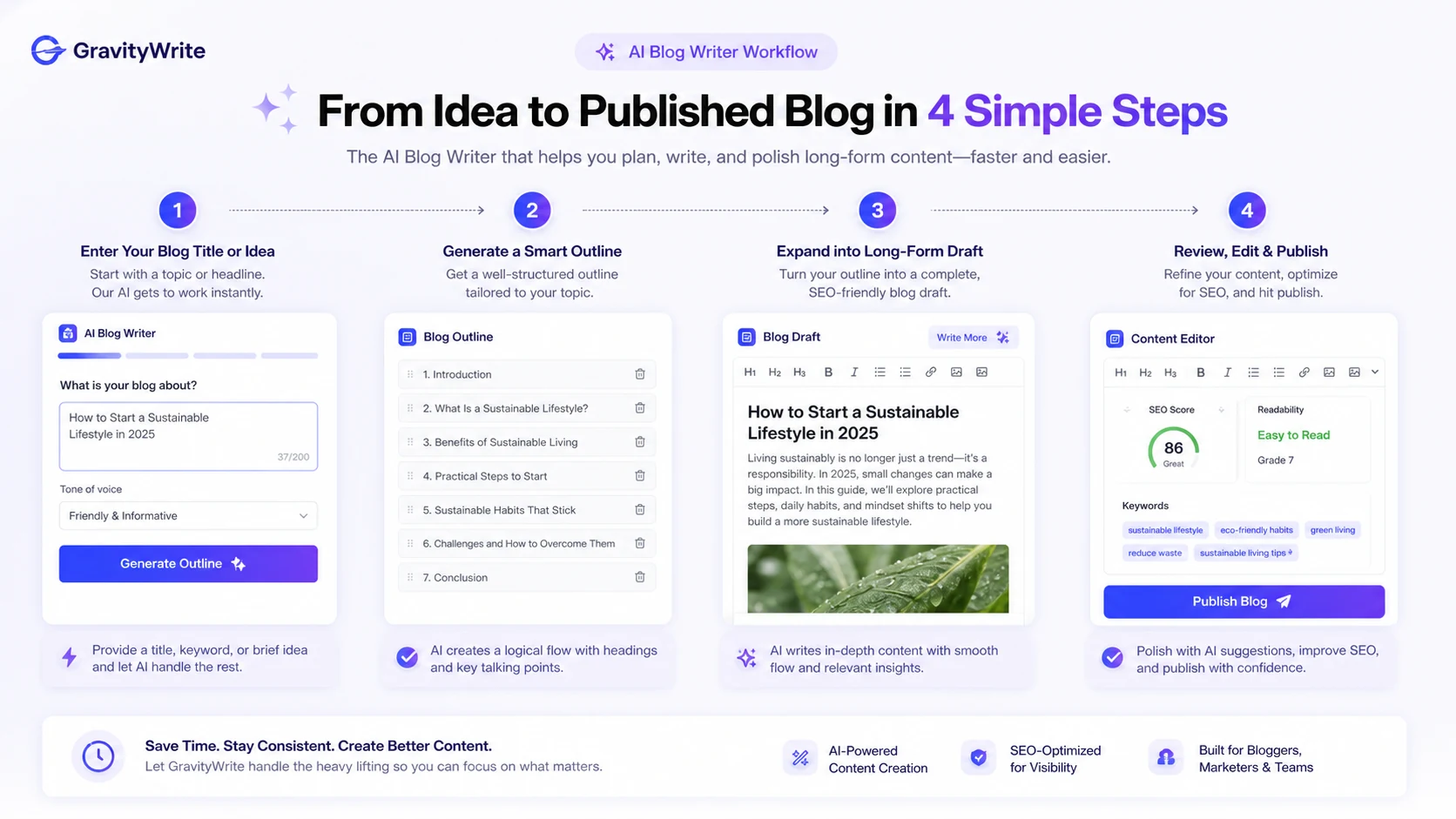
GravityWrite should be evaluated as a workflow platform, not just another AI writer with a discount banner. The buying question is whether you need one place for blog writing, images, video-related tools, social scheduling, and website support, or whether a simpler writing assistant would be enough.
For most buyers, the practical path is simple: test the free entry point, compare Plus against your likely monthly volume, and only consider Pro or Bundle when your workflow clearly needs the extra credits, accounts, hosting, or automation layer.
What GravityWrite actually does
GravityWrite helps users generate content across several formats, including blog drafts, marketing copy, social media material, images, video-related content, summaries, and website-oriented workflows. That makes it more useful for creators who want a broad content dashboard than for someone who only needs a single-purpose paragraph rewriter.
The product demo is worth watching with a specific problem in mind: can you enter a short idea, choose a tool, and reach an output that saves editing time? If the answer is no, a lower-cost or narrower AI writing tool may be a better fit even if GravityWrite looks cheaper on the pricing page.
- Best viewed as a multi-format content tool, not just a blog writer.
- Most useful when templates reduce prompt-writing friction.
- Still requires human editing for accuracy, tone, and brand voice.
Who GravityWrite fits best
GravityWrite is most likely to fit solo bloggers, small content operators, and creators who publish across more than one channel. The Plus plan is the natural first paid checkpoint because it gives a lower-cost way to test the core writing and creative tools without jumping straight to a larger monthly commitment.
Pro starts to make more sense when you have predictable volume: more blogs, more image use, more social accounts, and more frequent output. If your publishing calendar is inconsistent, buying Pro too early may leave you paying for limits you do not actually use.
- Solo bloggers who need draft speed and basic creative support.
- Creators who want text, images, and social workflows in the same product.
- Small teams with recurring content volume but no enterprise-level governance needs.
Pricing and credit limits matter more than the headline price
GravityWrite's public pricing currently highlights Plus at $8 per month, Pro at $49 per month, and a Bundle route at $139 per year. The price gap is clear, but the real difference is usage. Plus lists fewer credits, fewer social accounts, and lower monthly output estimates, while Pro expands the limits for buyers who create more often.
Before paying, compare the credits against your actual content plan. A buyer creating a few blog drafts and occasional images may be fine testing Plus. A buyer running frequent blogs, social posts, and visual assets may need Pro, but that should be decided from projected usage rather than the product page's feature volume alone.
- Plus is the natural first paid check for lighter creators.
- Pro is easier to justify only when monthly output is predictable.
- Bundle should be treated as a separate project purchase because it includes hosting and automation.
Watch a workflow tutorial before deciding on paid use
This second video is useful if your real concern is practical workflow fit rather than the product's marketing promise. Watch how the tutorial moves through idea input, tool selection, and output review. Those steps clarify whether GravityWrite will actually reduce your production time or simply move the editing work to a different screen.
Pay special attention to how much human judgment is still needed after the AI output appears. If you see yourself editing heavily for facts, tone, and structure, the best next step is to test the free entry point before choosing Plus or Pro.
Refund and bundle rules need careful checking
GravityWrite lists a 7-day refund policy for subscriptions, but the policy is conditional. Buyers need to request the refund within the window, stay under the stated usage limit, and understand that renewals are not covered in the same way. The bundle path carries an extra caution because the published refund policy says bundle plans are not eligible for refund.
This is why the Bundle should not be treated as a bigger version of Plus. It adds WordPress hosting and n8n automation, which may be useful for a real site project, but the purchase risk is different. If you are not sure you need those extras, test the standard GravityWrite plan first.
- Check the refund policy before heavy testing.
- Avoid using too many credits before deciding whether to keep the subscription.
- Treat the Bundle as non-refundable unless the live checkout says otherwise.
How GravityWrite compares with nearby alternatives
Jasper is the stronger next tab if you want a more established marketing workflow and brand-team orientation. Writesonic deserves comparison when you want a broader AI writing and SEO content stack. Copy.ai is worth checking if go-to-market workflows and sales or marketing automation matter more than a simple blog writing path.
GravityWrite's edge is that it brings many creator-facing tools into a lower-friction package. Its weakness is that broad coverage can make plan fit harder to judge, especially when credits are shared across writing, images, videos, and other tools.
- Compare Jasper for deeper marketing-team workflows.
- Compare Writesonic for broader writing and SEO content needs.
- Compare Copy.ai for go-to-market workflow depth.
Safest next step before checkout
The safest next step is to open the live pricing page, confirm the current Plus and Pro limits, and decide whether the free entry point is enough for a small workflow test. If GravityWrite still feels right after that, read the review page for deeper tradeoffs and then check the coupon page for current savings routes.
Do not treat the store page as the final buying signal. Use it as the qualification hub: first confirm fit, then confirm pricing, then confirm any current deal or checkout path.
- Start with live pricing and current plan limits.
- Use the review page if workflow fit is still uncertain.
- Use the coupon page after the product already looks right.
Best savings path from this store page
This is the clearest savings route to check once the product already looks like a fit.
A partner coupon source reports a checkout code for eligible GravityWrite plan purchases.
Use this only as a checkout-test coupon path because it is not shown on the official pricing page.
Save 28%
$139/year bundle
Use comparison routes when the category fit is still open
Use these comparison routes when the product still looks plausible, but the category fit is not fully settled.
Jasper is usually the better comparison when a buyer wants deeper marketing-team workflows and more structured brand content operations.
Writesonic deserves a look when SEO writing, chat-style content workflows, and broader content automation matter more than a simple creator dashboard.
Copy.ai is the closer alternative for buyers who care about go-to-market workflows and campaign support beyond standard blog drafting.
Verification points worth checking before you click out
Where this store usually fits best in the workflow
GravityWrite fits buyers who want to move from topic ideas to structured drafts faster, as long as they still review facts, tone, and originality before publishing.
The tool makes sense for creators who regularly need blog copy, social posts, images, and occasional video-related assets from one interface.
Small teams can use GravityWrite as a lighter content production layer, but should compare Pro limits before assuming it replaces a full editorial workflow.
The bundle is relevant only when GravityWrite, WordPress hosting, and n8n automation all solve the same project need.
Practical checkpoints before and after signup
- List the content formats you actually need: blogs, images, social posts, summaries, website pages, or video-related tasks.
- Use the free entry point to judge whether the templates save time before buying a larger credit pool.
- Compare Plus and Pro by expected monthly output, not by feature count alone.
- Check whether your real bottleneck is writing speed, editing quality, social scheduling, or creative asset production.
- Confirm that WordPress hosting and n8n automation are genuinely needed for the project.
- Read the refund rules carefully because the published policy excludes bundle plans.
Fast-read signals for workflow fit and buying friction
Questions readers usually ask before choosing this store
What does GravityWrite actually do?
GravityWrite helps users create different types of AI-assisted content, including blog drafts, marketing copy, social media content, images, video-related assets, and website-oriented workflows. It is best evaluated as a multi-format creator tool rather than a plain text writer.
Is GravityWrite free to use?
GravityWrite promotes a free entry point, and third-party pricing listings also describe a limited free option. Buyers should treat that as a testing path and confirm the current word, credit, and feature limits inside the live account before relying on it for real publishing work.
How much does GravityWrite cost?
The public pricing page currently shows Plus at $8 per month, Pro at $49 per month, and a Bundle route at $139 per year. The better buying question is which credit limit and feature path matches your actual monthly content volume.
Does GravityWrite usually have coupon codes?
Public coupon codes are not the main verified savings path for GravityWrite. The safer route is to compare the live pricing page, any annual or bundle offer, and the DealBestDaily coupon page before checkout.
What should I verify before buying GravityWrite?
Check the live plan limits, shared credit rules, refund window, bundle exclusion, and whether the free entry point gives enough room to test your real workflow. If the fit is still unclear, read the review before opening the checkout path.
Choose the next route that matches what you still need to decide
The strongest next click depends on whether you still need product judgment, a savings route, or a broader category comparison.