
GetGenie Pricing, Plans & WordPress SEO Fit
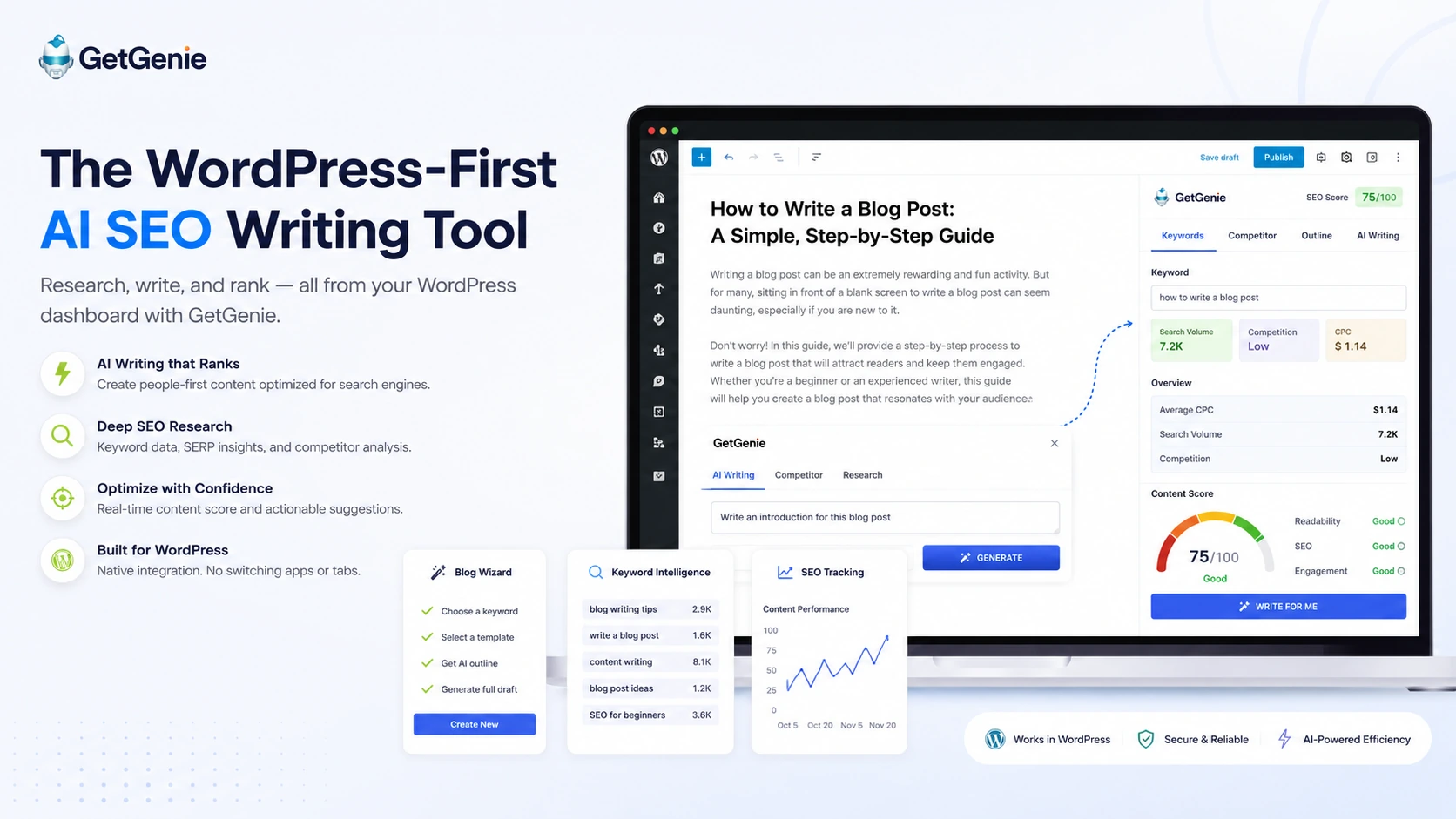
GetGenie is an AI SEO and content assistant built primarily for WordPress users, with a web Playground for non-WordPress workflows. It combines AI writing templates, Blog Wizard, NLP and semantic keyword research, SERP competitor analysis, content scoring, SEO Insights, GenieChat, image generation, and newer AI Overview-focused content tools.
Fit → price → checkout
Use these routes after the official-site check: coupon first, review for fit, compare if unsure.
GetGenie pricing snapshot
Fast commercial checks before pricing, coupons, or a deeper review.
GetGenie product tour
These visuals should show GetGenie as a WordPress-first AI SEO assistant, not just a generic writing tool. The most important buyer screens are Blog Wizard, keyword and SERP analysis, content scoring, SEO Insights, and pricing or quota comparison.
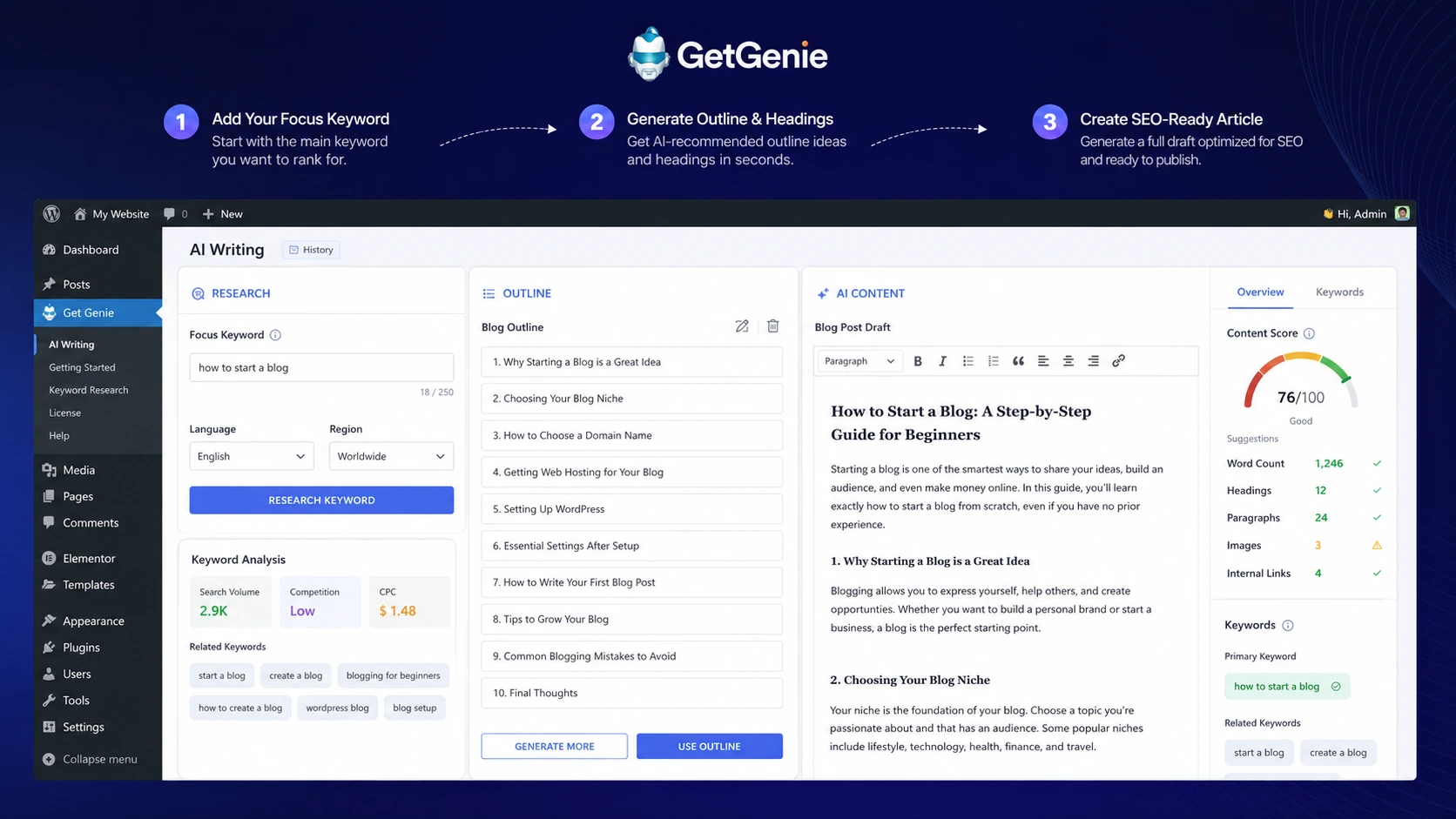
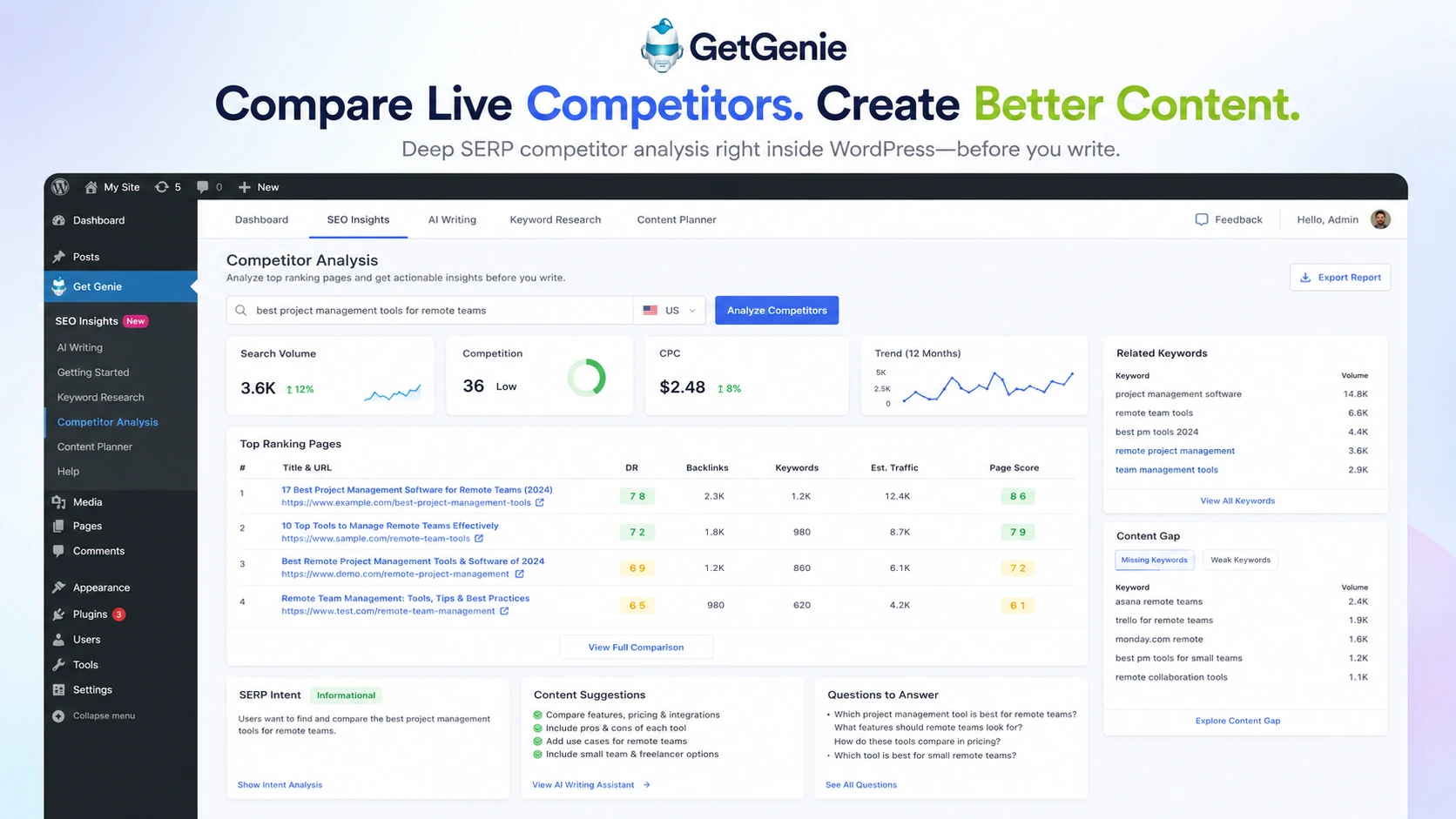
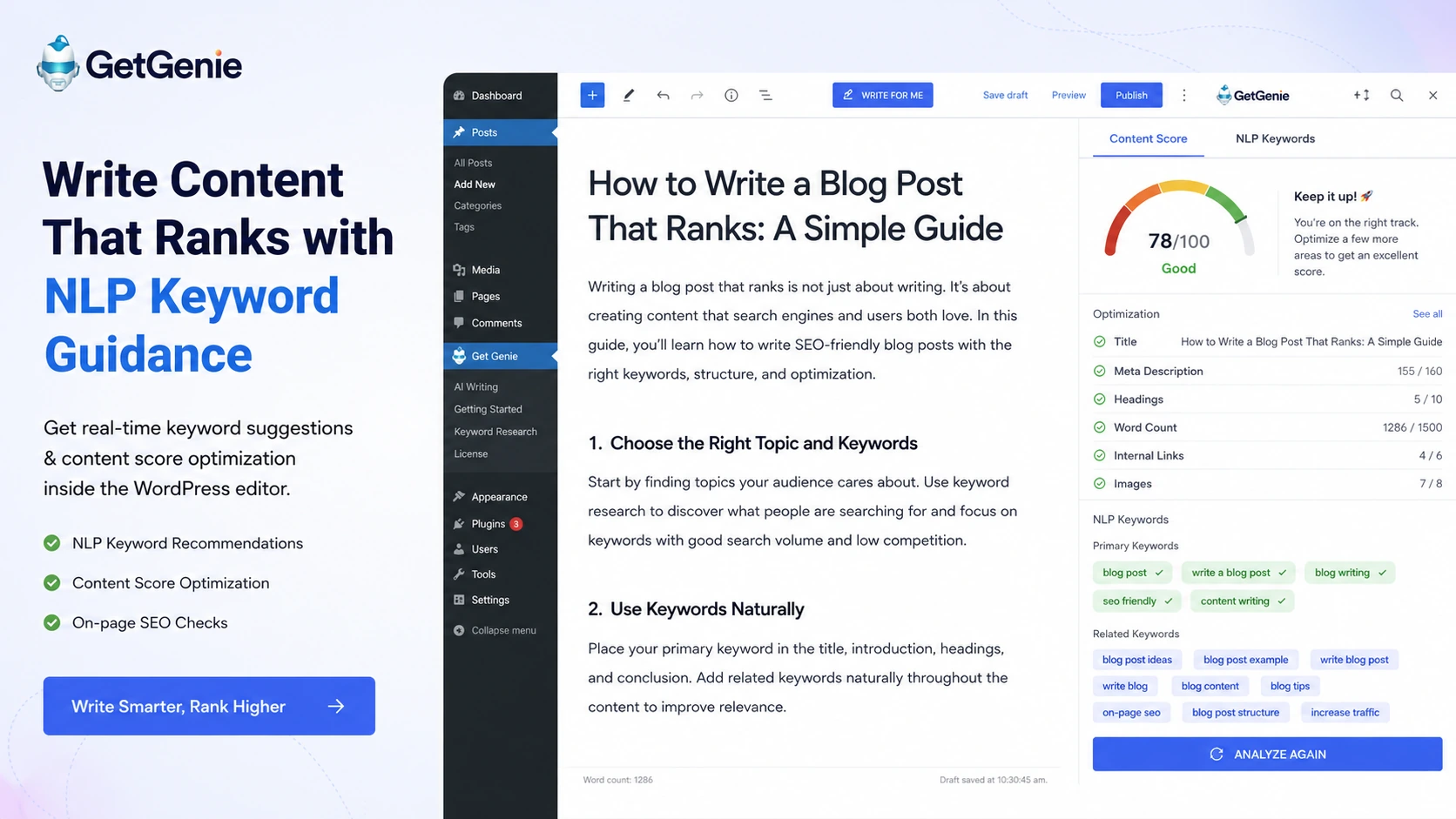
GetGenie should be evaluated as a WordPress-first AI SEO assistant. Its strongest use case is not writing a random article from a prompt, but helping a WordPress publisher research a keyword, compare competitors, generate a draft, optimize content, track SEO signals, and improve publishing speed inside one workflow.
GetGenie fits WordPress SEO content workflows best
GetGenie makes the most sense when the buyer publishes inside WordPress and wants AI writing plus SEO guidance in the same place. The official positioning centers on content creation, keyword intelligence, and competitor analysis inside the editor. That gives it a clearer workflow fit than a generic AI writer that produces text in a separate document.
- Best judged as a WordPress AI SEO assistant
- Useful for bloggers, niche sites, agencies, and content teams
- Stronger when keyword research and writing happen together
Pricing depends on usage quotas, not only plan names
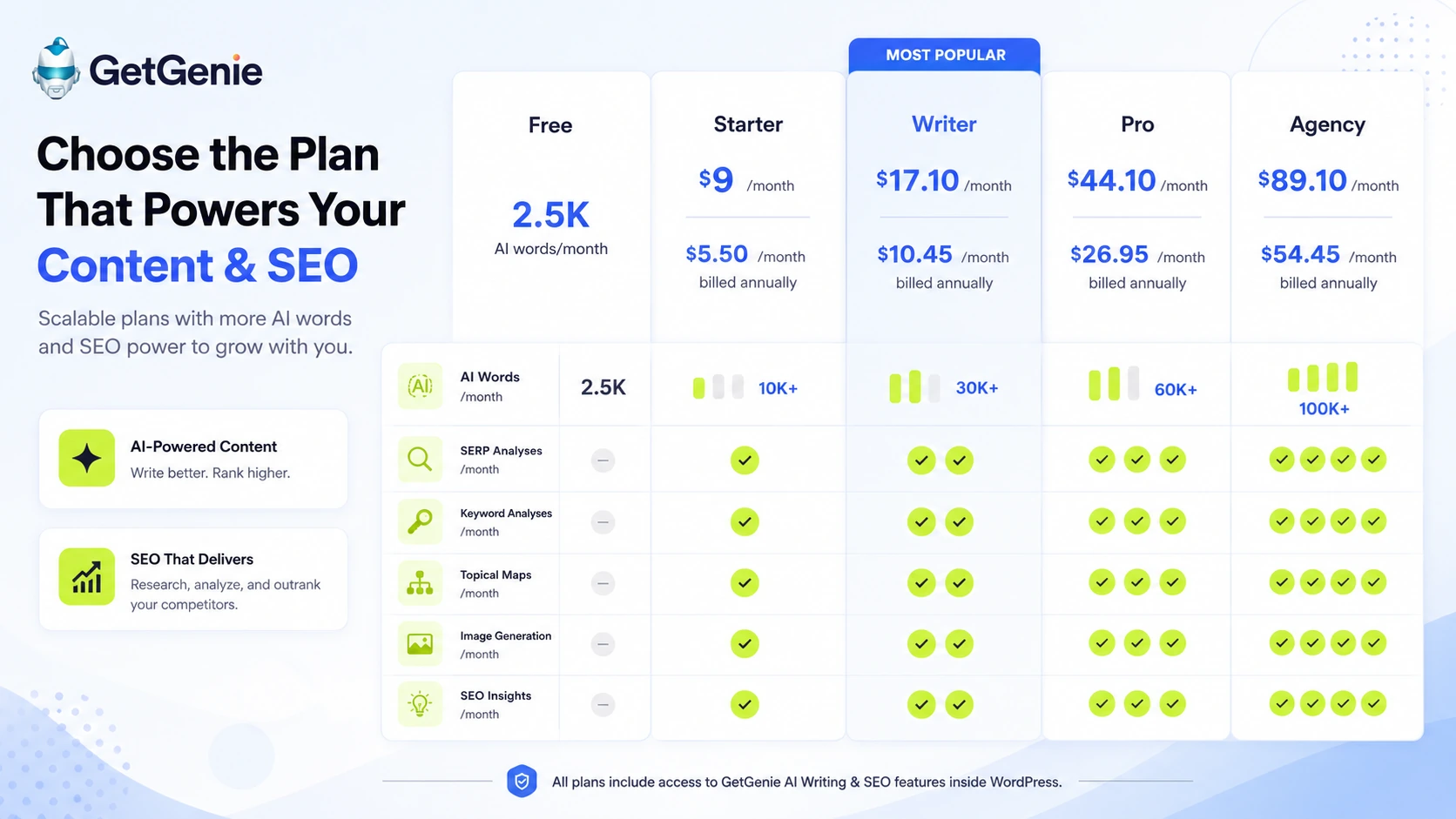
GetGenie's plan table is dense because each tier changes several quotas at once. Starter is not simply a cheaper Pro plan. It includes fewer AI words, SERP analyses, keyword analyses, topical maps, image generations, and tracking limits. Buyers should estimate monthly publishing volume before choosing a plan.
- Start free to test the real workflow
- Use Starter for lighter publishing and smaller keyword needs
- Move to Writer, Pro, or Agency when content volume and SEO analysis needs increase
Blog Wizard is the clearest buyer test
The best way to test GetGenie is to run Blog Wizard on a real target keyword. That shows whether the tool can move from keyword to structure, title options, intro, outline, competitor context, and draft quality in a way that actually helps publishing. A sample keyword is less useful than one from the buyer's own site.
- Use one real target keyword from your current content plan
- Check outline quality, search intent fit, and competitor coverage
- Review generated copy before publishing
SEO Insights adds a tracking angle
GetGenie is also adding more SEO tracking and page insight features. That matters for buyers who want to monitor top pages, keyword tracking, custom keyword tracking, and performance signals from inside the same ecosystem. Still, buyers should not treat this as a full replacement for every dedicated SEO platform without testing the specific reporting depth they need.
- Check page tracking and keyword tracking limits by plan
- Use SEO Insights as part of a publishing feedback loop
- Compare against your existing rank tracking or analytics stack
AI Overview and FAQ tools support newer search behavior
GetGenie's pricing page highlights newer tools such as AI Overview Answer Builder, AI FAQ Generator, GBP Post Generator, and local service page copy generation. These features are relevant because SEO content is shifting toward answer-first structure, local intent, and generative search surfaces. Buyers should still review whether the output is specific, source-aware, and genuinely helpful.
- Use AI Overview tools for answer-first formatting
- Use FAQ generation to support search visibility and reader clarity
- Review AI output so it does not become generic SEO filler
Watch a second GetGenie AI Overview workflow video
A second video is useful because GetGenie is not only about generating blog posts anymore. Buyers who care about AI Overviews and answer-first content should watch how the AI Overview Answer Builder works before deciding which plan makes sense.
Best next step before checkout
The cleanest buyer path is to install the free WordPress plugin or test the Playground, run one real keyword through Blog Wizard, check the optimization workflow, and then compare paid tiers by monthly quota. The coupon route makes sense only after the buyer knows which plan fits their content volume and SEO analysis needs.
- Test the free credit path before choosing a paid plan
- Run one real keyword through Blog Wizard and SERP analysis
- Compare annual billing, plan quotas, and refund policy before paying
- Use the coupon path only after plan fit is clear
Best savings path from this store page
This is the clearest savings route to check once the product already looks like a fit.
GetGenie publishes an all-year coupon path for paid plans. Buyers should reveal the checkout code, apply it in the cart, and confirm the discount before paying.
This is the primary GetGenie coupon because it is published by GetGenie itself.
Up to 40% off annual pricing
Writer annual pricing
Use comparison routes when the category fit is still open
Use these comparison routes when the product still looks plausible, but the category fit is not fully settled.
NeuronWriter is stronger for dedicated content optimization workflows, while GetGenie is more convenient for WordPress users who want AI writing and SEO inside the editor.
Frase is better known for briefs and content research across web workflows, while GetGenie is tighter for WordPress-first content generation and optimization.
Balzac AI leans more toward agent-driven SEO publishing through CLI, MCP, and API, while GetGenie is easier for WordPress publishers who want a plugin-based workflow.
Verification points worth checking before you click out
Where this store usually fits best in the workflow
Bloggers can use GetGenie to research a keyword, build an outline, generate a draft, optimize content, and publish from inside WordPress.
Agencies can use GetGenie for repeated client blog workflows, especially when SERP analysis, NLP keywords, templates, and team access matter.
Content teams can use GetGenie's newer answer-first tools to structure content for AI Overviews, FAQs, and search-friendly answers.
Site owners can use SEO Insights to monitor selected pages and keywords, then refine content based on tracked performance signals.
Practical checkpoints before and after signup
- Install the WordPress plugin or use the Playground if you are not testing inside WordPress.
- Choose one real keyword from an existing content plan.
- Run Blog Wizard, SERP analysis, and optimization checks before judging the product.
- Compare Free, Starter, Writer, Pro, and Agency by AI words, SERP analyses, keyword analyses, topical maps, image generation, and tracking limits.
- Verify the live annual and monthly pricing before publishing a price or coupon claim.
- Check refund policy timing before buying a paid plan.
- Review generated content for accuracy, search intent, originality, and brand voice.
- Use AI Overview and FAQ tools only when they improve clarity rather than add filler.
- Track published content performance before scaling output volume.
- Use unlimited account logins only after roles and editorial responsibilities are clear.
- Decide who handles keyword research, drafting, SEO review, and final publishing.
- Avoid letting AI drafts go live without a human quality check.
Fast-read signals for workflow fit and buying friction
Questions readers usually ask before choosing this store
What is GetGenie best for?
GetGenie is best for WordPress bloggers, SEO teams, agencies, and content publishers who want AI writing, keyword research, SERP analysis, content optimization, and SEO tracking inside or close to their publishing workflow.
Does GetGenie have a free plan?
Yes. GetGenie offers a free path with limited monthly credits, including AI words and SEO analysis allowances. It is best used to test the workflow before choosing Starter, Writer, Pro, or Agency.
How much does GetGenie cost?
During this editorial pass, GetGenie's pricing page listed Starter at $9 per month or $5.50 per month billed annually, Writer at $17.10 per month or $10.45 annually, Pro at $44.10 per month or $26.95 annually, and Agency at $89.10 per month or $54.45 annually.
Is GetGenie only for WordPress?
GetGenie is strongest as a WordPress AI SEO plugin, but its documentation also describes a Playground webview for non-WordPress users. Buyers outside WordPress should test that workflow before assuming it fits their publishing process.
What is GetGenie's refund policy?
GetGenie says buyers can contact the company for a refund within 14 days after purchase if an issue cannot be resolved. The terms also say no refunds will be processed after 14 days post-purchase.
Choose the next route that matches what you still need to decide
The strongest next click depends on whether you still need product judgment, a savings route, or a broader category comparison.