Exemplary AI Pricing, Plans & Creator Fit
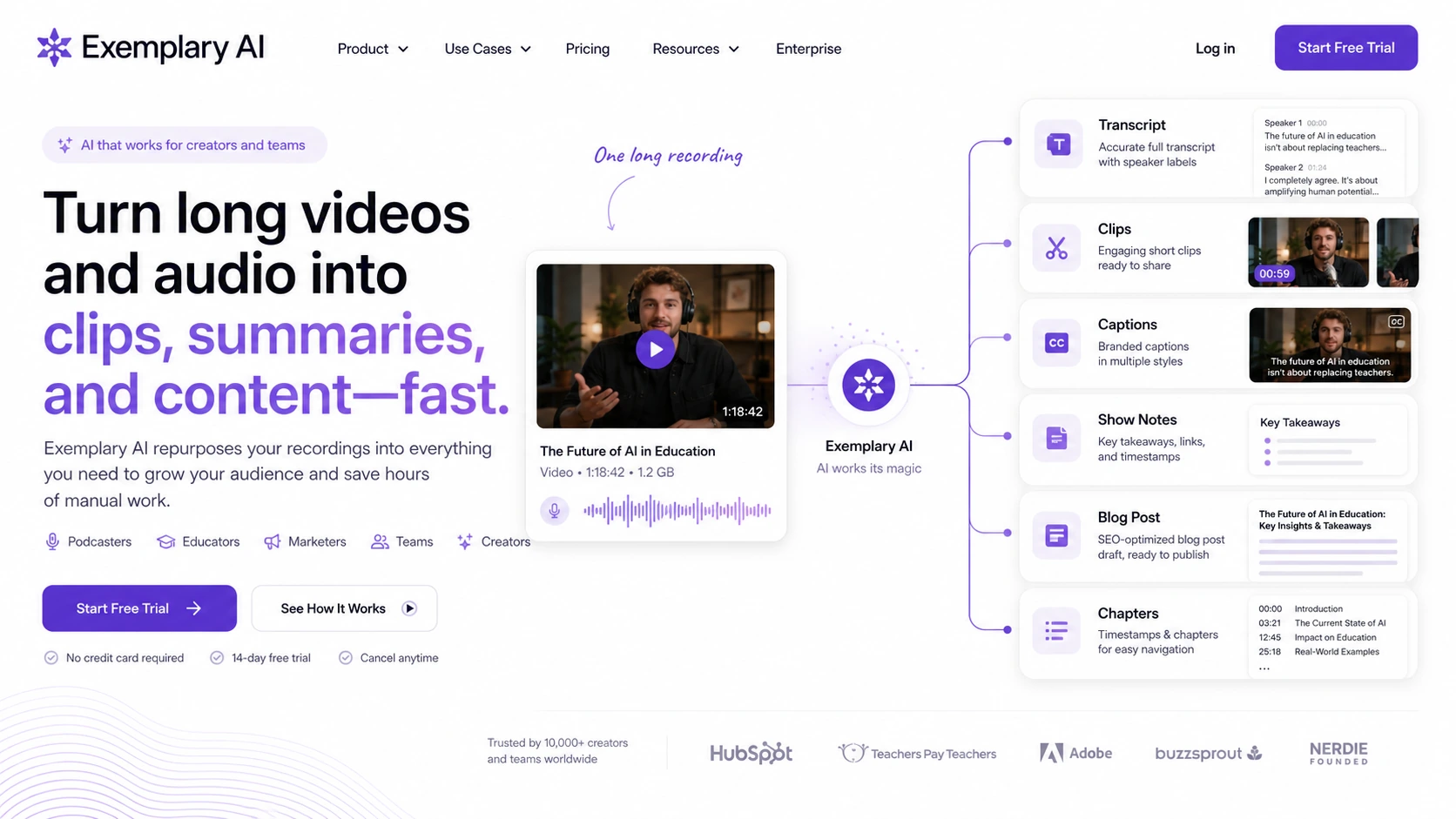
Exemplary AI is best understood as an audio and video repurposing workspace for creators, podcasters, educators, marketers, and small teams. It turns long media into transcripts, subtitles, translations, summaries, blog-style content, social clips, audiograms, chapters, captions, and AI chat insights. The store decision is less about whether AI transcription is useful and more about whether one platform can replace several small tools in your publishing workflow.
Fit → price → checkout
Use these routes after the official-site check: coupon first, review for fit, compare if unsure.
Exemplary AI pricing snapshot
Fast commercial checks before pricing, coupons, or a deeper review.
Exemplary AI product tour
The product tour is useful if you are trying to decide whether Exemplary AI can replace a mix of transcription, subtitle, clip-making, audiogram, and social caption tools. Watch for how the workflow moves from upload to transcript, then into clips, written outputs, and export options. That sequence matters because the product is valuable only if it shortens your publishing workflow, not merely because it generates more assets.
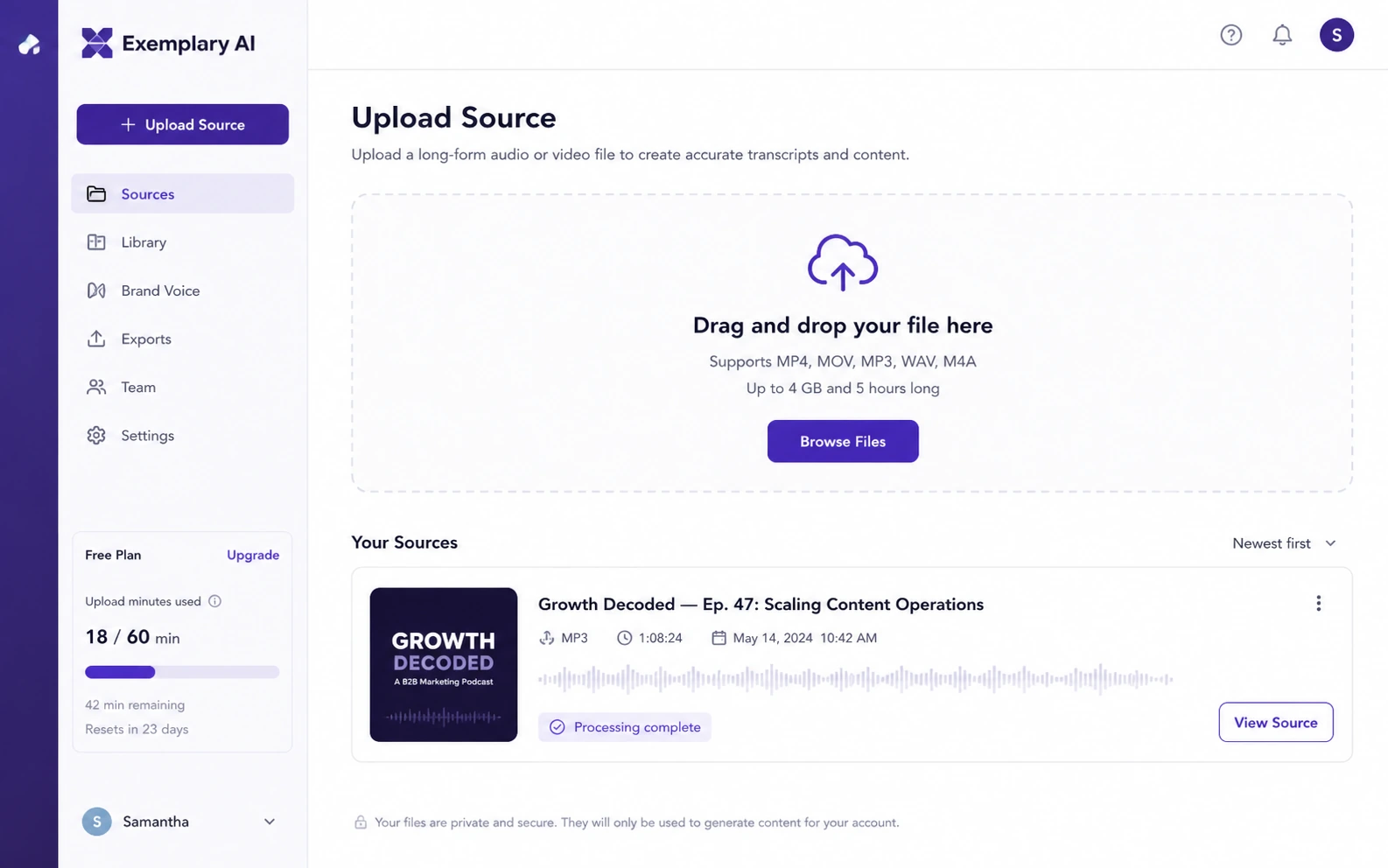
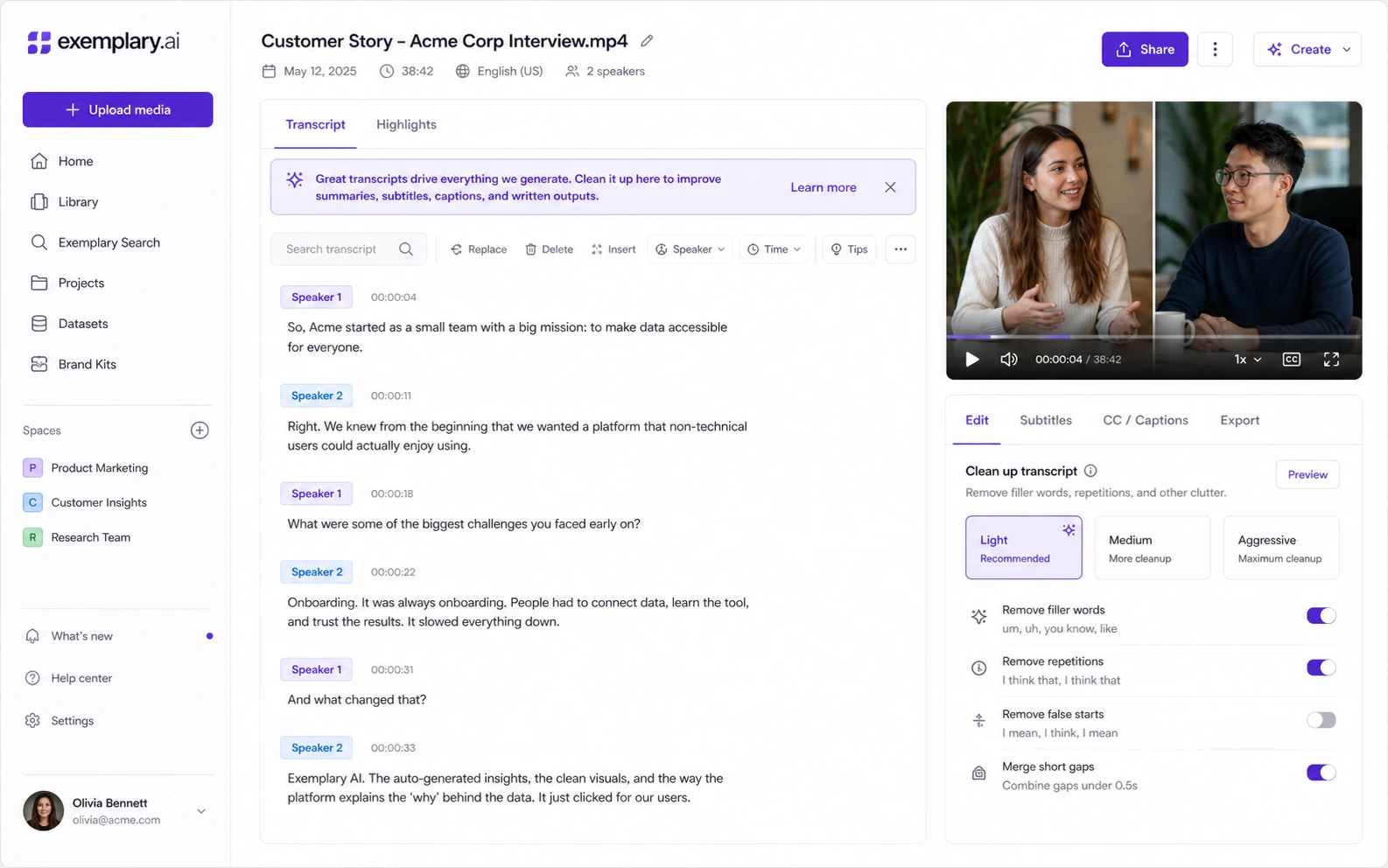
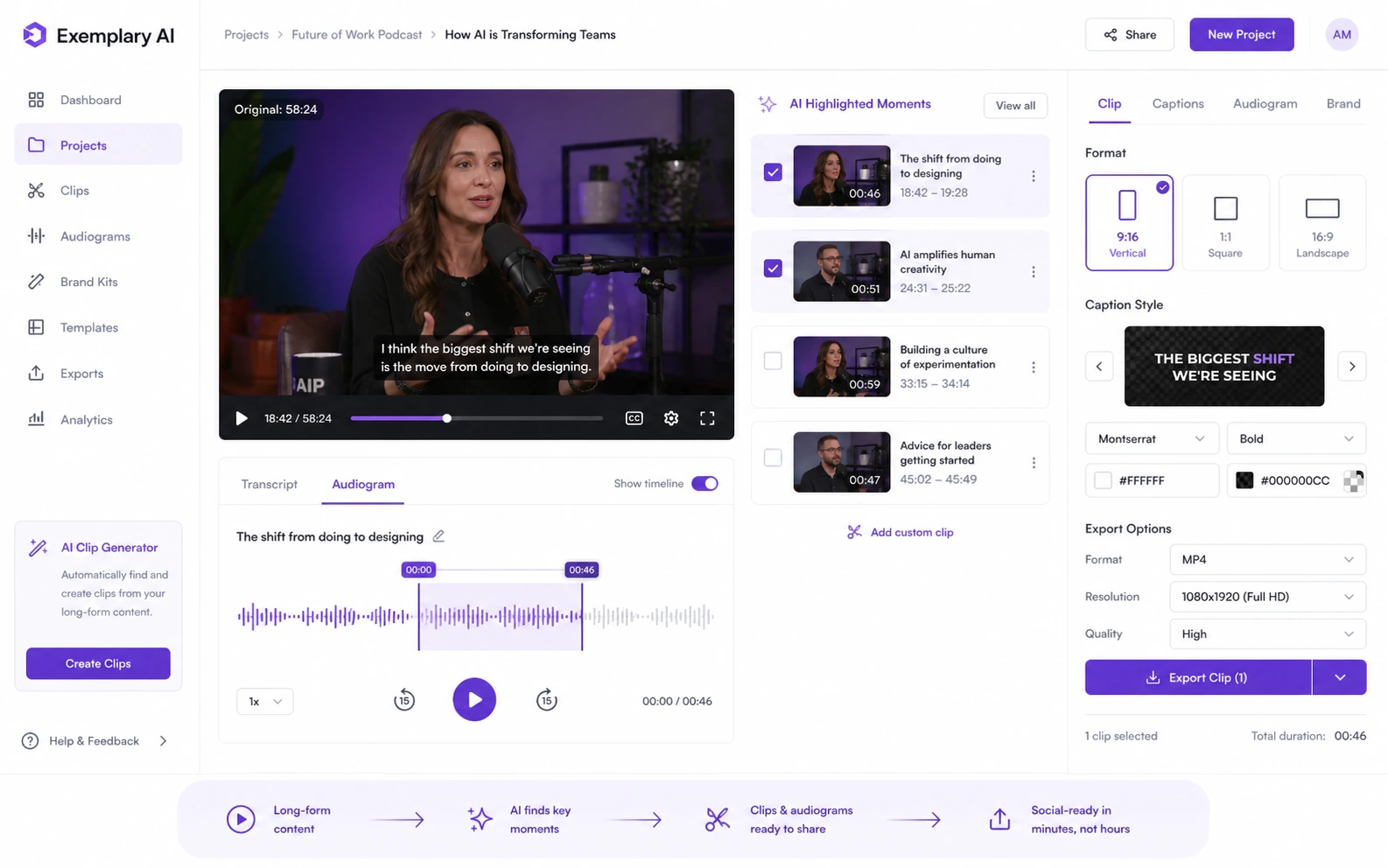
Exemplary AI should be evaluated as a media repurposing workflow, not as a simple transcription app. The buyer who gets the most value is usually starting with long-form audio or video and wants to turn it into transcripts, subtitles, clips, audiograms, show notes, summaries, translations, and social copy without stitching together several separate tools.
What Exemplary AI actually does
Exemplary AI takes audio or video and turns it into multiple content assets. The official pages cover transcription, subtitle editing, translation, AI chat, AI writing, social clips, audiograms, and AI clips. For buyers, the important test is whether the tool can move one source recording into enough useful outputs to save editing and publishing time.
- Upload long-form media and turn it into transcripts, subtitles, summaries, clips, and written assets.
- Use AI chat and AI writing to extract ideas from the recording instead of starting every post from scratch.
- Review every output before publishing because timing, speaker names, translations, and clip selection can still need cleanup.
Pricing is about volume, not only plan price
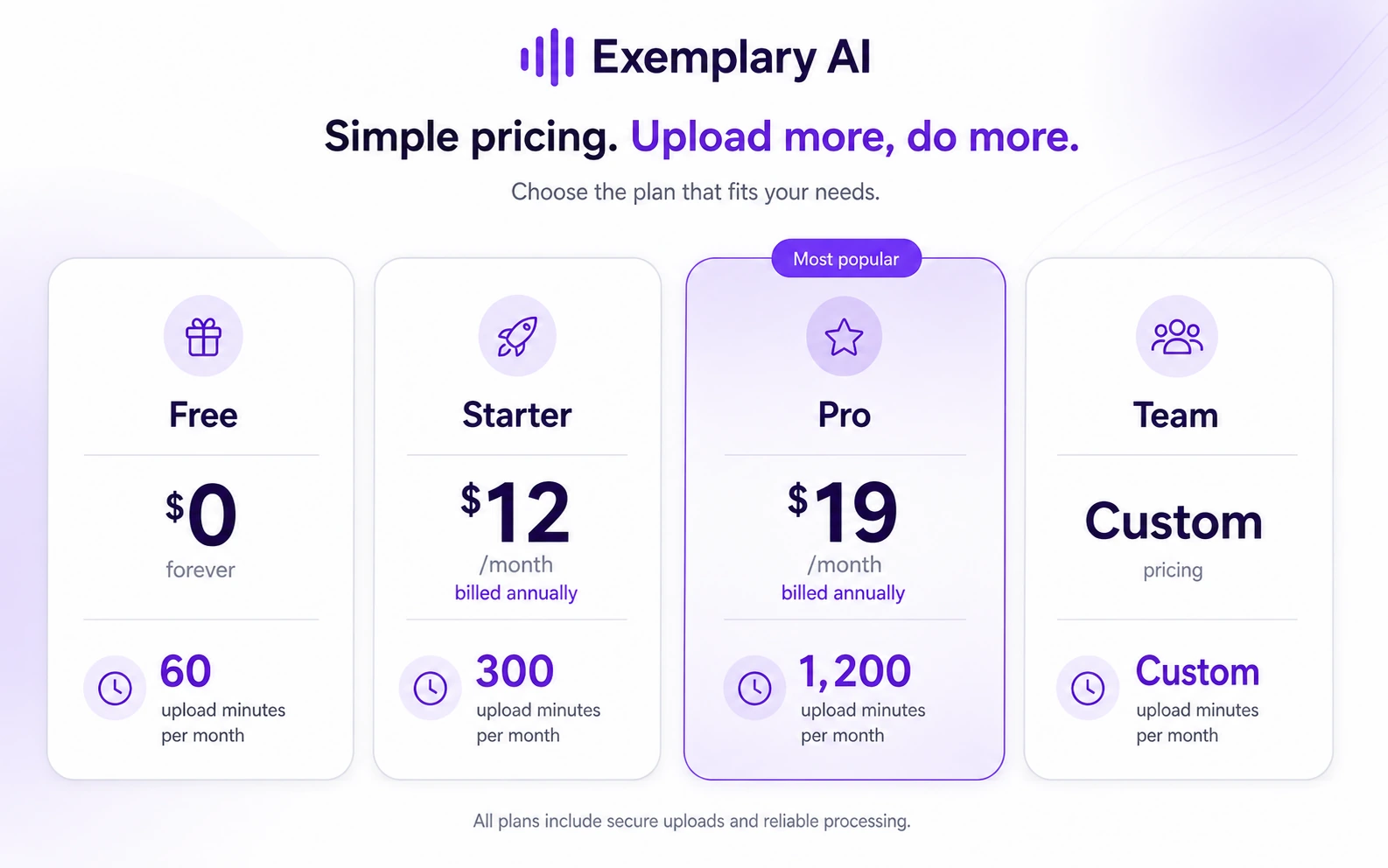
Exemplary AI pricing should be read through upload minutes, retention, storage, workspace users, file limits, export counts, and API access. The Free plan is useful for seeing whether the workflow fits. Starter and Pro become more relevant when you publish regularly and need more upload capacity, higher export limits, and fewer workflow bottlenecks.
- Free includes 60 upload minutes per month and 14 days data retention.
- Starter is positioned for creators and shows 2400 upload minutes per year when billed annually.
- Pro adds larger annual upload minutes, 3 workspace users, more storage, API access, unlimited content generations, and higher export counts.
Where the product helps creators most
Exemplary AI is strongest when the buyer already has long recordings and wants more output from them. A podcast can become a transcript, audiogram, show notes, short clips, social captions, and a blog draft. A webinar can become subtitles, chapters, a summary, and clips for social channels. That is a practical workflow advantage when repurposing is frequent.
- Podcasters can turn episodes into transcripts, audiograms, show notes, and short promotional clips.
- Educators can make course videos more searchable and accessible with subtitles and transcripts.
- Marketers can reuse webinars, interviews, and product videos across social and written channels.
What to watch in the tutorial video
The tutorial video below is useful when you want to see how a creator can move from media input to shorter publishable assets. Pay attention to how much manual judgment is still needed around clip selection, subtitles, captions, and branding. That is the real buying question: does the workflow reduce editing time enough for your publishing schedule?
Refund, cancellation, and checkout caution
The help center clearly explains how to cancel a subscription through the billing portal, but I did not find a clearly published standard refund window for normal subscriptions. That makes the Free plan and checkout verification more important. Buyers should confirm renewal terms, refund handling, unused credits, data retention, and cancellation timing before paying.
- Do not assume unused time or unused credits will be refunded unless the checkout or terms clearly say so.
- Check whether annual billing, limited time pricing, or coupon tests change renewal expectations.
- Export important projects before cancellation if retention limits matter to your workflow.
How it compares inside the DealBestDaily system
Exemplary AI is more relevant than a general AI assistant when the buyer starts with audio or video and needs multiple derived assets. 1min.AI is a broader all-in-one AI workspace comparison, while Aikeedo is not a direct substitute and only makes sense if the buyer is thinking about building or hosting AI software rather than using a ready-made media repurposing platform.
- Compare 1min.AI if you want broader AI tool coverage rather than a focused media repurposing workflow.
- Compare Aikeedo only if the buying question has shifted from using a tool to building an AI SaaS foundation.
- For video-first clipping alternatives, buyers may also research tools like Opus Clip, Vidyo.ai, Vizard, Klap, and Munch outside the current store route.
Best savings path from this store page
This is the clearest savings route to check once the product already looks like a fit.
Exemplary AI lists a limited-time Pro yearly price, making it the strongest official value path for heavier transcription and repurposing work.
Custom team plan route
Extra upload time path
Use comparison routes when the category fit is still open
Use these comparison routes when the product still looks plausible, but the category fit is not fully settled.
1min.AI is the better comparison when the buyer wants a broader all-in-one AI workspace rather than a focused audio and video repurposing flow.
Aikeedo is not a direct substitute, but it is useful when the buyer is considering building an AI SaaS product instead of subscribing to a hosted creator tool.
Verification points worth checking before you click out
Where this store usually fits best in the workflow
Podcasters can use Exemplary AI to turn an episode into a transcript, show notes, audiograms, short clips, subtitles, and social captions. The plan fit depends on episode length, monthly upload minutes, and how much editing the generated assets still require.
Educators and marketers can turn webinars or course videos into searchable transcripts, summaries, subtitles, chapters, and clip assets. This is useful when accessibility and reuse matter, but buyers should test retention and export limits before relying on it for a full course library.
Creators can use AI clips, captions, templates, and audiograms to speed up short-form posting. The key buyer test is whether the selected moments are strong enough to reduce manual editing, not merely whether the tool creates clips.
Small teams can use workspace, Pro, API, and custom Team paths when multiple people handle recordings and repurposed assets. Before upgrading, confirm user seats, storage, org controls, and whether the team really shares the workflow.
Practical checkpoints before and after signup
- Choose one real long-form recording that represents your normal audio quality, length, and publishing format.
- Decide which outputs matter most: transcript, subtitles, clips, audiogram, social captions, blog draft, or translation.
- Check the Free plan retention limit before uploading anything you need to keep long term.
- Measure transcript cleanup time, subtitle timing, clip selection quality, and written output usefulness.
- Compare the generated clips against what you would actually publish on YouTube Shorts, TikTok, Instagram, or LinkedIn.
- Track how quickly upload minutes and content generations disappear with real work.
- Verify live Starter and Pro pricing under the selected billing interval.
- Check API access, workspace users, storage, video export count, file size, upload length, and extra upload-time costs.
- Confirm cancellation, refund, renewal, and data retention terms before starting annual billing.
- Recheck whether the tool reduces total publishing time after several projects, not just during the first demo.
- Keep a manual quality review step for transcripts, translations, subtitles, captions, and clips.
- Review plan fit again if your team adds users, uploads longer files, or starts publishing more frequently.
Fast-read signals for workflow fit and buying friction
Questions readers usually ask before choosing this store
What is Exemplary AI best used for?
Exemplary AI is best used for turning audio or video into several reusable assets, such as transcripts, subtitles, translations, summaries, chapters, social clips, audiograms, show notes, and written content. It fits creators and teams that publish from recordings regularly.
Does Exemplary AI have a free plan?
Yes. The official pricing page currently shows a Free plan at $0 with 60 upload minutes per month, single user access, 14 days data retention, and access to core transcription, translation, subtitle, clips, audiogram, and AI tools. Buyers should still verify the live pricing page before relying on those limits.
Is the Starter plan enough for creators?
Starter can make sense for creators with regular but controlled upload volume. The official pricing page currently shows 2400 upload minutes per year, 100GB storage, one workspace user, larger file limits, and 200 video exports. Heavy podcasters, agencies, or video teams may need to compare Pro or custom Team pricing.
Should I trust public coupon listings for Exemplary AI?
Public coupon directories report Exemplary AI codes and deal paths, but those are not the same as official pricing terms. Treat them as optional checkout tests. The safer decision is to confirm the official plan, billing interval, refund terms, and limits first.
What should I verify before paying for Exemplary AI?
Verify upload minutes, file size, upload length, storage, data retention, workspace users, export counts, API access, extra upload-time pricing, cancellation terms, refund handling, and whether generated clips and transcripts are good enough for your actual publishing workflow.
Choose the next route that matches what you still need to decide
The strongest next click depends on whether you still need product judgment, a savings route, or a broader category comparison.