
Easy-Peasy.AI Pricing & Workflow Fit
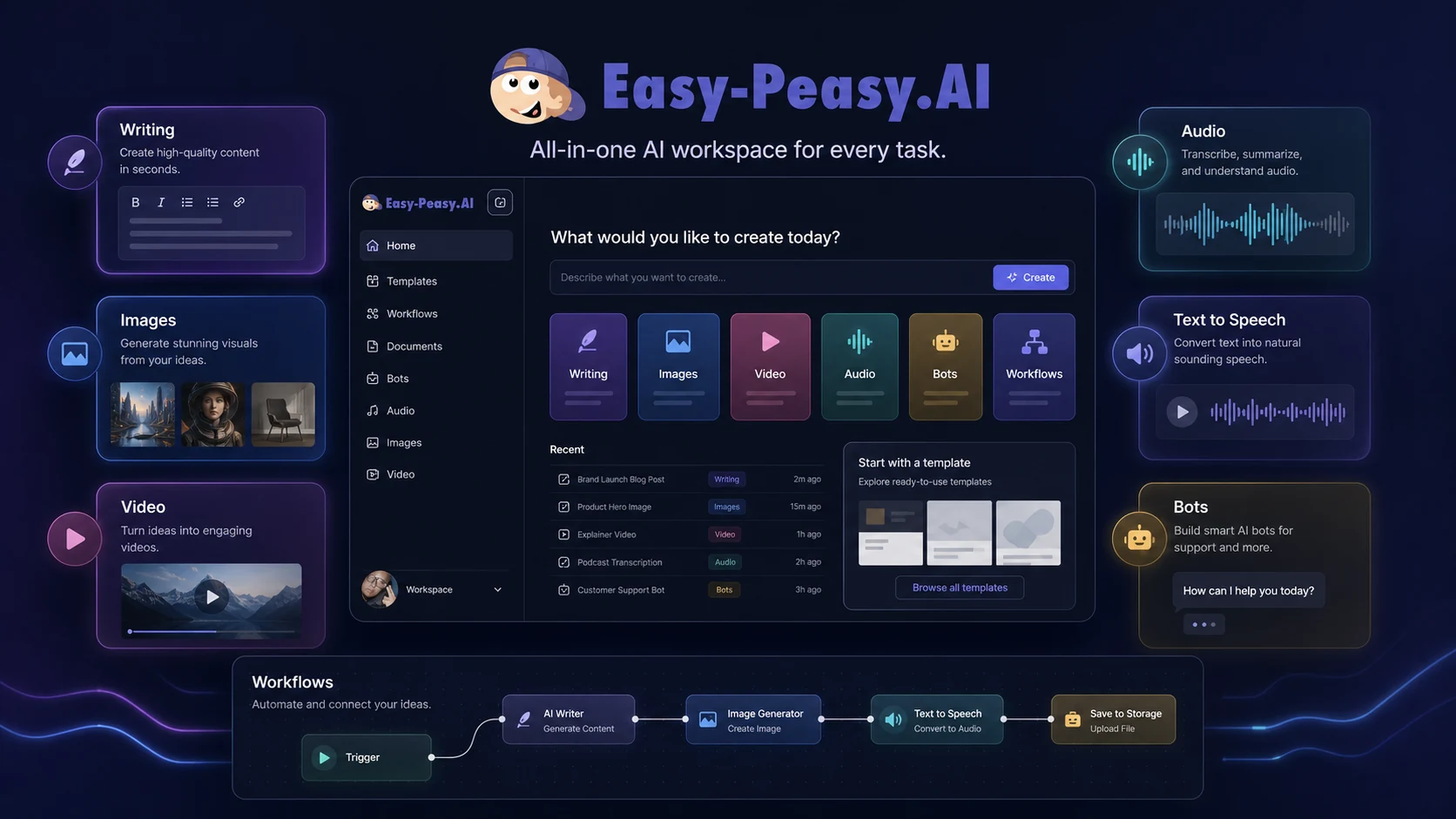
Easy-Peasy.AI is now better understood as a broad AI creation and workflow platform rather than a simple AI copywriting tool. The official product page covers text templates, workflows, bots, brand voice, image generation, video generation, transcription, text-to-speech, music, sound effects, photo studio, headshots, interior design visuals, and API access. That makes the buying question less about one feature and more about whether a single multi-use AI workspace can replace several smaller tools in the buyer's workflow.
Fit → price → checkout
Use these routes after the official-site check: coupon first, review for fit, compare if unsure.
Easy-Peasy.AI pricing snapshot
Fast commercial checks before pricing, coupons, or a deeper review.
Easy-Peasy.AI product tour
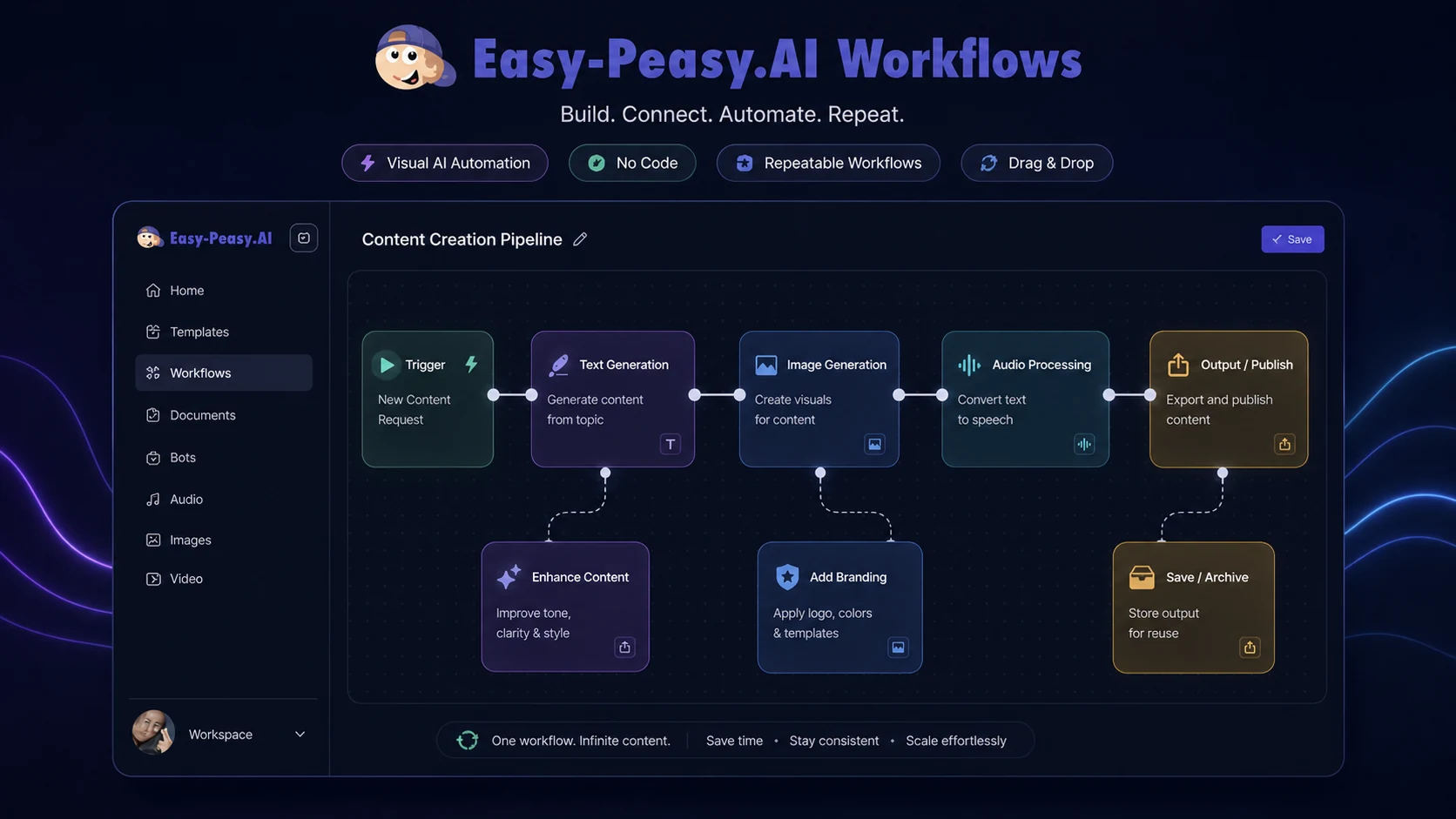
Use the tour video as a quick orientation before judging the tool from its long feature list. A buyer should watch how the platform groups writing, media, bots, and workflows, then ask whether one broad workspace is easier than maintaining several separate AI subscriptions. The second video inside the content focuses on workflow setup, which is useful for buyers who care more about repeatable production than one-off prompting.
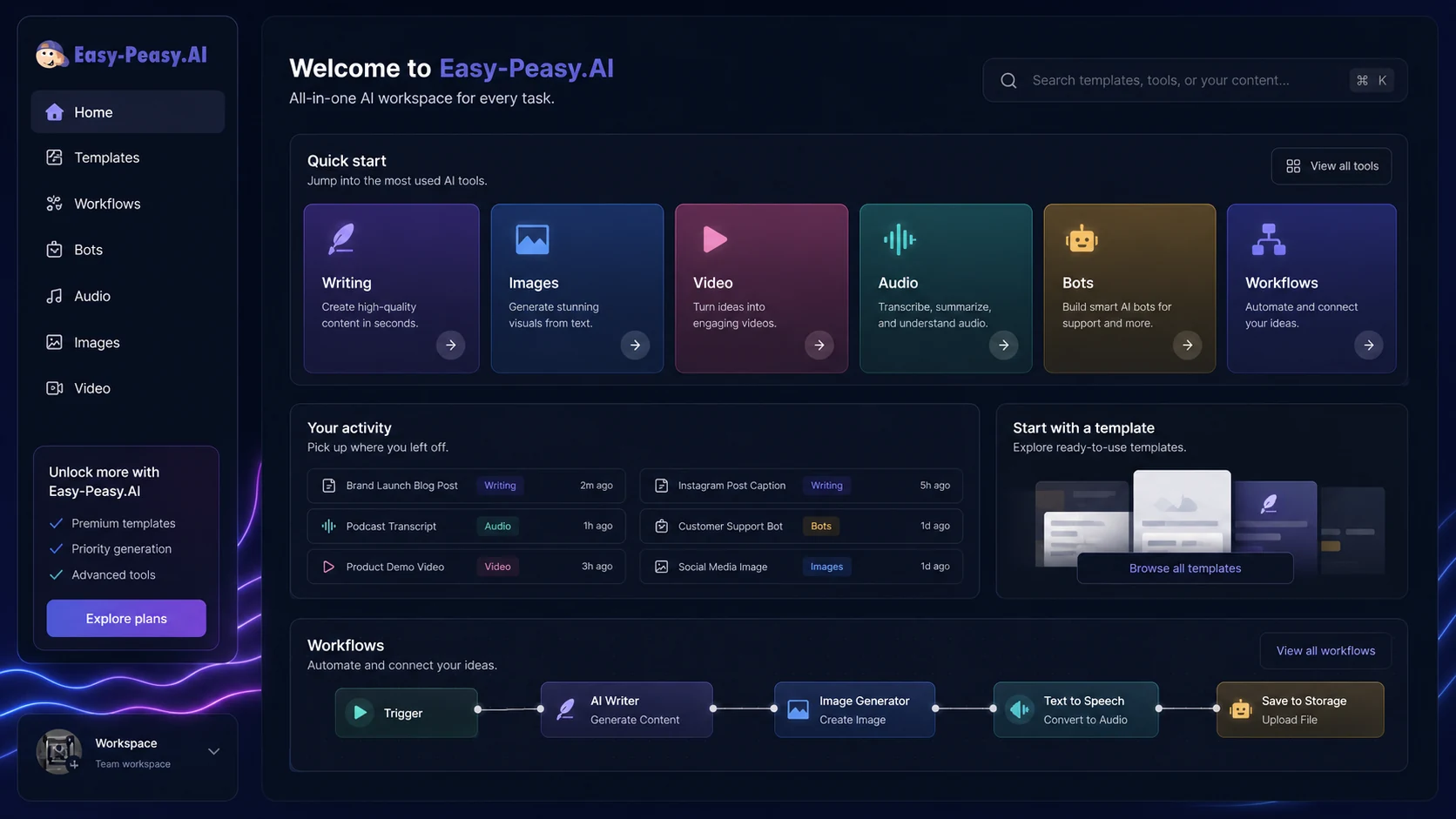
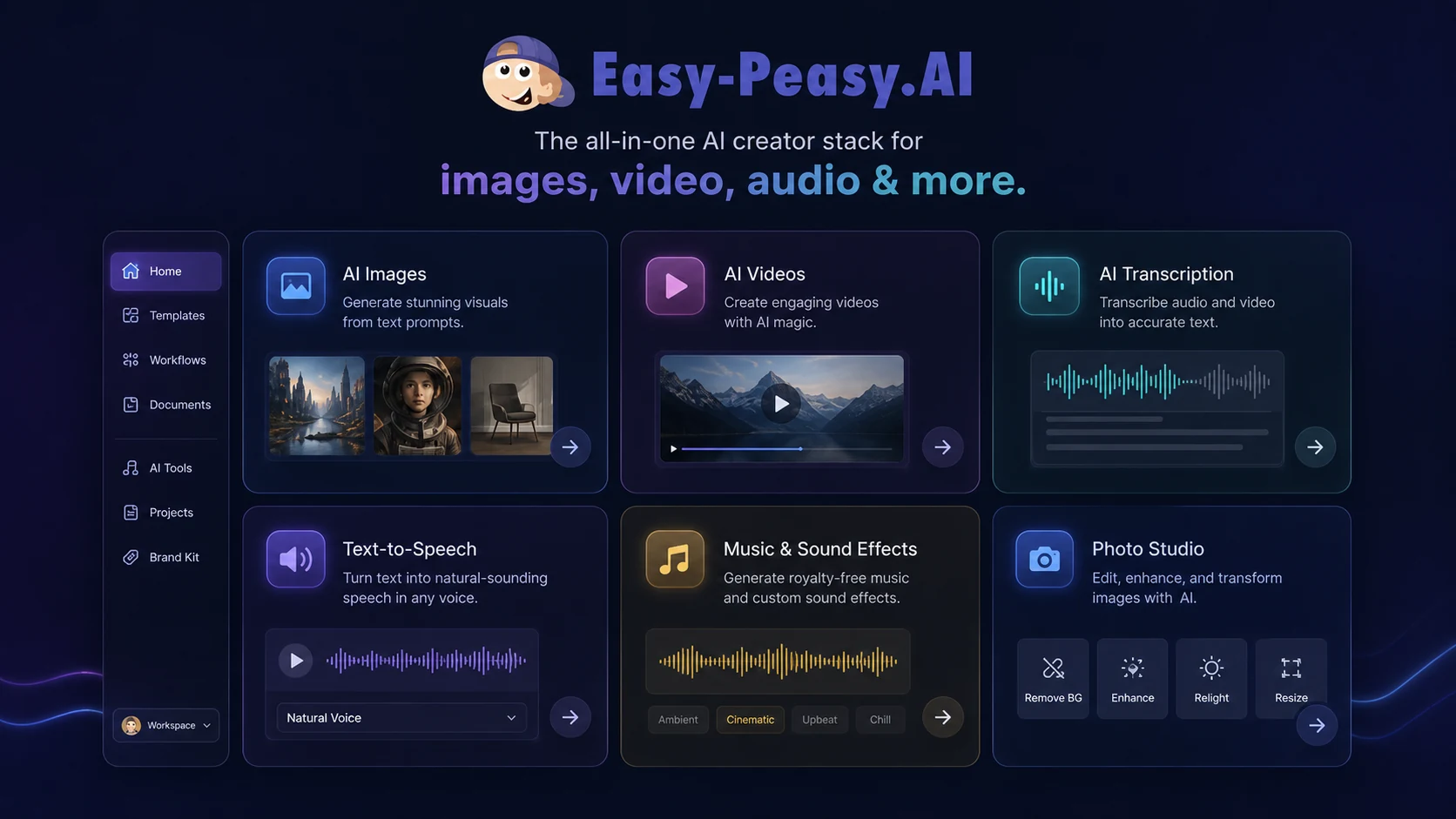
Easy-Peasy.AI should be judged as a broad AI productivity workspace. The main buyer question is not whether it can generate text. It can. The better question is whether the buyer will actually use enough writing, media, bot, API, and workflow features to justify keeping one all-in-one subscription.
What Easy-Peasy.AI actually does
Easy-Peasy.AI combines AI writing templates, workflows, bots, brand voice, image generation, video generation, transcription, text-to-speech, music, sound effects, photo tools, headshots, and API access. That makes it a general AI creation platform rather than a narrow copywriting app. The upside is convenience. The tradeoff is that buyers must check whether the modules they care about are strong enough for daily work.
- Writing templates and long-form content helpers
- AI image, video, audio, transcription, and text-to-speech tools
- Bots, workflows, brand voice, Zapier, Make, and API paths
Pricing and free-plan fit
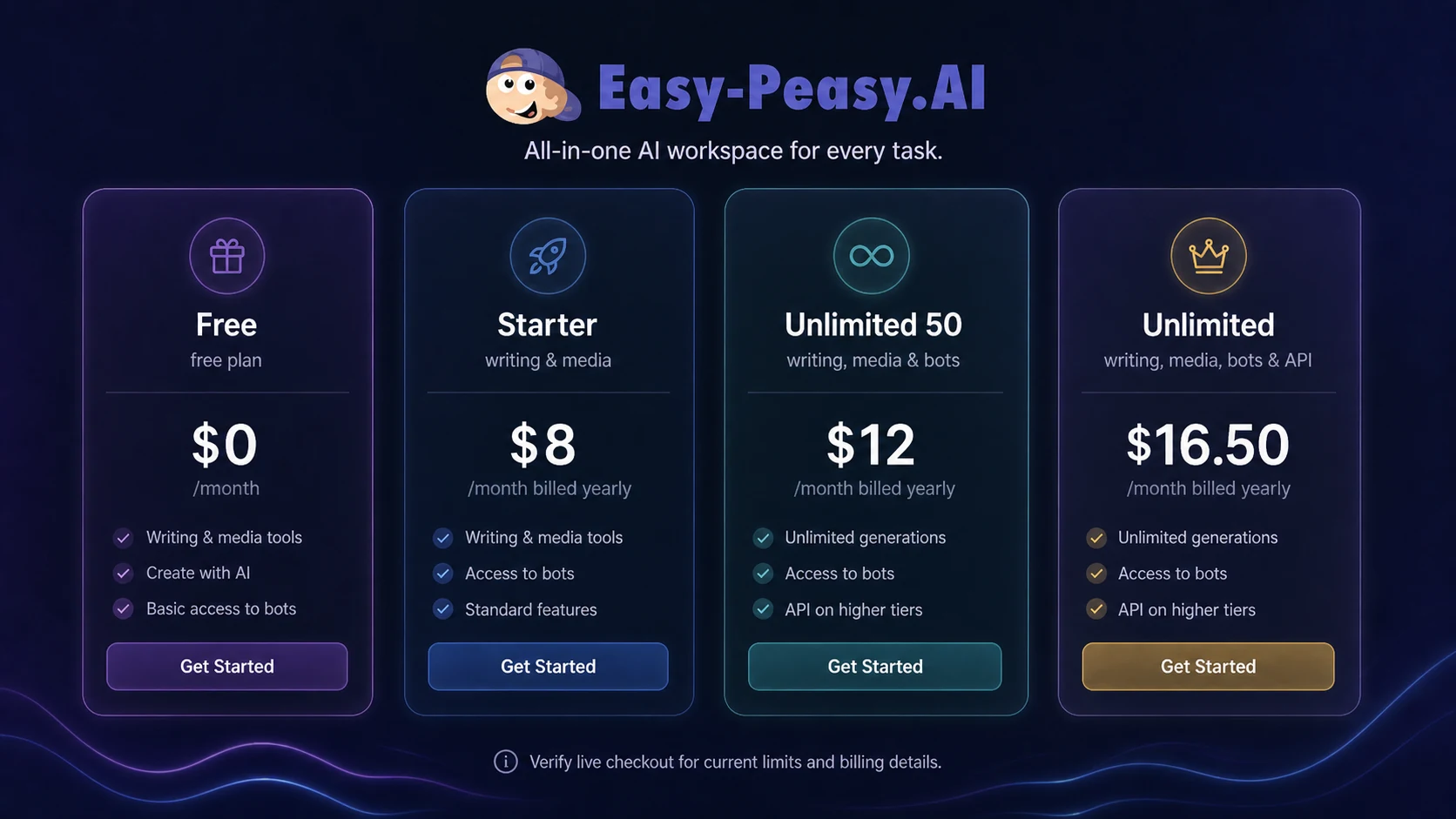
The free plan gives a real entry point, but it is best treated as a test account. The official pricing table lists small limits for words, image credit, transcription, TTS characters, one bot, and templates. Paid plans raise the limits and add more room for media, bots, brand voices, and premium model usage. Buyers should compare the exact usage meters instead of looking only at the monthly sticker price.
- Free plan is useful for testing, not proving long-term fit.
- Starter may work for light creators who do not need heavy media or API usage.
- Unlimited tiers make more sense when multiple content and media tasks happen every month.
Product tour video and what to watch for
The product tour video is useful because it gives buyers a faster way to judge navigation and scope. Watch for how quickly the platform moves between templates, media tools, bots, and workflows. If the interface feels scattered for your actual process, a specialist tool may be easier. If the tour shows two or three modules you would use every week, Easy-Peasy.AI becomes a stronger shortlist candidate.
- Check whether the platform feels easy enough for non-technical users.
- Notice whether the workflow tools look practical or just interesting.
- Compare the tour against your real publishing, marketing, or automation routine.
Workflow automation and API path
Easy-Peasy.AI becomes more interesting when the buyer wants repeatable AI output. The public API docs describe text, image, video, transcription, TTS, chat completions, and bot endpoints, while Zapier and Make references show no-code automation paths. This is useful for teams that want outputs routed into Google Drive, Gmail, Facebook Pages, ChatBot, or other tools, but buyers should confirm plan access before building around it.
- API access matters for custom apps, internal tools, or repeatable content systems.
- Zapier and Make paths help non-developers connect Easy-Peasy.AI with common apps.
- The buyer should confirm whether API access is included in the chosen plan.
Best buyer fit and where it disappoints
Easy-Peasy.AI fits buyers who want breadth: writing, images, video, audio, bots, and automation in one subscription. It can disappoint buyers who expect deep editorial controls, a specialized SEO workflow, professional-grade video editing, or enterprise team governance. The safest test is to choose two real tasks, run them inside the free plan, and compare the result against the dedicated tools you would otherwise pay for.
- Good fit for multi-task creators and small teams.
- Weaker fit for buyers who need one specialized workflow done at expert depth.
- Best evaluated through real sample tasks, not feature-count comparison.
Safest next step before checkout
Start with the free plan and run a small test across the exact tasks you expect to repeat. Then read the full review if you need more fit context, check the pricing page for current plan limits, and only then look at the coupon path. That order protects the buyer from choosing a discounted plan that is cheap but still not the right workflow fit.
- Test the free plan with a real workflow, not a random prompt.
- Use the review page if the product still feels unclear.
- Check pricing, refund terms, and coupon availability only after fit is confirmed.
Best savings path from this store page
This is the clearest savings route to check once the product already looks like a fit.
A second third-party coupon listing reports an alternate Easy-Peasy.AI checkout code. Use it only as a backup path if the primary coupon does not apply.
Starter annual pricing path
Unlimited 50 annual route
Use comparison routes when the category fit is still open
Use these comparison routes when the product still looks plausible, but the category fit is not fully settled.
1min.AI is the closer comparison when the buyer wants a broad all-in-one AI workspace, but Easy-Peasy.AI may feel stronger for content templates, media creation, bots, and workflow-based publishing.
Aikeedo is more relevant for buyers thinking about AI SaaS ownership or builder-style deployment, while Easy-Peasy.AI is better framed as a hosted productivity and content creation workspace.
Verification points worth checking before you click out
Where this store usually fits best in the workflow
Easy-Peasy.AI can support creators who need blog drafts, captions, images, video ideas, transcription, and voice output from one workspace. The buyer should still check whether output quality is good enough for publishing without too much editing.
Small businesses can use the tool for emails, social posts, product copy, FAQs, and quick media generation. It works best when one person needs many lightweight outputs rather than a team needing strict review controls.
Developers and operators can explore API, Zapier, Make, and bot paths for repeatable generation. Before committing, they should confirm plan access, rate limits, and whether the output types match the production workflow.
Buyers comparing multiple AI suites can use the free plan to test whether a broad platform saves enough time to replace several smaller tools. The goal is not to use every feature, but to find the few that are worth paying for.
Practical checkpoints before and after signup
- Pick two or three real tasks, such as a blog workflow, social copy, image generation, transcription, or a bot draft.
- Write down the monthly volume you expect before comparing plan limits.
- Decide whether privacy-sensitive media work is acceptable under the plan's public or private output rules.
- Test output quality, editing time, and whether the interface is comfortable enough for repeat use.
- Check whether the free plan limits block your real workflow quickly or only after casual usage.
- Compare Easy-Peasy.AI against one specialist tool before assuming breadth equals better value.
- Verify yearly discount, refund language, plan limits, API access, and any public coupon path on the live checkout.
- Use annual billing only if your monthly usage is already clear.
- Keep the review and coupon pages as separate decision steps rather than blending fit and discount into one click.
Fast-read signals for workflow fit and buying friction
Questions readers usually ask before choosing this store
What is Easy-Peasy.AI best for?
Easy-Peasy.AI is best for buyers who want one workspace for writing, content templates, images, video, transcription, text-to-speech, bots, and light automation. It is strongest when the buyer will use several modules often enough to justify one broad subscription.
Does Easy-Peasy.AI have a free plan?
Yes. The official pricing section lists a free plan with limited words, image credit, transcription, text-to-speech characters, one bot, templates, and no credit card requirement. Treat it as a fit test before upgrading.
Is Easy-Peasy.AI pricing simple to compare?
It is clear enough to compare, but buyers should look beyond the headline price. The important limits include words, premium model usage, image and video credits, transcription, text-to-speech characters, bots, brand voices, templates, and API access.
Does Easy-Peasy.AI offer refunds?
The pricing page says there is a 30-day money-back guarantee. The terms also include narrower language about no compensation for service interruptions. Buyers should verify live checkout and support wording before choosing annual billing.
What is the safest next step before buying Easy-Peasy.AI?
Start with the free plan, run real tasks, check whether the modules you need are good enough, then compare plan limits and pricing. Look at the coupon path only after the workflow fit is clear.
Choose the next route that matches what you still need to decide
The strongest next click depends on whether you still need product judgment, a savings route, or a broader category comparison.