
DeftGPT Pricing, Plans & Workflow Fit
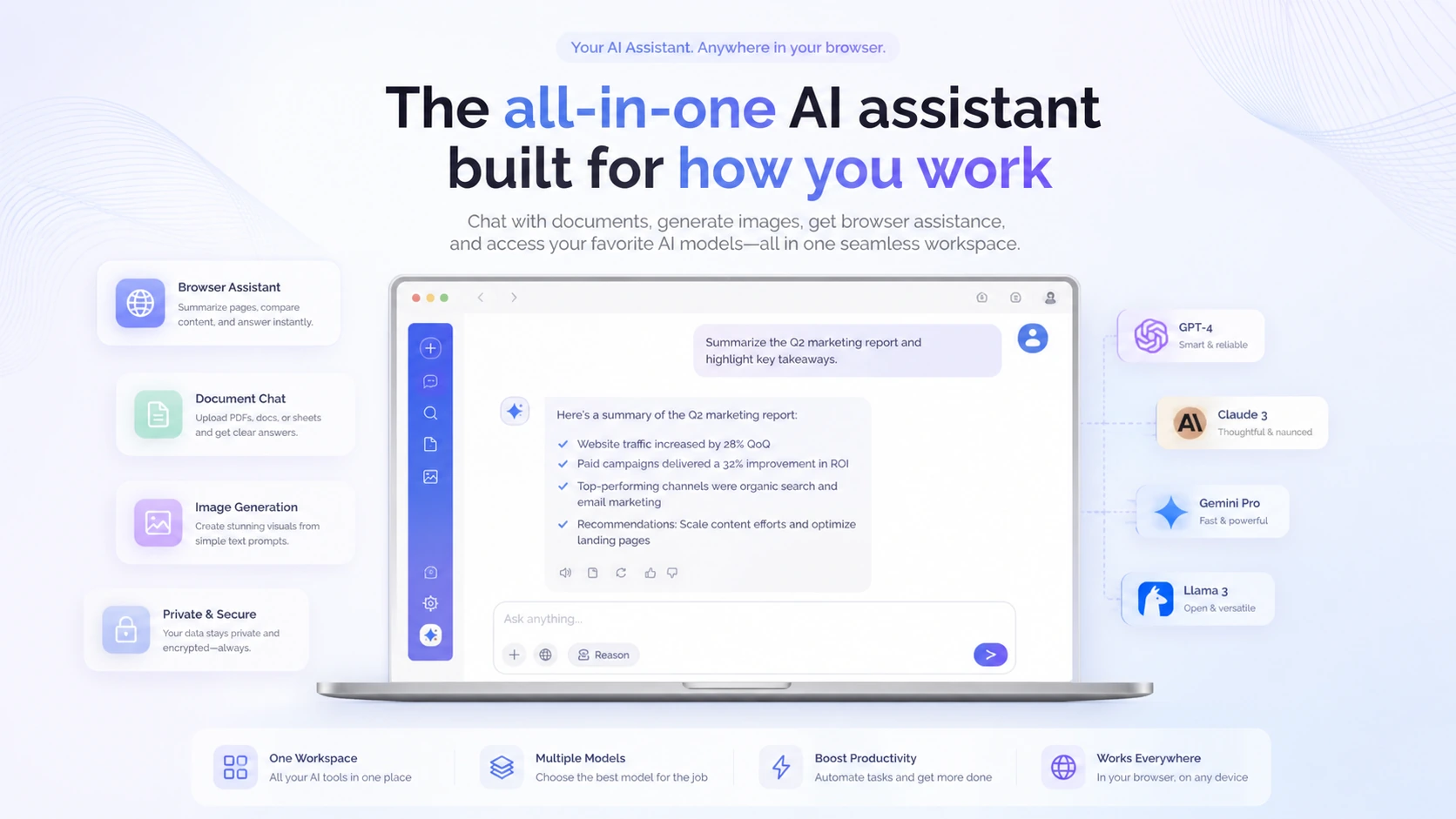
DeftGPT is best understood as a browser-friendly AI workspace rather than a single-purpose writing tool. It combines chat, document questions, content drafting, image creation, browser extension access, and team-oriented usage paths. The fit is strongest for people who want quick AI help inside everyday browsing, email, search, documents, and content work. It is weaker for buyers who need a deep specialist writing suite, strict enterprise governance, or API-based developer workflows.
Fit → price → checkout
Use these routes after the official-site check: coupon first, review for fit, compare if unsure.
DeftGPT pricing snapshot
Fast commercial checks before pricing, coupons, or a deeper review.
DeftGPT product tour
The product tour video is most useful if you are deciding whether DeftGPT belongs in your daily browser workflow or only looks attractive as another AI chat wrapper. Watch for how quickly the demo moves from writing to document-style work and whether the Chrome experience feels close to the places where you already work. That is the practical buying question: if the tool reduces tab switching and repeated prompting, pricing deserves a closer look; if you only need occasional chat, the free plan may be enough.
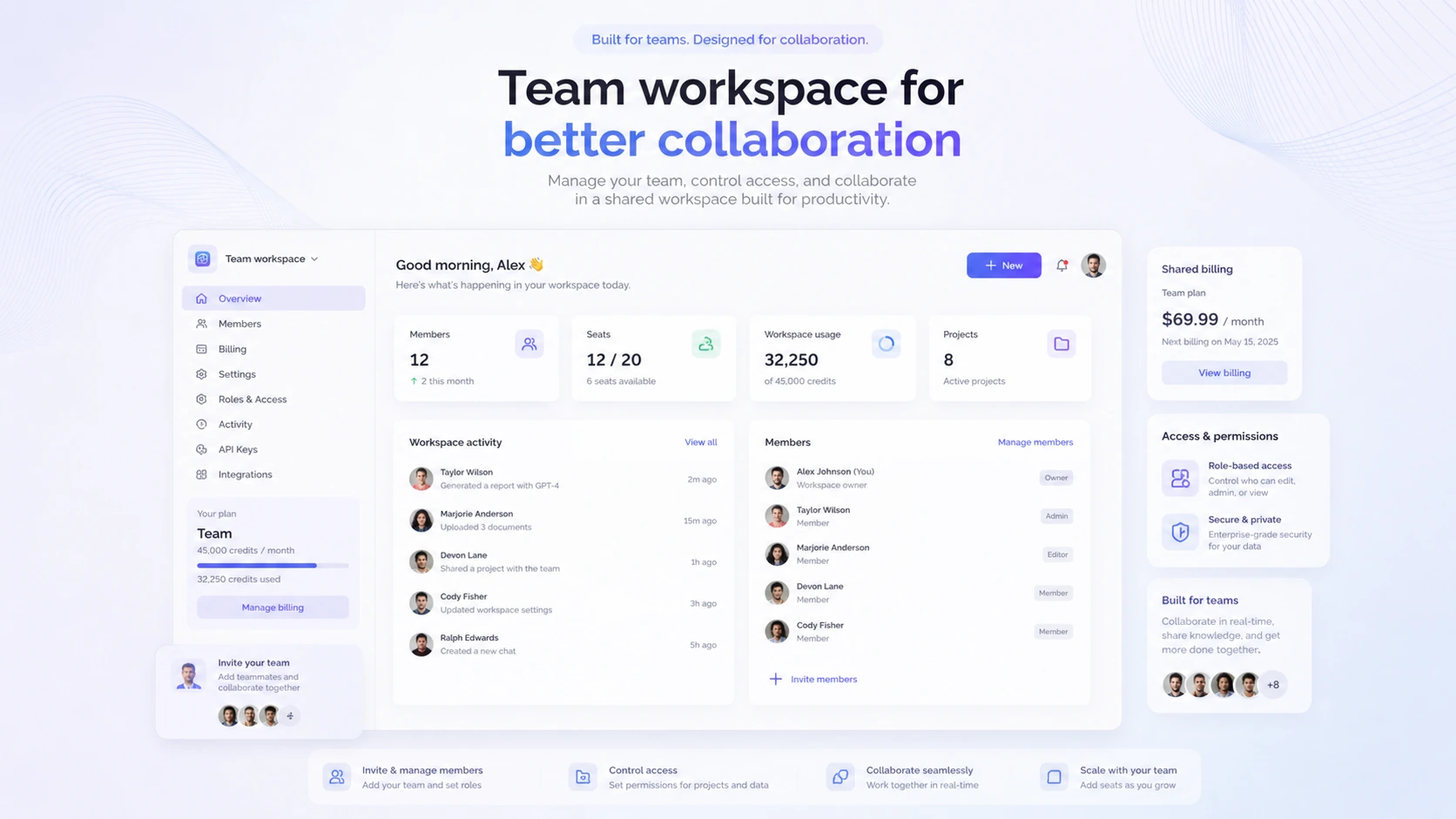
DeftGPT should be evaluated as a practical AI workspace for browser-based work, not just as another ChatGPT alternative with a coupon attached. The product combines chat, document questions, image creation, Chrome extension access, and team usage paths. That makes it appealing for buyers who repeat many small AI tasks each week, but it also means the pricing decision should be based on credits, file limits, team needs, and refund risk rather than the headline monthly price alone.
What DeftGPT actually does
DeftGPT gives buyers an AI assistant layer for everyday writing, browsing, documents, and idea work. The strongest fit is not one isolated feature. It is the combination of browser access, document chat, content drafting, and image creation under one account. That matters for knowledge workers who bounce between Gmail, Google Docs, search results, social platforms, and files during the same workday.
- Use it for browser-based writing, summarization, and document questions.
- Test image creation separately because creative output quality can vary by prompt and model.
- Treat the product as a broad assistant, not as a deep replacement for every specialist AI tool.
How the pricing decision works
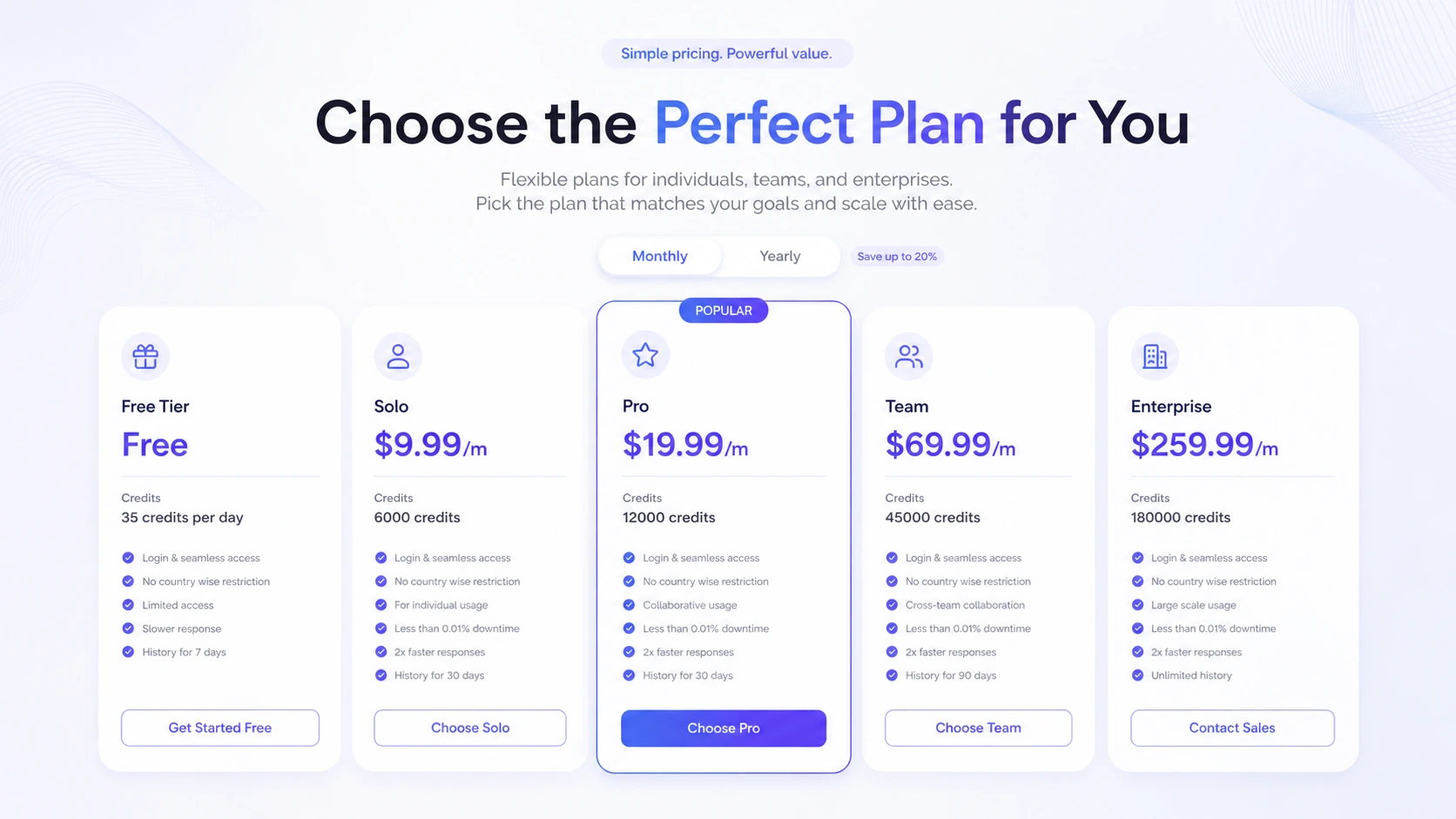
The official pricing structure starts with a free plan and then moves into paid tiers that increase credits, file capacity, workspaces, support, and team capability. That is a better way to read the pricing page than simply asking whether Solo is cheap. A buyer who mostly asks short questions may stay on the free plan longer, while a buyer who uploads documents and generates images may hit limits faster.
- Check current monthly and annual billing before comparing plan value.
- Review credits, file limits, workspace limits, memory, and connectors before upgrading.
- Match Team pricing to actual shared usage rather than buying it for one person.
Where the Chrome extension matters
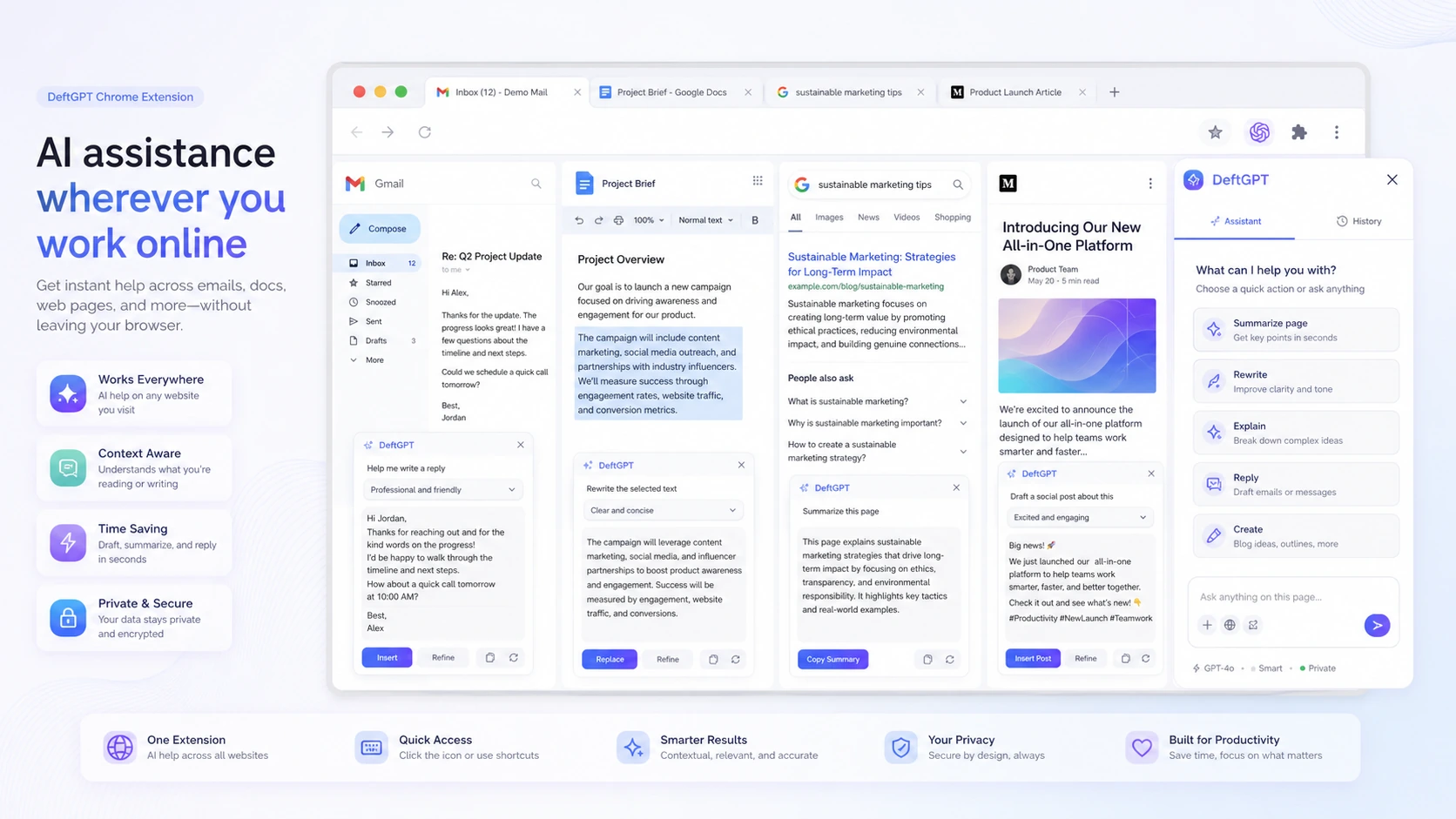
The Chrome extension is one of the cleaner reasons to consider DeftGPT. The Chrome Web Store listing describes help inside Gmail, Google Docs, search engines, social platforms, and general browser work. This is valuable when AI support reduces switching between your work tab and a separate chat tool. It is less important if your workflow already lives inside a dedicated AI app.
- Look for browser-side value in email, docs, search, and social writing.
- Check whether the extension feels fast enough for your daily writing rhythm.
- Do not assume the extension replaces specialist tools for SEO, design, or research depth.
Document chat and research fit
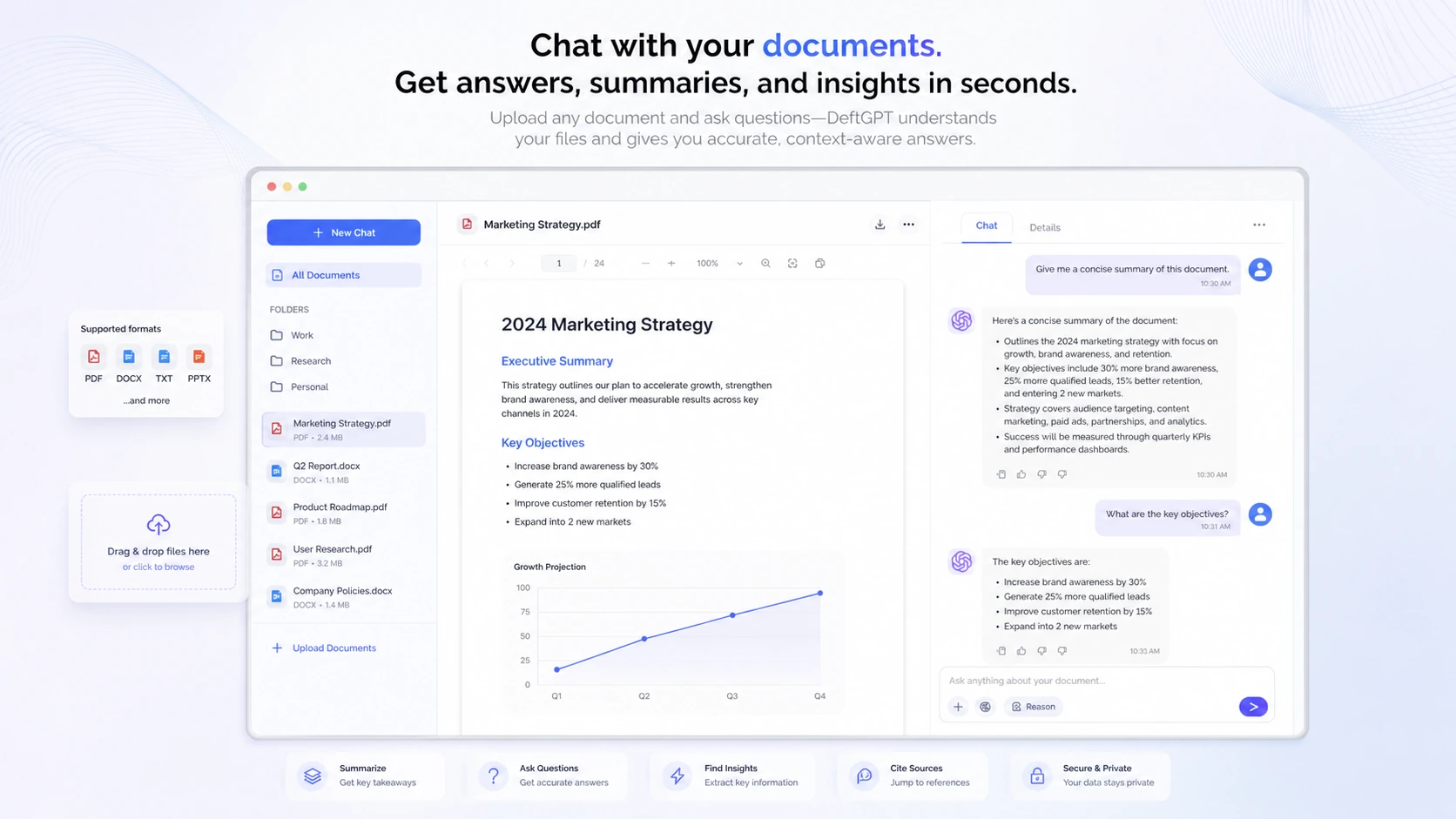
DeftGPT's document chat path is useful when the buyer needs to summarize PDFs, ask questions across files, or extract decisions from longer material. This can save time, but it also needs testing with real files. Formatting, file size, scanned documents, and answer precision can change the value quickly, especially for research, legal, finance, or study work.
- Upload the kind of document you actually use before judging the feature.
- Ask follow-up questions that require extraction, not only short summaries.
- Check whether scanned PDFs and larger files require a higher plan.
Video check before choosing a plan
This second video is useful if you want a more skeptical buyer view before treating DeftGPT as a daily AI workspace. Watch for the parts that show real workflow value, not only feature names. The benefit is practical: it helps you decide whether to start with the free plan, move into Solo or Pro, or compare another all-in-one assistant first.
Coupon and checkout reality
Public coupon sites report DeftGPT discount paths, but those reports should be treated as checkout tests, not guaranteed savings. The cleaner buying order is simple: confirm product fit, verify official pricing, read the refund terms, and only then test any reported coupon code at checkout. This avoids the common mistake of chasing a discount for a tool that does not match the workflow.
- Do not reveal or rely on a code until the checkout step confirms it.
- Check whether the discount applies to the plan you actually want.
- Compare the discounted price against credit limits and refund risk.
Best next step
Start with the free plan if you are new to DeftGPT. Use it on a real browser writing task, one document chat task, and one image or creative task. If the tool saves enough time across those jobs, compare Solo and Pro by credits and workspace limits. If you are buying for a team, check whether organization management and shared billing justify the Team tier.
- Choose the review path first if product fit is still unclear.
- Choose the pricing path once you know your expected credit usage.
- Choose the coupon path only after the plan choice is already sensible.
Best savings path from this store page
This is the clearest savings route to check once the product already looks like a fit.
DeftGPT is listed with a free-forever tier for buyers who want to test the browser AI assistant, document chat, image generation, and workspace limits before choosing a paid plan.
Solo annual pricing path
Pro annual pricing path
Use comparison routes when the category fit is still open
Use these comparison routes when the product still looks plausible, but the category fit is not fully settled.
1min.AI is a better comparison when the buyer wants a broader all-in-one AI suite across text, image, audio, and video tasks, while DeftGPT is more browser and document-workflow focused.
Aikeedo is not a like-for-like assistant, but it is worth checking if the buyer wants a self-hosted AI SaaS foundation rather than a hosted browser AI workspace.
CustomGPT is stronger when the buyer wants knowledge-base chatbot deployment, while DeftGPT fits personal and team productivity tasks inside browser and document workflows.
Verification points worth checking before you click out
Where this store usually fits best in the workflow
DeftGPT fits users who draft emails, social posts, quick documents, and search follow-ups inside the browser. The extension angle matters most when it saves tab switching and repeated copy-paste work.
Buyers who work with PDFs, DOCX files, reports, or research notes can use DeftGPT to summarize and ask follow-up questions, but they should test file size and formatting limits before upgrading.
DeftGPT can make sense for small teams that want shared billing and organization management, as long as the team has enough recurring AI usage to justify moving beyond individual plans.
DeftGPT includes image creation and idea generation, which can help creators move faster. Buyers who need advanced visual control should compare specialist image tools before relying on it.
Practical checkpoints before and after signup
- Test free daily credits on real browser, document, and creative tasks.
- Check current pricing, credit limits, file limits, workspace limits, and refund terms.
- Decide whether your work needs browser access, document chat, team management, or only casual AI chat.
- Use Solo for individual usage only if the credit allowance matches normal weekly work.
- Compare Pro if document, image, workspace, or collaboration needs are heavier.
- Move toward Team only when multiple users need shared billing and organization management.
- Verify that the pricing page is current and that the billing cycle is the one you intend to buy.
- Treat any reported coupon as a checkout test rather than guaranteed savings.
- Do not buy until the nonrefundable subscription terms fit your risk tolerance.
- Track credit use during the first week instead of assuming the plan will last a full month.
- Save examples of outputs that still need manual editing so renewal decisions stay realistic.
- Recheck plan value before adding team members or moving to a higher tier.
Fast-read signals for workflow fit and buying friction
Questions readers usually ask before choosing this store
What does DeftGPT actually do?
DeftGPT is an AI workspace for browser-based writing, document questions, search-side assistance, image creation, and team-oriented AI use. It is best read as a broad productivity assistant rather than a narrow writing app.
Does DeftGPT have a free plan?
Yes. The official pricing page currently shows a Free Forever plan with daily credits. That is the safest starting point because buyers can test real tasks before moving into Solo, Pro, Team, or Enterprise pricing.
Is DeftGPT good for teams?
It can be, especially if the team wants organization management and unified billing. The team fit should still be tested carefully because shared value depends on recurring use across members, not only on access to a Team plan.
Are DeftGPT coupon codes reliable?
Public coupon directories report active DeftGPT coupon paths, but those are not the same as official pricing. Treat them as checkout tests and verify the final discounted price before paying.
What should I check before paying for DeftGPT?
Check the live pricing page, credits, file limits, workspace limits, team requirements, and the nonrefundable subscription terms. The free plan should be used first if you are unsure whether the tool fits your daily workflow.
Choose the next route that matches what you still need to decide
The strongest next click depends on whether you still need product judgment, a savings route, or a broader category comparison.