
Decohere Pricing, Plans & Creative Fit
Decohere is a browser-based AI image and video generator for realtime visual creation, AI characters, short videos, creative upscaling, reference-person workflows, and style exploration. It fits creators who want to generate many visual options quickly, then decide whether paid credits, watermark removal, commercial usage rights, or character creation are worth the upgrade.
Fit → price → checkout
Use these routes after the official-site check: coupon first, review for fit, compare if unsure.
Decohere pricing snapshot
Fast commercial checks before pricing, coupons, or a deeper review.
Decohere product tour for creative workflow fit
Watch the tour with a practical question in mind: can Decohere help you create enough usable images, characters, or short video ideas before credits and license limits become the real bottleneck? Pay attention to realtime generation speed, style iteration, character workflows, and whether the output feels useful for the kind of creative work you actually publish.
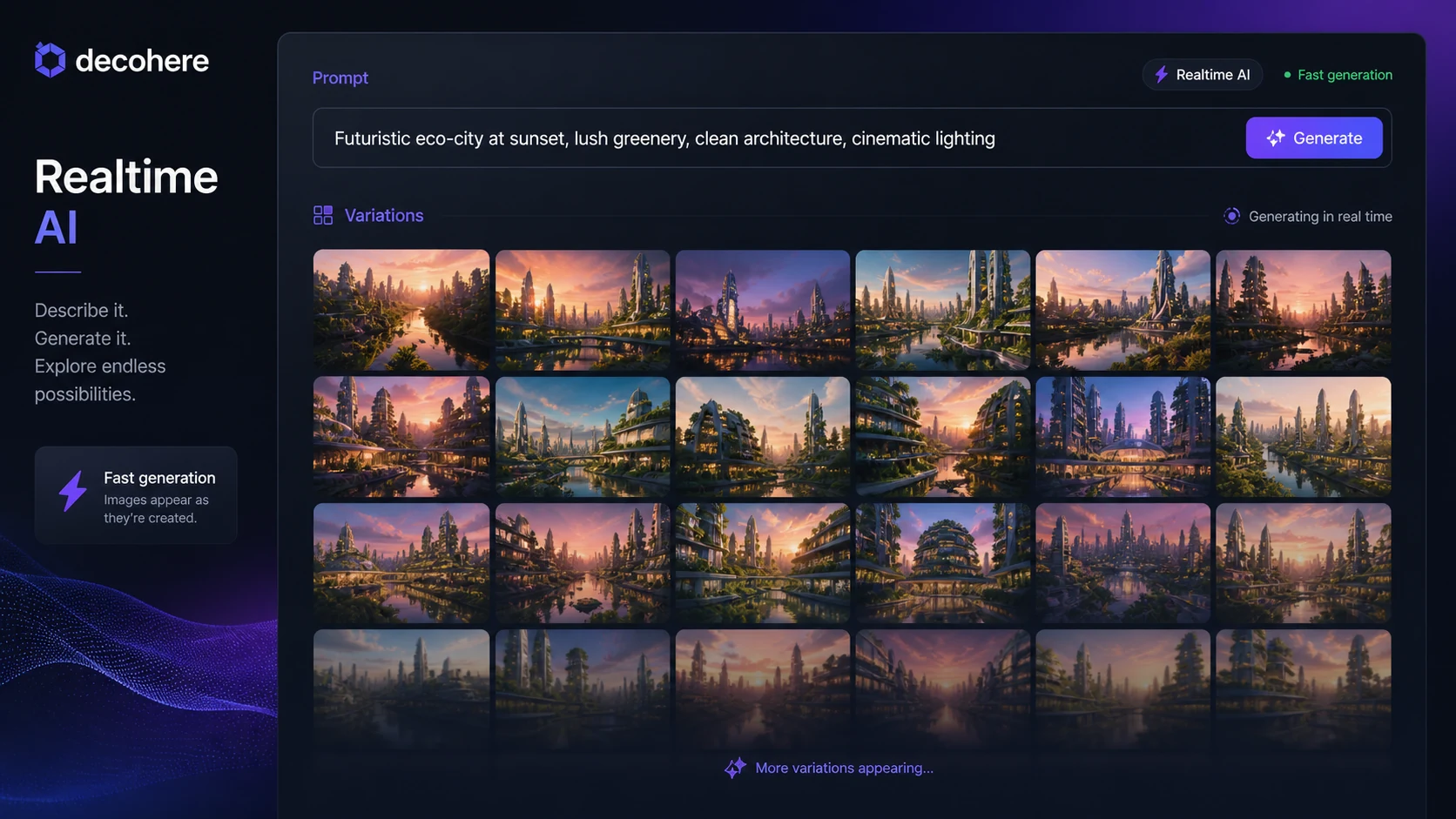
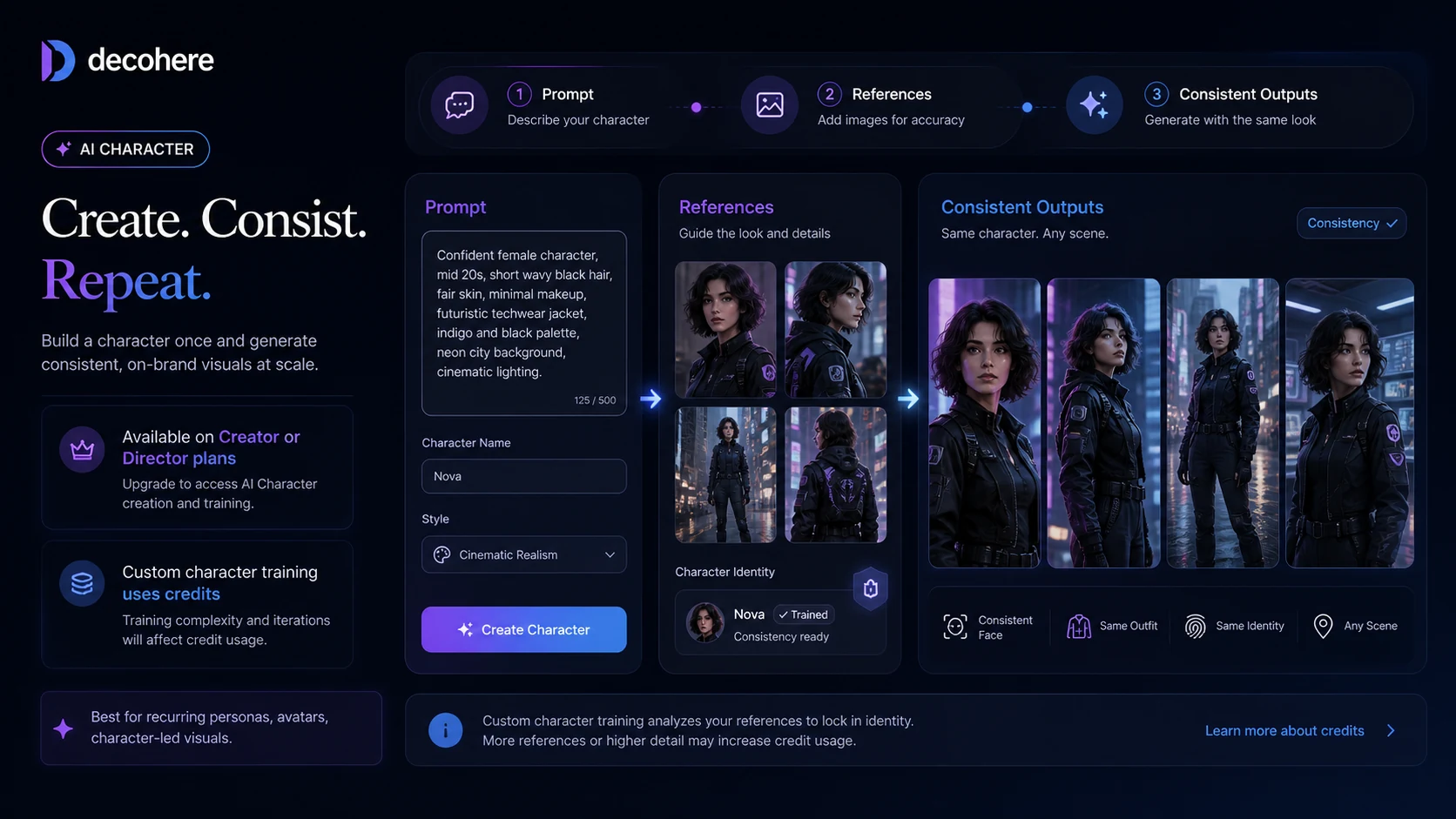
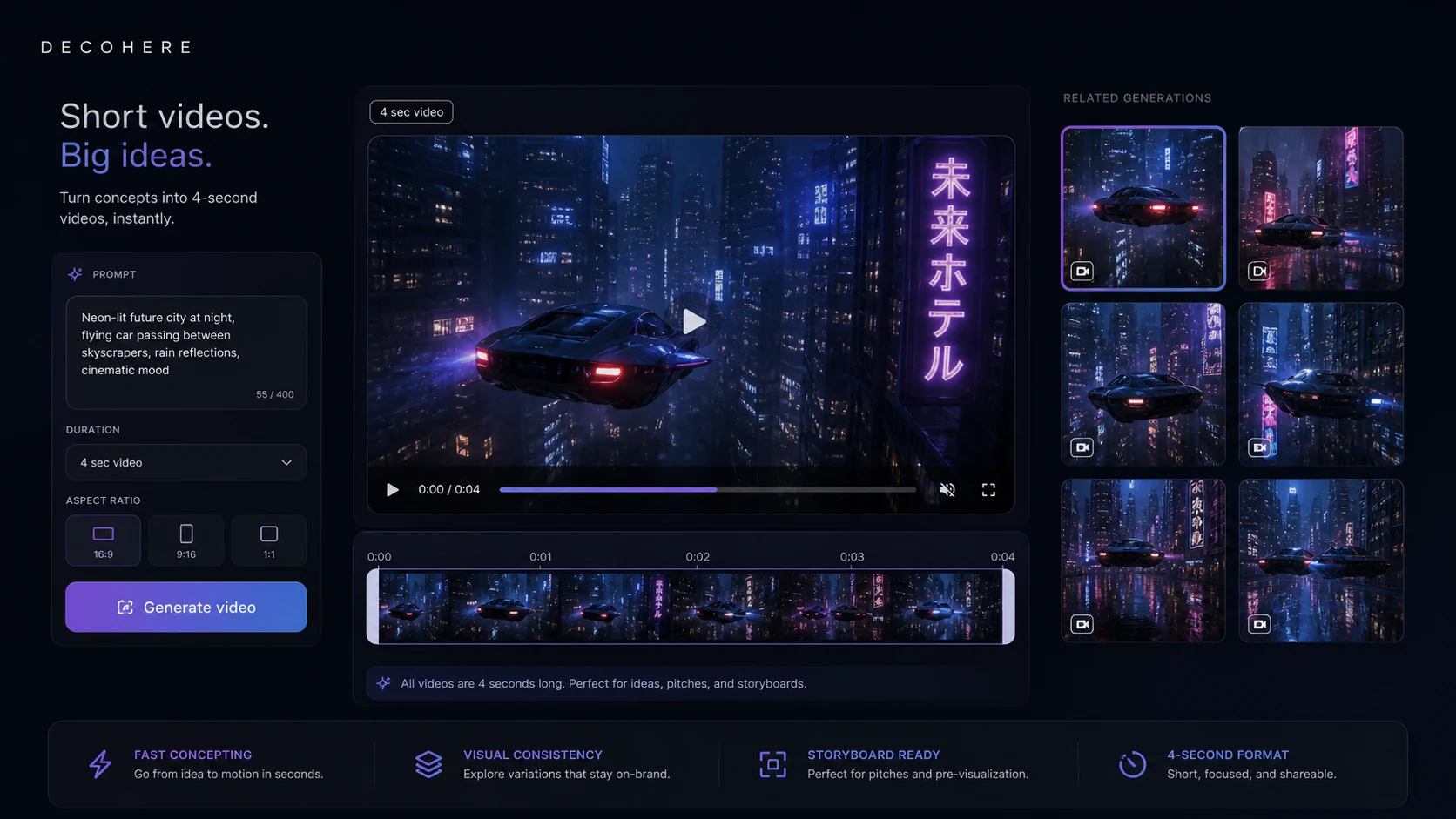
Decohere should be evaluated as a fast creative generator, not as a broad AI productivity suite. It is most useful when a buyer wants quick image variation, character visuals, short video concepts, and creative upscaling without installing heavy software. The paid decision should come after a real prompt test because credits, commercial rights, watermark removal, and no-refund terms decide whether it belongs in a creator workflow.
What Decohere actually does
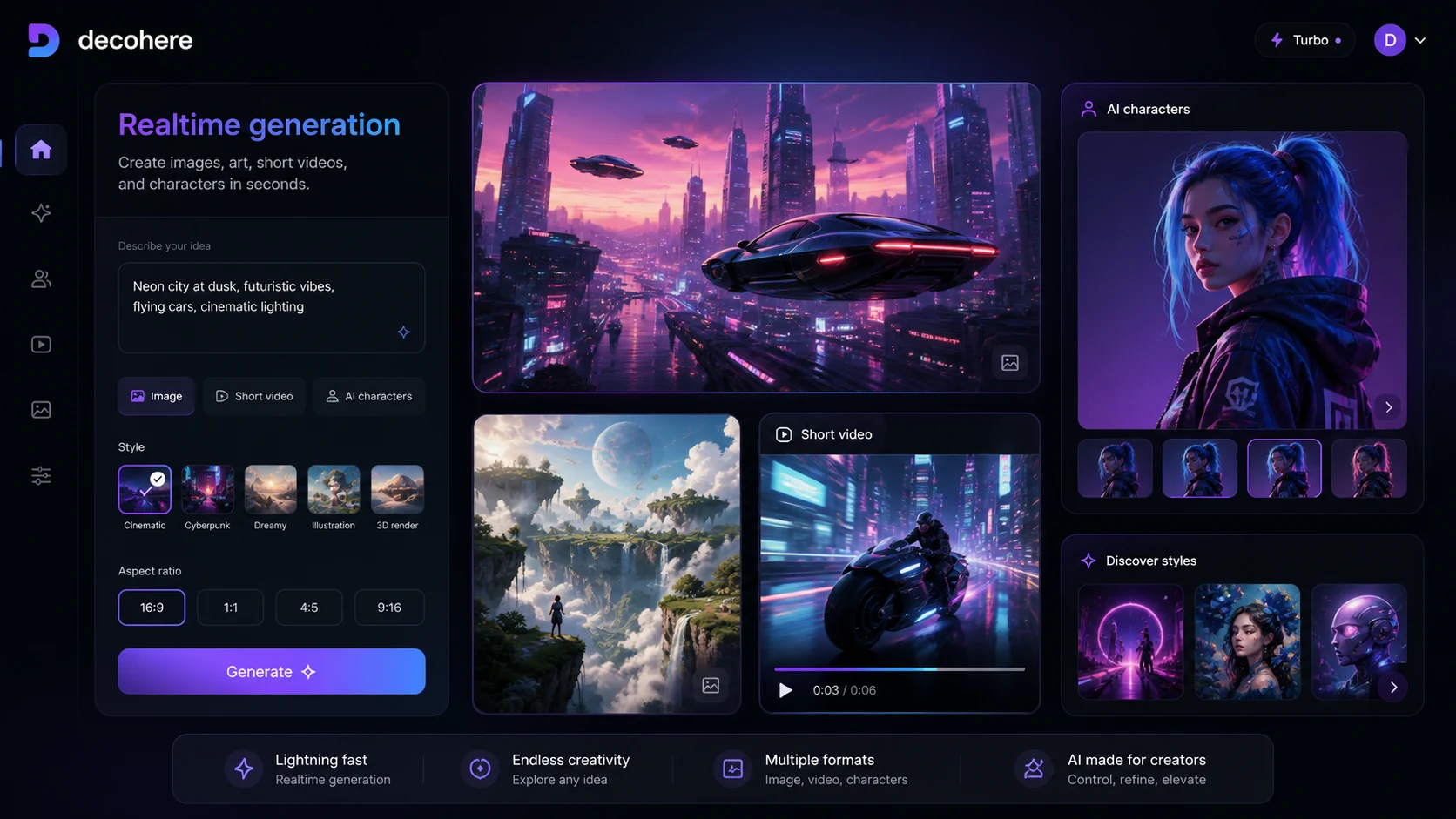
Decohere creates AI images, art, short videos, and character-based visuals from text prompts inside a browser. Its official pages emphasize realtime image generation, short video generation, AI characters, creative upscaling, reference-person workflows, and AI stations. The strongest fit is not generic productivity. It is rapid visual ideation for creators who want to explore many looks quickly before deciding which assets are good enough to publish, refine, or use commercially.
- Use it to test visual styles, character ideas, short video concepts, and prompt-driven image variations.
- Judge the product by output quality from your own prompts, not by demo visuals alone.
- Treat it as a creative generator first, then compare whether the paid tier rights and credit limits fit your real output volume.
Pricing, credits, and paid-plan pressure
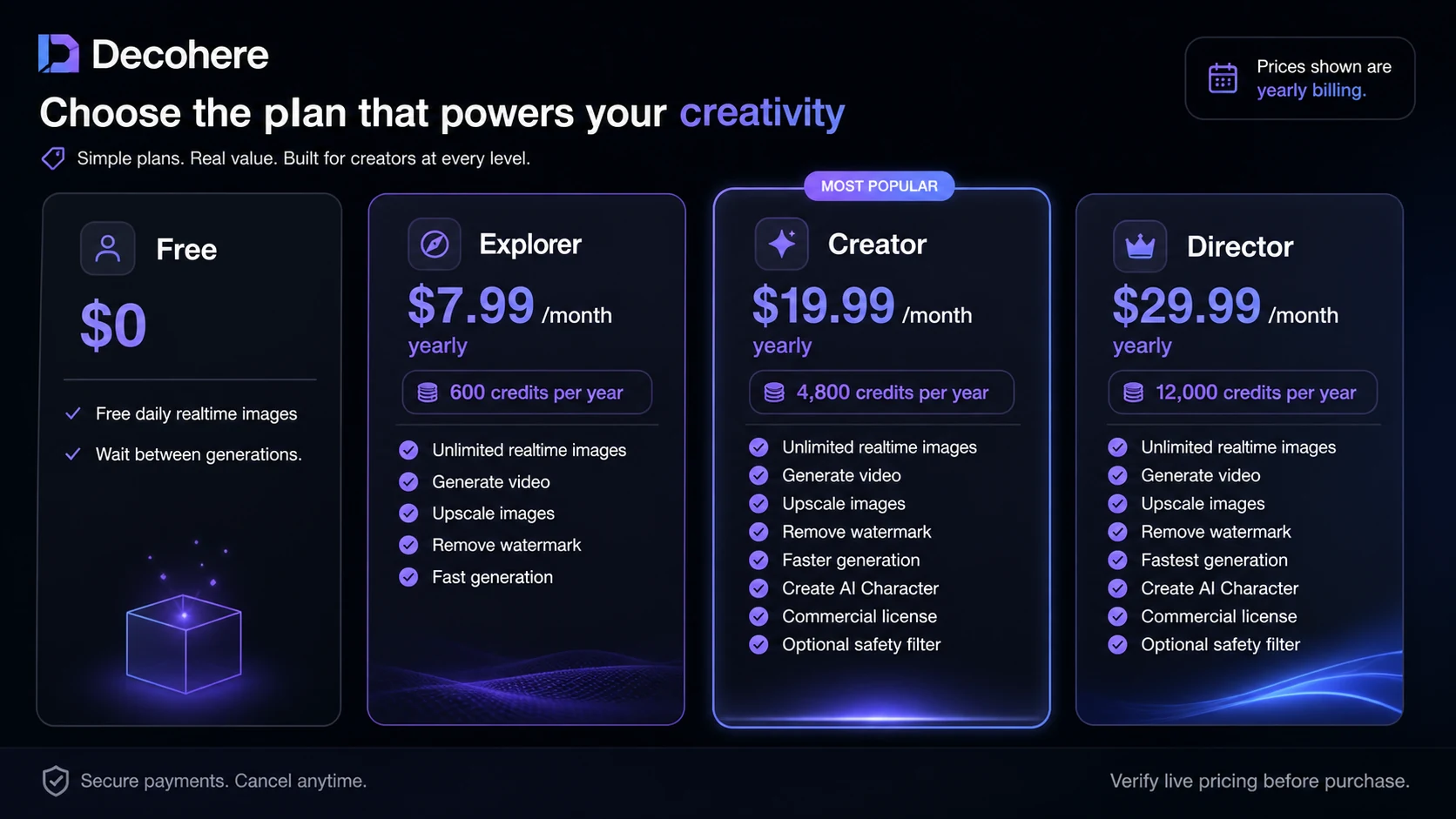
The pricing page shows a free forever plan for daily realtime images, then paid Explorer, Creator, and Director tiers. Explorer is the cheapest paid path for video generation, upscaling, watermark removal, and faster generation. Creator adds a larger credit allocation, AI character creation, commercial license, and optional safety filter. Director raises the credit allocation and speed further. Buyers should treat the pricing table as a credit and license matrix rather than a simple cheapest-plan comparison.
- Explorer is better for hobbyists testing more features, but it does not solve commercial usage needs.
- Creator is the first plan that clearly carries commercial-license positioning on the pricing page.
- Director only makes sense when credit volume and speed matter enough to justify the higher tier.
Watch a tutorial before choosing Creator
This tutorial is most useful for buyers who are tempted to upgrade mainly because of character or video features. Watch for the exact steps between prompt creation, image editing, character consistency, and video output. The benefit is practical: you can see whether Decohere feels like a repeatable creator workflow or just a fun generator before paying for commercial rights or more credits.
Commercial license and refund risk
Decohere's paid-plan decision has two serious buyer checkpoints: rights and refunds. The pricing FAQ says Creator users own the images and videos they generate for commercial use, while Free and Explorer users do not have rights to the content they generate. The same pricing FAQ says Decohere cannot offer refunds for paid plans. That combination makes the free test important. Buyers should confirm license needs before using output for clients, ads, products, thumbnails, or brand assets.
- Check whether the assets will be used commercially before relying on Free or Explorer.
- Confirm cancellation controls and no-refund language before upgrading.
- Save examples from your free tests so you can compare whether paid quality and rights justify the plan.
Credit usage can become the real cost
Decohere explains that quality images or templates cost 1 credit, character images cost 2 credits, videos cost 1 credit, upscaling costs 2 credits, and custom AI character training costs 50 credits. That means two buyers on the same monthly plan can get very different value depending on whether they mostly generate quick images or train characters and upscale assets. Refill credits can help, but the pricing FAQ says refill credits require an active plan.
- Estimate character training and upscaling separately from normal image generation.
- Remember that unused monthly or annual credits do not roll over.
- Use refill credits only after confirming the base plan is worth keeping active.
Where Decohere fits against nearby tools
In the current DealBestDaily structure, Decohere sits closest to creative AI generation and AI character workflows. It is not the same kind of decision as a broad all-in-one AI assistant or a SaaS starter kit. Compare 1min.ai if you want broader AI utility across many content tasks. Compare Aikeedo if your real goal is building or selling an AI SaaS product foundation. Decohere makes more sense when the job is visual exploration, character imagery, short creative motion, and quick generation inside a browser.
Safest next step before checkout
The safest next step is to open Decohere, run a small set of real prompts on the free path, and save the outputs that match your actual creative work. Then compare pricing by rights, credits, video needs, watermark removal, and commercial use. If the output quality is only interesting but not usable, stay free. If it is usable but noncommercial, Explorer may be enough. If it will support client or brand work, inspect Creator first and confirm the no-refund terms before paying.
- Use free daily realtime images as the first filter.
- Move to pricing only after your own prompts produce useful outputs.
- Read the review for workflow depth and the coupon page only after fit is clear.
Best savings path from this store page
This is the clearest savings route to check once the product already looks like a fit.
The official Decohere homepage promotes a free start path for its image and video generator, which is the safest first step before choosing a paid plan or yearly offer.
Explorer yearly pricing path
Creator yearly pricing path
Use comparison routes when the category fit is still open
Use these comparison routes when the product still looks plausible, but the category fit is not fully settled.
Verification points worth checking before you click out
Where this store usually fits best in the workflow
Decohere fits creators who want to type, iterate, and compare many image directions quickly before investing time in manual design or editing.
Creator and Director make more sense when repeated character visuals, custom AI character training, and commercial usage rights are part of the workflow.
Decohere can help generate short visual motion from images, but buyers should remember the 4-second video detail before expecting full video production.
Upscaling can be useful when a generated image has the right style but needs sharper detail, although it consumes additional credits.
Practical checkpoints before and after signup
- Run real prompts on the free path and compare output quality against the content you actually publish.
- Check whether your work requires commercial usage rights before treating Explorer as enough.
- Estimate credit use for images, character images, videos, upscaling, and custom character training.
- Compare monthly and yearly billing because the pricing page shows savings on yearly plan views.
- Inspect the current Director offer because limited-time pricing can change.
- Do not ignore the no-refund language when choosing a higher tier.
- Track credit burn for the first week so you know whether the plan matches real output volume.
- Save useful prompts and outputs so you can decide whether renewal is justified.
- Cancel before renewal if Decohere is only being used for occasional experiments.
Fast-read signals for workflow fit and buying friction
Questions readers usually ask before choosing this store
What is Decohere best for?
Decohere is best for fast AI image generation, creative visual exploration, AI character concepts, short video ideas, and upscaling. It is a better fit for creators testing visual directions than for teams needing a complete production platform.
Does Decohere have a free plan?
Yes. Decohere's pricing page lists a free forever plan with daily realtime images and a wait between generations. The free path is the safest way to test prompt quality before paying.
What is the cheapest Decohere paid plan?
Explorer is the lowest paid tier shown on the pricing page, listed at $9/month or $7.99/month on yearly billing. Buyers should confirm the current billing view because annual savings and offers can change.
Can Decohere output be used commercially?
The pricing FAQ says Creator users own the images and videos they generate and can use them commercially, while Free and Explorer users do not have rights to the content they generate. Buyers should confirm this before publishing client or brand work.
Does Decohere offer refunds or API access?
Decohere's pricing FAQ says it cannot offer refunds for any paid plans, and it also says no API access is offered at this time. Buyers who need refund safety or API automation should verify those points before checkout.
Choose the next route that matches what you still need to decide
The strongest next click depends on whether you still need product judgment, a savings route, or a broader category comparison.