Decktopus AI Pricing, Plans & Slide Fit
Decktopus AI is an AI presentation maker for turning a prompt, outline, pasted text, or existing material into a designed slide deck that can be edited, branded, shared, exported, and reused. It is most useful when the buyer needs faster presentation production, not when the buyer wants full manual slide control from a blank canvas. The commercial decision is mainly about plan fit, AI credit limits, export needs, branding depth, team access, refund risk, and whether annual billing or the student discount path makes sense. Buyers should verify the current checkout terms before paying because Decktopus publishes annual prices prominently, while monthly pricing and coupon claims can vary across external directories.
Fit → price → checkout
Use these routes after the official-site check: coupon first, review for fit, compare if unsure.
Decktopus AI pricing snapshot
Fast commercial checks before pricing, coupons, or a deeper review.
$179.99 billed annually on the official pricing page.
$419.99 billed annually, with team and business features.
Useful for testing the workflow before paying, but paid AI credits and exports drive the real plan decision.
Monthly and annual subscriptions are described as non-refundable.
Decktopus AI product tour for slide-workflow buyers
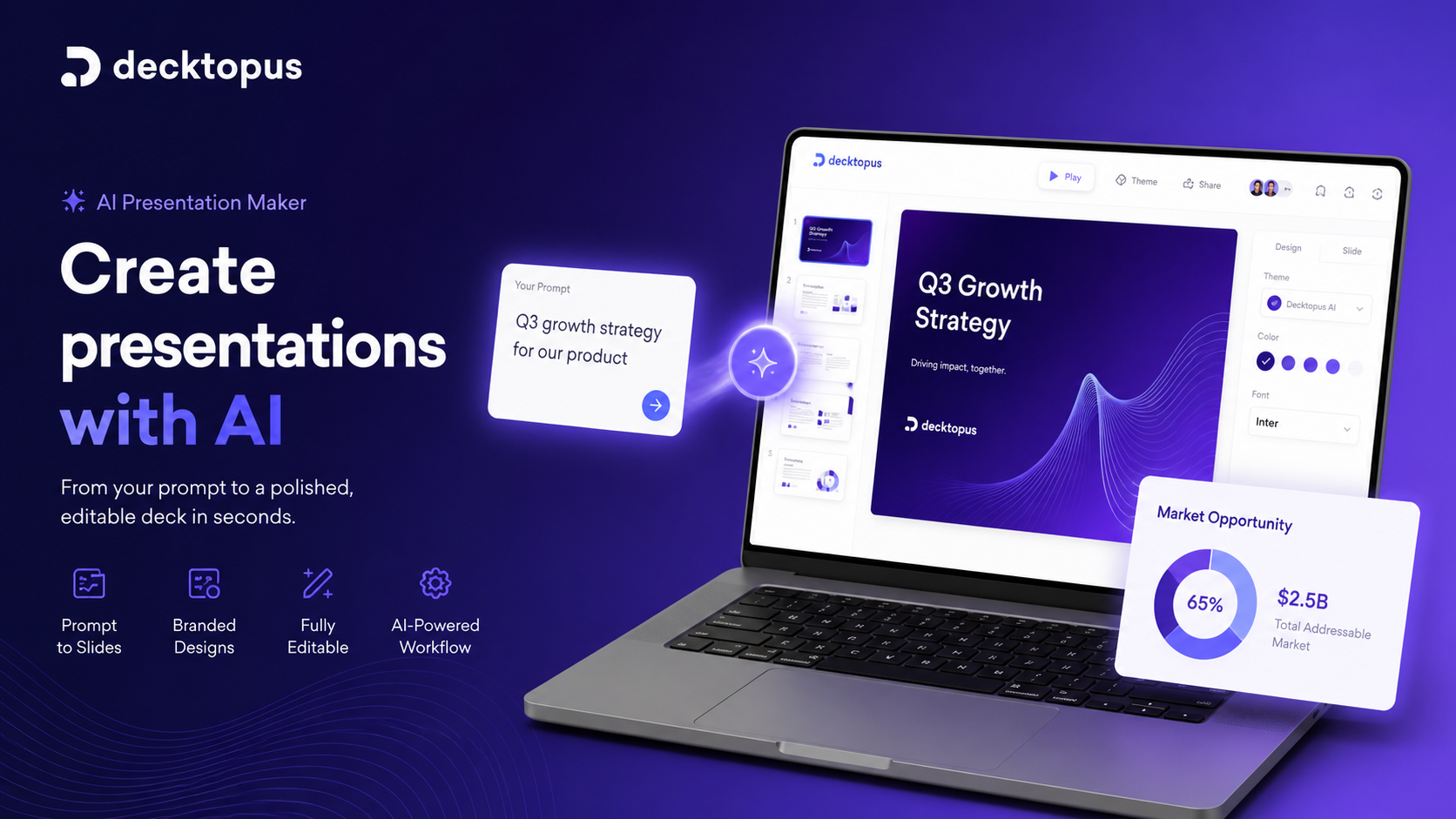
Watch this tutorial as a buyer-fit check, not as a sales clip. Pay attention to how quickly the tool turns a prompt into a usable deck, how much editing control you still have afterward, and whether the generated structure fits the kind of presentation you create most often. The practical benefit is simple: you can judge whether Decktopus saves enough slide-building time to justify Pro or Business before moving into annual billing.
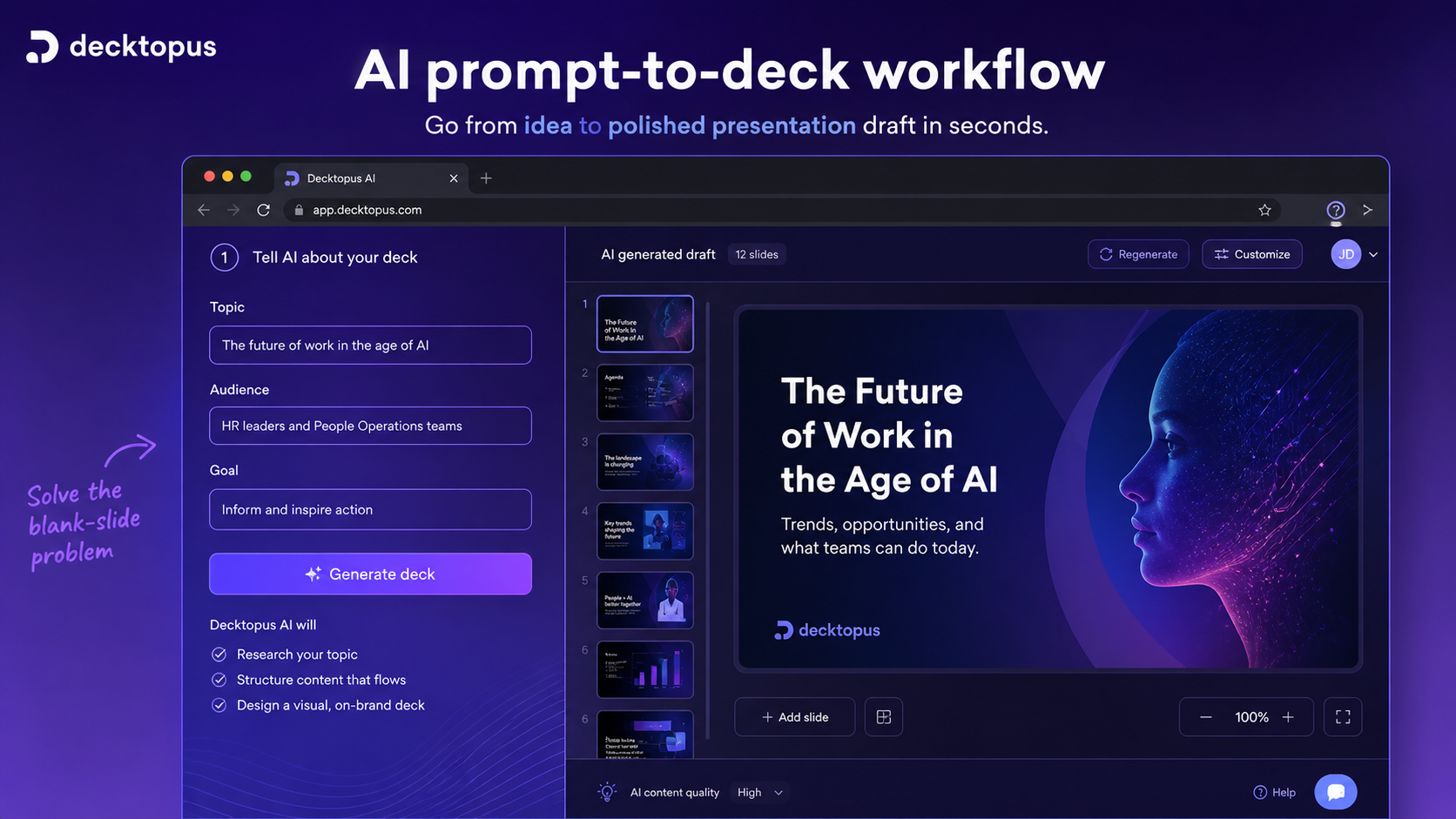
Decktopus AI should be evaluated as a presentation workflow tool, not as a generic AI productivity app. The strongest use case is turning a topic, pasted content, or business brief into a presentable deck faster than building it manually in PowerPoint or Google Slides.
The safer buying path is to test whether its AI-generated structure, editing experience, brand controls, and export options match your real deck workflow. Pricing should come after that fit check, because annual billing, AI credits, student discounts, and no-refund language can change the risk profile quickly.
What Decktopus AI actually does
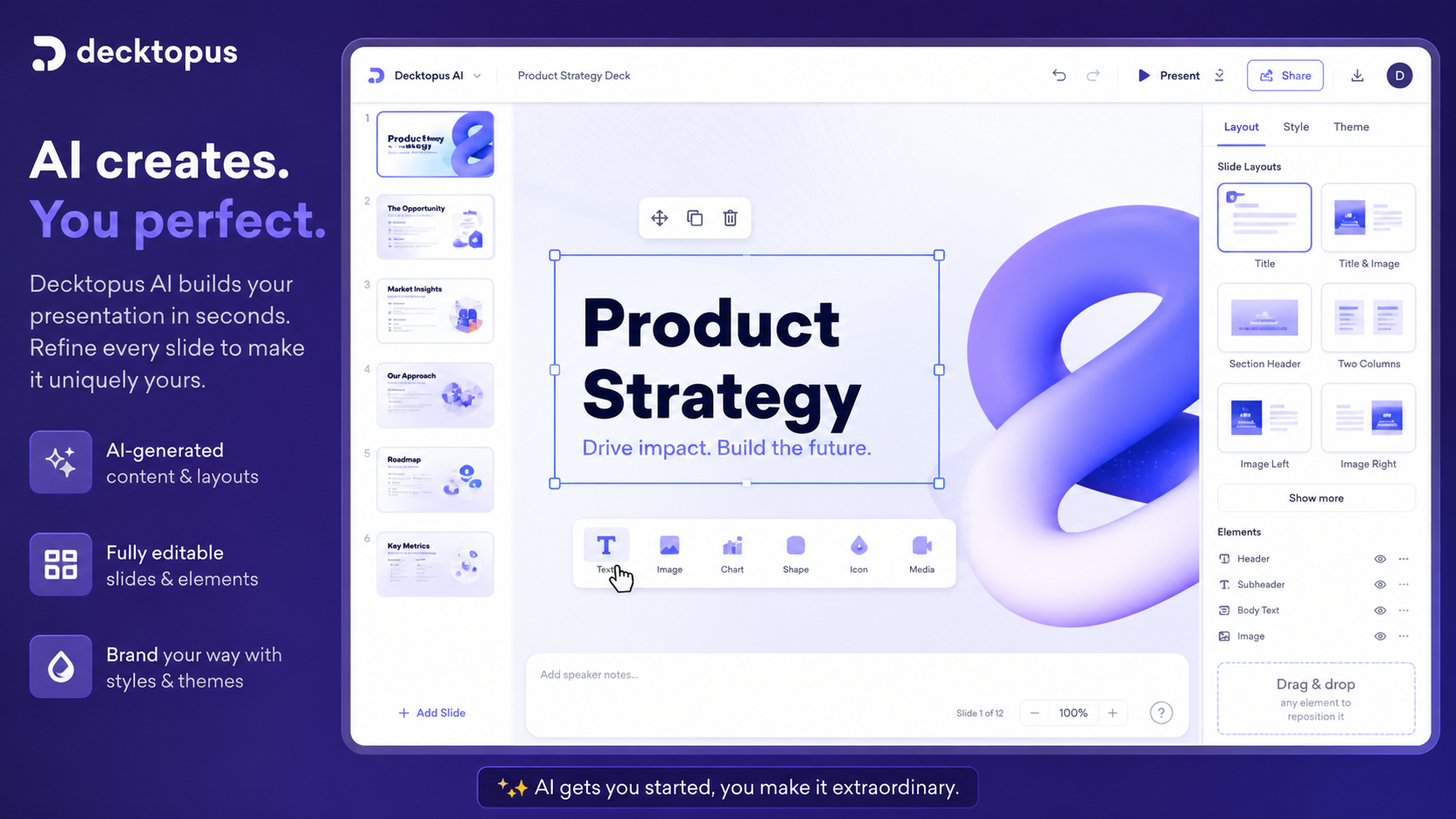
Decktopus AI creates presentation drafts from prompts and helps users refine the deck with layouts, AI copy support, AI visuals, speaker notes, Q&A ideas, PDF import, sharing links, and export options. It is built around the idea that the user should not have to start with a blank slide or manually fight layout decisions on every project.
That makes it useful for proposal decks, sales presentations, educational material, webinars, internal reports, and founder pitches. It is not the same as hiring a designer or building a custom PowerPoint system, so the buyer should judge whether speed and structure matter more than advanced manual control.
- Generates presentations from prompts, text, or existing material.
- Adds AI assistance for slide content, images, notes, Q&A, and storytelling support.
- Lets buyers edit, share, export, and organize presentations inside a browser workflow.
Who Decktopus AI fits best
Decktopus AI fits people who produce presentations often enough that starting from scratch becomes expensive. Sales teams can use it for proposals and client decks. Marketers can use it for webinar or campaign presentations. Educators and students can use it to structure material faster. Founders and freelancers can use it when they need a clean deck without becoming slide designers.
The fit gets stronger when the buyer also needs sharing links, forms, analytics, voice recording, embedded content, or team branding. If you only need a static PDF once, the paid plan may be harder to justify.
- Sales and proposal workflows where speed and clarity matter.
- Education and training decks that benefit from structure and speaker notes.
- Team presentation workflows that need branding, analytics, custom domains, or shared organization.
Pricing depends on billing interval and AI credits
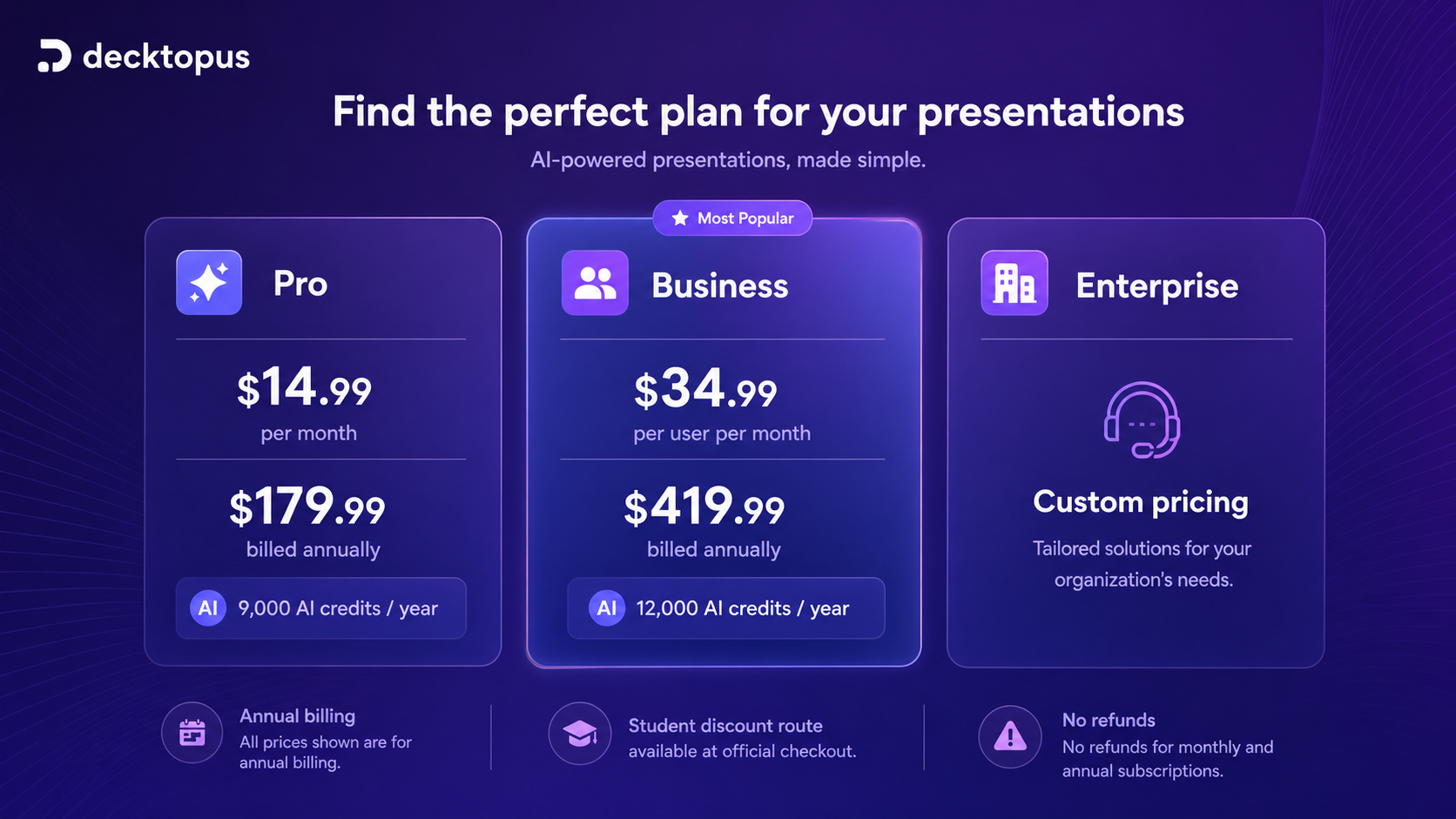
The official pricing page currently highlights annual billing, with Pro at $14.99 per month equivalent and $179.99 billed annually. Business is shown at $34.99 per user per month equivalent and $419.99 billed annually. Enterprise is custom. The pricing page also shows a student discount path, while third-party software directories list monthly plan paths that buyers should verify against the live official checkout.
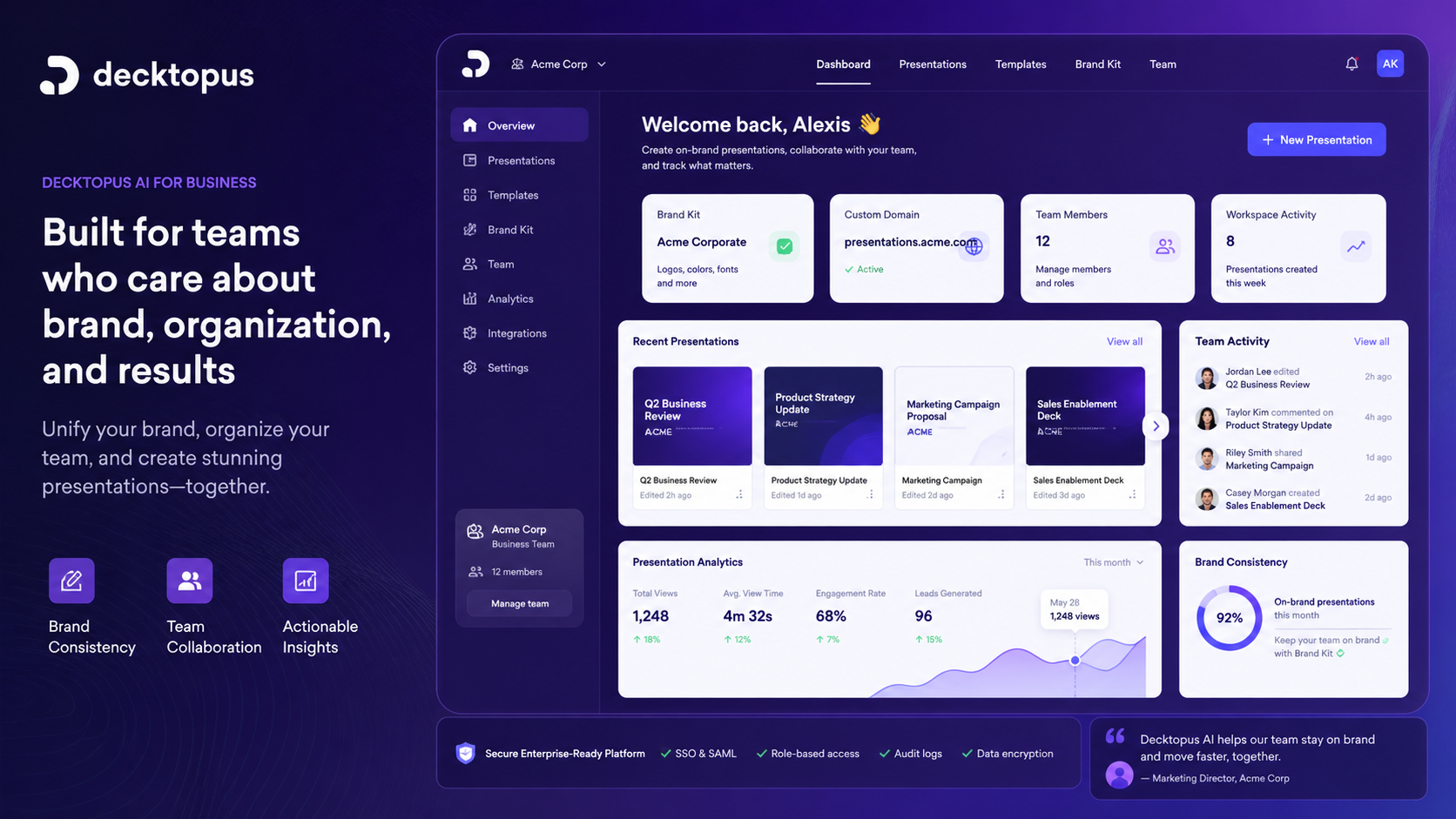
The plan decision should be tied to AI credits and workflow depth. Pro is the safer starting point for individual users, teachers, students, and freelancers. Business is more relevant when team members, brand controls, custom domain connection, analytics, webhooks, and organization features matter.
- Pro is the first serious individual path, especially for repeat deck creation.
- Business is for branded, team-oriented presentation workflows.
- Annual billing can reduce the effective monthly price, but increases commitment risk.
Watch a live walkthrough before choosing a plan
This live walkthrough is useful if you want to see how Decktopus behaves beyond a polished homepage. Watch for the steps between prompt, generated draft, editing, sharing, and final output. Also notice whether the interface feels comfortable enough for the person who will actually build decks every week.
The buyer benefit is risk reduction. If the workflow looks fast but still needs too much cleanup for your presentation style, staying on a free account or comparing alternatives is safer. If the process matches your normal sales, education, or marketing deck rhythm, then Pro or Business becomes easier to evaluate.
Refund and coupon checks before checkout
Decktopus publishes a clear no-refund position for monthly and annual subscriptions. That means the free account and checkout review matter more than usual. Before paying, buyers should confirm the billing interval, renewal terms, current AI credit limits, export requirements, and whether the student discount path applies to them.
There are third-party coupon listings for Decktopus, and the official pricing page also shows a student discount code path. For DealBestDaily, the actual coupon code should belong in the offer YAML code field, not in public store copy. Store-page copy should tell buyers what to verify without exposing the code directly.
- Verify the annual or monthly billing interval before checkout.
- Check whether any student discount path applies to your account.
- Treat third-party coupon claims as checkout-test paths, not guaranteed savings.
Alternatives worth comparing
If you want a direct presentation-focused comparison, look at tools such as Gamma, Beautiful.ai, Tome, Presentations.AI, Canva, Plus AI, or 2Slides depending on whether you care most about website-style decks, templates, Google Slides integration, brand control, or PowerPoint export.
Inside the DealBestDaily data map, Decktopus AI is also connected to broader workflow tools such as 1min.AI and Aikeedo. Those are not one-to-one presentation replacements, so compare them only if the buyer question is broader than slide generation. For a pure presentation workflow, direct slide tools are the more relevant first comparison.
- Compare Gamma or Tome when the output style should feel more like a modern web document.
- Compare Beautiful.ai or Presentations.AI when brand consistency and polished decks matter.
- Compare Plus AI when the team wants AI inside Google Slides rather than a separate Decktopus workspace.
Safest next step
The safest next step is to start with the free account or official pricing page, create one real deck from your own prompt, and judge the editing experience before paying. Do not evaluate Decktopus only from sample decks, because your own audience, brand, and content depth determine whether the AI draft is useful.
If the first deck feels close enough after light editing, compare Pro against Business. If the first deck needs heavy rework, read the deeper review or compare presentation-focused alternatives before choosing an annual plan.
- Try one real deck before annual billing.
- Move to Pro if individual deck creation is the main need.
- Move to Business only when branding, analytics, custom domain, and team structure are important.
Best savings path from this store page
This is the clearest savings route to check once the product already looks like a fit.
Decktopus shows annual billing with a 40% saving and lists Pro at a lower annualized monthly rate for users who need AI presentations, AI assistance, AI image generation, and PDF export.
Business annual billing saving
Free version available
Use comparison routes when the category fit is still open
Use these comparison routes when the product still looks plausible, but the category fit is not fully settled.
Use 1min.AI as a broader AI workspace comparison, not as a direct presentation replacement. Decktopus is more focused when the core job is generating and editing decks.
Use Aikeedo only when the buyer is comparing AI business infrastructure rather than slide production. Decktopus is the cleaner fit for presentation creation.
Verification points worth checking before you click out
Where this store usually fits best in the workflow
Decktopus AI can help sales users move from a topic or proposal brief to a designed client-facing deck faster. The buyer should check whether forms, sharing links, analytics, and custom domains matter enough to justify Business.
Teachers, students, and trainers can use Decktopus to structure material, generate notes, and prepare visuals more quickly. The official student discount path is relevant here, but eligibility should be verified before relying on it.
Marketers and founders can use Decktopus for webinar decks, startup pitches, campaign summaries, or client presentations when speed matters more than deep custom design work.
Business and enterprise buyers should focus on team members, brand controls, custom templates, analytics, webhooks, and custom domain needs rather than choosing only by the first visible price.
Practical checkpoints before and after signup
- Define the exact deck type you need: pitch, proposal, webinar, training, report, or classroom material.
- Check whether your real workflow needs AI generation, brand consistency, sharing links, analytics, or export control.
- Open the review page before chasing coupons if you still do not know whether Decktopus fits your presentation style.
- Create one real presentation from your own prompt, not a demo topic.
- Judge how much editing is needed after AI generation.
- Check whether the output is good enough for your audience after realistic cleanup.
- Compare Pro and Business by AI credits, team needs, branding, custom domain, analytics, and organization features.
- Verify whether checkout is monthly or annual and whether any student discount path applies.
- Read the no-refund language before choosing a paid subscription.
- Start with one repeatable deck workflow before expanding seats or committing to a team process.
- Track whether the tool actually reduces production time or just shifts cleanup into a new editor.
- Re-check credit usage and plan fit before renewal or seat expansion.
Fast-read signals for workflow fit and buying friction
Questions readers usually ask before choosing this store
What does Decktopus AI actually do?
Decktopus AI helps users create presentation decks from prompts, pasted content, or existing material. It generates a structured deck, then gives the user editing, branding, sharing, export, and team workflow options.
Is Decktopus AI best for individuals or teams?
It can work for both, but the plan choice matters. Pro is better suited to individual users, teachers, students, and freelancers. Business is more relevant when team members, branding, custom domains, analytics, and more credits matter.
Does Decktopus AI have a free plan or trial?
Decktopus has a free account path that is useful for testing the workflow. Treat it as a way to judge whether the AI-generated deck and editor fit your work before paying, not as proof that a paid plan is automatically worth it.
Are Decktopus AI subscriptions refundable?
Decktopus states that refunds are not available for both monthly and annual subscriptions. Buyers should read the current terms and pricing FAQ before upgrading, especially if they are considering annual billing.
What should I verify before paying for Decktopus AI?
Verify the billing interval, current plan price, AI credit limits, export requirements, student discount eligibility, team features, and refund terms. If the first real deck still needs heavy cleanup, compare alternatives before committing.
Choose the next route that matches what you still need to decide
The strongest next click depends on whether you still need product judgment, a savings route, or a broader category comparison.