
Clipto.AI Pricing, Plans & Workflow Fit
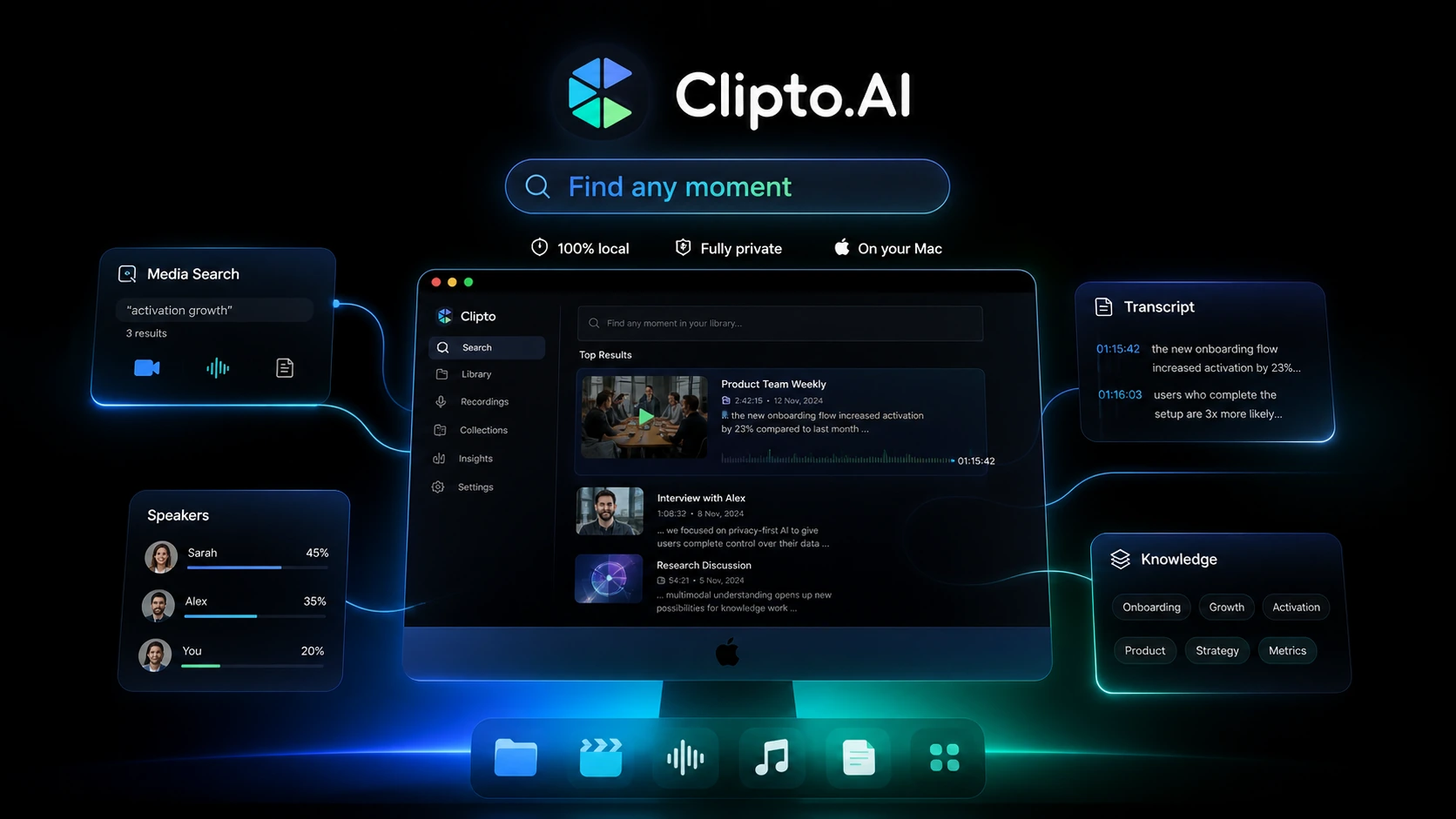
Clipto.AI is best treated as a transcription and media-knowledge workflow tool rather than a simple coupon target. Its public pages emphasize audio and video transcription, YouTube transcript generation, multilingual support, speaker identification, export formats, and a newer local Mac positioning around private on-device media search. The buyer question is not only whether Clipto.AI is cheap. The better question is whether your workflow needs repeated transcription, searchable media, summaries, subtitles, or private local media search often enough to justify the subscription after the trial.
Fit → price → checkout
Use these routes after the official-site check: coupon first, review for fit, compare if unsure.
Clipto.AI pricing snapshot
Fast commercial checks before pricing, coupons, or a deeper review.
Shown as yearly billing at $107.88/year after the trial.
Use the trial to test a real file before renewal risk starts.
The public page says the plan renews at $24.99/month afterward.
Likely safer than waiting for an unverified coupon code.
Clipto.AI product tour and workflow checks
Watch the product-tour video before choosing a plan if your main question is whether Clipto.AI fits your real transcription workflow. Pay attention to how files are imported, how transcripts are reviewed, and whether the workflow looks fast enough for the number of meetings, interviews, podcasts, or videos you handle each month. The screenshots below focus on the buyer checkpoints that matter most before checkout: upload flow, language and speaker tools, pricing renewal risk, and the newer local Mac positioning.
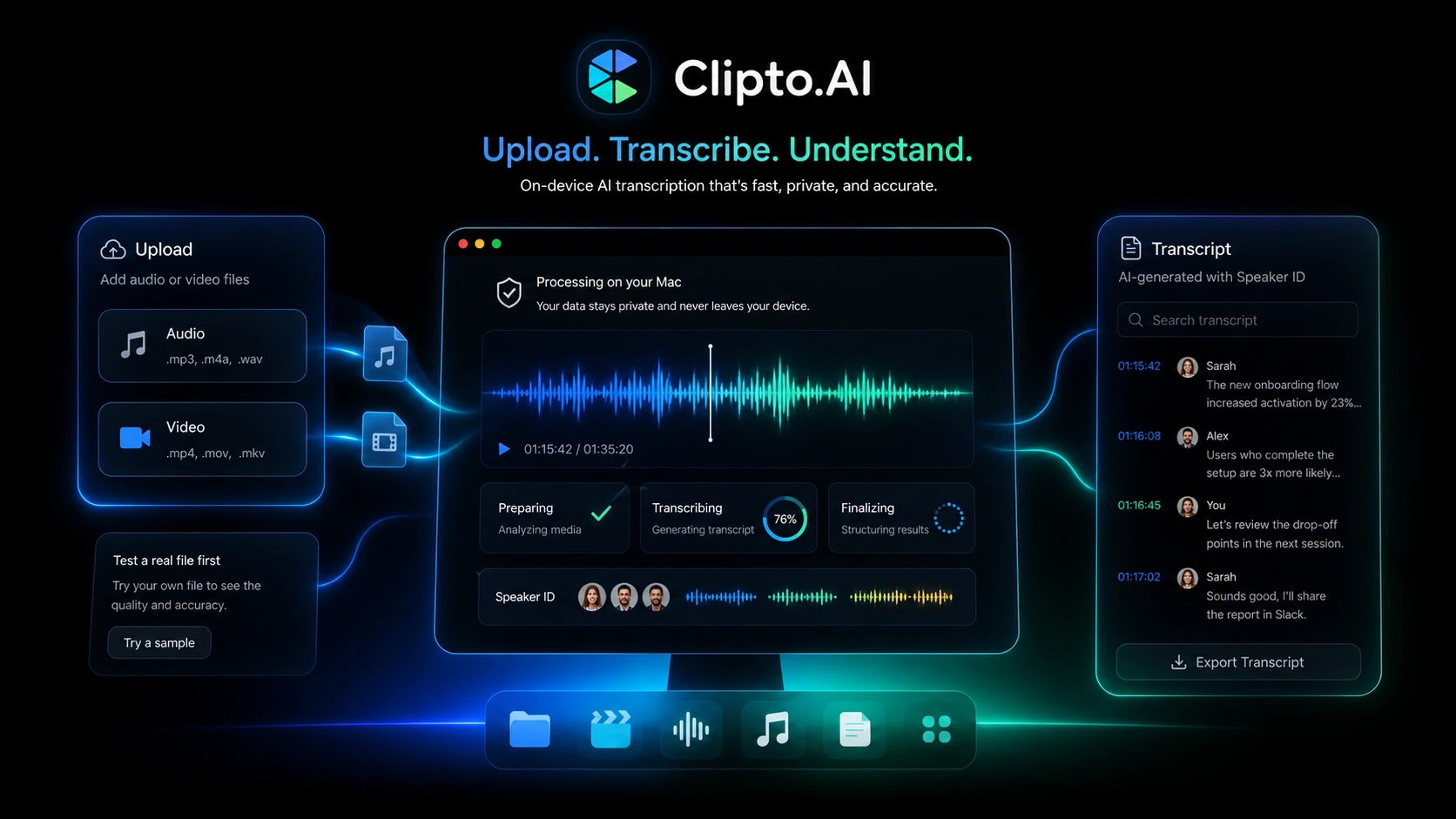
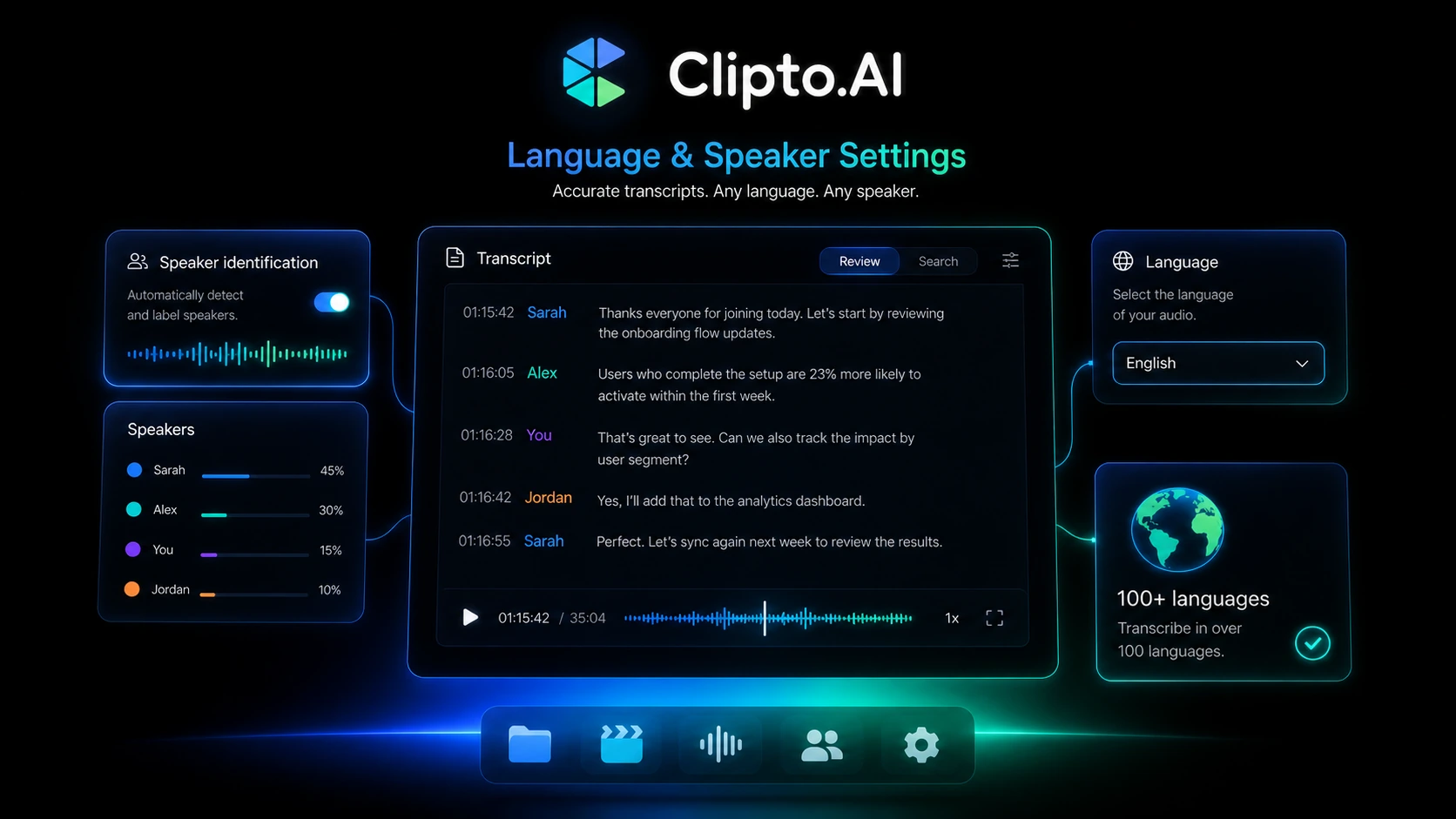
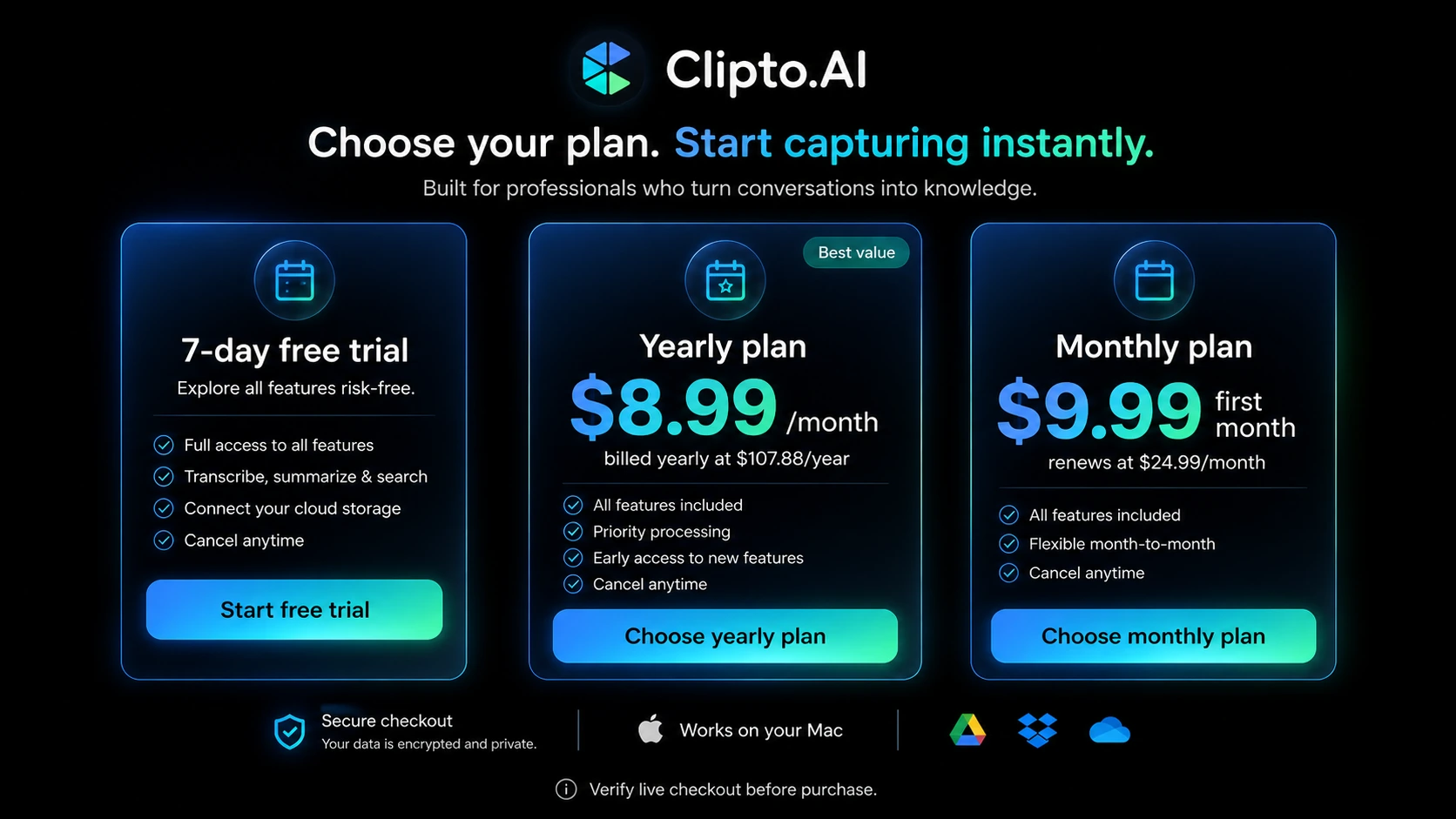
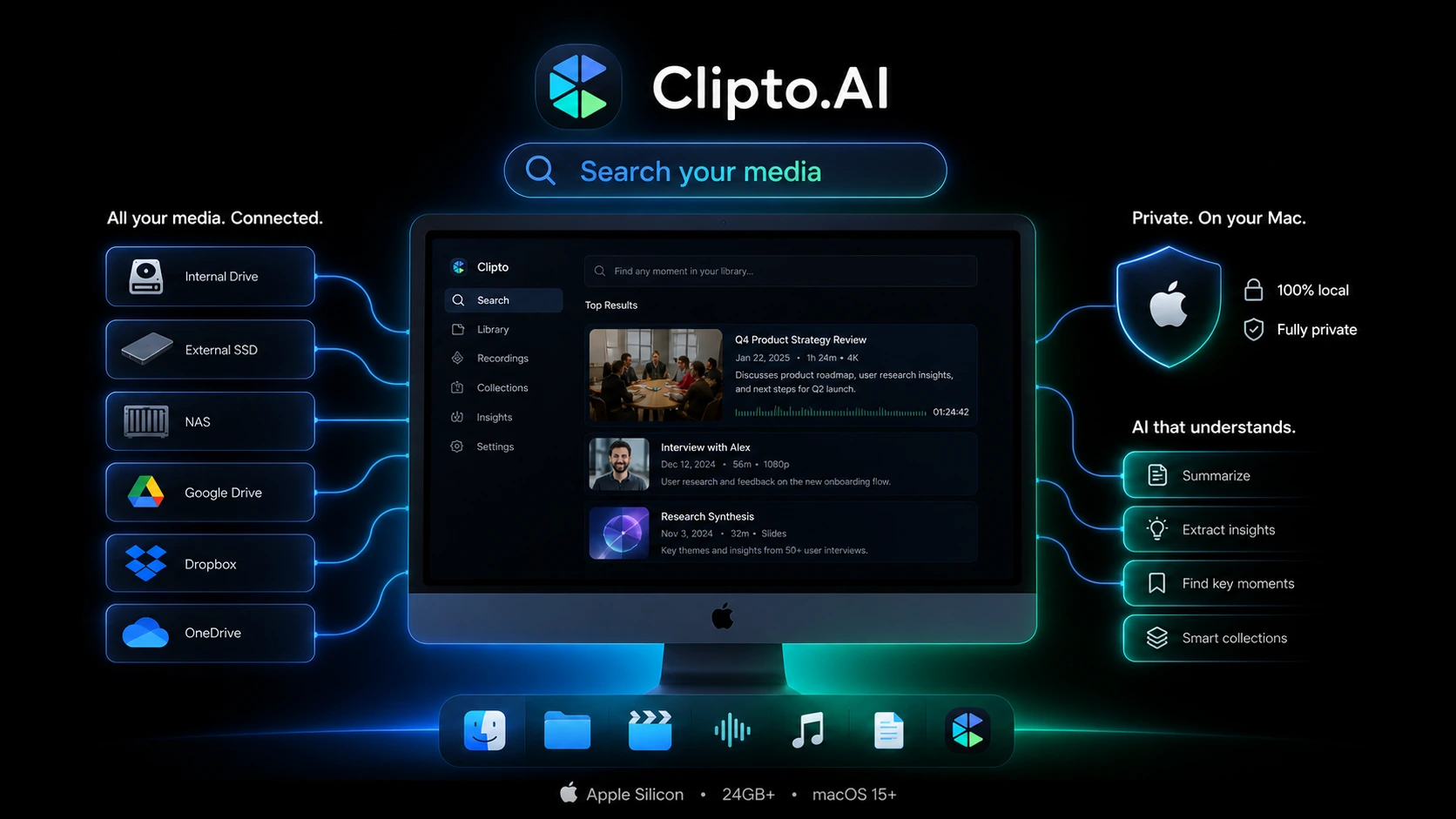
Clipto.AI should be evaluated as a workflow purchase, not as a quick discount click. The product can help with transcription, subtitles, summaries, multilingual media work, and, based on its current homepage, local private search across large media libraries.
That mix is useful, but it also means the buyer needs to slow down. A creator who wants fast YouTube transcripts is making a different decision from a researcher with interviews, a student recording lectures, or a Mac user trying to search private media locally. The store page should help separate those paths before the buyer reaches checkout.
What Clipto.AI actually does
Clipto.AI turns audio and video into text and supports related media workflows such as YouTube transcription, speaker identification, multilingual transcription, summaries, and export formats for subtitles or editing. Its official homepage also now emphasizes a local Mac experience for searching media privately on-device.
For most buyers, the cleanest way to understand the product is this: Clipto.AI is useful when spoken or recorded content keeps turning into a bottleneck. If you only need one short transcript, the subscription may feel unnecessary. If you repeatedly review meetings, interviews, classes, podcasts, or long videos, the tool becomes easier to justify.
- Use it for repeated audio and video transcription, not one-off curiosity.
- Check YouTube, podcast, meeting, and lecture workflows separately because each has different cleanup needs.
- Treat the local Mac assistant positioning as a separate device-fit checkpoint.
Who Clipto.AI fits best
Clipto.AI fits buyers who already know they will process more than a few short files. YouTubers may value transcript and subtitle exports. Researchers and hiring teams may value faster interview review. Students may value lecture transcripts and summaries. Meeting-heavy users may value speaker identification and quick notes.
The best fit is not someone hunting for the cheapest transcription page. It is someone who can test a real recording during the trial and immediately judge whether the output saves enough time to justify renewal.
- Creators who need transcript, subtitle, and summary workflows.
- Researchers and interviewers who review long recordings.
- Students or educators who need lecture and class notes.
- Mac users checking whether local private media search is worth the device requirements.
Pricing, trial, and renewal checks
The public pricing path is attractive at first glance because Clipto.AI promotes a 7-day free trial and a yearly plan shown as $8.99 per month. The checkout-sensitive detail is that the yearly price is billed as $107.88 per year, while the monthly path is shown as $9.99 for the first month before renewing at $24.99 per month afterward.
That does not make the pricing bad. It means buyers should compare the actual renewal path against their real workload. Annual billing can be the better savings route if you know you will use transcription every month. The monthly route is safer for testing after the trial, but the post-intro renewal price must be understood before buying.
- Verify the final checkout amount before starting the trial.
- Compare annual billing against monthly renewal pricing.
- Do not assume a public coupon exists unless the live checkout or DealBestDaily offer route confirms one.
Video walkthrough for real workflow judgment
The embedded walkthrough below is helpful if you want to see Clipto.AI beyond pricing copy. Watch for the parts where the tool handles recordings, transcript review, summaries, and the general flow from media input to usable text. That is the practical buyer question: will this reduce cleanup time in your real work, or will it create another subscription you rarely open?
Use this video as a workflow-confidence check, not as proof that every recording will be perfect. A clean demo can still behave differently from a noisy meeting, a multi-speaker interview, or a long lecture with mixed audio quality.
What to verify before checkout
Before paying, verify three things. First, confirm which Clipto.AI experience you are buying: web transcription, iPhone live transcription, or the local Mac media assistant. Second, confirm the renewal price and billing interval. Third, check whether the cancellation path is clear enough for your risk tolerance before the trial ends.
Because audio and video files may contain private conversations, classes, clients, or research material, also read the current privacy and terms pages instead of relying only on a short sales claim. The local Mac angle may be appealing for privacy-conscious buyers, but the actual workflow and device requirements still need to match your setup.
- Check pricing and renewal terms on the official checkout page.
- Confirm whether your file type, file length, and language needs are covered.
- Review privacy and data handling before uploading sensitive recordings.
- Set a reminder before the trial ends if you are testing with a card.
Alternatives and safest next step
Clipto.AI should be compared against nearby workflow tools based on what you are actually trying to improve. If you need a broader all-in-one AI toolkit, a wider workspace tool may make more sense. If you need a deployable AI SaaS or builder-style product, that is a different buying path altogether. If your need is pure transcription, compare Clipto.AI against transcription-specific alternatives before committing annually.
The safest next step is simple: open the pricing path, start only when you have one real file ready, and judge the output before renewal. If workflow fit is still unclear, read the Clipto.AI review before using the offer route.
Best savings path from this store page
This is the clearest savings route to check once the product already looks like a fit.
Official pricing presents a 7-day Premium access pass for Clipto's AI toolkit. Use it to test transcription, subtitles, translation, and file limits before committing.
First month pricing path
Annual pricing discount
Use comparison routes when the category fit is still open
Use these comparison routes when the product still looks plausible, but the category fit is not fully settled.
Verification points worth checking before you click out
Where this store usually fits best in the workflow
Clipto.AI makes sense when creators need transcripts, subtitles, summaries, or text exports from long-form media and want to reduce manual cleanup before publishing.
Researchers, hiring teams, and interviewers can use Clipto.AI to turn recordings into searchable text, but they should test speaker identification and accuracy with real audio before paying.
Students and educators may benefit from transcripts and summaries, especially when reviewing long classes or multilingual material after the session.
Mac users with large media libraries may be interested in the local on-device positioning, but device requirements and workflow fit should be checked before treating it as the main reason to buy.
Practical checkpoints before and after signup
- Choose one real file that represents your actual workload.
- Check whether your expected workflow is web transcription, mobile live captions, or local Mac media search.
- Review pricing, renewal, privacy, and cancellation terms before entering payment details.
- Test transcription accuracy, speaker identification, language support, and export formats.
- Compare output cleanup time against your current manual workflow.
- Set a reminder before the trial ends so renewal does not become accidental.
- Estimate monthly usage honestly before choosing the yearly route.
- Confirm the plan includes the specific features you tested.
- Read the review or compare alternatives if the first real file needed too much cleanup.
Fast-read signals for workflow fit and buying friction
Questions readers usually ask before choosing this store
What is Clipto.AI best for?
Clipto.AI is best for buyers who repeatedly turn audio or video into text. It is most useful for creators, students, researchers, interviewers, meeting-heavy users, and people who need transcripts, summaries, subtitles, multilingual support, or searchable media workflows.
Does Clipto.AI have a free plan?
A full free plan was not clearly verified during this pass. Clipto.AI publicly promotes a 7-day free trial, so buyers should treat the free entry point as a short testing window rather than a permanent free tier.
How much does Clipto.AI cost?
Public pages show a yearly route presented as $8.99 per month, billed at $107.88 per year after the 7-day trial. The monthly route is shown as $9.99 for the first month and $24.99 per month afterward. Buyers should verify the live checkout before paying.
Are Clipto.AI coupon codes publicly available?
No verified public coupon code was confirmed in this editorial pass. The safer savings path is to compare the official trial, annual billing route, introductory monthly price, and any live DealBestDaily offer route before checkout.
What should buyers verify before starting the Clipto.AI trial?
Buyers should verify the renewal price, cancellation path, refund visibility, file-length limits, export formats, language support, speaker identification, and whether they are using the web transcription workflow, iPhone live transcription app, or local Mac media assistant path.
Choose the next route that matches what you still need to decide
The strongest next click depends on whether you still need product judgment, a savings route, or a broader category comparison.