
Claspo Pricing, Plans & Popup Fit
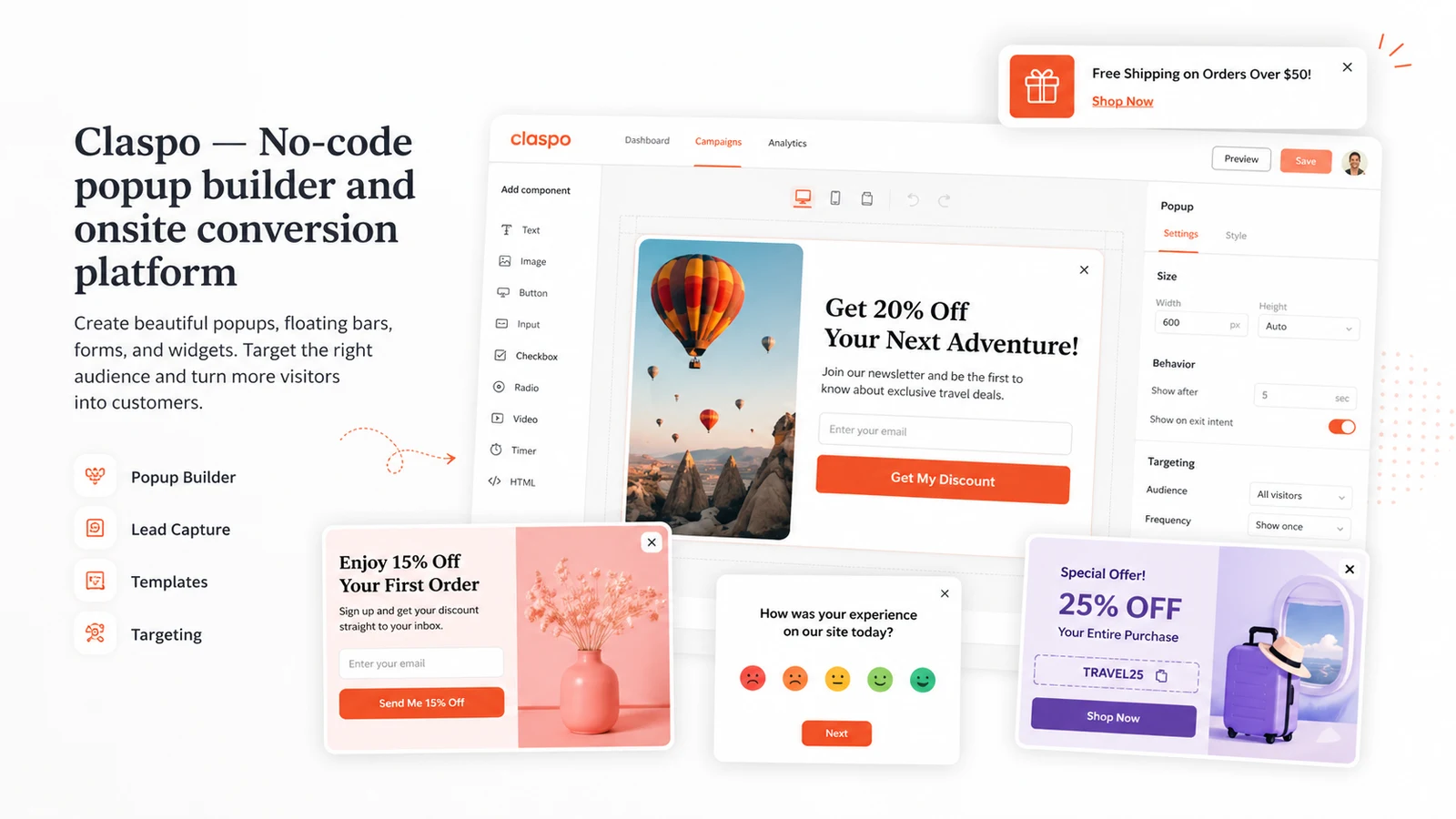
Claspo is a no-code popup and onsite widget builder for marketers, ecommerce stores, SaaS teams, and agencies that want to capture leads, show offers, run gamified widgets, collect feedback, and personalize onsite messages without handing the whole workflow to a heavyweight marketing suite.
Fit → price → checkout
Use these routes after the official-site check: coupon first, review for fit, compare if unsure.
Claspo pricing snapshot
Fast commercial checks before pricing, coupons, or a deeper review.
Claspo product tour
Claspo is easiest to judge by looking at how quickly a buyer can move from a template to a targeted onsite widget. The product tour should help readers evaluate the editor, campaign types, rules, integrations, and pricing logic before they treat the tool as a serious conversion layer.
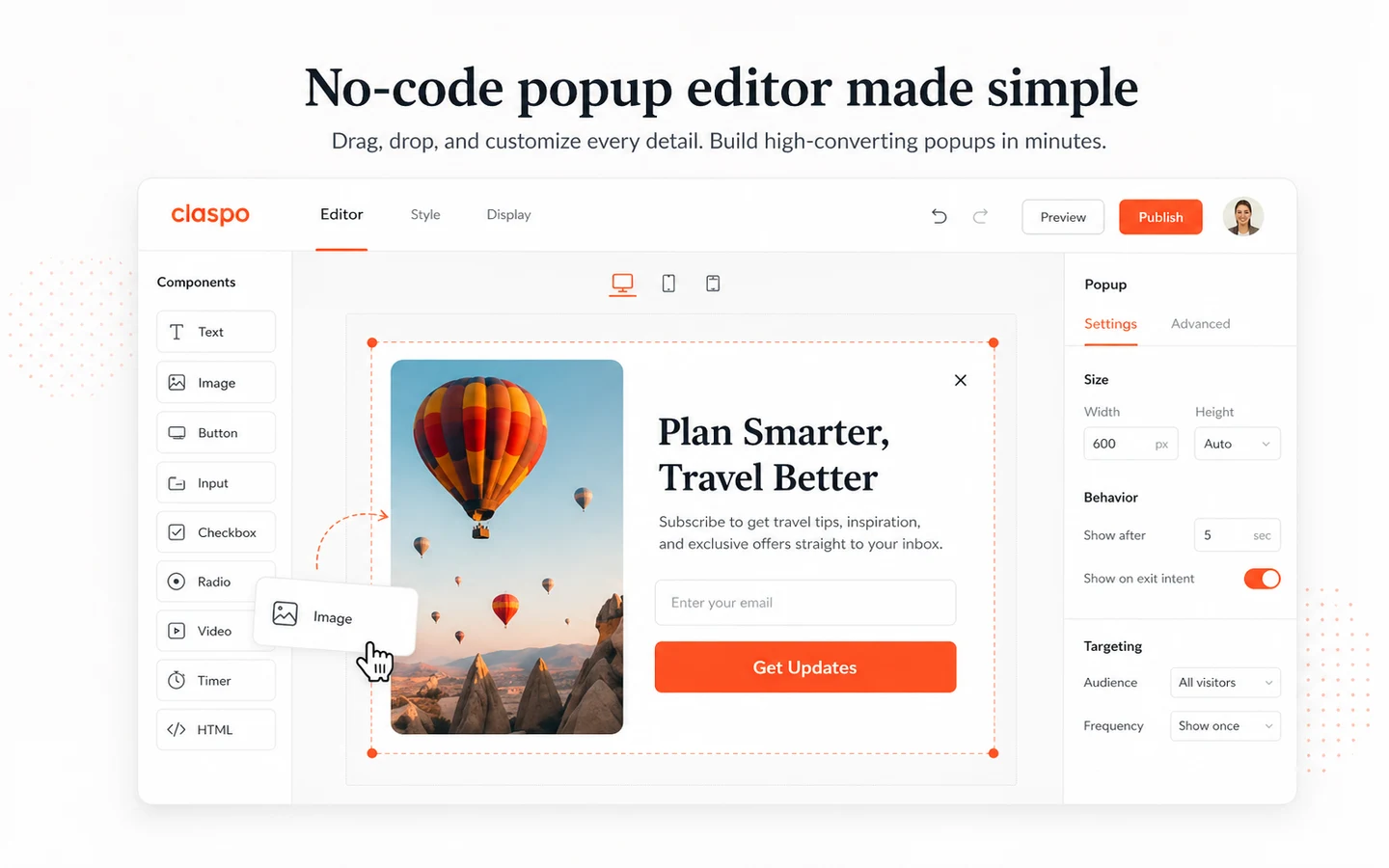
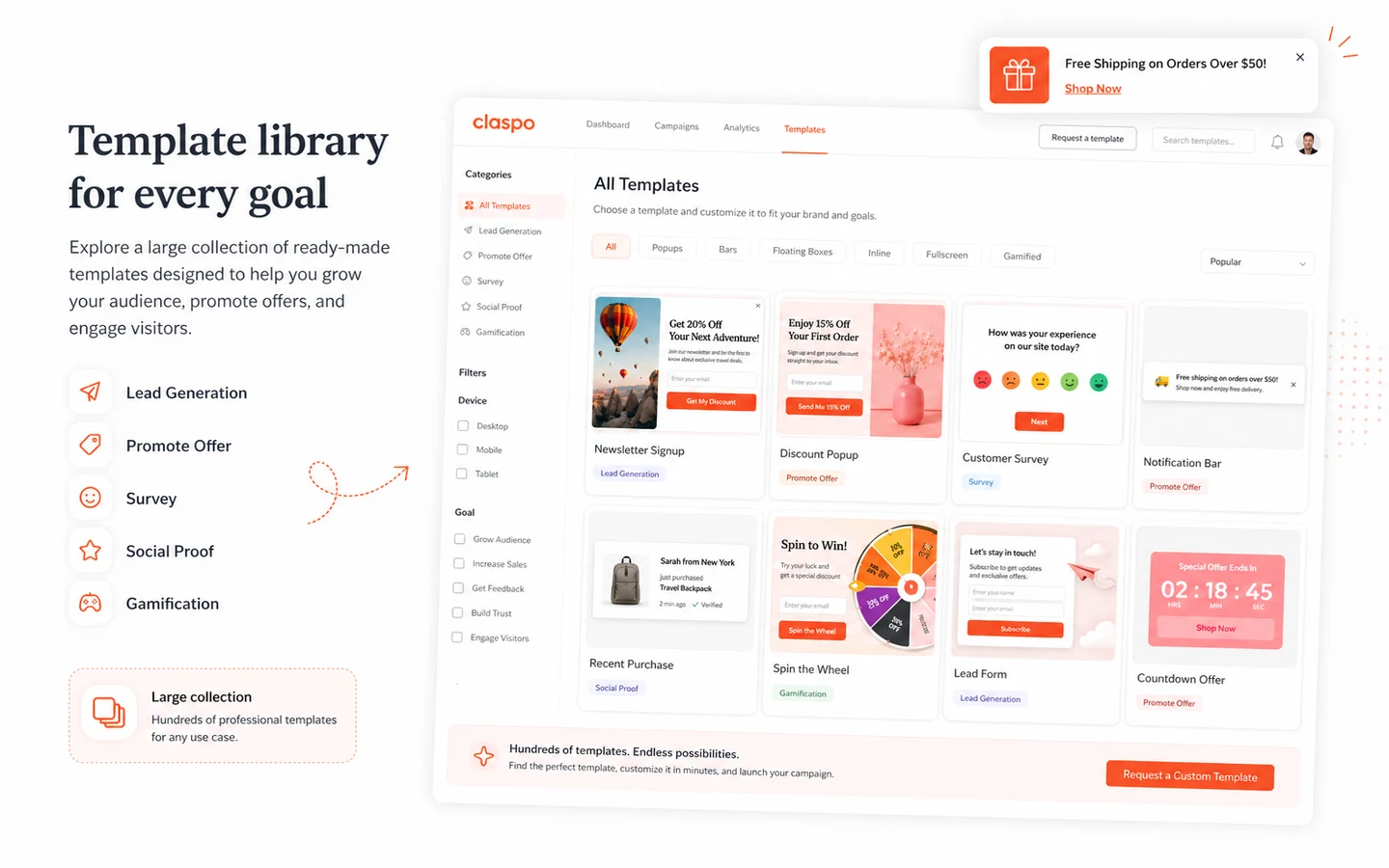
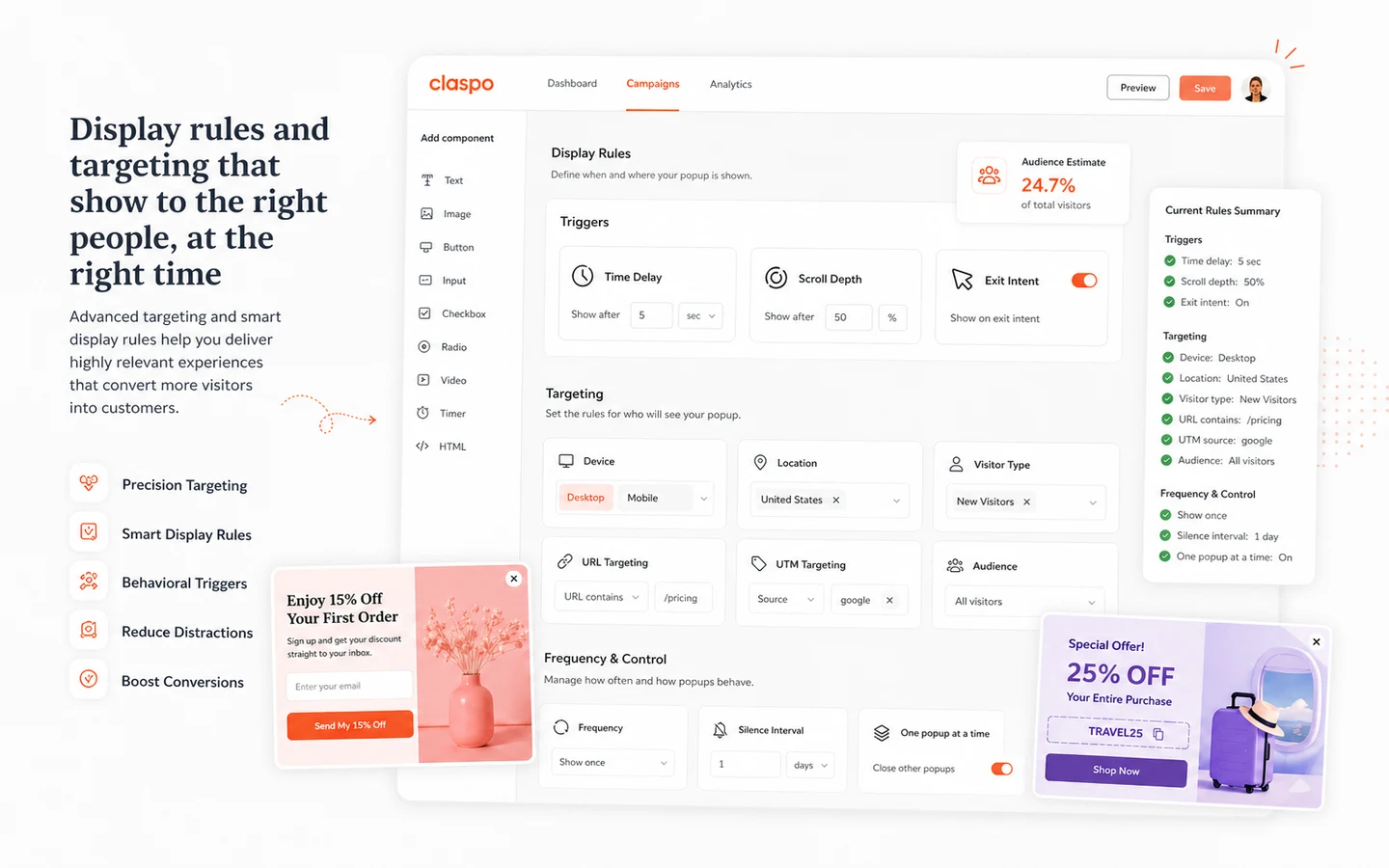
Claspo belongs in the popup and onsite conversion part of a marketing stack. It should be judged by how well it helps a team capture leads, promote offers, personalize messages, and control widget behavior without creating a messy visitor experience.
What Claspo actually does
Claspo helps teams build and publish popups, forms, bars, gamified widgets, surveys, chat-style widgets, product prompts, and other onsite messages. The practical value is speed: a marketer can start from a template, adjust the design, choose targeting rules, connect the campaign to marketing tools, and test whether the widget improves lead capture or sales support.
- Build popups, bars, forms, surveys, gamified offers, and onsite messages.
- Use templates and a no-code editor instead of custom campaign development.
- Route leads and events into marketing tools through integrations, connectors, Zapier, or webhooks.
Free plan first, paid tier only after a real test
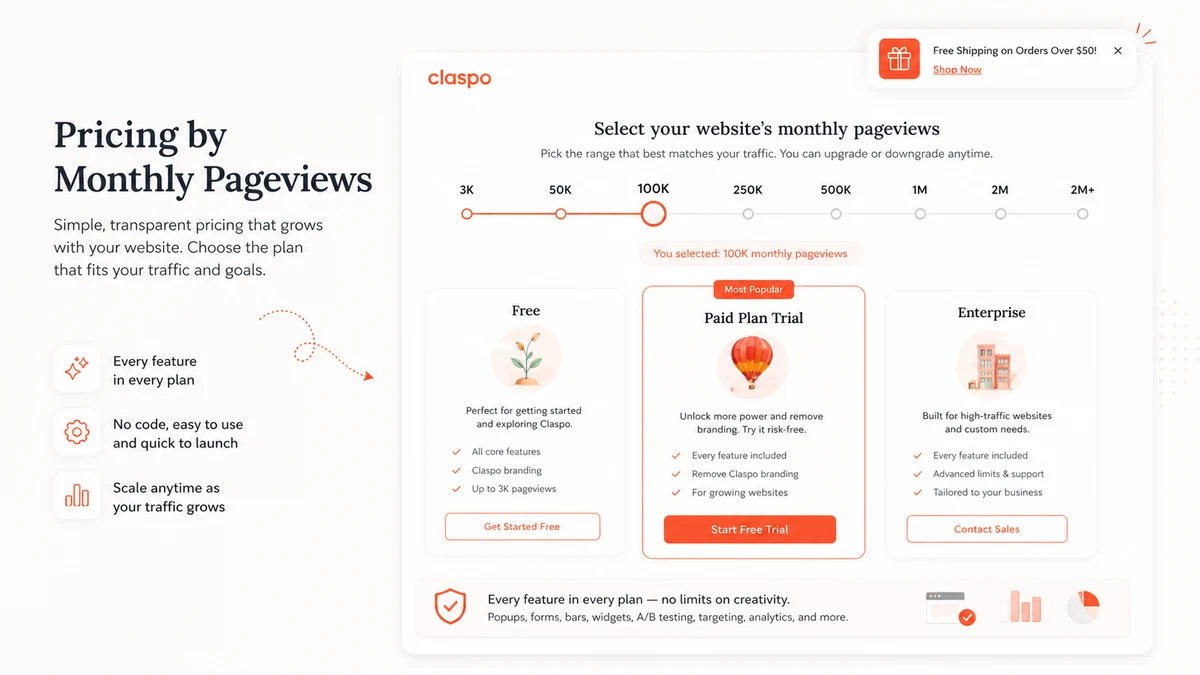
The free subscription is the right first step for most buyers because it lets the team check the editor, templates, targeting controls, and integrations before the paid traffic tier matters. The paid question begins when the site needs more pageviews, more websites, custom domain support, or a cleaner brand presentation.
- Use the free path to build one real widget rather than judge from screenshots.
- Check pageviews before upgrading because traffic volume affects the plan decision.
- Treat annual billing as a savings path only after monthly fit is proven.
Personalization and overlap controls are the real fit test
The useful buying question is not whether Claspo can show a popup. Many tools can. The better question is whether Claspo can show the right widget to the right visitor without stacking messages on top of each other. Its public feature story highlights dynamic content, merge tags, multi-language support, geolocation, sequencing, silence intervals, and overlap protection, which are the controls that separate useful widgets from annoying ones.
- Dynamic content and merge tags help personalize onsite messages.
- Language and location targeting matter for international sites.
- Overlap protection and silence intervals reduce visitor fatigue.
Watch this setup angle before building gamified campaigns
Gamified popups can work, but they can also look cheap if the offer, timing, and follow-up are weak. A second video is useful here because it focuses on a concrete campaign type rather than a broad product overview, helping buyers see how a gamified widget is assembled and where the WordPress or site connection fits into the workflow.
- Use gamification only when the offer makes sense for the audience.
- Confirm the widget can connect to the website and marketing app cleanly.
- Measure submissions and downstream conversion, not just popup display rate.
Integrations decide whether Claspo saves time
Claspo is more useful when it fits the tools the business already uses. Official pages mention native integrations, connectors, Zapier, webhooks, CRM and email platform routing, and automatic sync for leads and events. Buyers should check the specific integration they need before paying, because a popup that cannot move lead data into the existing system creates extra manual work.
- Check CRM, email platform, ecommerce, and analytics integration needs.
- Use webhooks or connectors only if the team can maintain them.
- Confirm whether the needed integration is available on the plan being considered.
Alternatives to compare before checkout
The closest alternatives depend on what the buyer really needs. If the goal is focused popup building with a generous free path, Claspo deserves a serious look. If the buyer wants ecommerce revenue attribution, web push, onsite feed, or deeper product recommendation workflows, Wisepops may be a stronger category match. If the buyer wants broader funnel pages and offer flows, ClickFunnels is a different but relevant route. If the buyer needs email automation around captured leads, ActiveCampaign belongs in the shortlist.
- Compare Wisepops or similar tools when revenue attribution and ecommerce depth matter more than popup speed.
- Compare ClickFunnels when landing pages, funnels, and checkout paths are the main project.
- Compare ActiveCampaign when automation after lead capture is more important than the popup builder itself.
Best savings path from this store page
This is the clearest savings route to check once the product already looks like a fit.
Third-party coupon tracking reports a two-month-free path for annual Claspo billing. Use it as a researched savings route, not as a guaranteed checkout result.
Request custom enterprise terms
Start with the free lifetime plan
Use comparison routes when the category fit is still open
Use these comparison routes when the product still looks plausible, but the category fit is not fully settled.
ActiveCampaign is the better next tab when the buyer cares more about email automation and CRM follow-up after the lead is captured. Claspo is more focused on the onsite widget and popup creation layer.
ClickFunnels is more relevant when the project needs landing pages, funnel steps, and sales flows. Claspo is narrower and cleaner when the job is onsite popups, forms, and conversion widgets.
The ClickFunnels deal route is worth checking for funnel-heavy campaigns, but it does not replace Claspo's popup and onsite widget workflow for existing websites.
Verification points worth checking before you click out
Where this store usually fits best in the workflow
Claspo fits stores and content sites that need newsletter forms, signup discounts, exit intent campaigns, and targeted capture widgets without asking a developer to build every variation.
Claspo can support discount widgets, limited-time offers, cart prompts, gamified promotions, and product-focused onsite messages when the buyer already has a clear promotion plan.
Claspo is useful for CSAT, NPS, feedback buttons, exit surveys, and product feedback prompts when the team wants lightweight onsite research without adding a full survey platform.
Agencies and freelancers can use Claspo to launch campaign widgets across client sites, but they should verify multi-website support, user roles, custom domains, and badge rules before relying on it for recurring client work.
Practical checkpoints before and after signup
- Pick one real campaign goal such as lead capture, discount promotion, survey collection, or cart recovery.
- Check the template library and editor against the brand's design needs before judging paid value.
- Confirm the marketing tool or CRM integration needed after form submission.
- Launch one narrow widget and inspect how targeting, sequencing, and overlap controls behave on the live site.
- Compare actual pageviews with the pricing slider so the upgrade path is based on traffic, not guesswork.
- Use the Pro trial path only when premium limits or multiple websites are part of the real buying decision.
- Verify the monthly price, annual discount, renewal behavior, and refund window before entering payment details.
- Check whether badge removal, custom domains, team access, and multiple websites require the selected tier.
- Keep the coupon path as the last step after fit, traffic, and billing terms are clear.
- Measure form submissions, revenue lift, visitor experience, and downstream lead quality instead of only popup impressions.
- Rotate offers carefully so widgets do not become repetitive or disruptive.
- Recheck pricing before renewal if traffic volume or client website count grows.
Fast-read signals for workflow fit and buying friction
Questions readers usually ask before choosing this store
What is Claspo best for?
Claspo is best for building popups, forms, bars, gamified offers, feedback widgets, and onsite messages that support lead capture or conversion campaigns. It fits buyers who want a focused no-code campaign layer rather than a full marketing automation platform.
Does Claspo have a free plan or free trial?
Yes. Claspo's pricing page says users can start with a free subscription and keep it as long as it fits their needs. Claspo help content also describes a 14-day Pro trial path for testing premium capabilities such as higher pageview limits, multiple websites, and custom domains.
How should buyers think about Claspo pricing?
Buyers should treat pricing as pageview and billing-interval based. The public pricing page includes a pageview selector and annual billing language, while support content explains subscription changes and trials. The safest move is to check the live slider and checkout terms before assuming a specific monthly cost.
Are public Claspo coupon codes consistently available?
A stable public coupon code was not verified. The more reliable savings path is the free subscription, the Pro trial route when eligible, and annual billing if the live checkout discount makes sense for the buyer's traffic and campaign plan.
What should I compare Claspo against?
Compare Claspo against Wisepops or similar onsite platforms if ecommerce revenue attribution and deeper revenue workflows matter. Compare ClickFunnels if the project is more about funnel pages and checkout flows. Compare ActiveCampaign if the bigger need is email automation after a lead is captured.
Choose the next route that matches what you still need to decide
The strongest next click depends on whether you still need product judgment, a savings route, or a broader category comparison.