
BeforeSunset AI Pricing & Workflow Fit
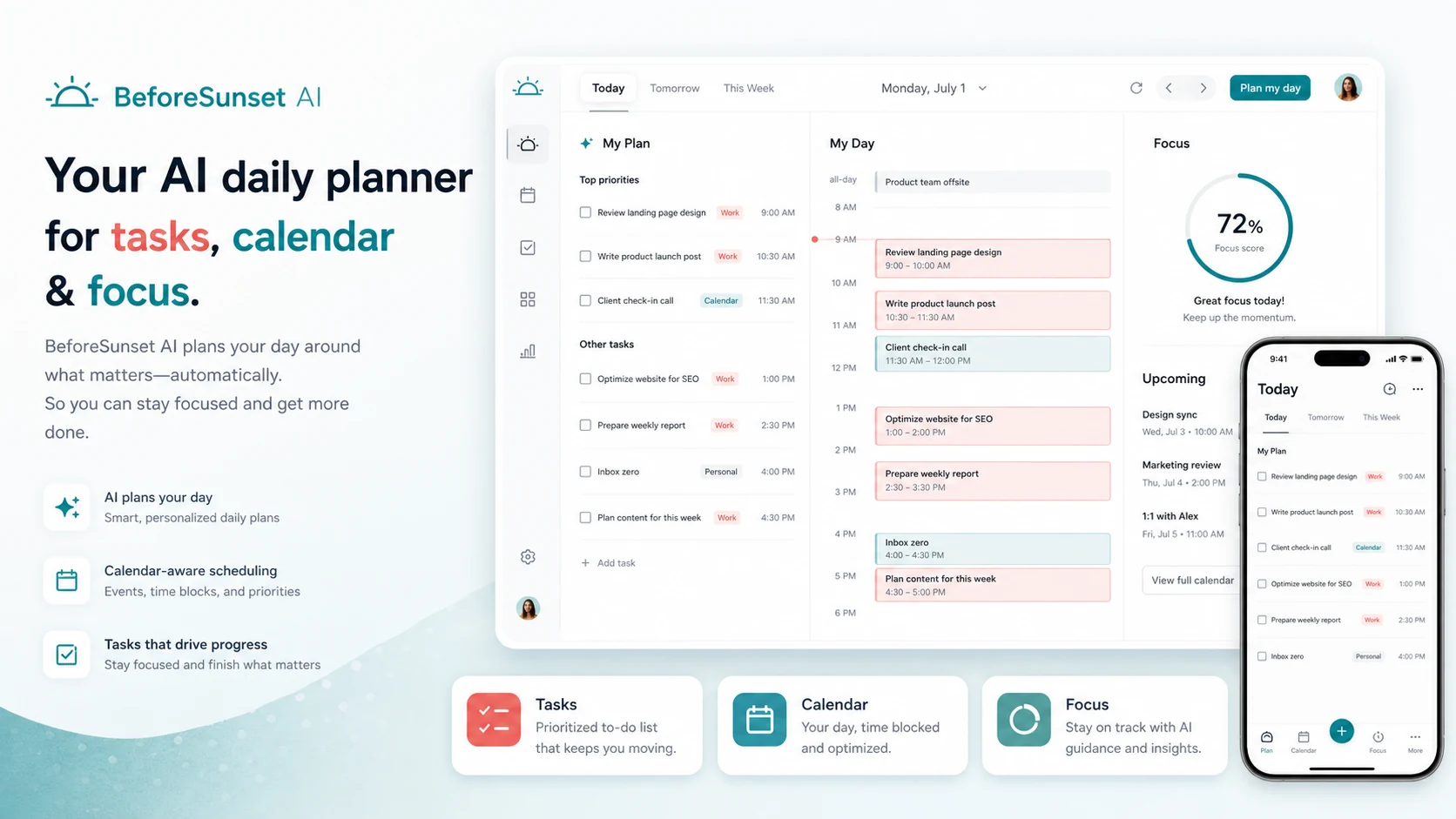
BeforeSunset AI is an AI daily planner built around tasks, calendar scheduling, focus sessions, and personal or team planning habits. It is strongest when the buyer already struggles with turning a loose task list into a workable day. It is less convincing for people who only want a simple checklist, because the real value comes from using the calendar, AI planning, focus mode, and analytics together.
Fit → price → checkout
Use these routes after the official-site check: coupon first, review for fit, compare if unsure.
BeforeSunset AI pricing snapshot
Fast commercial checks before pricing, coupons, or a deeper review.
BeforeSunset AI product tour
The product tour video is useful if you are trying to decide whether BeforeSunset AI feels like a daily planning habit or just another task app. Watch how the workflow moves from task capture to scheduling, focus, and calendar structure. The buyer benefit is practical: if the demo looks close to how you already plan your day, the Pro plan deserves a pricing check; if it feels too guided, a simpler to-do app may be safer.
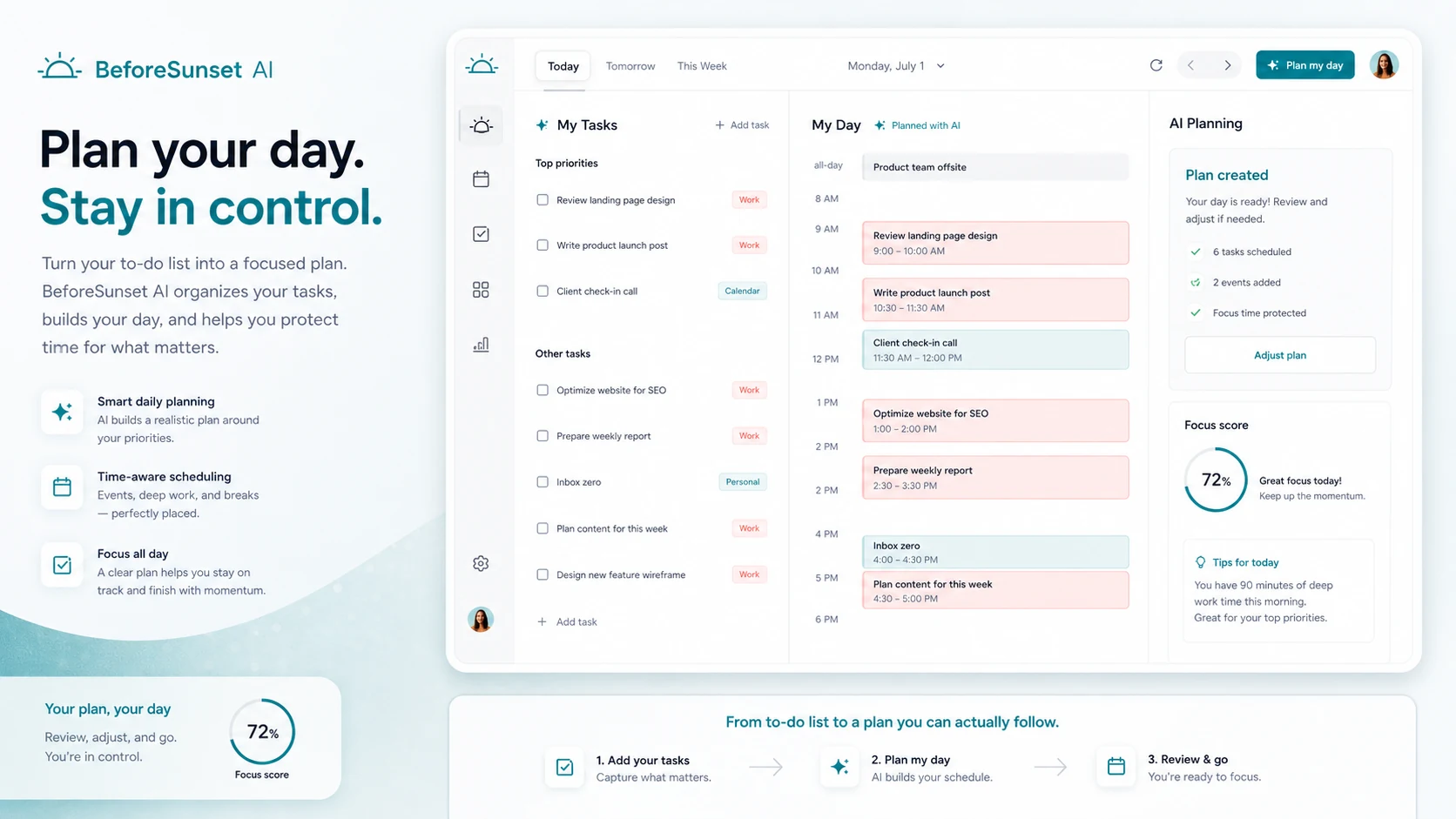
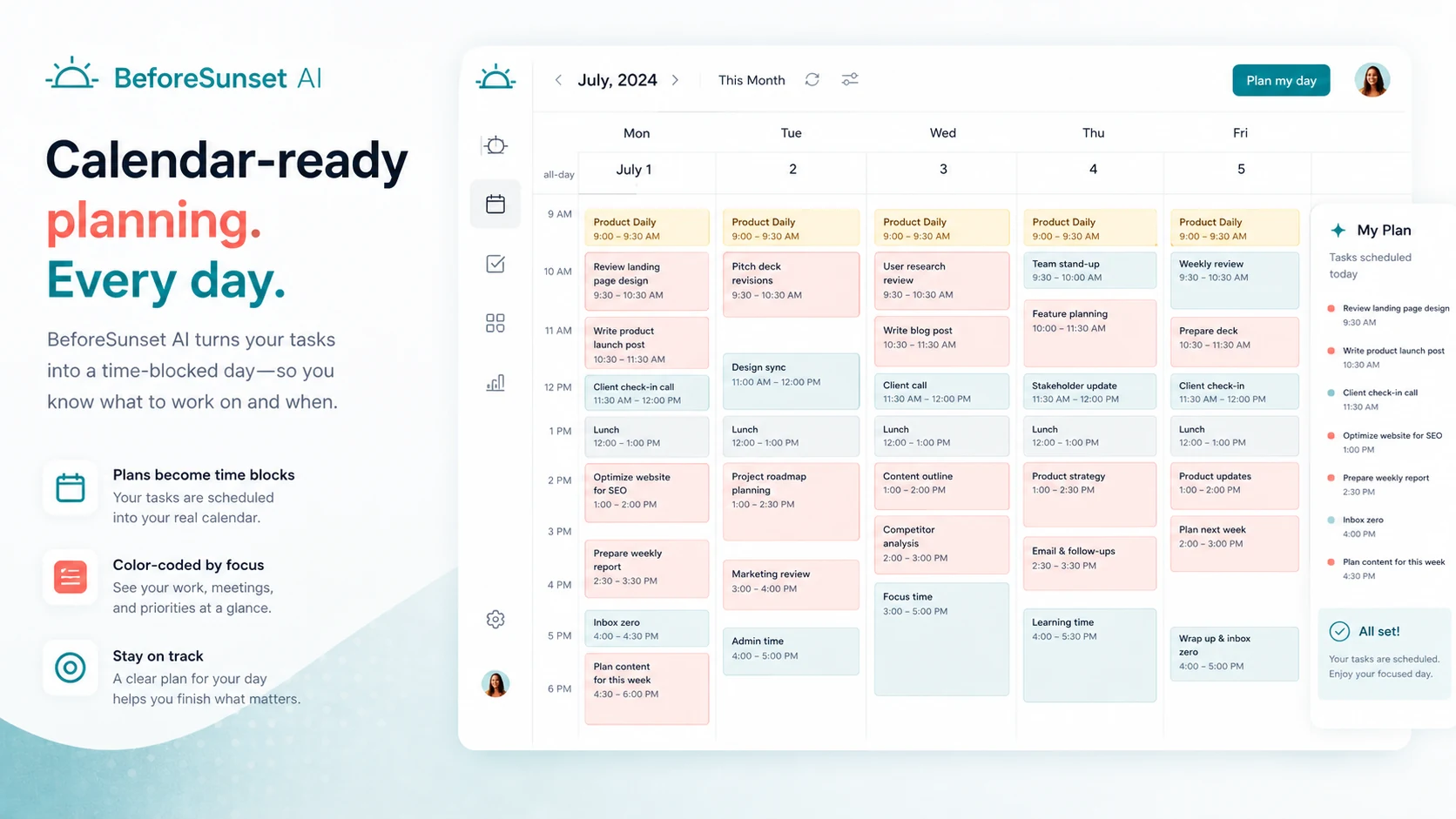
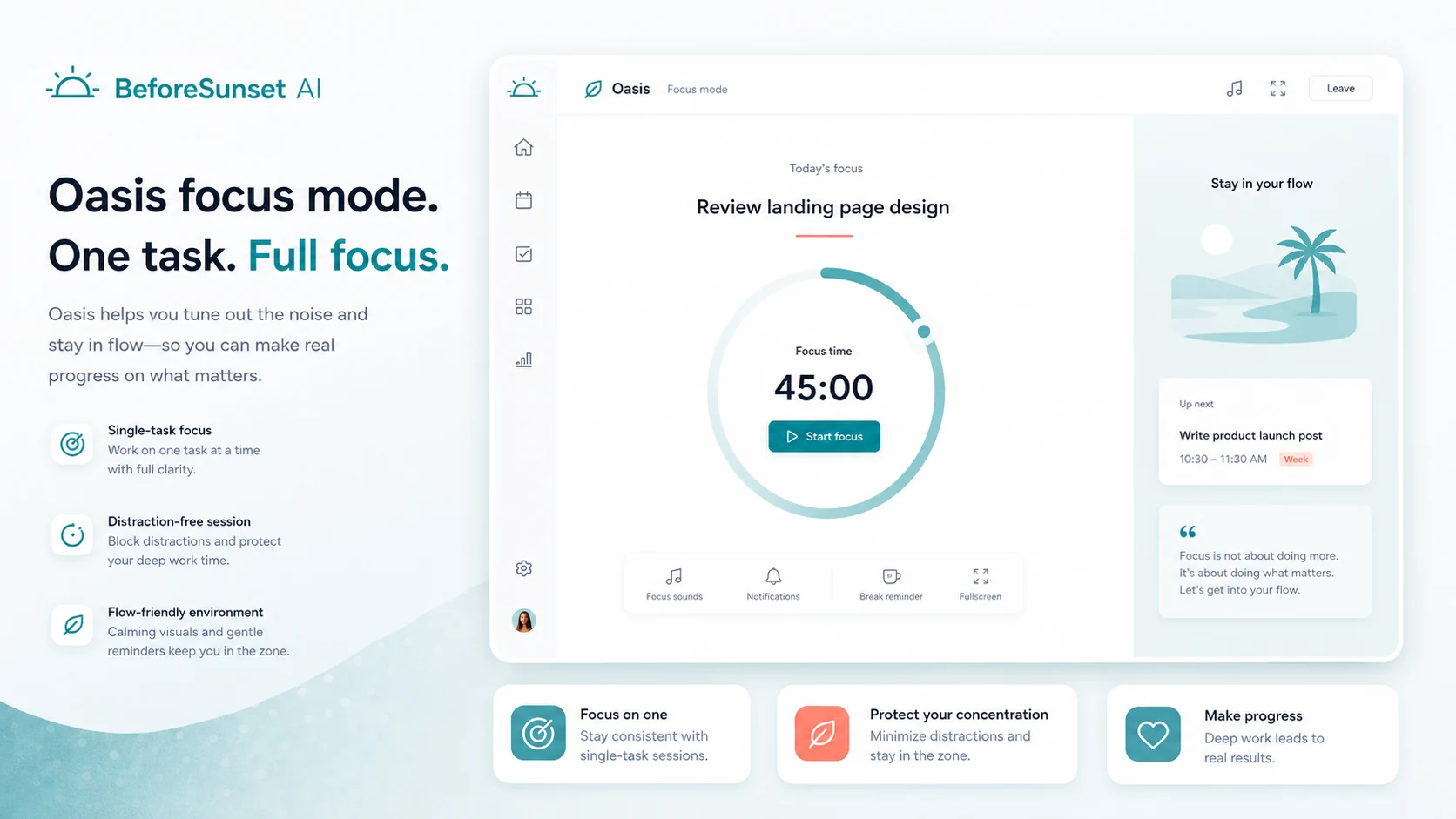
BeforeSunset AI sits in the AI productivity and planning category, but the buying question is not whether it has an AI feature. The better question is whether it can become the place where you turn scattered tasks into a realistic day, then actually follow through with focus sessions and calendar structure.
What BeforeSunset AI actually does
BeforeSunset AI helps buyers create tasks, plan the day, organize work against a calendar, and use AI to turn goals into clearer actions. The official materials position it around daily planning, task creation, focus mode, weekly planning, recurring tasks, and calendar sync rather than broad project management.
This matters because the product is easiest to misjudge if you compare it only with generic to-do apps. It is closer to an AI planning layer for people who already know what they need to do, but need help shaping the day so work does not stay trapped in a list.
- Turn goals and tasks into clearer to-dos
- Use AI to plan a realistic day or week
- Sync with calendar workflows
- Move from planning into focused work sessions
Pricing and plan fit
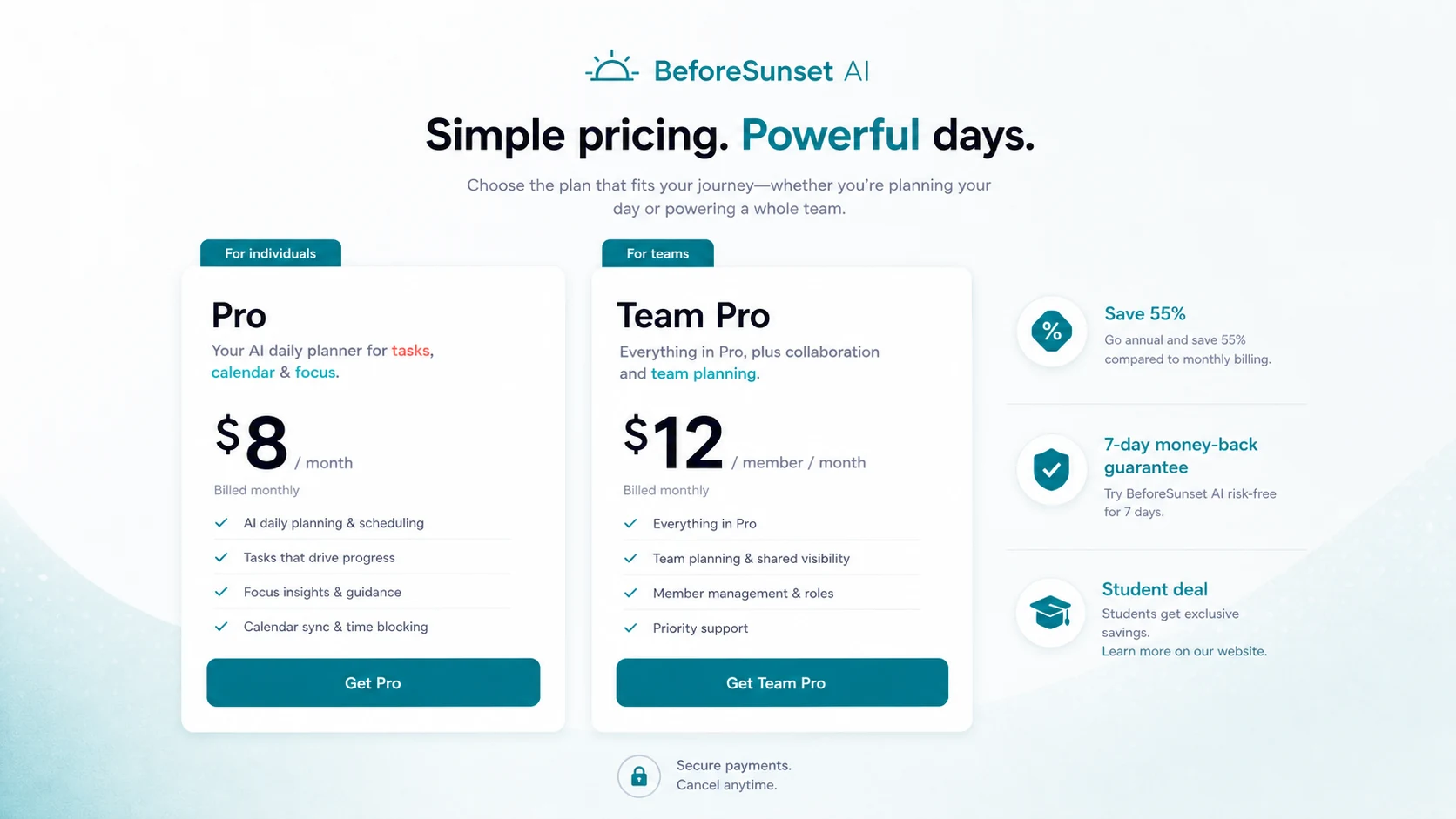
The official pricing page currently shows Pro at $8 per month and Team Pro at $12 per member per month, with annual billing savings displayed. Pro is more relevant if you want unlimited calendars, Oasis focus mode, task auto-moving, weekly and monthly planning, analytics, and bookmarks. Team Pro matters when workspace and team analytics are part of the decision.
The free entry path is useful for testing whether the product fits your planning style. Buyers should not jump straight to annual billing unless they know the app can survive a real workweek with messy tasks, interruptions, and calendar changes.
- Start free if you are still testing daily planning fit
- Compare Pro when personal planning, focus, and analytics matter
- Compare Team Pro only if team workspace and visibility matter
- Check the refund window on the exact checkout path
Video check for workspace and focus fit
The video below is useful if your main concern is whether the app feels practical once the workday starts. Watch how workspace customization and focus settings are presented, because this tells you whether BeforeSunset AI supports execution or only makes planning look neat.
The buyer benefit is clear: if the workspace and focus flow reduce friction for deep work, Pro may be worth a closer look. If you already have a focus system that works, this part of the product may matter less than calendar planning.
Where teams should be careful
Team Pro adds team workspace, unlimited members, and team daily and weekly analytics. That can help small teams that need visibility without moving into a heavier project management system. It is not automatically enough for teams that need dependencies, approvals, complex role permissions, or formal delivery reporting.
The smarter team test is narrow. Pick one recurring planning problem, such as weekly coordination, shared task visibility, or focus accountability. If BeforeSunset AI improves that problem, then the team price deserves attention.
- Check whether the team workspace matches how your team actually coordinates
- Verify analytics usefulness before treating it as management reporting
- Compare with a real project management tool if delivery workflows are complex
Savings, deals and refund checks
BeforeSunset AI has several possible savings angles: free app access, annual billing, a student deal shown on the pricing page, and historical partner deals such as AppSumo. The AppSumo page currently marks its lifetime deal as sold out, so buyers should avoid assuming lifetime access is still available.
Coupon-code paths should be treated as checkout verification, not guaranteed savings. The official pricing page is the cleaner buyer source for current Pro and Team Pro pricing, while the DealBestDaily coupon route can be used after the product fit is already clear.
- Check official annual billing before relying on public coupon pages
- Treat the student deal as a separate verification path if relevant
- Do not assume AppSumo lifetime access is currently active
- Confirm refund terms on the active checkout path
Best next step
If you are still unsure whether BeforeSunset AI fits your day, read the review page first and compare it against nearby productivity tools. If the workflow already makes sense, open the pricing or coupon path and verify current Pro, Team Pro, annual billing, student deal, and refund details.
The product is most promising for buyers who need structure around daily execution. It is less useful if planning is already solved and you only need a lightweight checklist.
- Review workflow fit before pricing if you are still uncertain
- Use pricing when the product already matches your planning style
- Use the coupon path only after confirming the app fits your routine
Best savings path from this store page
This is the clearest savings route to check once the product already looks like a fit.
BeforeSunset AI's pricing page shows annual billing with 55% savings. This is the safest official savings path if you are choosing between monthly and yearly payment.
Team Pro annual plan from $12/member/month
Exclusive student deal available
Use comparison routes when the category fit is still open
Use these comparison routes when the product still looks plausible, but the category fit is not fully settled.
1min.AI is broader for general AI tasks, while BeforeSunset AI is narrower and stronger for daily planning, calendar structure, and focus sessions.
Saner.AI is closer to notes and knowledge workflows, while BeforeSunset AI is more direct for task planning and day execution.
Aikeedo is not a direct planner alternative, but it may matter if the buyer is comparing customizable AI product ecosystems instead of a hosted daily planner.
Verification points worth checking before you click out
Where this store usually fits best in the workflow
BeforeSunset AI is useful when the buyer has too many loose tasks and needs help turning them into a structured day. The test is whether the planned schedule feels realistic once calendar commitments and interruptions are included.
Founders and freelancers can use the app to combine task capture, weekly planning, and focus sessions. It works best when the buyer wants a lighter system than full project management but more structure than a plain checklist.
Team Pro makes sense when a small team wants shared planning signals and daily or weekly analytics. It should be tested with one real coordination problem before treating it as a team operating system.
Buyers who already rely on Google Calendar or Outlook can evaluate BeforeSunset AI as a planning layer that connects tasks with available time. The value depends on whether the calendar view helps execution, not just planning.
Practical checkpoints before and after signup
- Clarify whether the problem is task capture, daily scheduling, focus, team visibility, or all of them together.
- Watch the tour before judging the pricing page, because the value depends on using the workflow repeatedly.
- Compare BeforeSunset AI with one broader AI workspace and one notes or planning-focused alternative.
- Use the free app to see whether AI-generated planning improves a normal workweek.
- Check the billing toggle, annual savings, student deal, and refund window before choosing Pro.
- Do not upgrade to Team Pro until the team workspace and analytics solve a real coordination problem.
- Start with one personal or team planning ritual, such as daily start, weekly planning, or focus sessions.
- Track whether the app reduces missed tasks, overplanned days, or planning time.
- Re-check pricing and plan fit before renewal, especially if the buyer added team members.
Fast-read signals for workflow fit and buying friction
Questions readers usually ask before choosing this store
What is BeforeSunset AI best for?
BeforeSunset AI is best for people who want help turning tasks, goals, and calendar commitments into a more realistic day. It is strongest for knowledge workers, founders, freelancers, and small teams that need planning and focus support without adopting a heavier project management platform.
Does BeforeSunset AI have a free plan?
BeforeSunset AI is available as a free download and can be tested before payment. The paid pricing page currently shows Pro and Team Pro options, so buyers should use the free path to test workflow fit before comparing the paid plan.
How much does BeforeSunset AI cost?
The official pricing page currently shows Pro at $8 per month and Team Pro at $12 per member per month, with annual billing savings displayed. Buyers should verify the active billing toggle, student deal, and refund window before checkout.
Is BeforeSunset AI a replacement for project management software?
Not for every team. BeforeSunset AI is better understood as a planning and execution assistant for tasks, calendars, focus, and light team visibility. Teams that need complex dependencies, approvals, or formal delivery reporting should compare dedicated project management tools before buying.
What is the safest next step before buying?
Start by testing the free app with a real workweek. If the planning flow helps, compare Pro or Team Pro on the official pricing page, check annual billing and refund terms, and only then use the coupon or deal route to look for current savings.
Choose the next route that matches what you still need to decide
The strongest next click depends on whether you still need product judgment, a savings route, or a broader category comparison.