Quick verdict
Lunacal is worth considering if a plain calendar link feels too thin for the way you sell, consult, coach, or book clients.
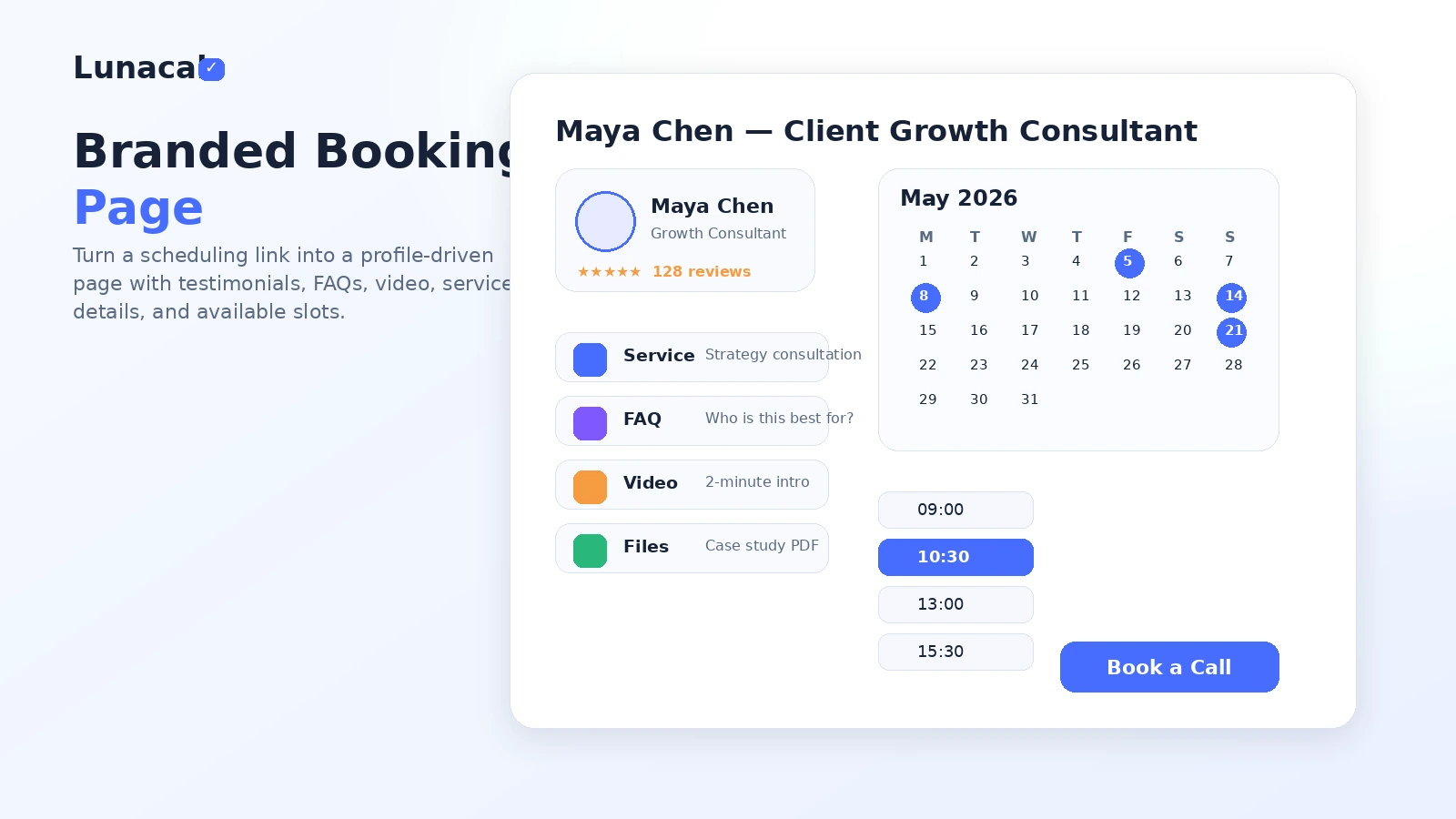
That is the real decision here. Lunacal is not just trying to give you another link where someone picks a time. Its stronger angle is turning the booking page into something closer to a lightweight sales page: profile content, videos, testimonials, service context, booking questions, reminders, payments, and team routing.
That can be useful.
It can also be unnecessary.
If you only need a quick link for occasional calls, Lunacal may be more product than you need. A simpler scheduler can do the job without asking you to think about page design, payment flows, service packaging, team pages, or branded booking experience. But if your appointment page is part of your buyer journey, the extra context starts to matter. A consultant booking discovery calls, a studio collecting deposits, or an agency routing inbound leads is not solving the same problem as someone scheduling a casual coffee chat.
The strongest reason to consider Lunacal is the branded booking experience. The main caution is that pricing, trial details, refund language, and team-plan fit need to be checked before you pay, especially before annual billing.
For my money, the safest path is simple: build one real booking page, test whether it improves the prospect experience, then decide whether Standard or Teams matches the workflow. Do not buy only because a booking page looks polished.
Next step: If Lunacal looks like a real fit for your booking workflow, verify the current plan and buyer route before checkout.
Review snapshot
| Review point | Practical take |
|---|---|
| Best for | Consultants, agencies, coaches, studios, clinics, and service teams that need a branded booking page |
| Not ideal for | Buyers who only need a basic free calendar link for occasional calls |
| Main use case | Turning appointment scheduling into a more trust-building booking flow |
| Current pricing note | Public pricing shows Standard at $9/user/month, Teams at $15/user/month, and Enterprise at $25/user/month |
| Trial path | Trial language exists publicly, but buyers should verify the current signup screen and trial terms |
| Main strength | Booking pages can include richer profile, service, media, testimonial, payment, and team context |
| Main concern | Strict non-refundable payment language makes plan choice and annual billing worth checking carefully |
| Direct alternatives | Calendly, Acuity Scheduling, Setmore, Cal.com |
| Best next step | Test one real booking workflow before choosing annual billing or a team plan |
What is Lunacal?
Lunacal is an online appointment booking and scheduling platform for businesses that want booking pages, calendar sync, reminders, team scheduling, paid appointments, and website embeds in one place.
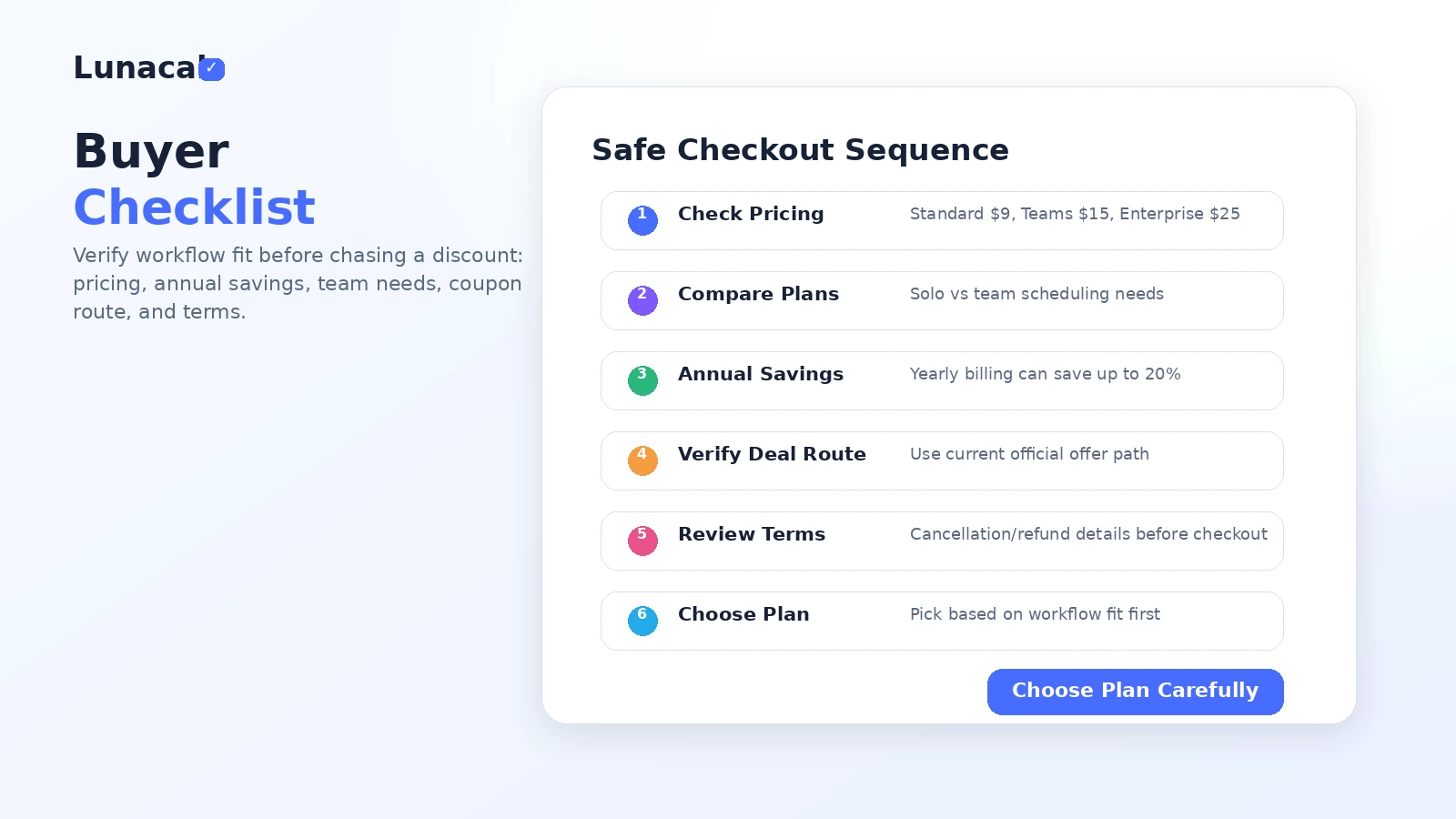
The important part is the page experience. Lunacal positions itself around scheduling pages that carry more context than a standard calendar form. The official site lists booking links, automated reminders, workflows, buffers, calendar sync, website embeds, group bookings, booking questions, collective scheduling, custom domains, paid bookings, and coupons or discounts for your own clients.
So I would not judge Lunacal as “just another Calendly alternative.” That is too shallow.
A better way to understand it is this: Lunacal is for businesses where the appointment page has to do more than show availability. It may need to explain the service, reduce prospect doubt, collect the right information, take payment, route the booking to the right person, or look credible enough that a visitor actually books.
Our review approach compares public product pages, pricing details, help documentation, cancellation terms, buyer workflow fit, and nearby alternatives. We do not treat a coupon, lifetime deal, or low entry price as proof that the product fits the buyer.
The common wrong expectation is that a better-looking booking page automatically improves bookings. It might, but only if the extra context answers a real buyer question. If your prospects already know exactly why they are booking, a plain scheduling tool may be enough. If your prospects need reassurance before they choose a time, Lunacal becomes more interesting.
Who should use Lunacal?
Consultants who sell trust before the call
A consultant’s booking page often has to do more than collect a slot. It has to make the visitor feel that the call is worth taking. Lunacal can help here because the page can include profile context, business details, media, testimonials, and service framing before the visitor reaches the scheduling step.
This fit is strongest when prospects arrive from social profiles, referrals, cold outreach, or a website landing page and still need reassurance.
Before paying, I would check whether the page builder gives you enough control to explain your offer without creating a cluttered mini-website.
Agencies that route inbound calls
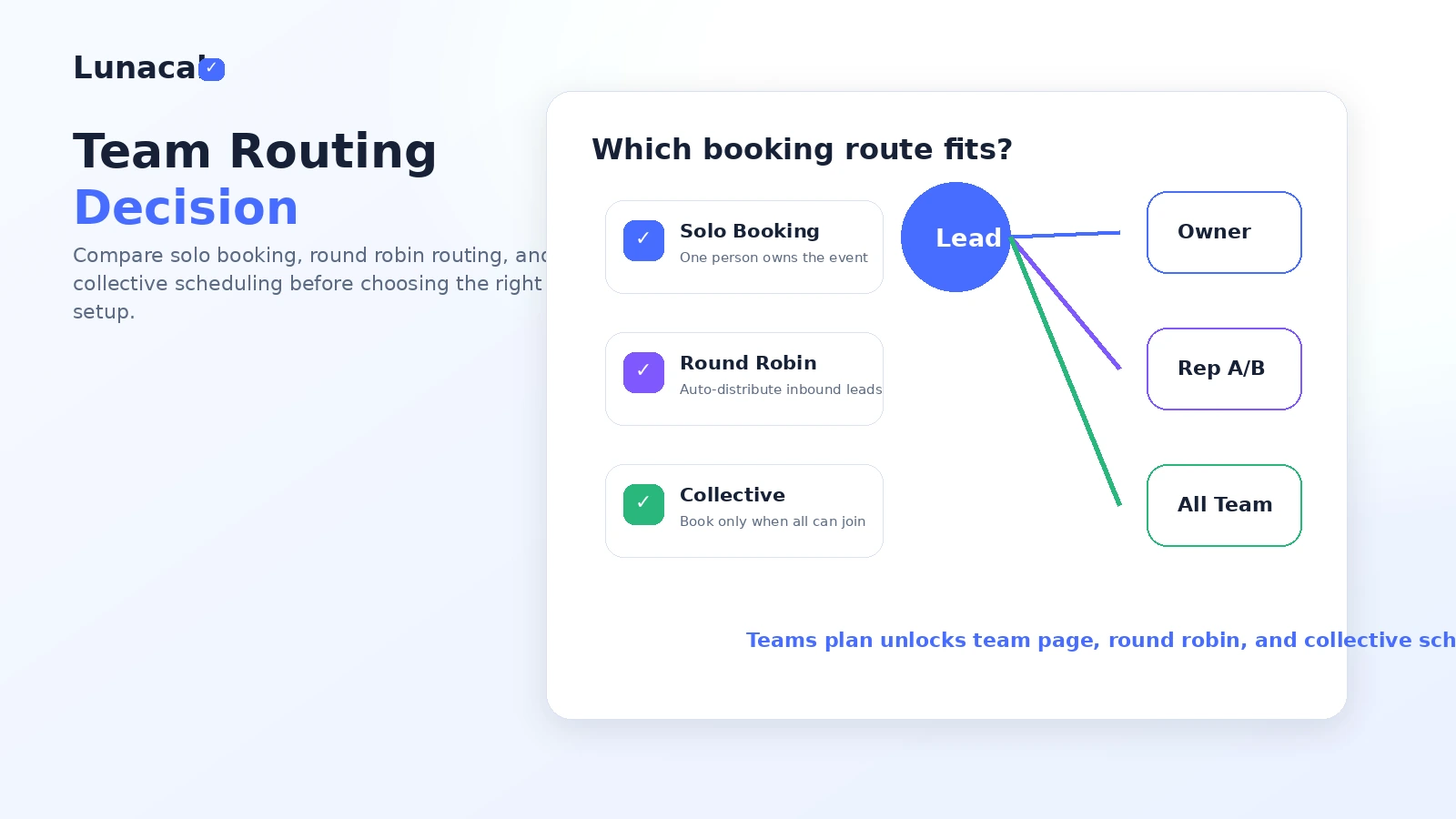
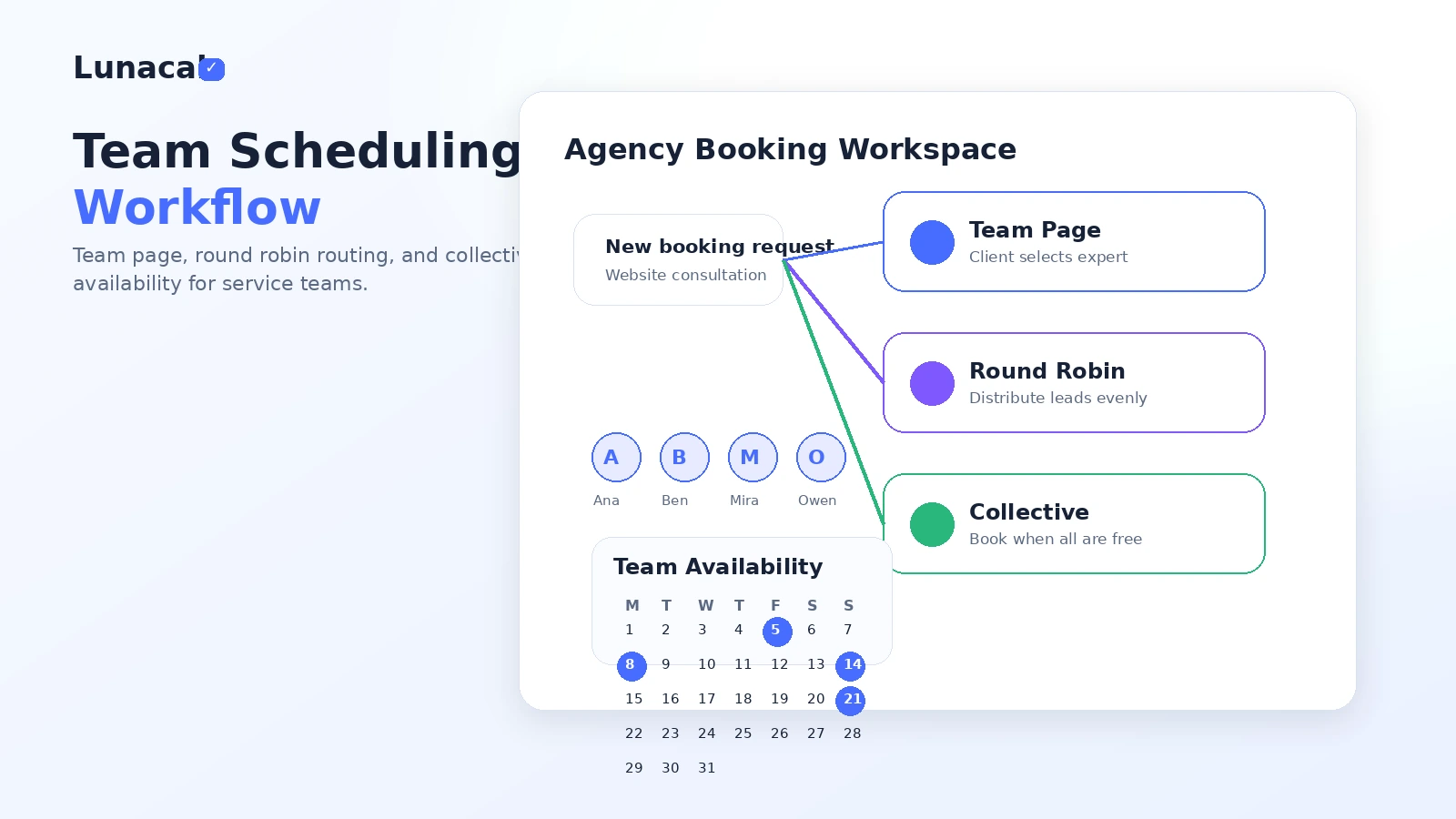
Lunacal becomes more useful when more than one person handles appointments. Team pages, round robin scheduling, and collective scheduling can reduce manual coordination if inbound calls need to go to different people.
The condition is volume. If you only book a few calls a month, the team features may look better on paper than they feel in practice. If leads come in steadily, routing logic can save time and create a more professional handoff.
Service businesses that collect payment or booking details
Coaches, studios, clinics, trainers, salons, and local services may care about booking questions, deposits, packages, cancellation rules, reminders, and no-show control. Lunacal’s paid booking and reminder angle can fit that type of workflow.
The buyer check is plan-level access. Do not assume every payment, package, coupon, or integration detail works the same way across every plan. Verify Stripe, PayPal, booking rules, and the exact client flow before committing.
Teams that want scheduling embedded into a website
Lunacal is also relevant when booking should happen inside a website experience rather than sending visitors away to a generic scheduling page. Website embeds and branded pages can make the appointment step feel more native.
This matters most when the website already brings qualified visitors and the booking step is part of conversion. If the website has little traffic or the offer is still unclear, the scheduler will not fix that problem by itself.
Who should avoid Lunacal?
I would avoid Lunacal if you only need a very basic free scheduling link. The product may still work, but the extra branding and workflow features may not create enough value.
I would also be cautious if your buying decision is mainly driven by a coupon route. A discount can improve a good purchase. It cannot turn a mismatched scheduler into the right operational tool.
Teams that need deep CRM automation, enterprise-grade governance, or custom business logic should slow down as well. Lunacal has integrations, webhooks, CRM mentions, and team features, but a serious sales or support operation may still need a broader CRM or automation platform around it.
Annual-billing-sensitive buyers should read the cancellation and refund language carefully. Lunacal’s public cancellation policy says payments are non-refundable by default, including monthly or annual subscriptions, unused time, downgrades, or missed cancellations. That does not mean the product is risky by itself. It means you should test the workflow before locking in a longer commitment.
Finally, if you do not want to invest time in presenting your services, Lunacal’s strongest advantage may be wasted. A branded booking page only helps if you actually use the page to clarify trust, service fit, or next steps.
How Lunacal fits into a real workflow
A realistic Lunacal workflow starts before the booking page is built.
First, decide what the appointment is supposed to accomplish. Is it a discovery call, consultation, paid session, class, demo, intro meeting, or recurring service appointment? That decision affects the page copy, questions, payment rules, reminders, and team routing.
Then build the booking page around the buyer’s hesitation. A prospect may need to know who they are booking with, what the session includes, how long it takes, whether payment is required, what happens after booking, and whether the business looks legitimate.
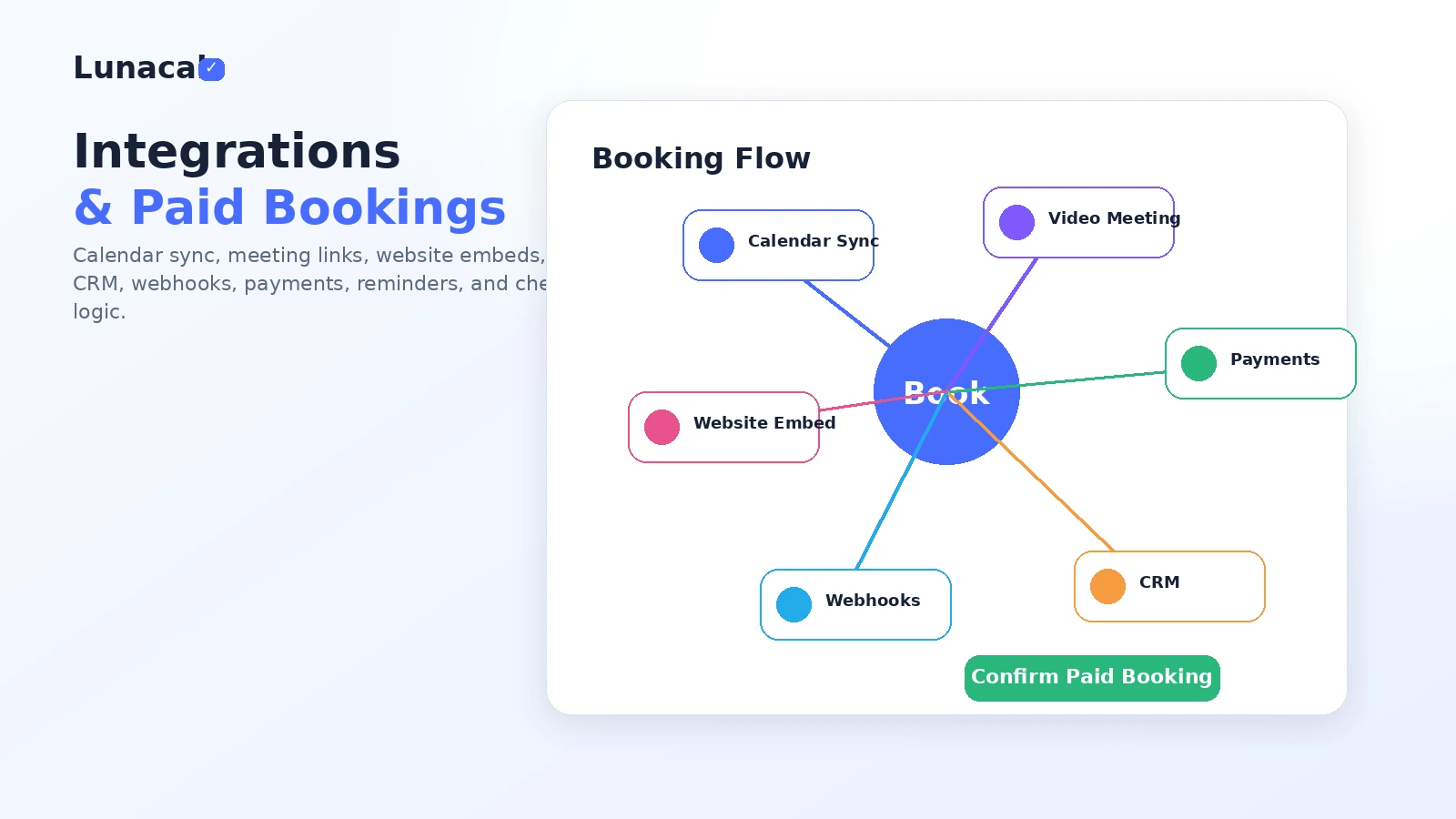
After that, connect the operational pieces: calendar sync, availability windows, buffers, notice periods, reminders, conferencing, website embed, payment collection, and team routing if needed.
The decision point comes after the first few real bookings. Did the page reduce back-and-forth? Did people book without extra questions? Did reminders reduce no-shows? Did payment collection work cleanly? Did the team routing save admin time?
That is where Lunacal should be judged.
The weak workflow is using Lunacal as decoration: add a few visuals, publish the page, and assume conversion improves. The stronger workflow is using the page to answer buyer questions before the appointment and using the backend to reduce manual follow-up.
Real-world buyer scenarios
Solo consultant booking discovery calls
A solo consultant may use Lunacal to create a booking page that explains who they help, what the call is for, and what prospects should expect. That is more useful than a plain calendar link when the prospect is still deciding whether the call is worth their time.
Where it may fail: if the consultant already has a strong website and only needs a simple scheduling step, Lunacal’s branded page may duplicate work.
What I would verify: Standard plan fit, calendar sync, meeting locations, reminder rules, custom questions, and whether the page looks professional without becoming overbuilt.
Small agency routing leads
A small agency may care less about the page design and more about routing. If leads need to be distributed across team members, round robin scheduling and collective scheduling can reduce coordination.
Where it may fail: if the team does not have enough inbound volume, routing features may not justify moving beyond a simpler setup.
What I would verify: Teams plan access, team pages, round robin behavior, collective availability, CRM integration, and whether the handoff fits the agency’s sales process.
Service business collecting paid bookings
A coach, studio, trainer, or clinic may want to collect payment, ask intake questions, send reminders, and reduce no-shows. Lunacal can fit when appointment scheduling is tied to revenue, not just calendar convenience.
Where it may fail: if the business needs industry-specific operations such as inventory, staff payroll, treatment records, class passes, or full CRM history.
What I would verify: payment methods, package rules, coupons for clients, cancellation settings, reminders, and whether external payment provider terms add any extra responsibility.
Website owner embedding scheduling into conversion pages
A business that already gets traffic to service pages may want booking to happen inside the same experience. Lunacal’s website embed and branded page tools can help keep the visitor inside the flow.
Where it may fail: if the offer page itself is unclear. A scheduler cannot fix weak positioning.
What I would verify: embed behavior, mobile layout, page speed impact, tracking needs, UTM handling, and whether the final booking flow is easy for visitors.
Key features that actually matter
Branded booking pages
This is the feature that makes Lunacal different from a basic scheduling link. The page can carry more context: business information, visual elements, testimonials, videos, links, FAQs, and service framing.
That matters when the visitor is not yet fully convinced. A richer page can answer enough questions to move someone from interest to booking.
Buyer note: do not overbuild the page. The goal is not to show everything. The goal is to make the appointment feel safe, useful, and easy to book.
Calendar sync, buffers, and availability controls
Scheduling software lives or dies on availability accuracy. Lunacal supports calendar sync, time-zone handling, buffers, notice periods, custom availability, and booking limits.
These are not flashy features, but they decide whether the system saves time or creates confusion.
Buyer note: test the boring parts first. If the availability rules do not match your real schedule, the page design will not matter.
Team scheduling and routing
Team pages, round robin allocation, collective scheduling, and group bookings are the main reasons to look beyond the solo plan. These features are useful when multiple people share appointment load or when several people must be available for the same meeting.
This is where Lunacal can move from personal scheduler to business scheduling layer.
Buyer note: team scheduling should be bought because it reduces coordination, not because it sounds advanced.
Paid bookings and payment support
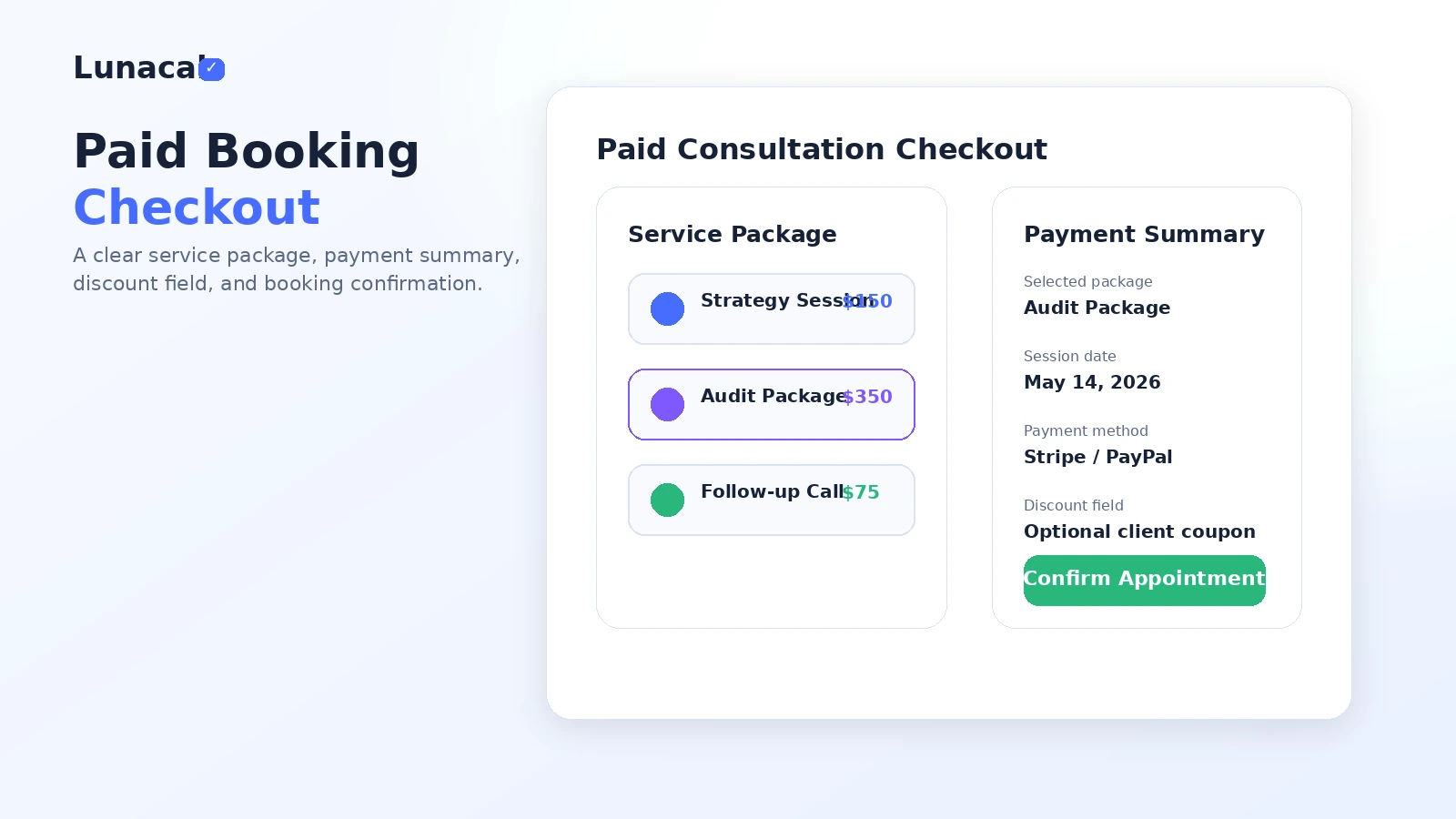
The official pricing comparison includes paid bookings with 0% commission from Lunacal, plus payment options such as Stripe and PayPal. That can matter for businesses that charge deposits, sell sessions, or package appointments.
The buyer risk is assuming payment support solves every checkout requirement. Payment provider rules, taxes, cancellation policies, refund handling, and client communication still matter.
Buyer note: run a low-risk paid booking test before routing real clients through the flow.
Integrations, webhooks, and CRM connections
Lunacal lists integrations such as video conferencing, calendars, Zapier, payment tools, CRM options, and webhooks. This helps when scheduling needs to connect to a larger workflow.
The limitation is plan access and operational depth. A simple CRM link is not the same as a complete sales operations system.
Buyer note: verify the exact app, trigger, webhook, and plan requirement before assuming Lunacal will replace a separate automation stack.
Pricing and plan value
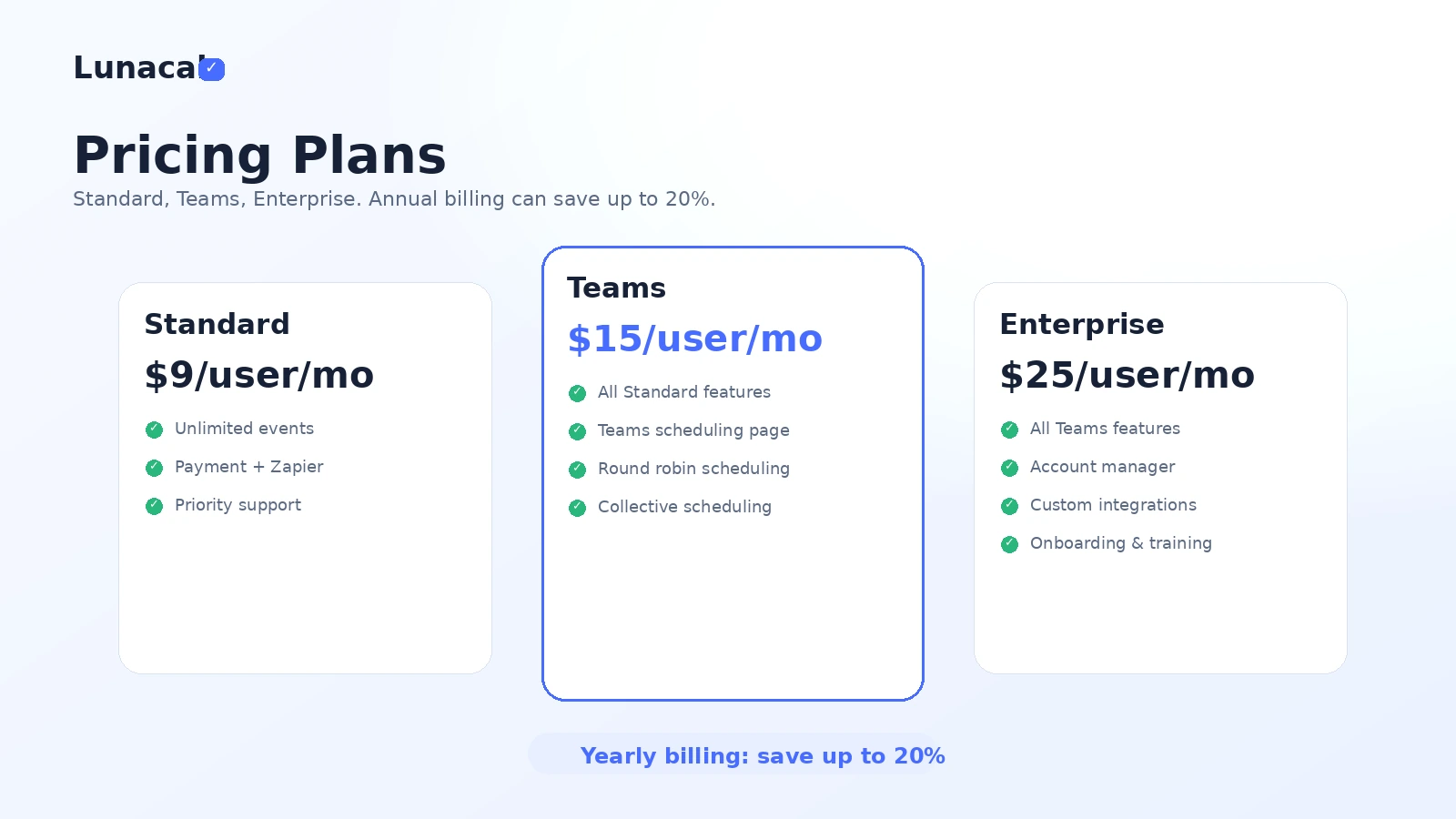
At the time of review, Lunacal’s public pricing page shows three main monthly tiers: Standard at $9/user/month, Teams at $15/user/month, and Enterprise at $25/user/month. The pricing page also promotes yearly billing with savings up to 20%.
The Standard plan is the cleanest starting point for solo professionals. It is the plan I would look at first if the main goal is branded booking, calendar sync, paid appointments, website embed, and basic integrations.
The Teams plan is where the decision changes. If you need team scheduling pages, round robin scheduling, or collective scheduling, the Teams tier becomes the more relevant comparison. This is not just a price step. It is a workflow step.
Enterprise appears to be for heavier rollout needs: account manager, custom integrations, onboarding and training, custom SMTP, and an AI Voice Agent listed as beta on the public pricing page. I would not treat that as a casual upgrade. It is for buyers who know they need business-level support around scheduling.
I would be especially careful with annual billing. The public cancellation policy says payments are non-refundable by default, including monthly and annual subscriptions, unused time, downgrades, and missed cancellations. That does not make annual billing wrong. It simply means annual billing should come after a real workflow test, not before.
Pricing check: If Lunacal still looks useful, compare Standard and Teams against your actual booking workflow before choosing monthly or annual billing.
Free plan, trial, coupon, and checkout notes
Lunacal’s current public pricing page is paid-plan led, so I would not assume a permanent free plan is the main evaluation path. Public cancellation language does mention trial cancellations, and some marketplace references have mentioned trial or deal paths, but the exact live signup route should be checked directly before relying on it.
The coupon angle also needs careful wording.
Lunacal supports coupons and discounts inside its own booking product. That means your business may be able to offer promotional codes or special pricing to your clients. That is different from a public coupon code for buying Lunacal itself.
For buyers, the safer order is:
- Decide whether Lunacal fits the scheduling workflow.
- Compare Standard, Teams, and Enterprise against the features needed.
- Check monthly versus annual pricing.
- Read the cancellation and refund language.
- Then check the Lunacal coupon page for any current offer route.
Do not reverse that order. A cheaper scheduler is not a good buy if it does not match your appointment flow.
What I would check before buying Lunacal
If I were buying Lunacal for a real business workflow, I would check seven things before paying.
First, I would verify whether Standard includes everything needed for the first booking page. Solo buyers should not move up a tier just because Teams looks more complete.
Second, I would check whether team routing is truly needed. Round robin and collective scheduling are useful when they reduce coordination, not when they sit unused.
Third, I would test payment flow carefully. If you plan to collect deposits, paid sessions, packages, or class fees, confirm Stripe, PayPal, checkout behavior, cancellation settings, and payment provider responsibilities.
Fourth, I would inspect reminders and follow-up workflows. These features matter most when no-shows and manual back-and-forth are real problems.
Fifth, I would confirm the current trial or signup path. Trial language exists publicly, but the exact trial length and checkout behavior should be checked live.
Sixth, I would read the cancellation and refund policy before annual billing. Non-refundable default language makes this especially important.
Seventh, I would compare at least one simpler scheduler. If Setmore, Calendly, or Acuity can solve the job with less setup, Lunacal needs a clear branded-page advantage to justify itself.
A simple test before paying
Before paying for Lunacal, I would run a small test like this:
- Build one booking page for a real service, not a fake test event.
- Add only the content a buyer actually needs: profile context, service explanation, timing, price if relevant, and next steps.
- Connect your real calendar and add buffers, notice periods, and meeting locations.
- Add booking questions that reduce follow-up, not questions that create friction.
- Send the page to a few real prospects, clients, or team members and watch where they hesitate.
- If paid bookings matter, run one low-risk payment test before sending it to real customers.
- Compare the result with your current scheduler and ask whether Lunacal saved time, improved trust, or reduced admin work.
This test is simple, but it keeps the decision honest.
If the page looks better but does not change the booking experience, be careful. If the page answers questions, reduces back-and-forth, and makes appointments easier to manage, Lunacal has a stronger case.
Pros explained
The first real pro is that Lunacal can make scheduling feel less generic. That matters for buyers whose prospects need reassurance before booking. A page with context, service details, media, testimonials, and clear next steps can feel more professional than a bare time picker.
The second pro is that the pricing is easy to understand at the top level. Standard, Teams, and Enterprise are simple enough to compare, and the team upgrade point is fairly clear. Solo buyers can start with Standard logic. Team buyers can ask whether routing and shared scheduling justify Teams.
The third pro is that Lunacal combines presentation and operations. Booking pages, reminders, calendar sync, website embed, paid bookings, questions, and team scheduling can live in the same buying decision. That is useful when the appointment flow is part of the revenue process.
The fourth pro is that Lunacal is not trying to be a heavy CRM. For many service businesses, that is good. The buyer may need a better booking page and scheduling flow, not a full operations platform.
But each pro has a limit. Branding only helps if the page is clear. Team scheduling only helps if the team has enough appointment volume. Paid bookings only help if the payment and cancellation process matches the business model.
Cons explained
The biggest con is that Lunacal may be unnecessary for simple scheduling. If the buyer just needs a link for occasional calls, the richer booking-page concept may add setup without enough payoff.
The second con is refund flexibility. Public cancellation policy language says payments are non-refundable by default, including unused time and missed cancellations. Buyers who like to test many tools casually should not ignore that.
The third con is that trial and deal clarity should be verified live. Public pages and third-party references can vary, and appointment tools sometimes change trial, lifetime, marketplace, or promotional routes. Do not rely on old deal language when the live checkout page is what matters.
The fourth con is that Lunacal may not be enough for complex sales operations. It can help with booking, routing, payments, reminders, and integrations, but a business that needs deep CRM workflows, reporting, permissions, or compliance controls may still need other systems around it.
None of these are dealbreakers for the right buyer. They are reasons to test the workflow before assuming the polished page is enough.
Green flags and red flags
Green flag: your current booking link loses context. If prospects ask the same questions before booking, Lunacal’s richer page may help.
Green flag: no-shows or follow-up messages waste time. Reminders, booking questions, buffers, and clearer booking flows can matter more than the visual design.
Green flag: your team manually routes meetings. Round robin and collective scheduling can justify the Teams plan when the volume is real.
Red flag: you are buying because the page looks impressive. Good design helps, but only if it improves the appointment decision.
Red flag: you are unsure about the refund policy but want annual billing. Check current cancellation language before committing.
Red flag: you need a full CRM, not a scheduler. Lunacal can connect to workflows, but it should not be mistaken for a complete sales or customer operations platform.
Lunacal vs alternatives
Lunacal’s direct alternatives are scheduling tools. The difference is not whether they can book appointments. The difference is how much branding, payment flow, team routing, and operational depth the buyer needs.
Calendly vs Lunacal
Calendly is the safer comparison if you want a widely adopted scheduling tool for meetings, teams, routing, and integrations. It is often the default option when the buyer wants reliability and broad familiarity more than a distinctive page experience.
Lunacal may still make sense if the booking page itself needs to persuade the visitor. If your appointment link is part of a client-facing sales path, Lunacal’s branded page angle can be more interesting.
Acuity Scheduling vs Lunacal
Acuity Scheduling is a strong comparison for appointment-heavy service businesses. It is especially relevant when classes, services, payments, client scheduling, and business operations are the focus.
Lunacal may be better to test when presentation and trust-building are central to the booking page. Acuity may be the better comparison when the buyer wants a more established appointment scheduling system with deeper service-business familiarity.
Setmore vs Lunacal
Setmore is the cleaner comparison when the buyer wants straightforward small-business scheduling without overthinking the page. If the goal is to publish a booking link, accept appointments, and keep the workflow simple, Setmore may be the more practical starting point.
Lunacal makes more sense when the booking page needs to carry more brand context, service explanation, testimonials, media, or team-routing logic.
Cal.com vs Lunacal
Cal.com is more relevant for technical buyers and teams that care about flexibility, developer control, and scheduling infrastructure. It may appeal to buyers who want more control over how scheduling fits into a larger system.
Lunacal is more buyer-facing and page-experience-oriented. I would compare Cal.com if technical flexibility matters more than the visual booking-page layer.
Adjacent route: CRM or service-business platform
A CRM or vertical service platform is not a direct Lunacal replacement, but it may be the better route if scheduling is only one piece of a larger operational system. For example, a business that needs client records, sales pipelines, invoicing, staff management, and reporting may need more than a scheduler.
That does not make Lunacal weak. It just means the buyer should define the real job first.
Trust, refund, and buyer-risk notes
The trust picture is mostly straightforward: Lunacal has a public site, pricing page, help center, terms, cancellation policy, and product positioning around appointment scheduling. The official feature list is broad enough to understand what the product is trying to be.
The pricing picture is also clear at the headline level. Standard, Teams, and Enterprise are listed publicly, with monthly user pricing and yearly savings messaging.
The risk is in the checkout details.
The cancellation policy says subscribers can cancel anytime and keep access until the end of the billing cycle, but payments are non-refundable by default. It specifically mentions monthly or annual subscriptions, unused time, downgrades, and missed cancellations. It also says billing mistakes or technical errors may qualify for refund review if contacted within five business days.
That is useful to know before annual billing.
I would also be careful with business data and payment responsibilities. Lunacal’s terms say it does not claim ownership of business data, but the business remains responsible for its own use of payment gateways, customer information, and legal obligations. If you collect client details, payments, health-adjacent appointment information, or sensitive intake answers, review your own privacy and compliance requirements before launching the page.
The main buyer mistake is buying the page design before proving the booking workflow. The better approach is to test the full path: visitor lands, understands the service, chooses a time, answers questions, pays if needed, receives reminders, and shows up.
That is the workflow Lunacal has to improve.
Final verdict
I would consider Lunacal if your booking page is part of your sales or service experience, not just a link to your calendar.
It is a better fit when prospects need context before booking, when payments or booking questions reduce admin work, or when a team needs shared routing. In those cases, the branded page concept can be more than cosmetic.
I would skip Lunacal if you only need a basic free meeting link, if you do not want to spend time shaping the booking page, or if your real need is a CRM rather than a scheduler.
I would compare it with Calendly if you want the familiar default, Acuity Scheduling if service-business booking depth matters more, Setmore if simple small-business scheduling is enough, and Cal.com if technical control is the bigger priority.
The safest next step is not to chase a coupon first. Build one real booking page, test the booking flow with actual prospects or clients, then decide whether Standard, Teams, or another scheduler fits the job better.
