
QuoteIQ Pricing, Plans & Contractor Fit
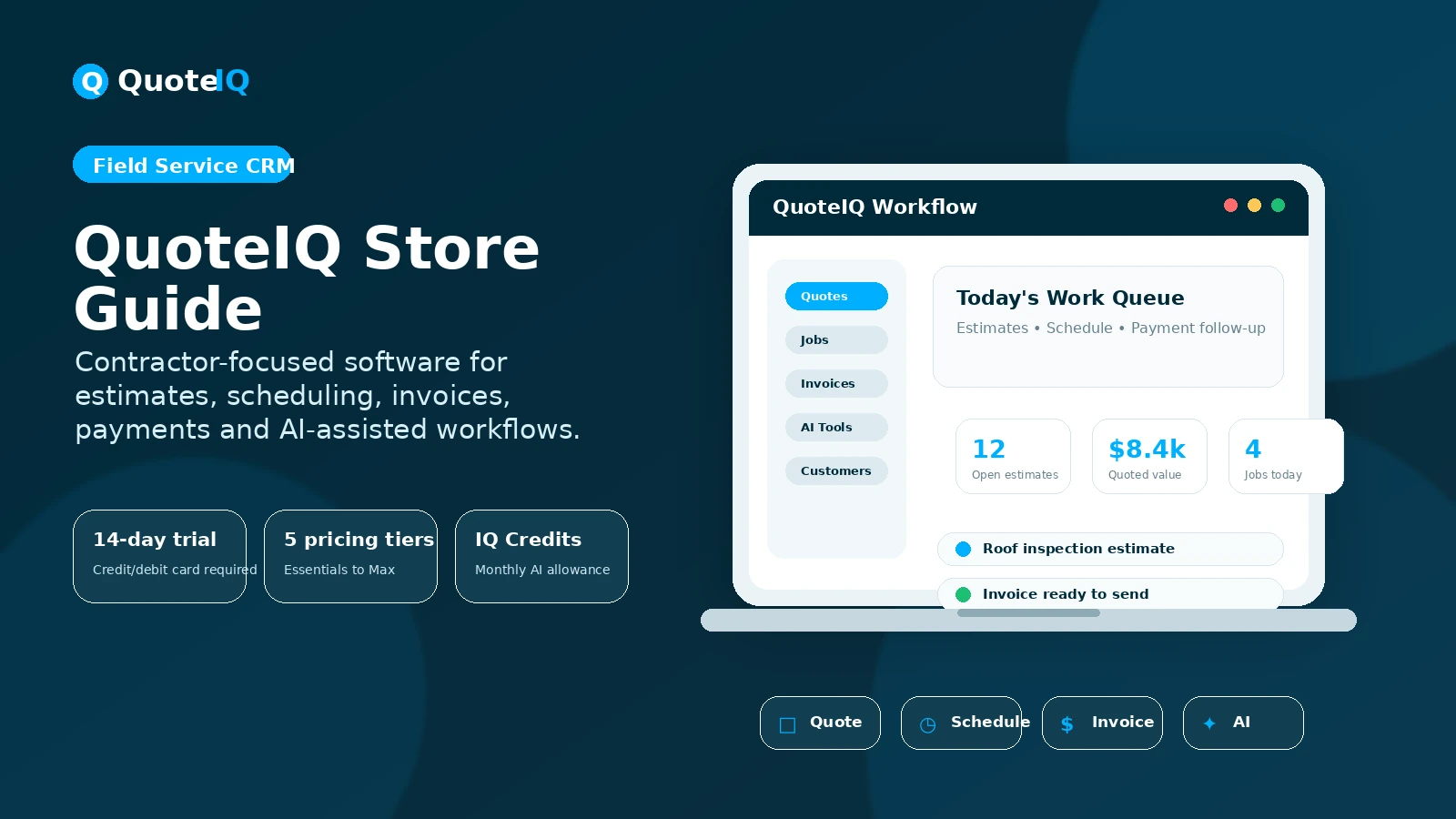
QuoteIQ is an all-in-one field service CRM for home service contractors who need estimating, invoicing, scheduling, payments, customer management, AI tools, and crew operations in one system. It is not a lightweight note app or a generic sales CRM. The buyer decision is really about whether a contractor wants a built-in operating system for quoting and job management instead of stitching together several smaller tools.
Fit → price → checkout
Use these routes after the official-site check: coupon first, review for fit, compare if unsure.
QuoteIQ pricing snapshot
Fast commercial checks before pricing, coupons, or a deeper review.
QuoteIQ product tour for contractor buyers
QuoteIQ is easiest to judge visually because buyers need to see how estimates, schedules, customer records, AI tools, and field workflows connect. The most useful product tour assets are the full demo, pricing table, estimate builder, scheduling view, and AI feature workflow.
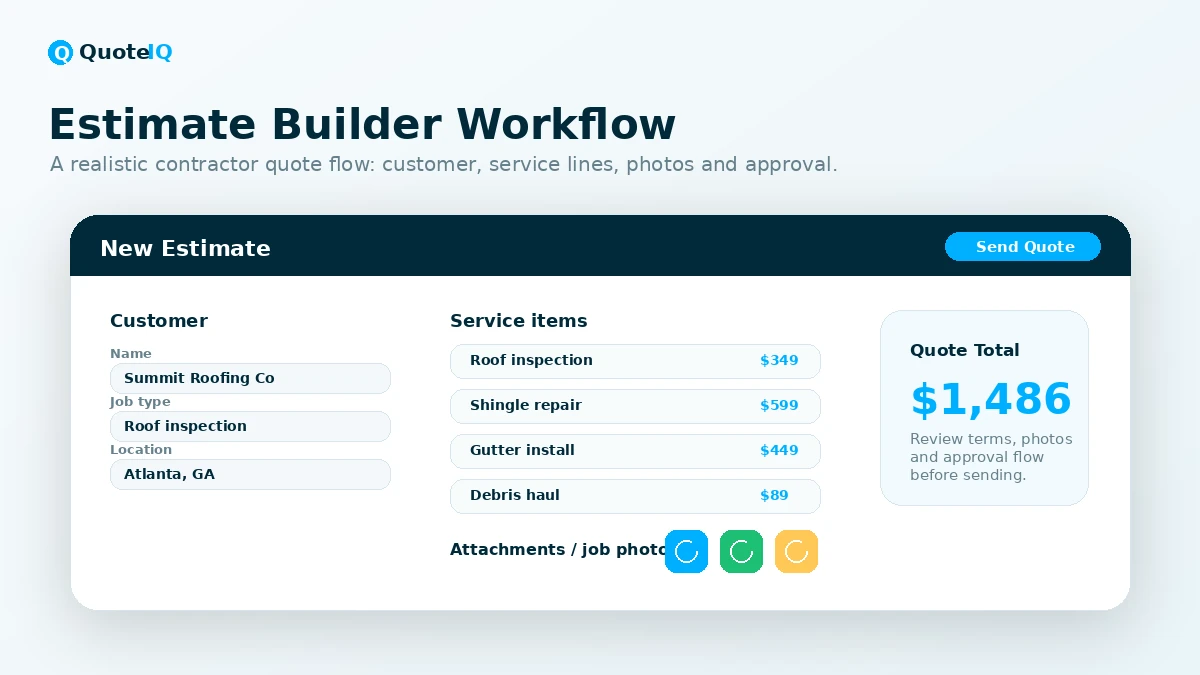
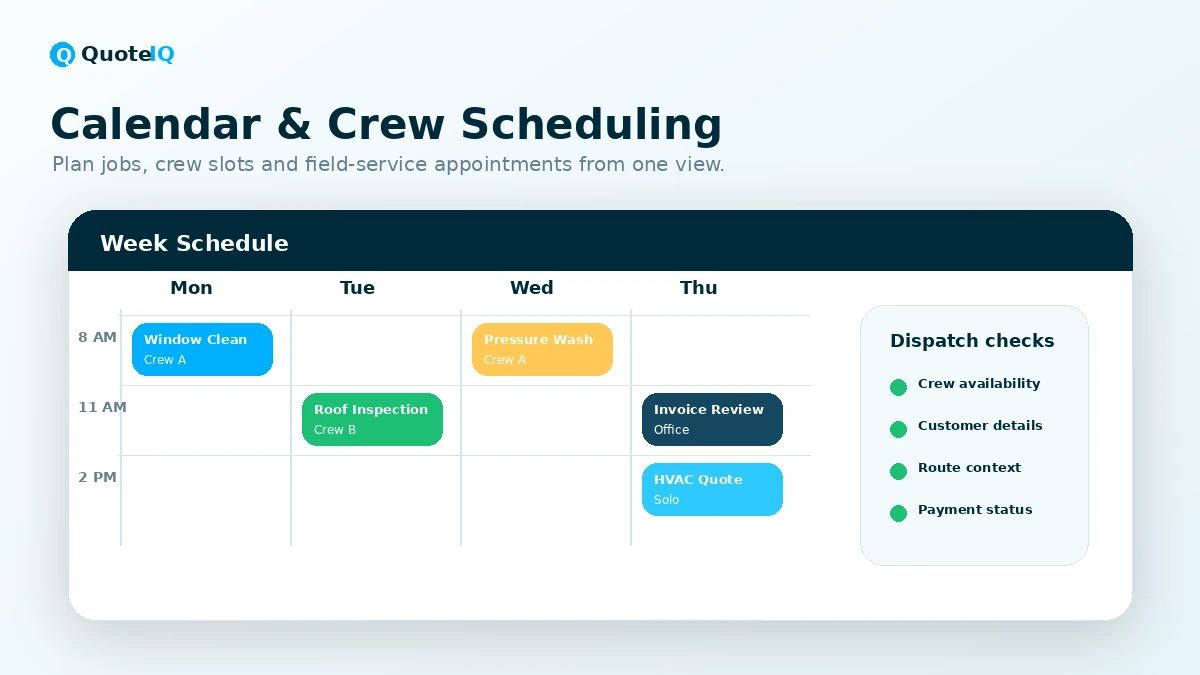
QuoteIQ should be evaluated as contractor operating software, not as a generic AI tool. The product tries to put quoting, invoicing, scheduling, payment collection, customer records, AI assistance, and field-service workflows into one system. That can be valuable if a contractor is already losing time across spreadsheets, text messages, calendar apps, payment tools, and disconnected job notes.
The safer buying path is to start with the trial and test one real workflow. Create an estimate, schedule the job, send an invoice, check payment handling, and test the AI feature you actually plan to use. If that loop feels natural, then plan comparison becomes meaningful. If not, the higher feature list does not matter.
What QuoteIQ actually does
QuoteIQ is built for home service businesses that need to create quotes, manage jobs, schedule work, invoice customers, collect payments, and keep customer records organized. Its strongest fit is with contractors who quote often and need the quote to connect to the rest of the job workflow.
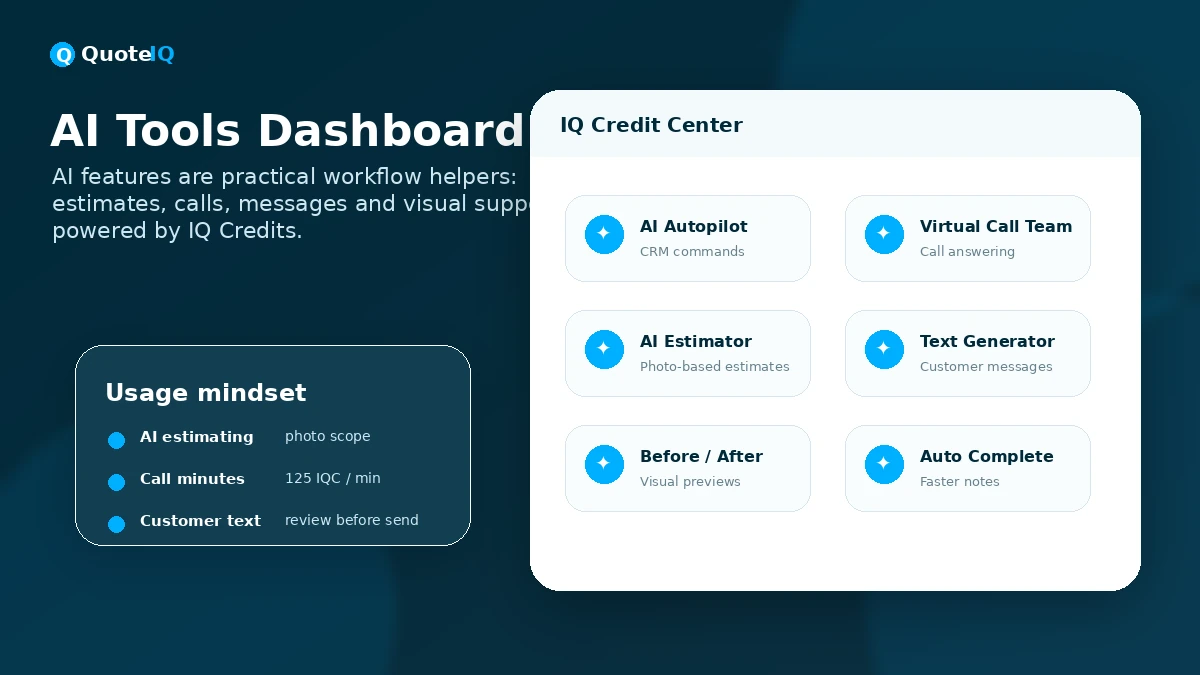
The AI angle is not just content generation. QuoteIQ includes tools such as AI Autopilot, AI Estimator, Virtual Call Team, AI text generation, and before-after image generation, all powered through IQ credits. That makes the buying question more practical: will these AI features reduce admin work, missed calls, quoting delay, and follow-up gaps in your actual service business?
- Build and send contractor estimates and invoices.
- Schedule jobs and manage customer records in one place.
- Use AI credits for estimating, call handling, text generation, and visual workflows.
- Connect quoting to payments, job records, and team operations.
Pricing and plan fit
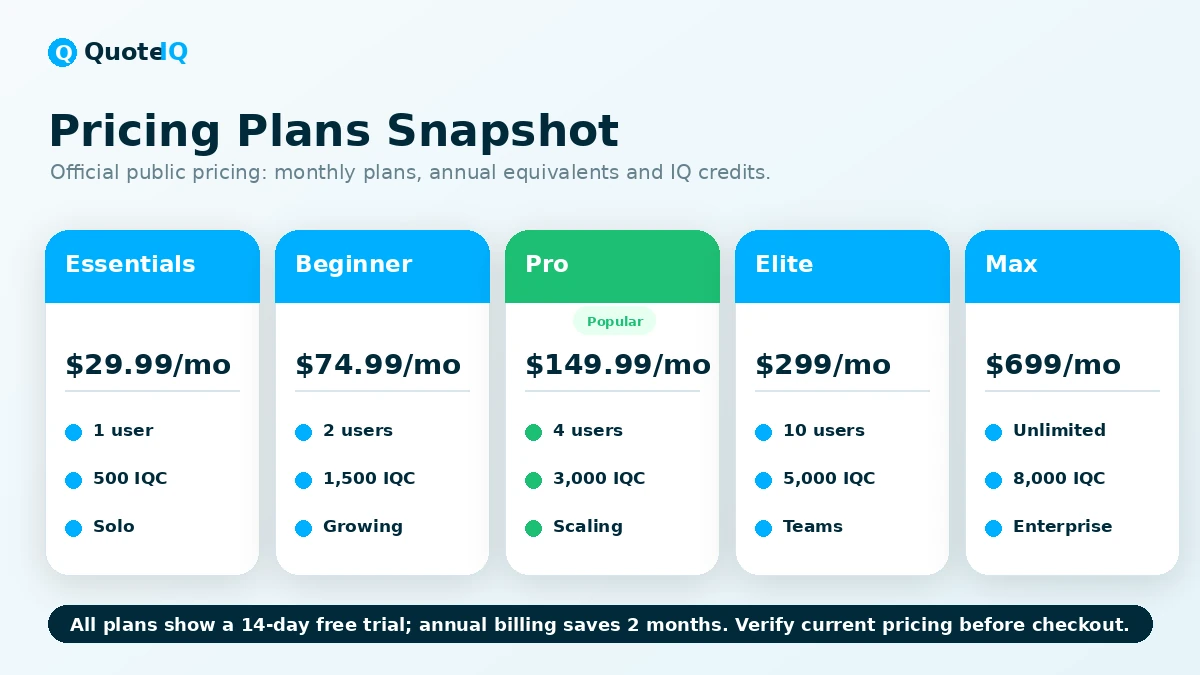
QuoteIQ starts at $29.99 per month for Essentials, with a lower monthly equivalent when billed annually. Beginner, Pro, Elite, and Max raise the price as the plan adds users, AI credits, and more operational tools. This structure is clearer than many contractor software stacks because the pricing table shows user counts and AI credit allocations up front.
The risk is buying too low or too high. A solo operator may begin with Essentials if estimates, invoices, scheduling, payments, and basic AI features are enough. A growing business may need Beginner for MapMeasure Pro, QuoteIQ Cam, Review Multiplier, e-signatures, and advanced analytics. Pro and above become more relevant when communication, job costing, QuickBooks, employee workflows, inventory, or route operations are part of the buying pressure.
- Essentials is the entry point for solo operators.
- Beginner is where several trade-specific tools start to matter.
- Pro adds deeper communication, job costing, QuickBooks, and web form workflows.
- Elite and Max make more sense for teams that need employee, routing, inventory, and unlimited-user paths.
Trial, annual savings, and coupon reality
The clearest savings path is the 14-day trial, not a random coupon hunt. QuoteIQ publicly says all plans include a 14-day free trial, and the pricing page shows annual billing with a lower monthly equivalent. That gives buyers two practical levers: test before paying, then decide whether yearly billing is justified.
A public coupon code was not verified strongly enough to present as the main deal path. The better approach is to check the current pricing page, start the correct trial, and use the annual price only after the platform has handled a real estimate and job workflow without creating friction.
AI credits and automation limits
QuoteIQ's AI features run on IQ credits. The public pricing page shows monthly credit allocations by plan, and the terms explain that unused credits do not roll over and cannot be exchanged, transferred, sold, or refunded. That means the buyer should treat AI credits as a monthly usage allowance, not as stored value.
This matters because AI call handling, AI estimating, before-after image generation, and text generation can support a contractor's workflow, but they still need review. QuoteIQ's terms make the user responsible for verifying AI-generated output before using it with customers. A pricing suggestion, customer message, or AI-handled lead still needs business judgment.
- Estimate likely monthly usage before relying on AI-heavy workflows.
- Check whether the included credits fit call volume, estimating frequency, and image-generation needs.
- Review AI-generated estimates and customer-facing text before sending.
- Remember that unused monthly IQ credits do not roll over.
Refund and renewal checks
QuoteIQ's terms are clear enough that buyers should slow down before renewal. The trial lasts 14 days, and it converts to a paid subscription if not canceled before the trial expires. The cancellation section says buyers can cancel before renewal to avoid the next charge, but that refunds are not offered after renewal for cancellations, partial usage, or unused portions of the subscription term.
This is not unusual for SaaS, but it matters because contractor software is sticky once customer records, job workflows, and employees are inside the system. Before choosing annual billing, confirm the plan, test the real workflow, and make sure your team will keep using the platform after the first setup week.
- Set a reminder before the trial converts.
- Test the exact features tied to your plan before renewal.
- Avoid annual billing until daily or weekly usage is proven.
- Ask support about billing exceptions before checkout, not after renewal.
Relevant alternatives to compare
The closest alternatives are Jobber, Housecall Pro, ServiceTitan, Markate, and LMN depending on the trade and company size. QuoteIQ's pitch is strongest when the buyer wants more built-in contractor tools and AI workflows without assembling separate add-ons. Jobber and Housecall Pro may feel more established for broad service-business management, while ServiceTitan is usually a larger-business comparison with a heavier rollout.
The right comparison is not only monthly price. Contractors should compare included users, payment workflows, customer self-booking, AI call handling, property measurement, photo documentation, route planning, inventory, QuickBooks, review requests, and how much setup support the team needs.
- Compare Jobber if you want a widely known field service platform with mature service-business workflows.
- Compare Housecall Pro if dispatching, online booking, and established contractor software reputation matter.
- Compare ServiceTitan if the business is larger and needs a heavier enterprise FSM path.
- Compare Markate or LMN if your trade has very specific estimating, lawn, snow, or operations needs.
Best savings path from this store page
This is the clearest savings route to check once the product already looks like a fit.
A public coupon source reports a QuoteIQ checkout code with a small first-payment saving. Treat it as a checkout-test path, not the main savings strategy.
Save 2 months with yearly billing
$25/month billed annually
Use comparison routes when the category fit is still open
Use these comparison routes when the product still looks plausible, but the category fit is not fully settled.
Often better known as a broad field service platform, but buyers should compare add-ons and missing trade-specific tools.
A strong established option for scheduling and dispatch, but QuoteIQ may appeal when built-in AI and contractor-specific quoting tools matter.
Usually a heavier enterprise-style path for larger teams that need deeper implementation and can handle more complexity.
Worth checking for simpler service-business management, especially when QuoteIQ's deeper feature set feels heavier than needed.
Verification points worth checking before you click out
Where this store usually fits best in the workflow
QuoteIQ can fit solo operators who need to send estimates, schedule work, invoice customers, and collect payments without juggling multiple apps.
Growing teams can use higher tiers for team workflows, customer communication, review requests, job costing, and operational visibility.
Contractors with recurring lead flow can test AI estimating, Virtual Call Team, and text generation to reduce missed calls and admin work.
Businesses that use property measurement, photo documentation, self-quoting, scheduling, inventory, or route planning should compare the higher tiers carefully.
Practical checkpoints before and after signup
- List the exact workflows you want to test: estimate, invoice, calendar, payment, AI estimator, call handling, or team scheduling.
- Choose the plan that contains the features you need to test instead of starting randomly.
- Set a trial reminder before the 14-day window ends.
- Create one real estimate with photos, services, terms, and pricing.
- Convert a quote to an invoice and test payment handling.
- Try the AI feature most likely to save real time in your business.
- Check whether mobile workflow is comfortable for field use.
- Confirm the plan tier, included users, AI credits, and feature limits.
- Check cancellation and refund rules in the current terms.
- Compare QuoteIQ against at least one established field service alternative.
- Make sure employees or crew members will actually use the workflow.
Fast-read signals for workflow fit and buying friction
Questions readers usually ask before choosing this store
What does QuoteIQ do?
QuoteIQ is a field service CRM for home service contractors. It helps with estimates, invoices, scheduling, payments, customer management, AI features, and operational workflows such as property measurement, photo documentation, routing, inventory, and customer communication depending on plan.
Does QuoteIQ have a free plan?
A free plan was not verified. QuoteIQ's public pricing highlights a 14-day free trial on paid plans, and the terms say a valid credit or debit card is required to start the trial.
How much does QuoteIQ cost?
QuoteIQ's pricing page lists Essentials from $29.99 per month, with a lower monthly equivalent when billed annually. Higher plans include Beginner, Pro, Elite, and Max, with increasing user limits, AI credits, and advanced features.
Does QuoteIQ offer refunds?
QuoteIQ's terms say buyers can cancel before renewal to avoid the next charge, but refunds are not offered after renewal for cancellations, partial usage, or unused portions of the subscription term. Exceptional cases may be considered at QuoteIQ's discretion.
What should I verify before choosing QuoteIQ?
Verify the current plan prices, included users, AI credit allocation, feature availability by tier, cancellation rules, refund limitations, mobile workflow, and whether the tools you need are included in the plan you are considering.
Choose the next route that matches what you still need to decide
The strongest next click depends on whether you still need product judgment, a savings route, or a broader category comparison.