
Panda Video Pricing, Plans & VSL Fit
Panda Video is best read as business video infrastructure for creators, course sellers, EdTech teams, and VSL-driven marketers who need more control than YouTube and a more conversion-aware player than basic file hosting. Its strongest angle is not novelty. It is the combination of ad-free hosting, protected playback, bandwidth-based plans, player conversion tools, AI extras, analytics, and developer access.
Fit → price → checkout
Use these routes after the official-site check: coupon first, review for fit, compare if unsure.
Panda Video pricing snapshot
Fast commercial checks before pricing, coupons, or a deeper review.
Panda Video product tour
These visuals focus on the buying questions that matter most for Panda Video: whether the platform can host protected course or VSL content, whether the player controls fit a conversion workflow, and whether pricing limits match expected traffic.
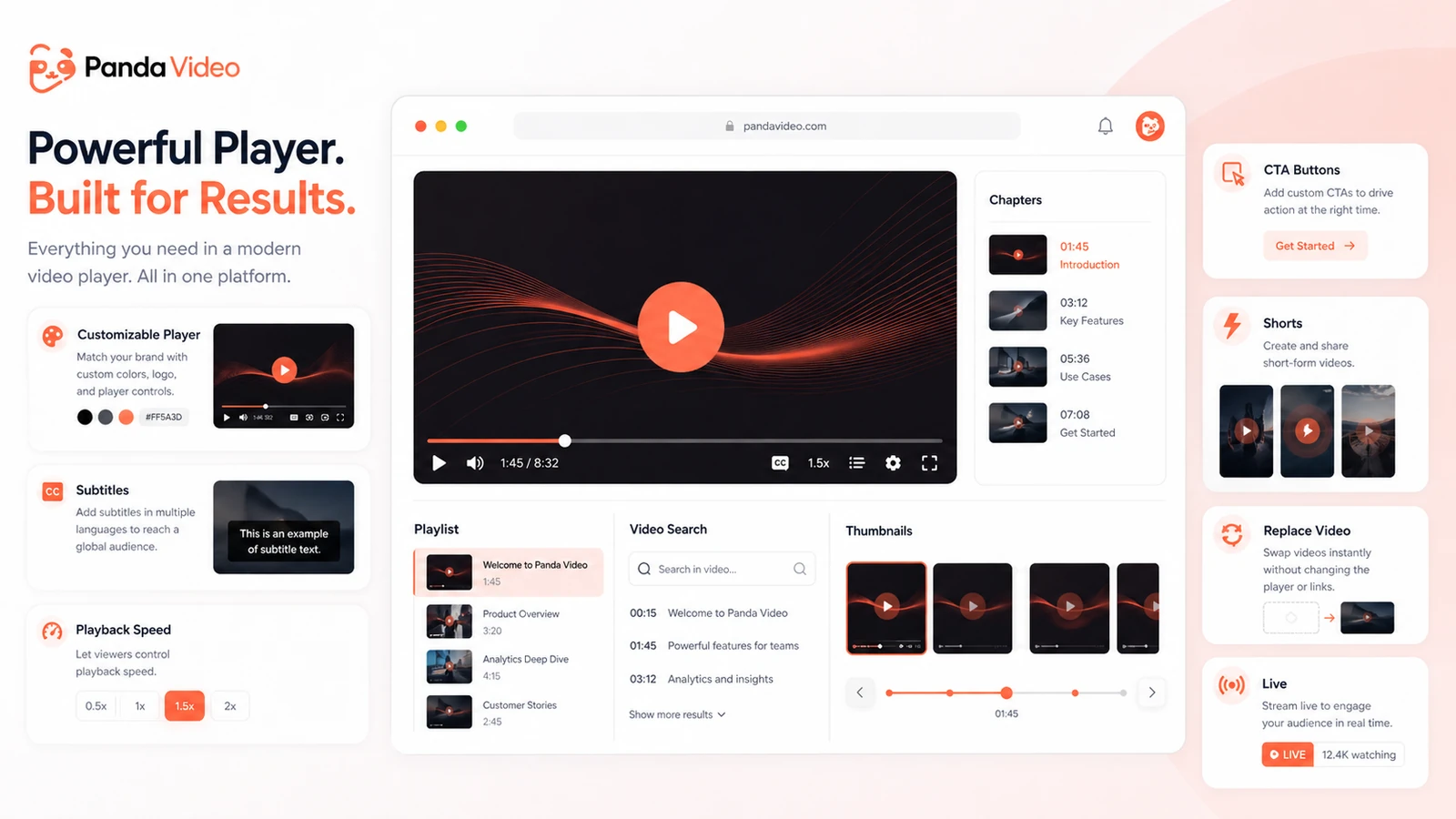
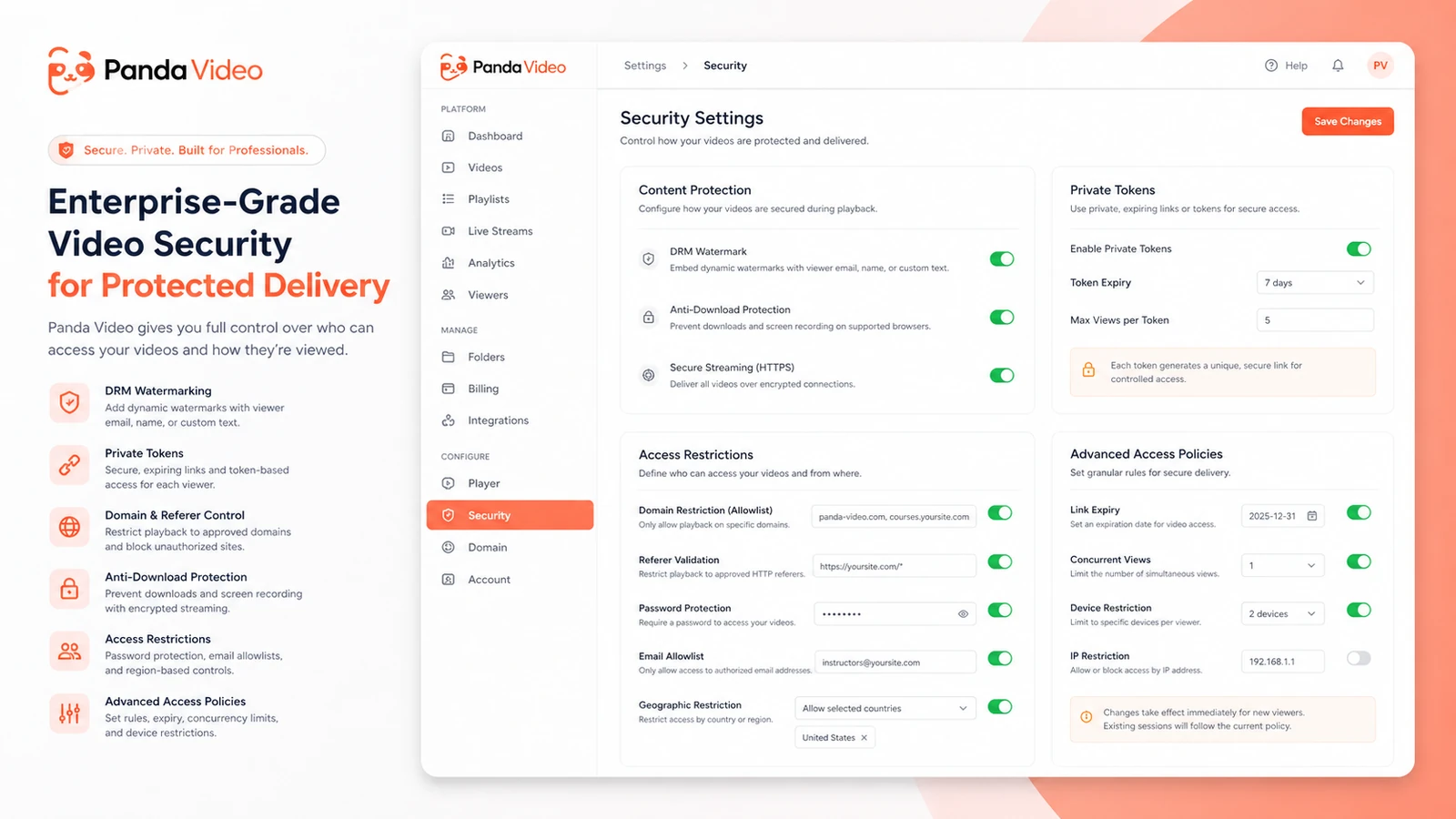
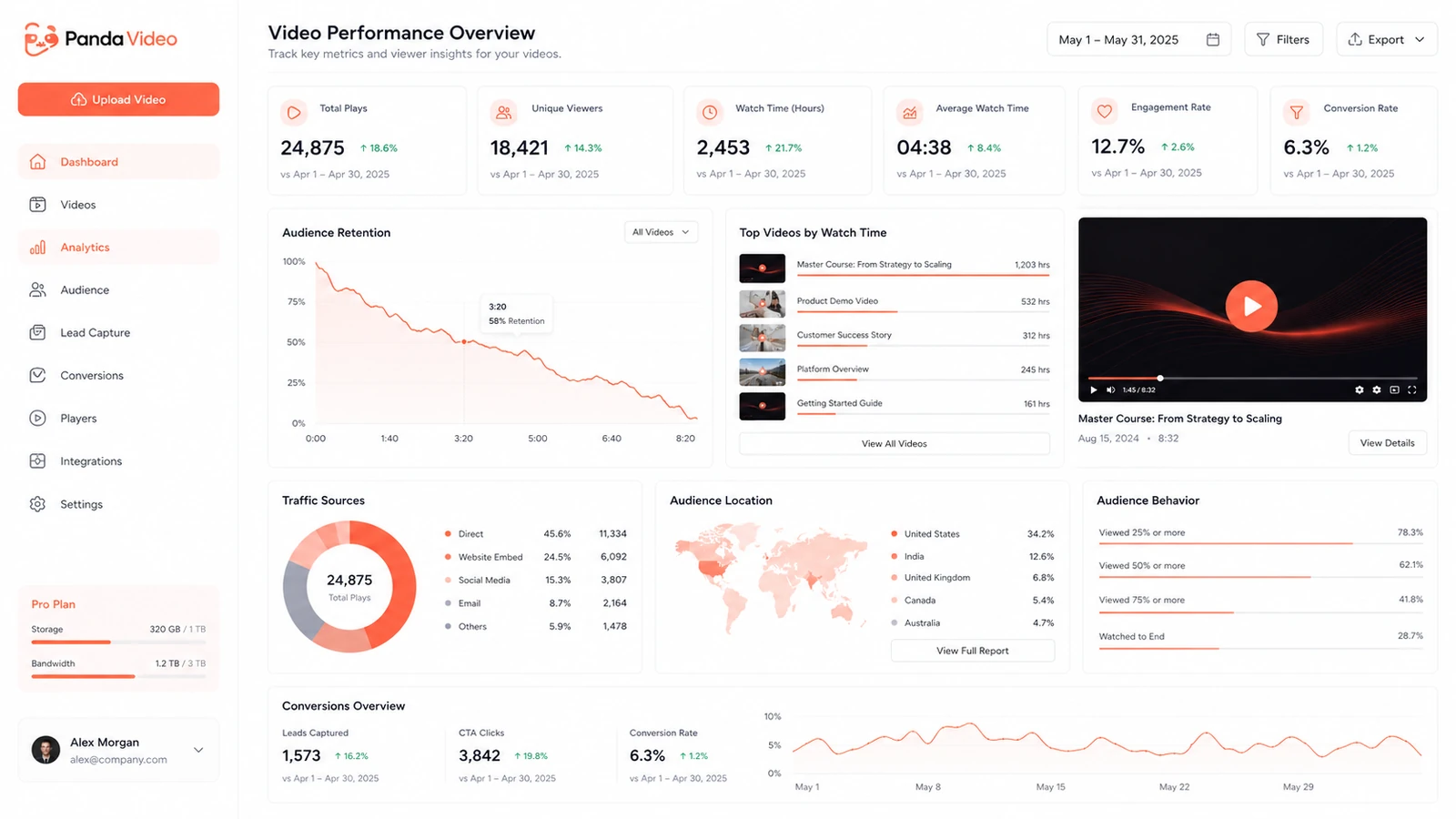
Panda Video is a store page where the buyer question is unusually practical: can this platform host paid course or VSL content without distracting viewers, leaking assets, or surprising the team with bandwidth costs? That makes the best next step more careful than a normal coupon click. Start with workflow fit, then pricing limits, then the live checkout path.
What Panda Video actually does
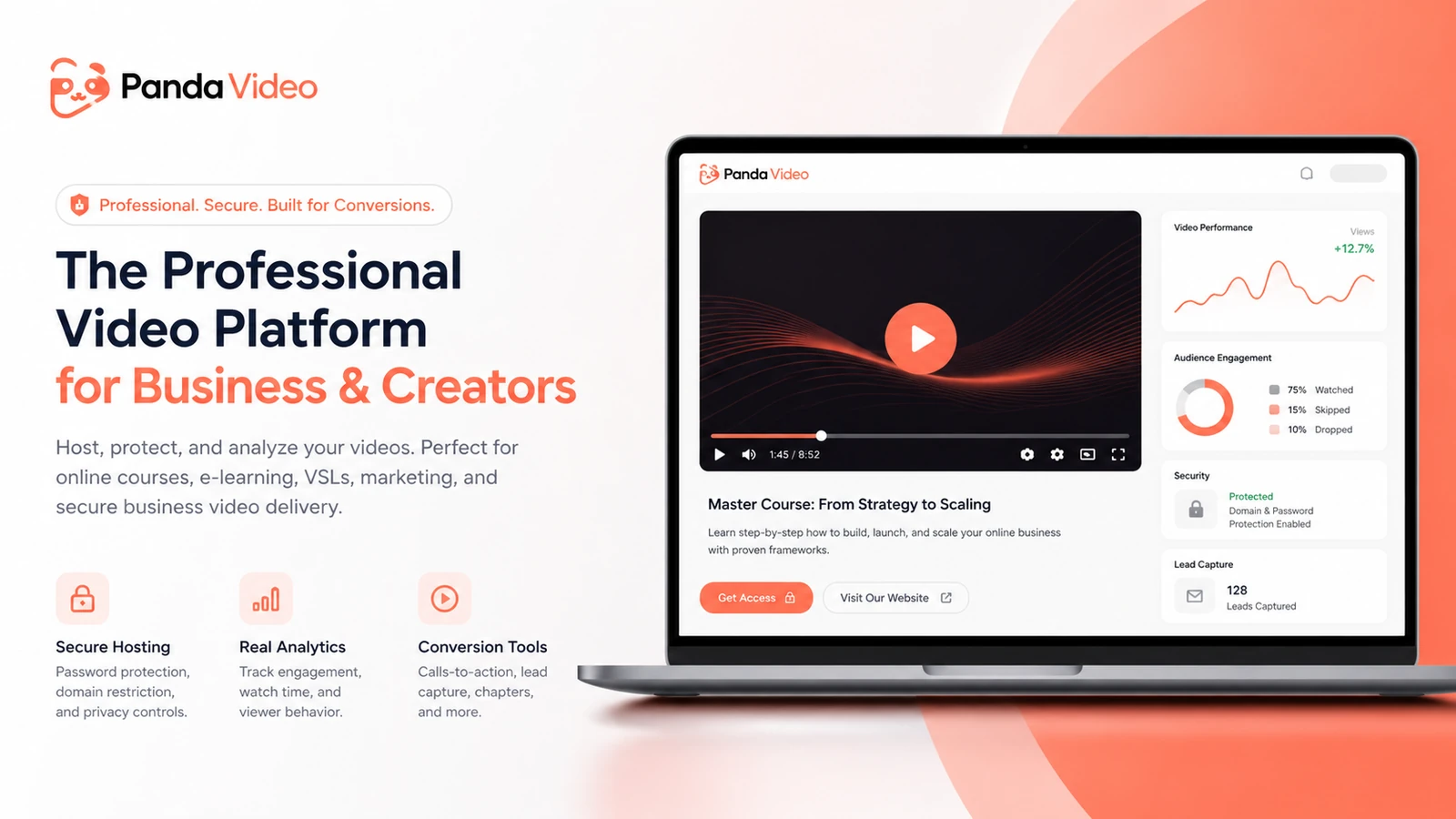
Panda Video hosts business videos for online courses, VSLs, EdTech projects, private training, and marketing pages. The product sits between a normal video host and a conversion-focused course infrastructure tool. It gives buyers a branded player, protected playback, domain controls, analytics, AI features, subtitles, video search, offline app support, and CTA-related controls.
The product is not meant to replace YouTube for public discovery. It is built for situations where the video is part of a paid product, sales funnel, class, webinar, or student experience.
- Secure video hosting for paid or private content
- Player controls for VSLs, learning flows, and conversion pages
- Bandwidth and storage-based plans that need real usage estimates
Pricing and plan fit
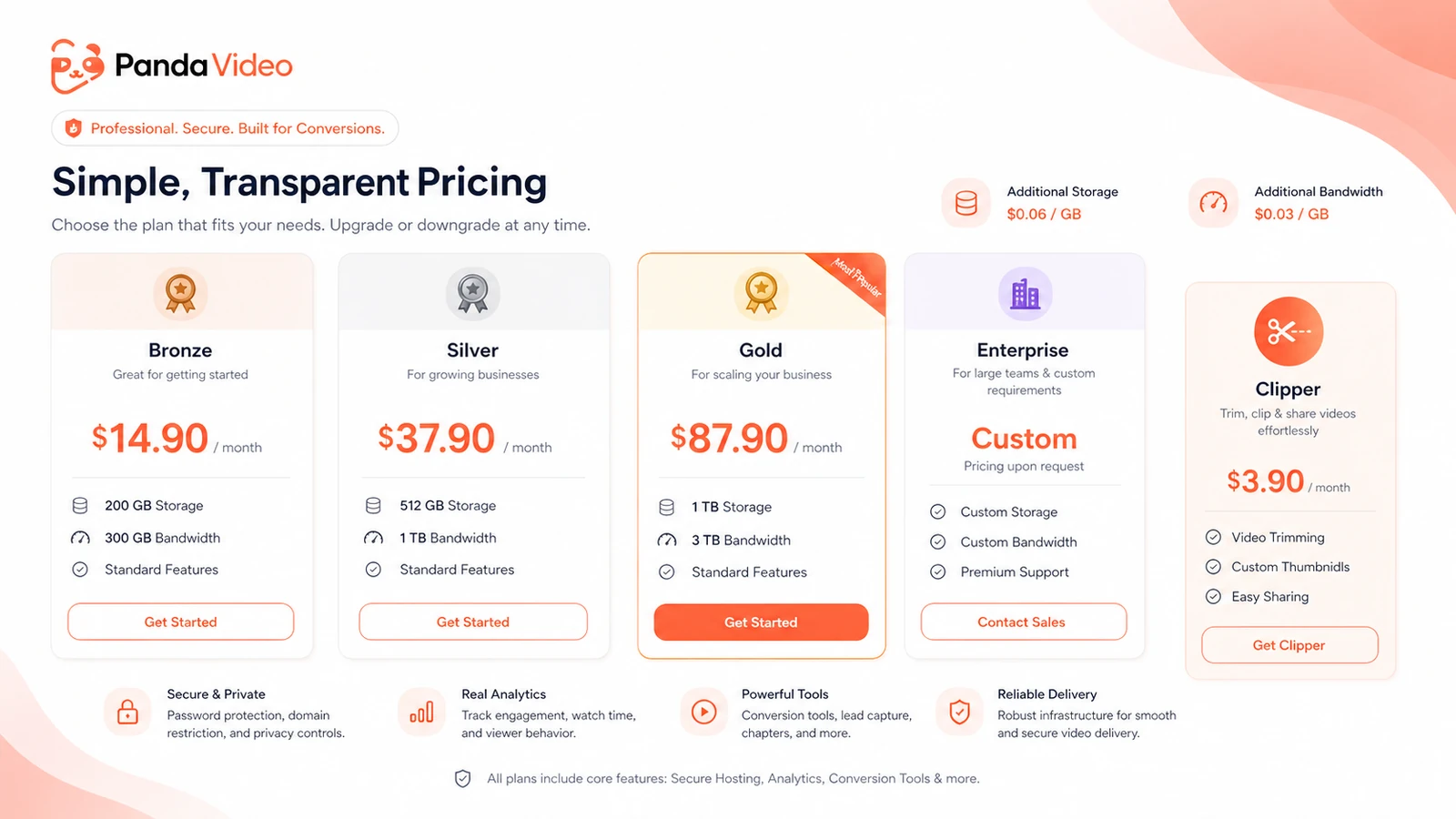
Panda Video's public pricing starts with Bronze at $14.90 per month, then moves to Silver at $37.90 per month and Gold at $87.90 per month, with Enterprise handled by sales. The cheapest full hosting plan includes 200 GB storage and 300 GB bandwidth, while higher tiers increase limits and unlock broader team or AI access.
The real pricing question is usage. Course launches, evergreen webinars, VSL traffic, and large student libraries can burn through bandwidth differently. Buyers need to calculate expected views and video size before treating a low monthly plan as the total cost.
- Bronze is the lowest full video hosting tier
- Silver and Gold increase storage, bandwidth, and team capacity
- Extra storage and bandwidth can affect the real monthly bill
Trial, coupon path, and checkout risk
Panda Video publishes a 14-day trial and help documentation says new accounts get free access with a 100 GB trial bandwidth limit. That trial is the cleanest way to test upload, playback, player settings, domain controls, and basic delivery before billing begins.
Public coupon-code availability was not verified as a stable buying path. The better commercial route is to use the trial, compare plans, check the live DealBestDaily route, and confirm whether any checkout-only promotion appears before paying.
- Trial access is more dependable than unverified coupon hunting
- Cancel inside the trial if the platform does not fit
- Verify any live offer directly at checkout
VSL and marketing workflow fit
Panda Video has several features that make sense for VSL and conversion pages: smart autoplay, dummy progress bar, thumbnail controls, A/B testing, CTA buttons, tracking pixels, analytics, and video funnel options. These are not needed by every creator, but they matter when video is directly tied to paid traffic, lead capture, and checkout behavior.
The buyer fit is strongest when a team already tests offers, funnels, webinar pages, or sales videos. For basic video storage, the extra conversion controls may be more platform than necessary.
- Useful for VSLs and direct-response pages
- Better fit for marketers already testing traffic and funnels
- Less urgent for simple embedded videos without conversion goals
Security, course delivery, and learner experience
For course creators and EdTech teams, Panda Video's stronger argument is control. Allowed domains, DRM watermark, anti-download options, offline videos, playlist support, subtitles, video search, resume playback, chapters, and tutor-style AI features all point toward paid learning environments where content protection and student experience matter.
Buyers with expensive course assets need to look beyond the player design. The checkout decision needs to include security controls, support, migration needs, student device behavior, and whether the offline app fits the delivery model.
- Stronger fit for paid learning and private training
- Security controls reduce casual misuse of protected videos
- Learning features can improve access and navigation for students
API, integrations, and team rollout
Panda Video provides developer documentation for videos, live streams, AI features, analytics, and API reference. That matters for software teams, membership platforms, custom learning portals, and operations that need video hosting to connect cleanly with an existing product stack.
Non-technical buyers can still use the platform, but API access changes the evaluation. Teams need to confirm integration requirements, migration volume, permission needs, live streaming use, and support expectations before moving a large video library.
- API documentation supports more technical video workflows
- Migration planning matters for large course libraries
- Enterprise buyers need to confirm support, account management, and custom pricing
Safest next step
The safest next step is to open the pricing page, start the trial, and test Panda Video with real assets instead of judging from feature names. Upload a representative course lesson or VSL, configure the player, restrict a domain, review analytics, and estimate bandwidth. After that, the review page and coupon route become more useful because the buyer already knows whether Panda Video fits.
- Start with the 14-day trial
- Test one real course or VSL workflow
- Compare plan limits before using the coupon route
Best savings path from this store page
This is the clearest savings route to check once the product already looks like a fit.
Panda Video pricing shows Start for Free calls to action on its Bronze, Silver, and Gold video hosting plans, giving buyers a way to test before choosing a tier.
Bronze from $14.90/month
Silver from $37.90/month
Use comparison routes when the category fit is still open
Use these comparison routes when the product still looks plausible, but the category fit is not fully settled.
Vimeo is the closer comparison when the buyer wants general professional video hosting with broad brand recognition, while Panda Video is sharper for protected courses and VSL-style conversion controls.
Wistia deserves a look for polished B2B video marketing and lead analytics, while Panda Video leans harder into infoproducts, VSLs, allowed domains, and course delivery.
Bunny Stream can fit technical teams looking for lower-cost video infrastructure, while Panda Video is more packaged for creators who want player, security, and marketing features together.
Vidyard is stronger for sales video and enterprise go-to-market teams, while Panda Video is more relevant for course sellers, EdTechs, and VSL funnels.
Verification points worth checking before you click out
Where this store usually fits best in the workflow
Panda Video fits creators who need to host lessons inside a membership area without YouTube distractions, public recommendations, or weak content controls.
Marketers running video sales letters can use Panda Video's player controls, tracking, CTA options, and analytics to support funnel testing.
Teams delivering training or educational content can benefit from allowed domains, playlists, subtitles, video search, resume playback, and protected access.
Businesses moving from another host can use the trial to test migration, playback quality, support response, and bandwidth assumptions before committing.
Practical checkpoints before and after signup
- Confirm whether the real use case is course delivery, VSL conversion, private training, or basic hosting.
- Estimate storage and bandwidth before comparing plans.
- Review security requirements such as allowed domains, anti-download options, and DRM watermark.
- Upload real content rather than a tiny test file.
- Configure player settings, domain restrictions, and analytics tracking.
- Test student or viewer experience on desktop and mobile.
- Compare included bandwidth against expected traffic.
- Check whether AI features, live streaming, and team users are included in the chosen plan.
- Confirm cancellation timing before the trial transitions into paid billing.
- Start with a limited library or funnel before migrating everything.
- Monitor bandwidth and analytics during the first campaign or course cohort.
- Recheck plan fit before launch spikes, new cohorts, or larger paid traffic pushes.
Fast-read signals for workflow fit and buying friction
Questions readers usually ask before choosing this store
Is Panda Video mainly for YouTube-style publishing?
No. Panda Video is better understood as business video hosting for courses, VSLs, EdTechs, private training, and conversion pages. YouTube is stronger for public discovery, while Panda Video is built around control, security, player customization, and paid content delivery.
Does Panda Video have a free plan?
A permanent free plan was not verified. Panda Video publishes a 14-day free trial that lets new accounts upload and test player features, with a 100 GB trial bandwidth limit before paid billing begins.
What is the starting price for Panda Video?
The official pricing page lists Bronze at $14.90 per month at the latest store update. Buyers need to compare the included 200 GB storage, 300 GB bandwidth, extra GB charges, and feature access before deciding whether Bronze is enough.
Are Panda Video coupon codes common?
A stable public coupon-code path was not verified strongly enough to present as the main savings route. The safer approach is to test the trial, compare the current pricing page, then check the DealBestDaily route for any live offer before checkout.
What is the safest way to evaluate Panda Video?
Start the trial with a real course lesson or VSL, configure the player, test domain restrictions, review analytics, and estimate bandwidth. If the platform fits that real workflow, the pricing and coupon route becomes much easier to judge.
Choose the next route that matches what you still need to decide
The strongest next click depends on whether you still need product judgment, a savings route, or a broader category comparison.