
JotURL Pricing, Plans & Link Tracking Fit
JotURL is an all-in-one link management platform for teams that want more than a short URL. It combines branded tracking links, retargeting pixels, conversion tracking, deep links, custom link previews, QR codes, bio pages, CTAs, monitoring and team controls into one marketing workflow. The strongest buyer fit is a marketer or agency that already knows links are part of its attribution, retargeting or campaign measurement stack.

Fit → price → checkout
Use these routes after the official-site check: coupon first, review for fit, compare if unsure.
JotURL pricing snapshot
Fast commercial checks before pricing, coupons, or a deeper review.
JotURL product tour
These visuals focus on the parts of JotURL that affect buying decisions: creating tracking links, understanding tier limits, using branded domains, checking analytics, and deciding whether the platform is more than a basic shortener.
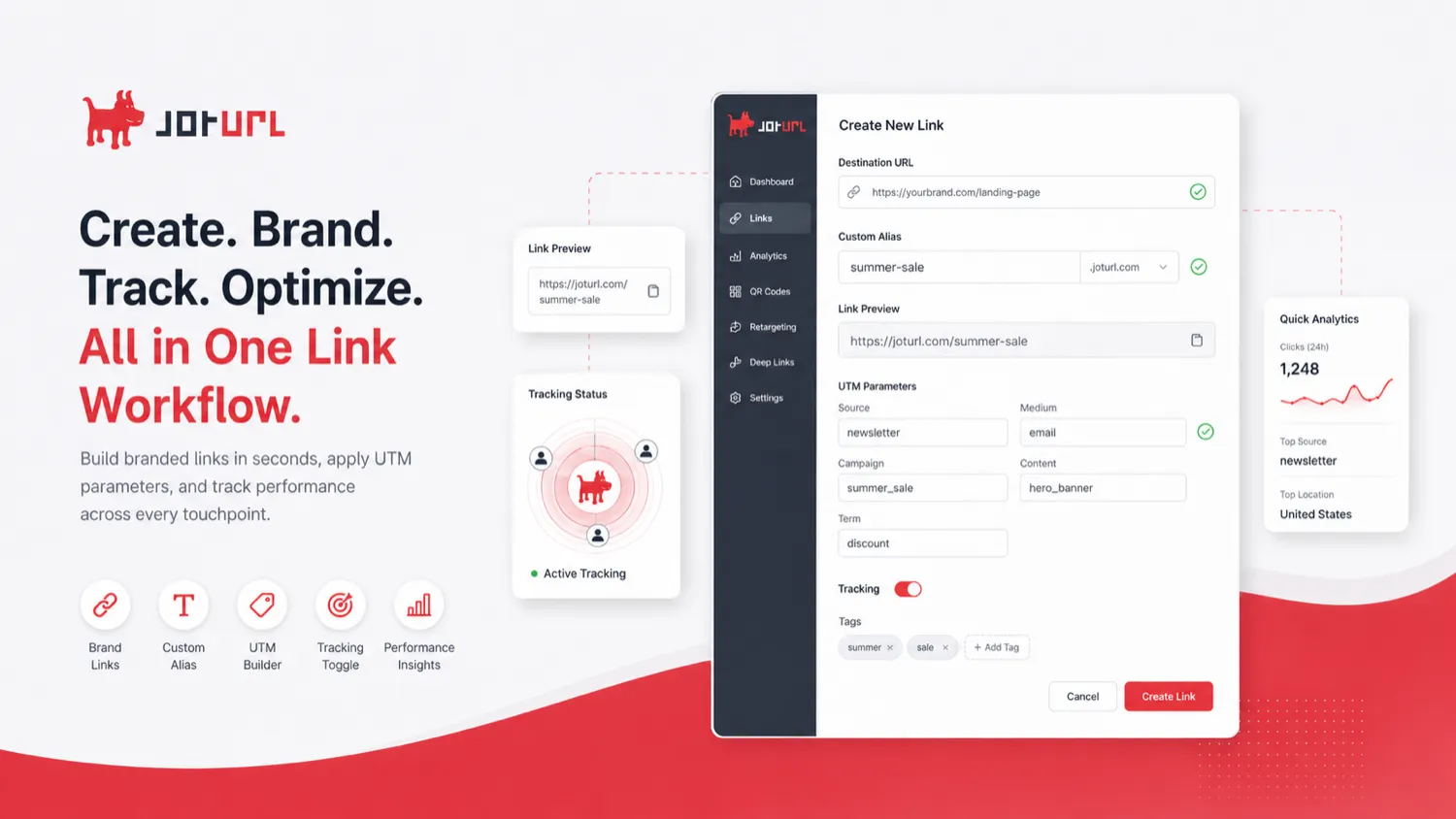
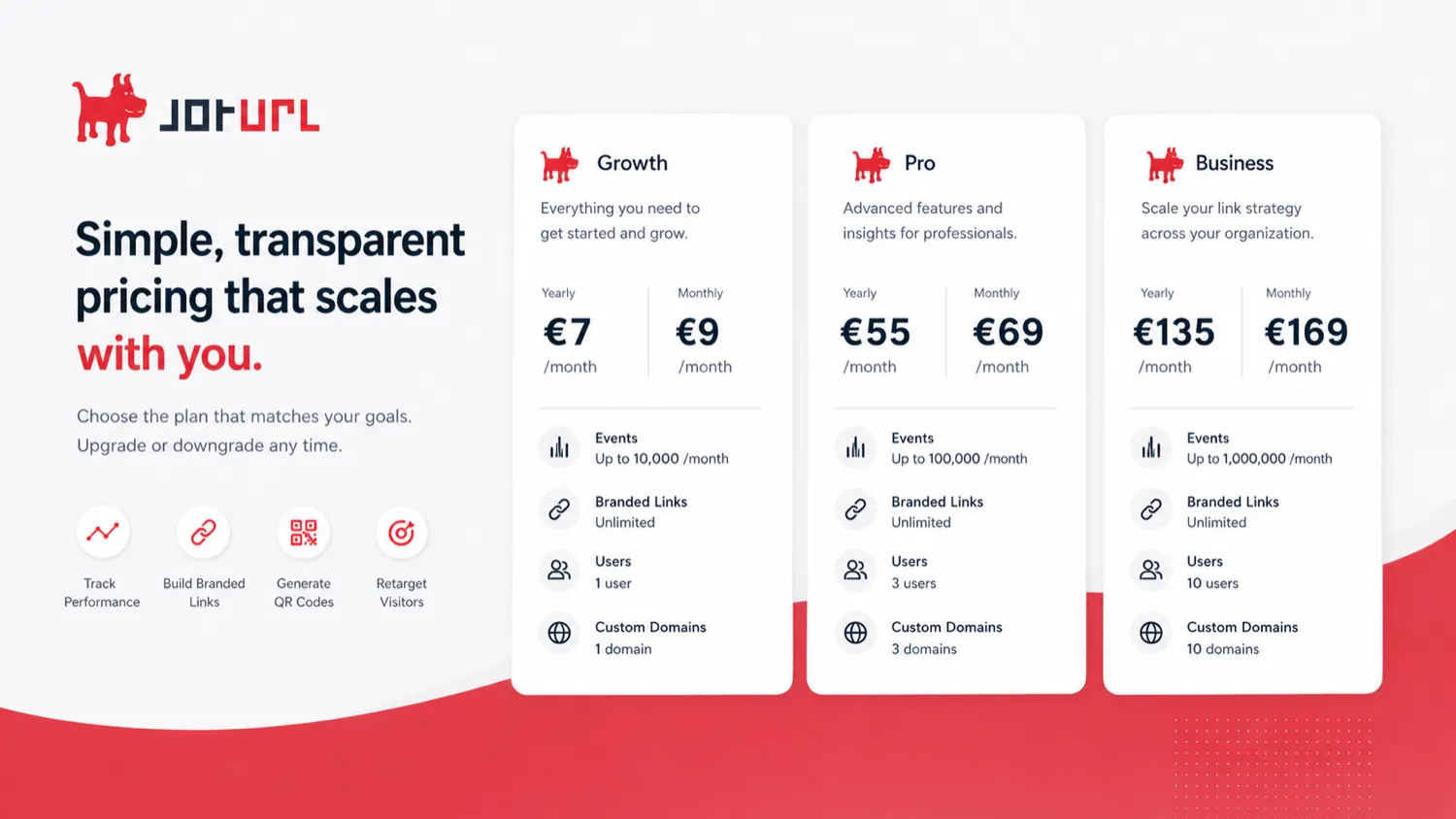
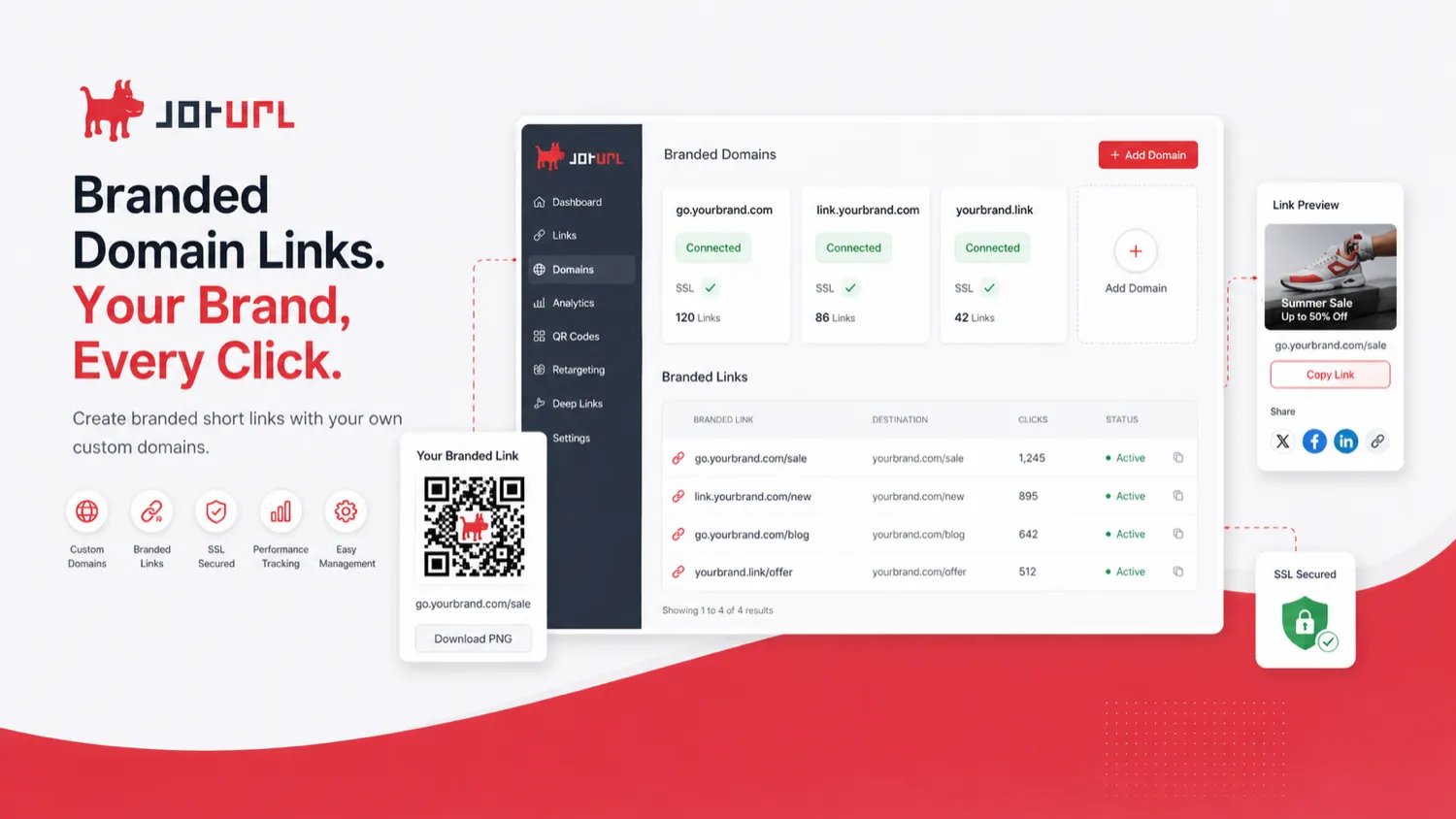
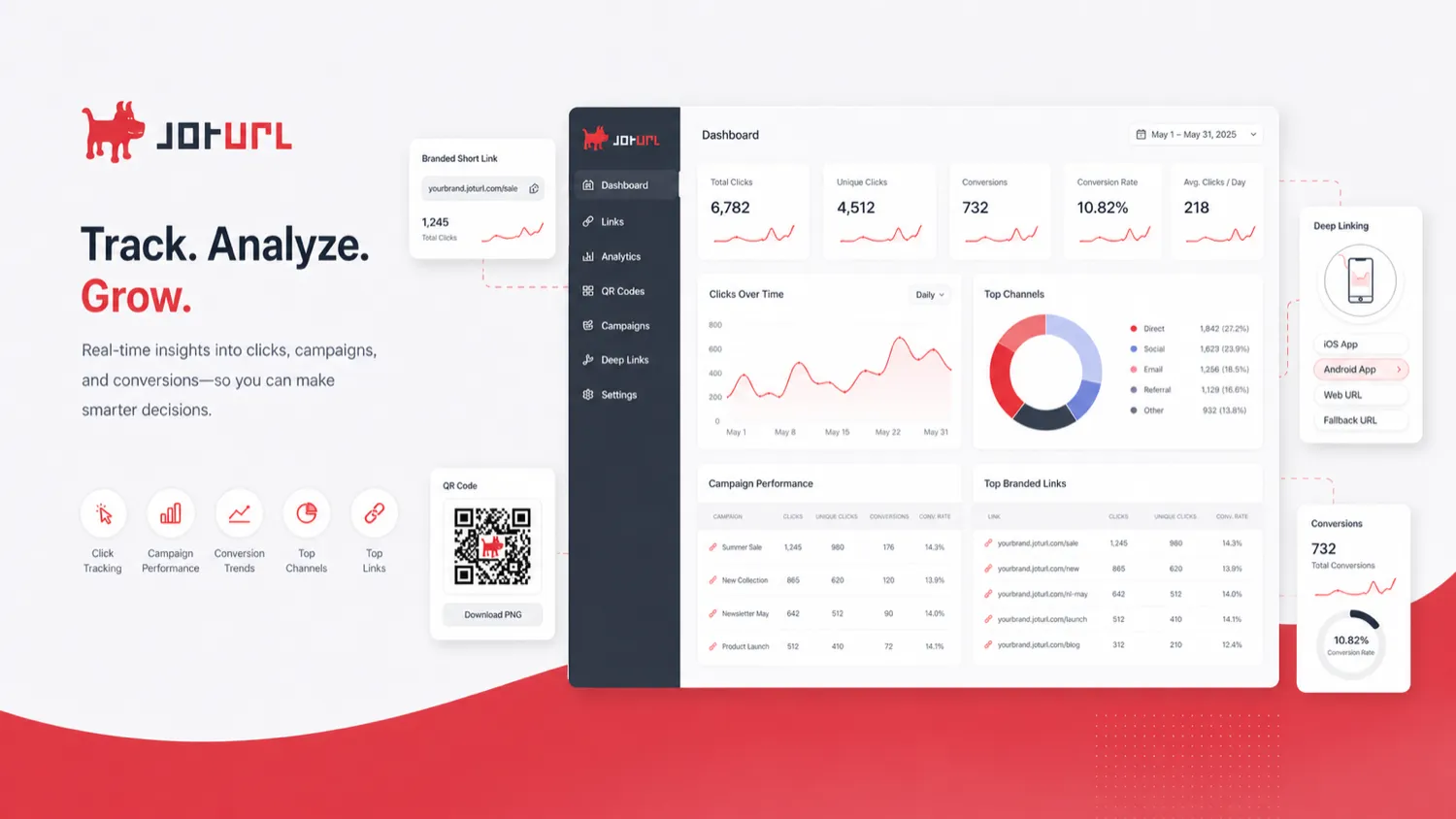
JotURL is best evaluated as a marketing link infrastructure tool, not just a short-link generator. The buyer question is whether branded links, campaign tracking, retargeting, deep links, QR codes and reporting are important enough to justify a paid platform. If the answer is yes, the pricing table deserves a careful read. If the answer is no, a lighter shortener or bio-link tool may be enough.
What JotURL actually does
JotURL helps marketers create branded tracking links and then connect those links to campaign measurement, QR codes, retargeting pixels, CTAs, UTM logic, bio pages, deep links and conversion tracking. The official homepage groups the product around three jobs: brand, track and grow. That framing is useful because it keeps buyers from treating JotURL like a plain link shortener.
- Brand campaign links with custom domains and link previews
- Track clicks, events, conversions, revenues and commissions
- Use QR codes, CTAs, bio pages and retargeting pixels around links
- Route mobile users through deep-link workflows when needed
Who JotURL fits best
JotURL fits buyers who already run repeatable marketing campaigns and need links to carry data. Agencies can use it for client tracking, custom domains and reporting. Affiliate marketers can use it when attribution and offer routing matter. Mobile marketers may care about deep links and app routing. A solo creator who only posts occasional social links will probably not use enough of the platform to justify the learning curve.
- Agencies managing multiple clients or brands
- Paid media and performance teams tracking campaign outcomes
- Affiliate marketers comparing sources, channels and offers
- Mobile teams that need app-aware routing
Pricing and plan-fit notes
The official pricing page shows several tiers, including Growth, PRO and Business families, with XL variants for larger needs. The plan table matters because limits are tied to events per month, branded links, users, brands, UTM templates, custom domains, CDN resources, media library size and support. A buyer who only looks at the lowest monthly number may choose the wrong tier.
- Check whether the displayed price is yearly or monthly billing.
- Match event limits to real campaign traffic, not optimistic traffic.
- Count custom domains, users and brands before choosing Growth or PRO.
- Treat Business tiers as more relevant for teams needing larger scale and support.
Refund, cancellation and checkout risk
JotURL's FAQ says users are protected by a 30-day money-back guarantee on the first order and can upgrade, downgrade or cancel at any time without a minimum term or cancellation fee. That is a useful buyer-protection signal, but the checkout route still matters. Annual billing, enterprise invoicing, demo-assisted purchases and old lifetime-deal pages may have details worth confirming directly.
- Confirm whether the guarantee applies to the checkout path you are using.
- Check whether the plan is monthly, yearly or enterprise-invoiced.
- Keep a copy of the checkout terms if the purchase is material.
Why the product tour video matters
A tracking-link tutorial is more useful than a polished promo clip because it shows how much setup is involved before value appears. Watch how a project and tracking link are created, then ask whether your team would repeat that workflow often enough to justify a paid link platform.
- Look at how branded-domain setup fits your workflow.
- Check whether domain and SSL details need a technical teammate.
- Use the tutorial to judge onboarding effort before paying.
Deep links, retargeting and advanced routing
The advanced features are the reason JotURL belongs in a marketing stack. Deep links can route users into app experiences, retargeting pixels can build audiences from link clicks, and smart redirects can support targeting or split testing. These features are valuable only when there is a campaign plan behind them. Without that plan, they become extra buttons in a dashboard.
- Use deep links when mobile app journeys matter.
- Use retargeting pixels when link clicks feed paid media audiences.
- Use UTM and conversion tracking when campaigns need attribution.
- Use smart redirects or rotators when traffic routing has a clear purpose.
Best next step before buying
The safest next step is to open the pricing page, estimate your event volume, count brands and domains, then read the JotURL review if you are still unsure about workflow fit. Only move to the coupon or deal route after the platform clearly matches your campaign needs. That order prevents the common mistake of chasing a discount on software that is too complex for the actual job.
- Start with pricing if you already know you need link infrastructure.
- Start with the review if you are unsure whether JotURL is too heavy.
- Use the deal route only after plan fit is clear.
Best savings path from this store page
This is the clearest savings route to check once the product already looks like a fit.
JotURL says paid upgrades are protected by a 30-day money-back guarantee on the first order, which gives cautious buyers a safer upgrade window.
Higher Growth capacity path
Business yearly path for larger teams
Use comparison routes when the category fit is still open
Use these comparison routes when the product still looks plausible, but the category fit is not fully settled.
Bitly is usually easier for simple branded links and broad team adoption, while JotURL goes deeper on retargeting, deep links, QR workflows and conversion tracking.
Rebrandly is a natural comparison for branded links and domain control, while JotURL may suit buyers who want more campaign tracking and growth tooling in one suite.
Switchy is worth comparing if retargeting links and social-friendly previews are the main need, while JotURL is broader for agencies and higher-volume campaign infrastructure.
Linkly can be lighter for tracking links and redirects, while JotURL is stronger when QR codes, deep links, team controls and API needs enter the decision.
Verification points worth checking before you click out
Where this store usually fits best in the workflow
Use JotURL when each shared link needs to carry campaign context, UTM discipline, click data and conversion signals back to the marketing team.
Agencies can use JotURL when they need branded domains, multiple projects, client-specific links and clearer reporting across campaigns.
Affiliate marketers may benefit when they need cleaner links, source comparison, commission tracking signals and safer route management.
Mobile teams should evaluate JotURL when app deep links, Android App Links, iOS Universal Links or deferred deep linking are part of the buyer journey.
Practical checkpoints before and after signup
- List the campaigns, brands, custom domains and reports JotURL will support.
- Estimate monthly events before choosing a tier.
- Compare the review page before clicking a deal route if the workflow still feels unclear.
- Start with one branded domain and one real campaign rather than migrating every link at once.
- Create UTM rules, tracking links and reporting conventions before inviting more users.
- Confirm whether API, deep links or custom SSL setup requires technical support.
- Review click, event and conversion data before renewing or upgrading.
- Track whether JotURL reduces reporting friction or only adds another dashboard.
- Re-check pricing if campaign volume, custom domains or user seats increase.
Fast-read signals for workflow fit and buying friction
Questions readers usually ask before choosing this store
What is JotURL best for?
JotURL is best for marketers, agencies and growth teams that need branded links connected to tracking, QR codes, retargeting, conversion data, deep links and reporting. It is not just a basic URL shortener.
Does JotURL have a free plan or free trial?
A clearly promoted public free plan was not verified on the official pricing page during this refresh. JotURL promotes demo paths, and Capterra lists free trial availability, but buyers should confirm the current trial or demo route on the official site before relying on it.
How much does JotURL cost?
JotURL's official pricing page lists Growth, PRO and Business tiers in euros, with monthly and yearly billing views. The Growth entry is shown from the low euro-per-month range, while PRO and Business tiers cost more and include larger limits. Always verify the live pricing toggle and plan limits before checkout.
Are there JotURL coupon codes?
A reliable public coupon code was not confirmed for this store refresh. The safer savings path is to compare annual billing, live checkout pricing and any active DealBestDaily route rather than assuming a code exists.
What should I compare before choosing JotURL?
Compare JotURL with tools such as Bitly, Rebrandly, Switchy and Linkly. JotURL is the stronger candidate when advanced tracking, retargeting, deep links, QR codes, API access and team workflows matter more than the simplest possible short-link experience.
Choose the next route that matches what you still need to decide
The strongest next click depends on whether you still need product judgment, a savings route, or a broader category comparison.