
3D AI Studio Pricing & 3D Asset Fit
3D AI Studio is a web-based AI 3D asset creation platform for turning text prompts or reference images into 3D models, then refining those assets with AI texturing, rigging, remeshing, compression, animation, rendering, and export tools. The store page should not sell it as a magic replacement for skilled 3D artists. The better buyer angle is workflow fit: creators, game developers, 3D printing users, product teams, and developers can use it to prototype faster, but they still need to judge model quality, credit burn, export requirements, and whether AI-generated geometry is good enough for the final use case.
Fit → price → checkout
Use these routes after the official-site check: coupon first, review for fit, compare if unsure.
3D AI Studio pricing snapshot
Fast commercial checks before pricing, coupons, or a deeper review.
3D AI Studio product tour
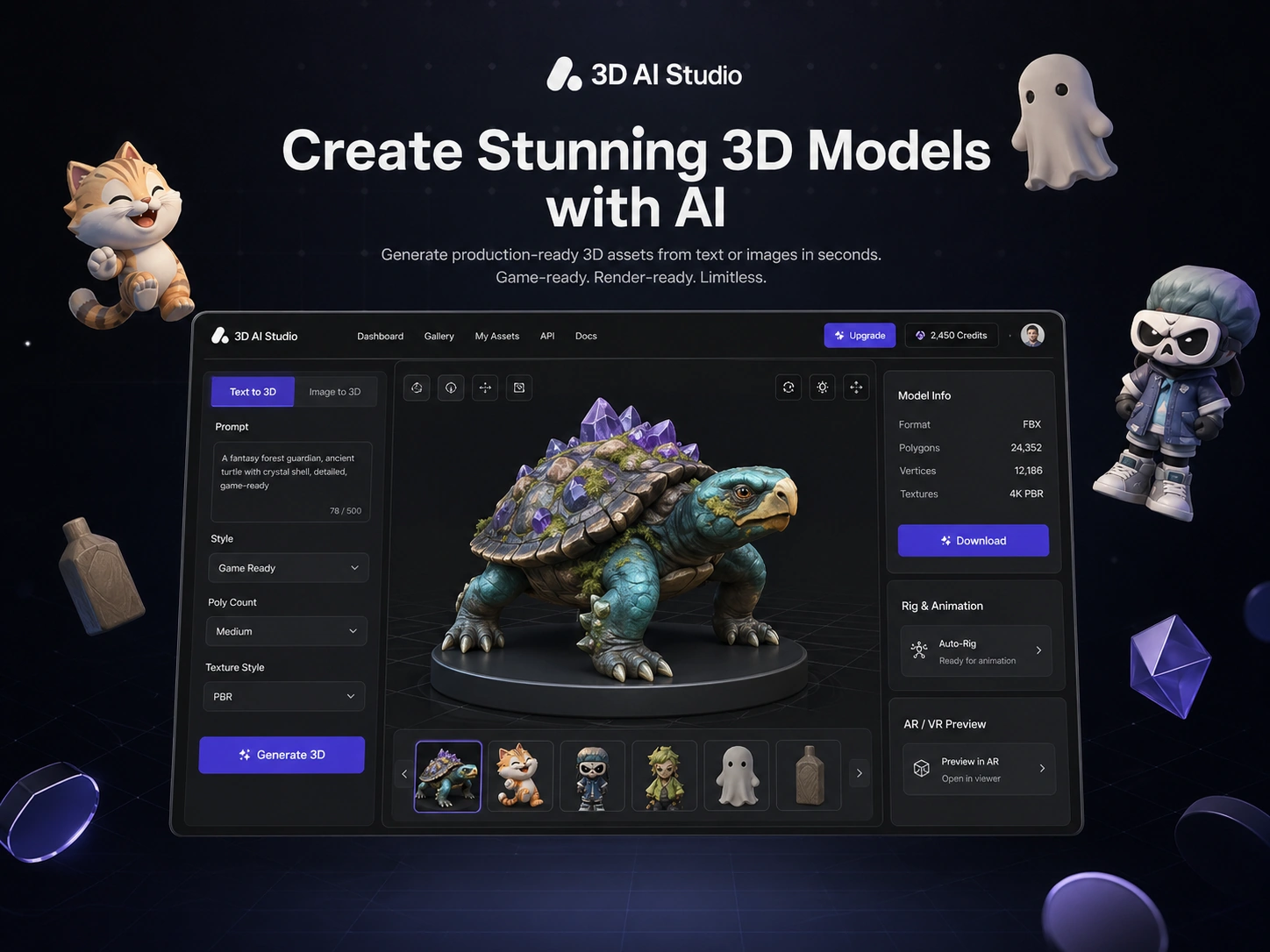
3D AI Studio needs a visual check because the buying decision depends on output quality, credit cost, and whether the generated model can move into the buyer's real toolchain. Look at the prompt flow, image-to-3D workflow, pricing table, API docs, and export options before treating it as a production-ready asset solution.
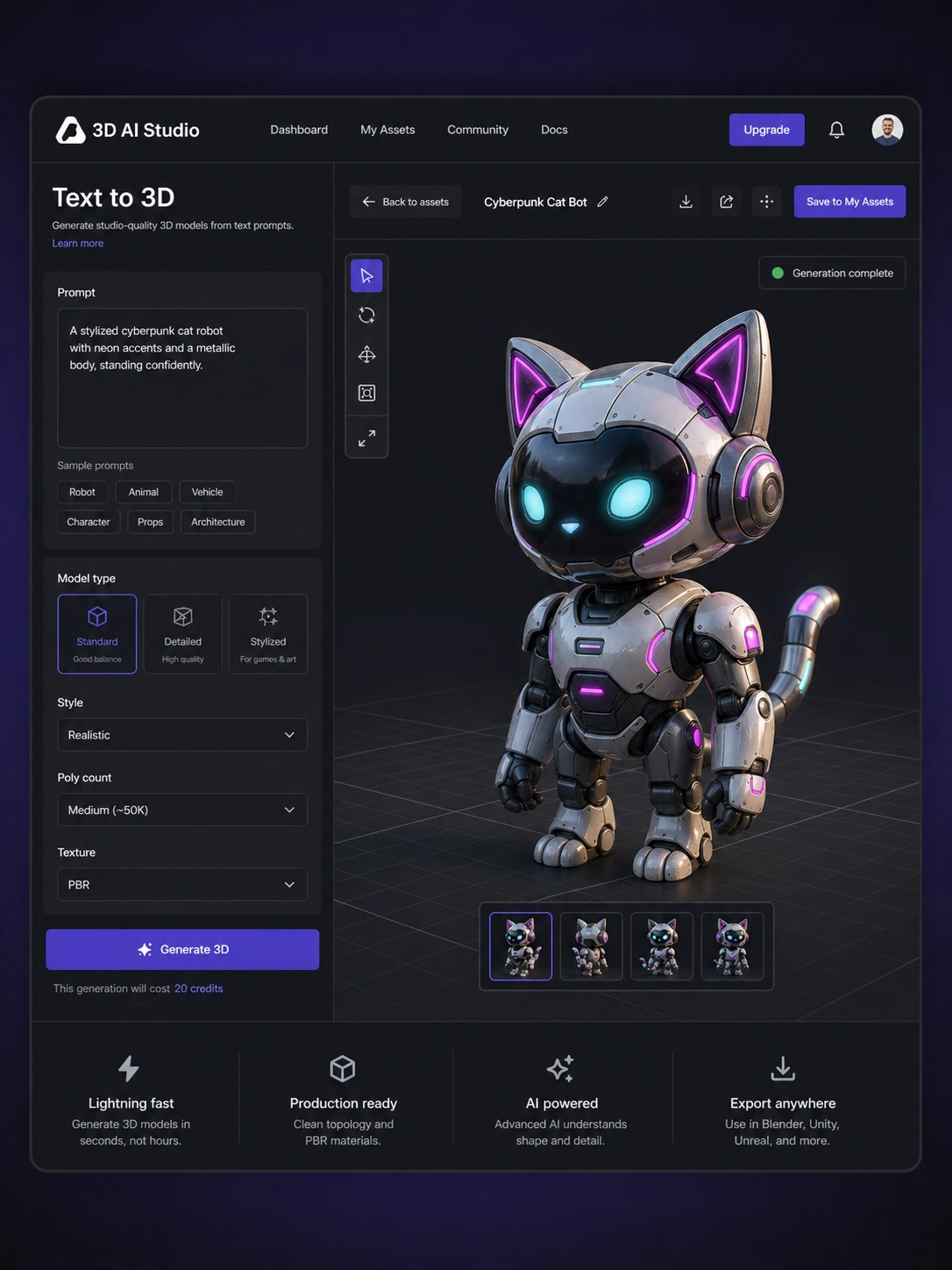
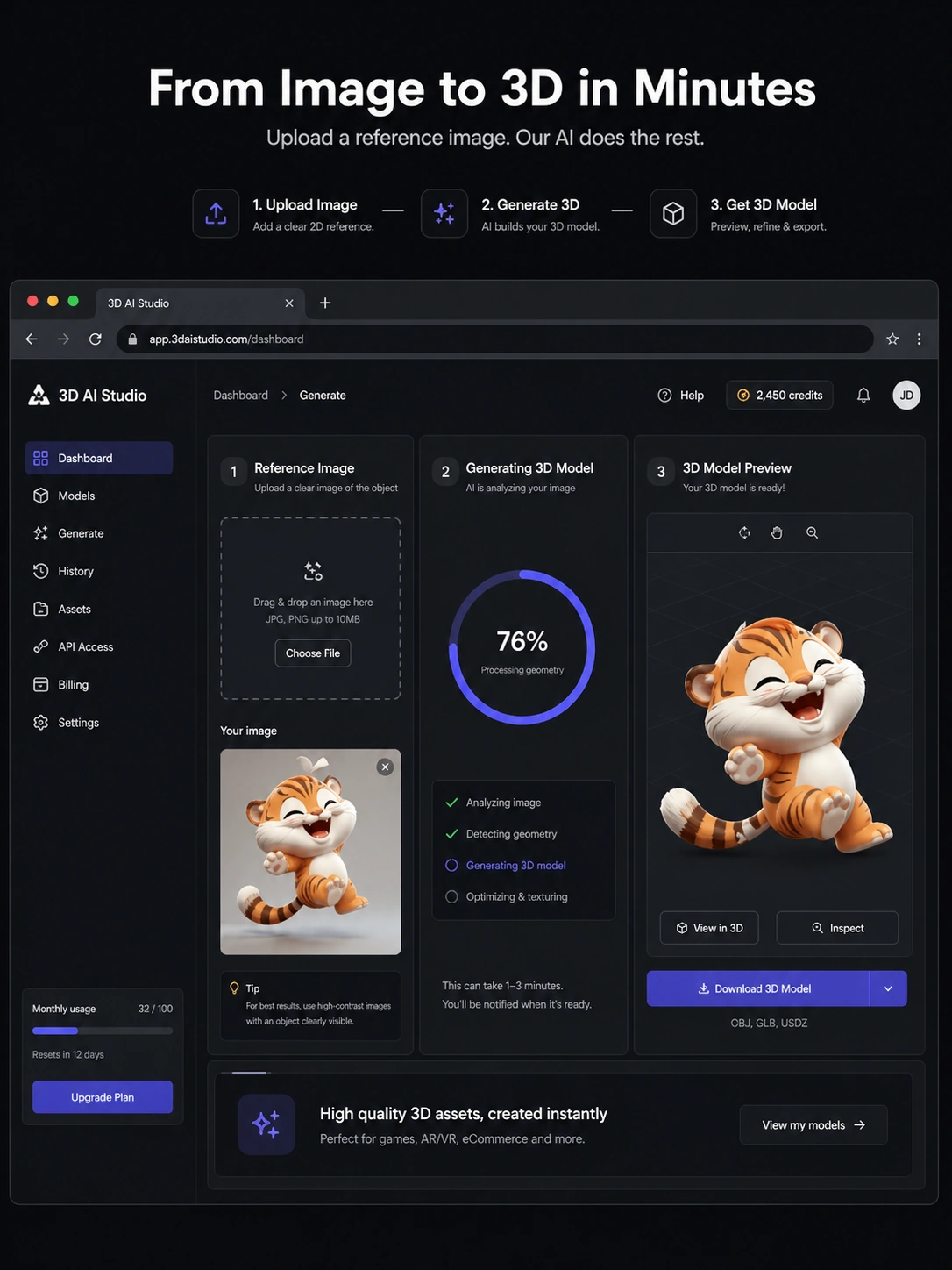
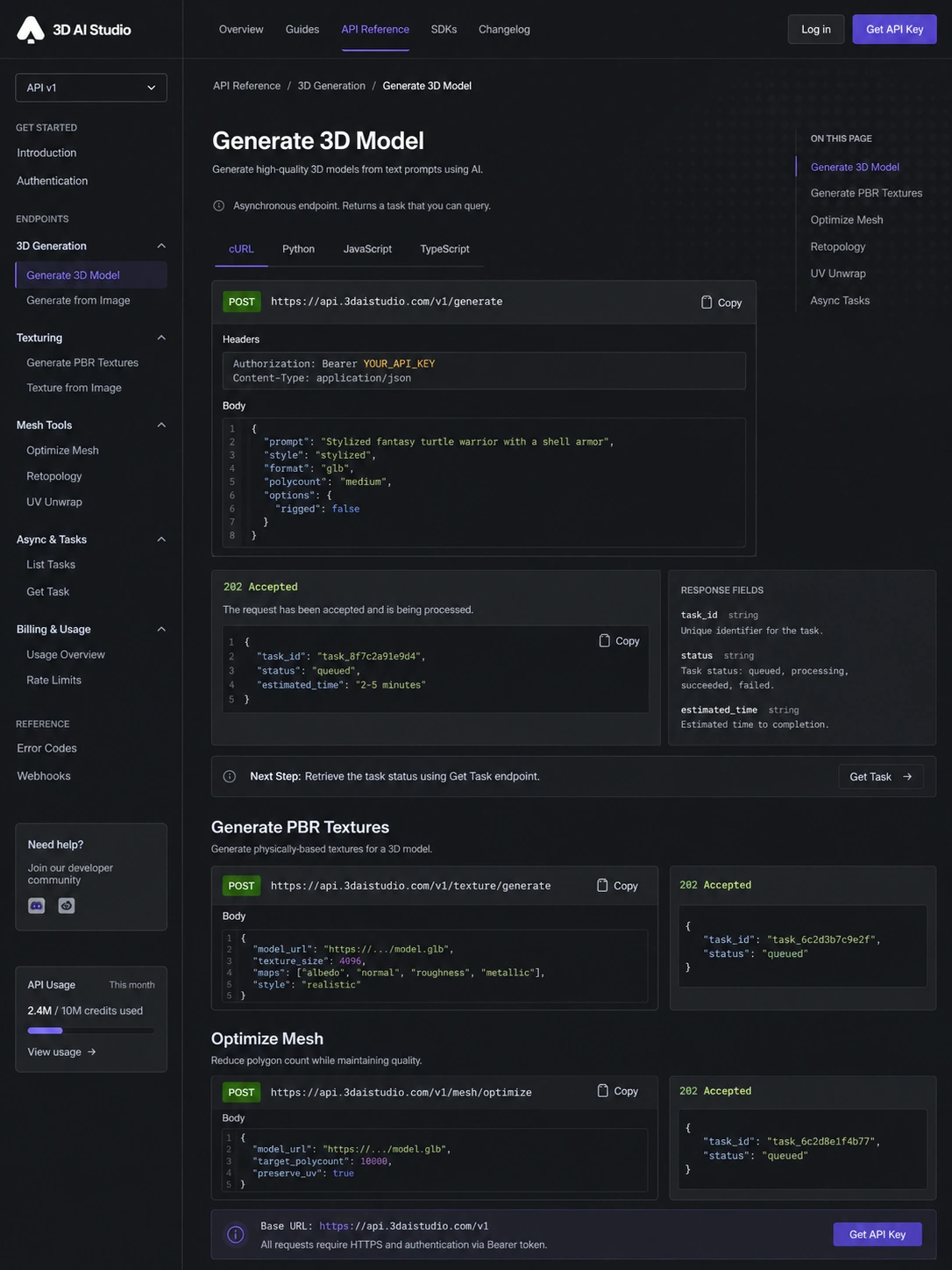
3D AI Studio should be evaluated as a creative production shortcut, not as a guaranteed replacement for a 3D artist. The pitch is simple: describe an object or upload a reference image, generate a 3D asset in the browser, then use export, texture, remesh, rig, animation, or API tools depending on the workflow. The buyer question is less about whether AI can make a model and more about whether the output is clean enough, cheap enough, and predictable enough for the project.
What 3D AI Studio actually does
3D AI Studio lets users create 3D models from text prompts or image references, then work with those models through a broader AI asset toolkit. The official pricing page highlights text-to-3D, image-to-3D, multi-image generation, image generation, texture tools, remeshing, rigging, animation, compression, rendering, and common export formats. That makes it more of a 3D creation workspace than a single-purpose generator.
- Generate 3D models from text prompts or reference images.
- Export assets in common formats such as GLB, OBJ, FBX, STL, USDZ, and PLY.
- Use supporting tools for texturing, mesh repair, remeshing, rigging, animation, rendering, and format conversion.
- Access developer workflows through REST API documentation and credit-based billing.
Pricing is really a credit decision
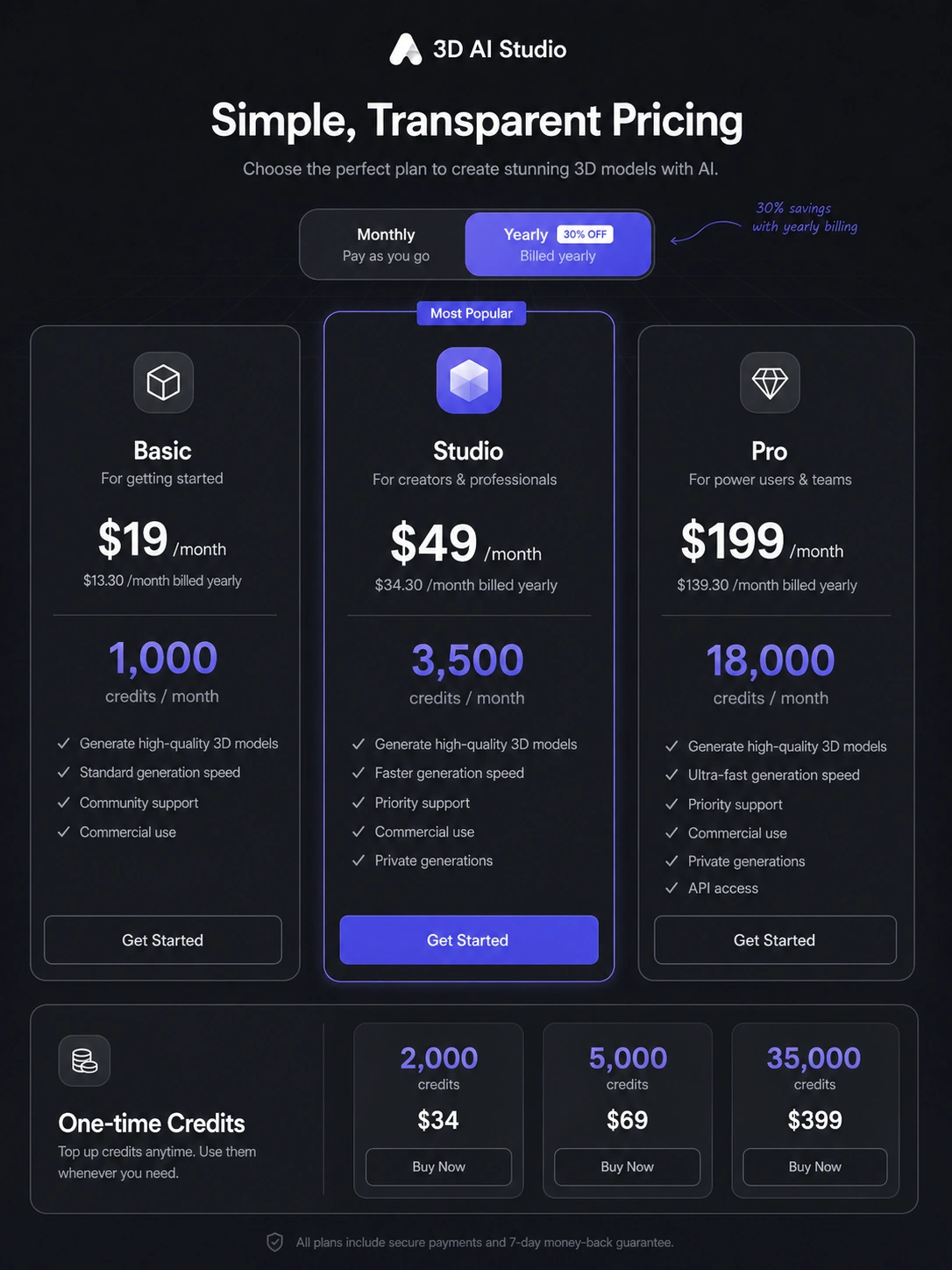
The public pricing page is built around credits. Basic is the lowest paid plan at $14/month with 1,000 credits, while Studio is shown at $29/month with 3,500 credits and broader unlocked tool access. The page also shows free credits for new users, yearly savings, and one-time credit packs. The practical buying question is how many usable final assets you get after failed generations, refinements, texture work, and export checks, not just how many credits appear in the plan table.
- Basic is easier to justify for light testing or occasional monthly asset generation.
- Studio makes more sense when you need more credits, faster generation, multi-image workflows, API access, or broader tool coverage.
- One-time credit packs are worth checking if the project is occasional rather than recurring.
- Yearly billing should only be used after testing with free credits and a realistic project.
Watch a real creation workflow before buying
A quick beginner workflow is more useful than a polished homepage claim because it shows how the product handles prompts, image generation, image-to-3D, dashboard navigation, and export flow. Watch for the parts that matter commercially: how much setup is needed, how quickly a model appears, whether the result needs cleanup, and whether the interface feels clear enough for repeated use.
- Look for the steps between idea, prompt, generation, review, and download.
- Check whether the model looks usable before manual cleanup.
- Notice whether the workflow feels fast enough to justify a recurring plan.
Where 3D AI Studio fits best
3D AI Studio is strongest in early asset creation, prototyping, concept development, and repeated generation workflows. Indie game developers can test props and environment assets faster. Product teams can mock up 3D visual concepts. Makers can explore printable shapes before manual repair. Agencies can use it as a fast draft layer before committing more time to final polish. The product becomes less convincing when the asset must meet exact production standards with no cleanup, no art direction gap, and no technical review.
- Good fit for fast drafts, concept assets, and repeated creative iteration.
- Useful when many acceptable assets matter more than one perfect handcrafted model.
- Riskier when mesh quality, exact style control, or print/manufacturing reliability must be perfect.
API access changes the buying question
The API path makes 3D AI Studio relevant for developers, SaaS builders, game tooling teams, and internal automation workflows. The documentation describes REST endpoints, API keys, async task polling, credit billing, 3D generation, image tools, texturing, remeshing, segmentation, and mesh utilities. That is useful only when the buyer is ready to manage generated results, failures, credit usage, and downstream quality control inside a larger system.
- Use the API path when 3D generation needs to become part of a product or internal tool.
- Review async task handling and credit billing before promising end users instant results.
- Check whether post-processing tools such as repair, conversion, optimization, or rendering are needed in the same flow.
Safest next step before checkout
The safest path is to start with free credits, generate one object that resembles your real use case, download it, and inspect it outside the platform. If the output is close enough, estimate monthly credit needs before choosing Basic, Studio, Pro, or a one-time credit pack. If the output needs heavy cleanup, the plan may still be useful for concept work, but it should not be treated as a replacement for a production 3D artist.
- Test with a real asset request, not a generic demo prompt.
- Inspect the exported file in the tool where it will be used.
- Compare credit cost after failed attempts and refinements.
- Read refund and terms language before annual billing.
Best savings path from this store page
This is the clearest savings route to check once the product already looks like a fit.
A public coupon directory reports a working 3D AI Studio checkout code with recent community verification. Treat it as a checkout-test coupon path, not an official pricing-page guarantee.
Reported 30% coupon path
Free credits to start
Use comparison routes when the category fit is still open
Use these comparison routes when the product still looks plausible, but the category fit is not fully settled.
Meshy is the closest comparison when the buyer wants a dedicated AI 3D generator and needs to compare output style, credit usage, and model quality directly.
Tripo is worth checking when the buyer cares about image-to-3D or text-to-3D quality and wants another specialist generator benchmark.
Sloyd can be a better fit when structured, game-ready model generation and editable 3D assets matter more than broad AI creative tooling.
Rodin deserves a look for buyers focused on high-detail 3D generation and willing to compare cost, quality, and production fit more deeply.
Verification points worth checking before you click out
Where this store usually fits best in the workflow
A game developer can use 3D AI Studio to generate props, objects, background elements, and concept assets quickly, then move usable candidates into Blender, Unity, Unreal Engine, Godot, or a manual polish workflow.
Makers can use image-to-3D or text-to-3D as a fast concept layer, but they should inspect geometry, scale, wall thickness, and print readiness before relying on the generated file.
Product teams can generate early 3D mockups or visual ideas for presentations and campaigns, while still checking whether generated geometry and materials accurately represent the real item.
Technical teams can test 3D generation, texturing, mesh repair, rendering, and conversion through the API when they need automated asset creation inside a product, internal tool, or creative pipeline.
Practical checkpoints before and after signup
- Prepare one realistic prompt or reference image that matches the asset type you actually need.
- Decide where the output will be used before judging quality, because a game prop, print model, and product visual have different standards.
- Track how many credits are spent on usable outputs, failed attempts, refinements, and texture work.
- Download the generated asset and inspect it in your real downstream tool before treating the workflow as solved.
- Compare Basic, Studio, Pro, yearly billing, and one-time credits against your expected monthly asset volume.
- Verify API access, team workspace needs, export formats, and refund handling before choosing an annual or higher-volume plan.
Fast-read signals for workflow fit and buying friction
Questions readers usually ask before choosing this store
What does 3D AI Studio actually do?
3D AI Studio creates 3D models from text prompts or reference images, then supports related work such as image generation, AI texturing, remeshing, rigging, animation, rendering, file conversion, and API-based generation. It is best viewed as a 3D asset workflow shortcut, not a guarantee that every generated mesh will be production-ready without review.
Is there a free plan or free trial for 3D AI Studio?
The official pricing page says new users receive free credits and can start without a credit card. Treat that as a free testing path rather than assuming a full long-term free plan. Use those credits on a real project-style asset before choosing a paid plan.
How much does 3D AI Studio cost?
The public pricing page shows Basic from $14/month with 1,000 credits and Studio at $29/month with 3,500 credits. It also shows yearly savings and one-time credit packs, including 2,000 credits for $34. Buyers should verify live checkout pricing because credit packs and plan details can change.
Does 3D AI Studio have an API?
Yes. The official API documentation describes REST endpoints for 3D generation, image creation, texturing, mesh tools, and async task workflows. API buyers should test credit cost, generation time, output quality, and post-processing needs before building a product dependency around it.
What should buyers verify before checkout?
Verify credit consumption for your real asset type, export format support, output quality after download, API or team access if needed, yearly billing terms, one-time credit availability, and current refund handling. The key mistake is buying from the headline price before testing an actual generation workflow.
Choose the next route that matches what you still need to decide
The strongest next click depends on whether you still need product judgment, a savings route, or a broader category comparison.