Quick verdict
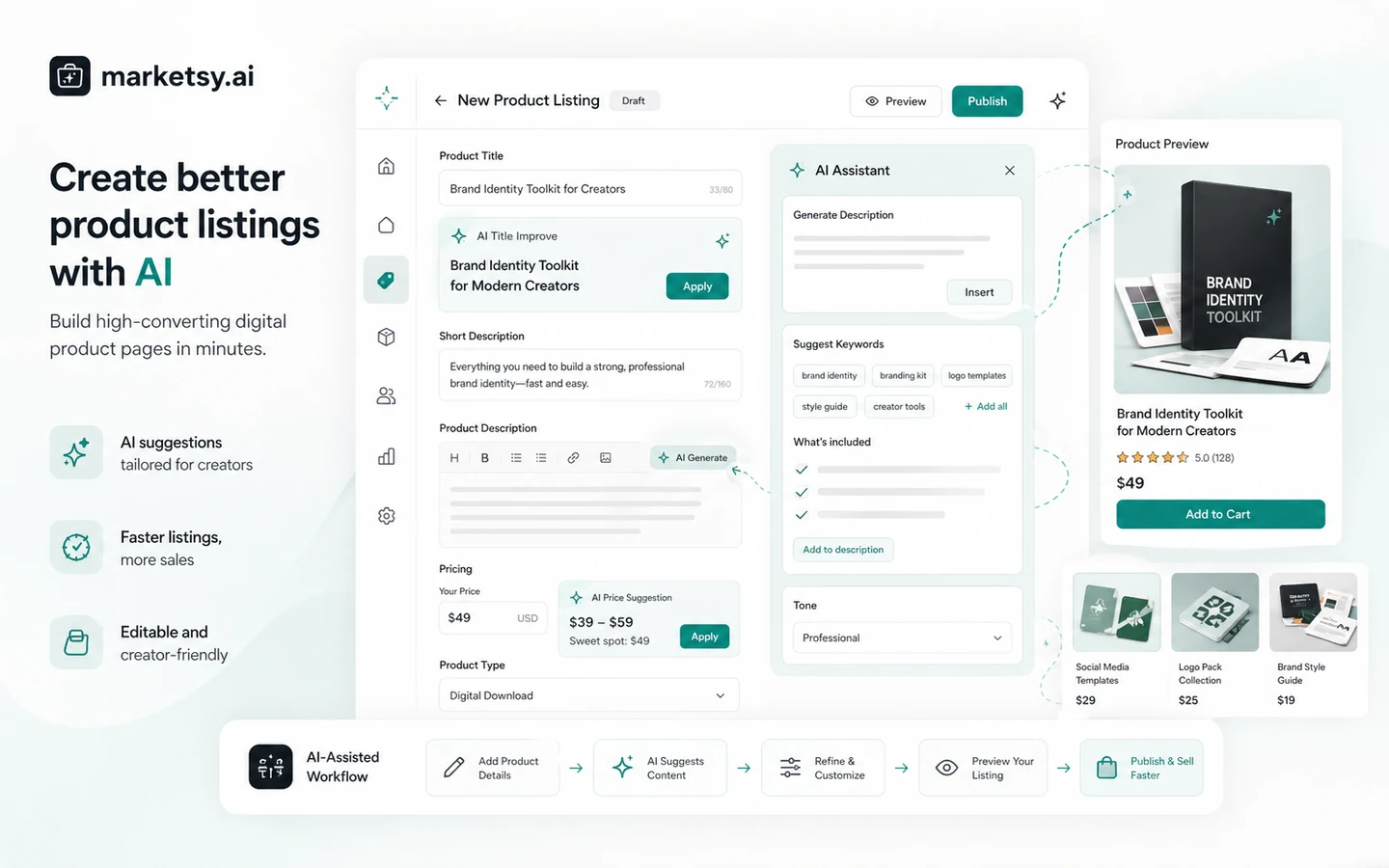
Marketsy is worth a closer look if you already have something digital to sell and want a faster storefront path than building a full ecommerce system from scratch.
That is the important qualifier.
The product looks attractive because the public positioning is simple: sell downloads, courses, memberships, templates, and other digital products with an AI-assisted storefront and 0% platform commission messaging. The pricing page also makes the entry point look unusually low. On the surface, that sounds like an easy yes for creators.
I would be more careful.
A storefront builder can help you launch faster, but it does not create product demand, traffic, positioning, email follow-up, checkout trust, or a real offer by itself. Marketsy makes the most sense when the buyer already has a product, a likely buyer, and a simple selling workflow that benefits from quick setup, payments, analytics, promo codes, embeds, and custom-domain support.
The main buying risk is not that Marketsy lacks a useful idea. The risk is paying because the launch promise feels exciting before checking the less exciting details: plan limits, AI coins or credits, payment setup, platform commission terms, older deal pages, and the direct no-refund policy.
For my money, Marketsy is a test-first tool. Build one real product page, connect the selling basics, check how the checkout route works, and only then decide whether the monthly, discounted, or lifetime-style path makes sense.
Next step: If Marketsy still fits your digital-product workflow, verify the current buyer route before treating the low starting price as the full decision.
Review snapshot
| Review point | Practical take |
|---|---|
| Best for | Creators, microbrands, and solo sellers launching digital downloads, courses, memberships, templates, or software-style offers |
| Not ideal for | Buyers who need mature ecommerce operations, advanced physical inventory, deep marketplace trust, or a standard refund window |
| Main use case | Launching a digital product storefront quickly with AI-assisted setup and seller tools |
| Pricing signal | Public pricing currently emphasizes a low starting path and 0% platform commission messaging |
| Free/trial path | Older public material has mentioned trial-style paths, but buyers should verify the current checkout rather than relying on old pages |
| Main strength | Fast storefront setup plus payments, analytics, promo codes, embeds, webhooks, and API-related selling tools |
| Main concern | Direct platform payments are described as no-refund, and older lifetime deal terms may not match current direct pricing |
| Direct alternatives | Payhip, Gumroad, Shopify, Podia |
| Best next step | Test one real product workflow before choosing a paid or lifetime-style route |
What is Marketsy?
Marketsy is an AI-assisted storefront platform for selling digital products. The current public positioning focuses on downloads, memberships, courses, and small-business or microbrand selling, with 0% commission messaging and a promise of lower technical friction than building a store manually.
In plain buyer language, it sits somewhere between a simple creator storefront, an AI website builder, and a digital-product selling platform. It is not just a generic landing-page builder, because the value is tied to selling products. It is also not a full Shopify replacement for every mature ecommerce operation, because its strongest fit is lightweight digital selling rather than complex physical inventory, advanced fulfillment, or a deep app marketplace.
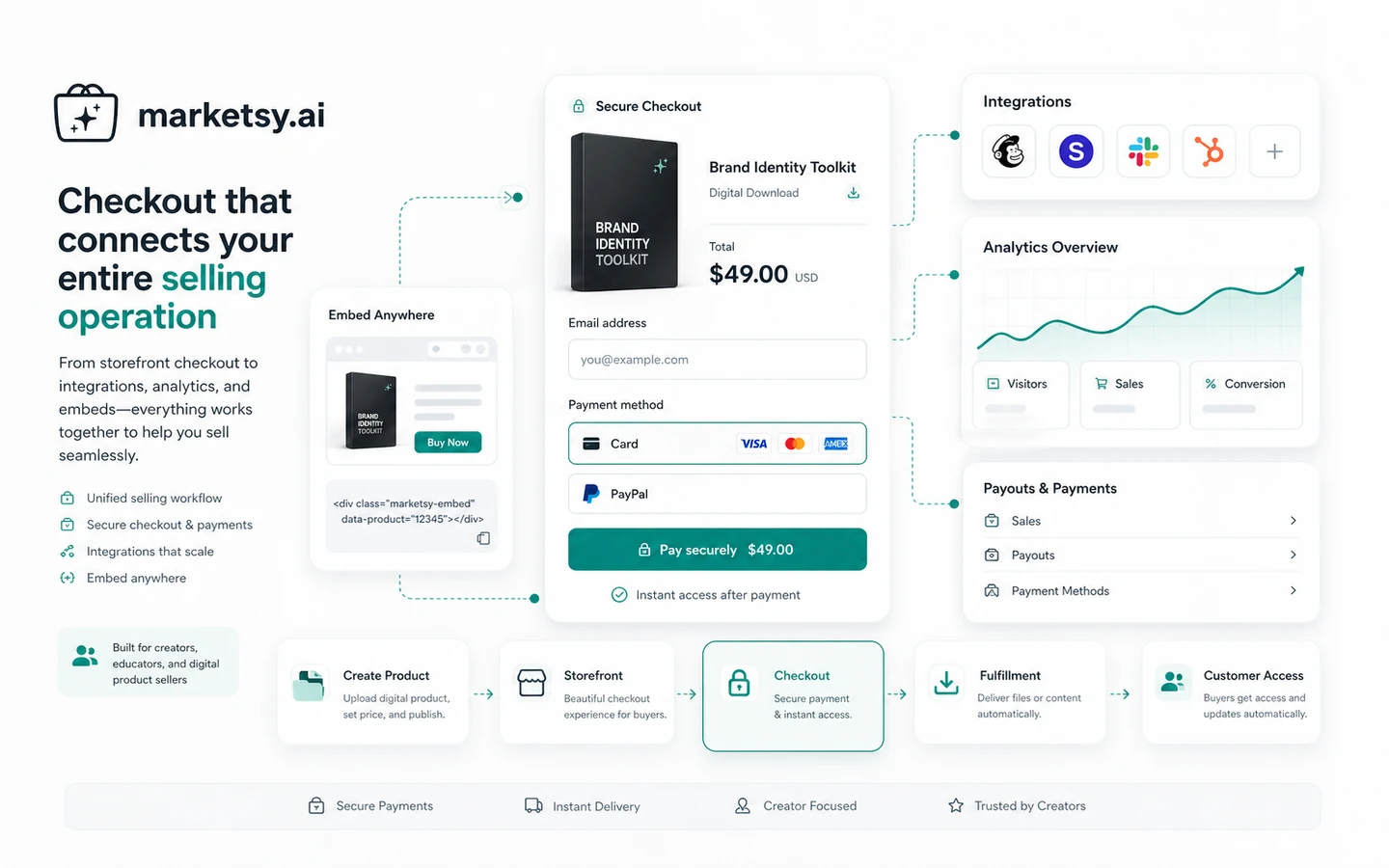
The product appears most useful when a seller wants to move from “I have a digital product” to “I have a storefront and checkout path” without wiring together several tools. Public feature language and marketplace listings point to store generation, AI-assisted product listings, payments through Stripe and PayPal, analytics, promo codes, embeds, custom domains, Zapier, webhooks, and API access.
Our review approach compares public product pages, pricing details, terms, privacy language, older deal history, third-party feedback, seller workflow fit, and nearby alternatives. I would not treat a coupon, a low starting price, or a lifetime deal reference as proof that the product fits the buyer. The storefront has to match the business model.
The easy mistake is thinking “store created” means “business created.”
It does not. Marketsy may help with the storefront layer. The seller still needs a product people want, a traffic source, trust-building content, pricing judgment, and a reason for buyers to complete checkout.
Who should use Marketsy?
Marketsy makes the most sense for creators who sell files, templates, workbooks, guides, presets, music, stock assets, design resources, or other downloadable products. The platform fits when the seller wants a store page, product delivery, payments, and basic selling tools without starting with a heavier ecommerce stack.
Course and membership sellers may also consider it, especially if their offer is straightforward. A creator selling a small course, subscription-style digital resource, or membership can benefit from one place to present the offer, collect payment, and manage the storefront. The buyer should still verify whether course delivery, membership access, recurring products, and customer management are deep enough for the exact offer.
Solo founders and microbrands are another natural fit. If the business is still testing a market, Marketsy may feel more practical than committing to a full Shopify or WooCommerce build. The condition is that the seller must be comfortable with the current platform maturity and no-refund language.
Affiliate publishers and content operators may use Marketsy for a lightweight owned-product path. For example, a niche site that wants to sell checklists, templates, digital guides, or small educational products may not need a large store at first. Marketsy can be interesting if the publisher values speed, low platform commission pressure, and simple checkout routing.
Technical or automation-minded sellers may care about webhooks, embeds, Zapier, and API access. That is useful only if the current plan includes the needed access and the seller actually has a workflow that benefits from connecting the store to an email tool, CRM, analytics setup, or fulfillment process.
Who should avoid Marketsy?
Marketsy is not the best fit for buyers who expect the platform to solve traffic. If you do not have an audience, search strategy, creator channel, paid traffic plan, or email list, launching a store may only give you a nicer empty shelf.
I would also be cautious if you sell complex physical products. The product can be described broadly as ecommerce, and older marketplace language has referenced physical and digital products, but the current strongest public positioning is around digital products, courses, and memberships. Shopify, WooCommerce, or another mature ecommerce system may be safer for inventory, fulfillment, shipping logic, tax workflows, and app ecosystem depth.
Risk-sensitive buyers should slow down. Marketsy’s direct terms describe platform payments as no-refund. That may be acceptable for confident sellers who have tested the workflow, but it is not ideal for buyers who want a conventional refund window before committing.
Teams that need multi-seat controls, governance, admin permissions, compliance workflows, and deep operational reporting should verify details before choosing Marketsy. Public pages can mention team-style or API-related capabilities, but the safe move is to confirm current plan-level access rather than assume enterprise maturity.
Finally, I would avoid buying only because an old lifetime deal or marketplace listing looks attractive. Older AppSumo and partner-deal pages may contain different commission structures, AI credit rules, refund terms, or plan limits. Those pages are useful history, not a substitute for the current checkout screen.
How Marketsy fits into a real workflow
A practical Marketsy workflow starts with the offer, not the store.
First, define the product: a template pack, course, membership, guide, download, software resource, or creative asset. Then decide whether the buyer needs a one-time payment, recurring payment, free sample, promo code, custom domain, embedded checkout, or a full storefront.
Only after that should Marketsy enter the process.
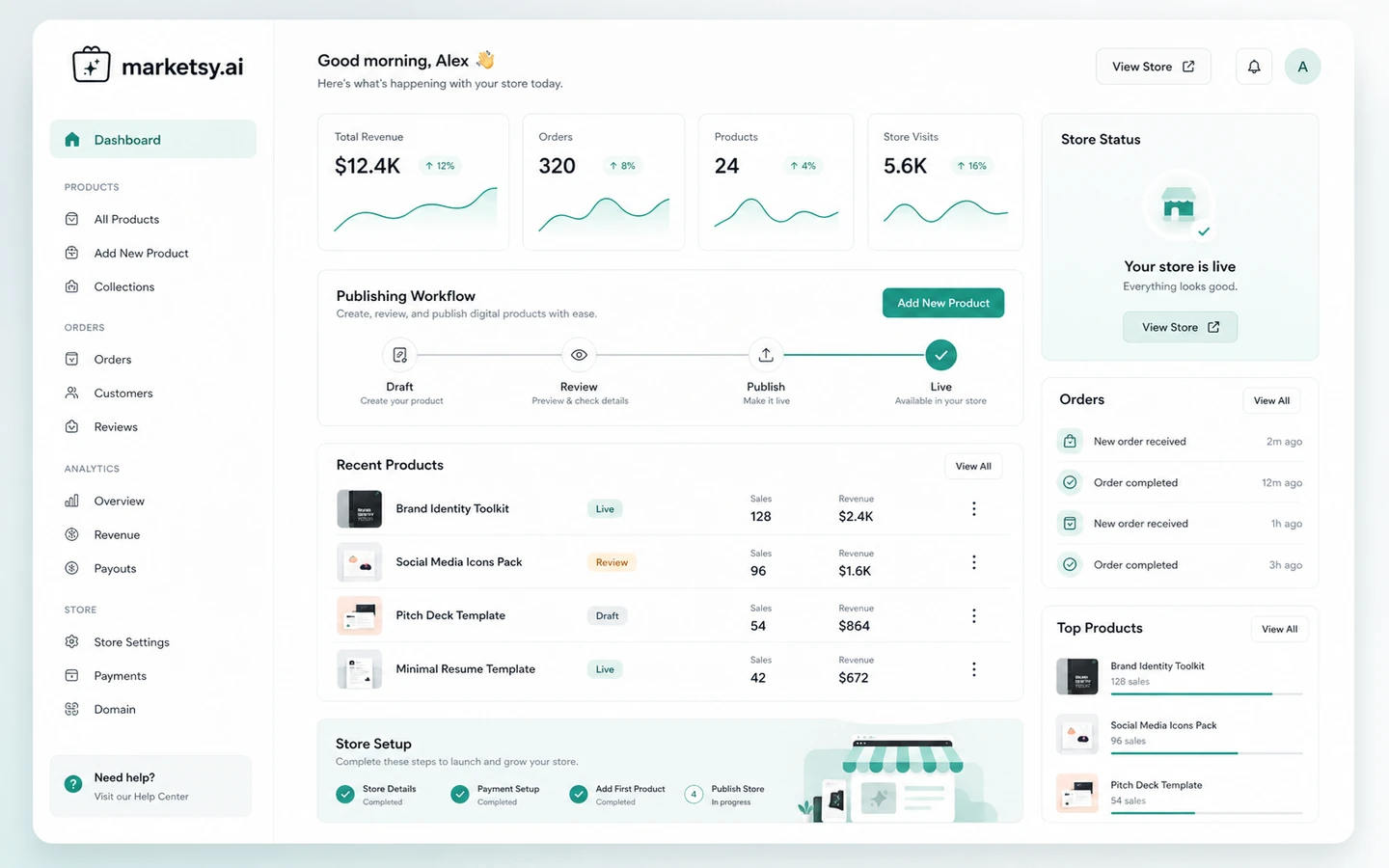
The seller can use Marketsy to generate or build the storefront, create product pages, write or improve product descriptions, connect payments, set up delivery, and publish the store. Then comes the part many buyers underestimate: editing the AI-assisted copy, testing checkout, checking fulfillment emails or delivery flow, and making sure the page explains the product clearly enough for a real buyer.
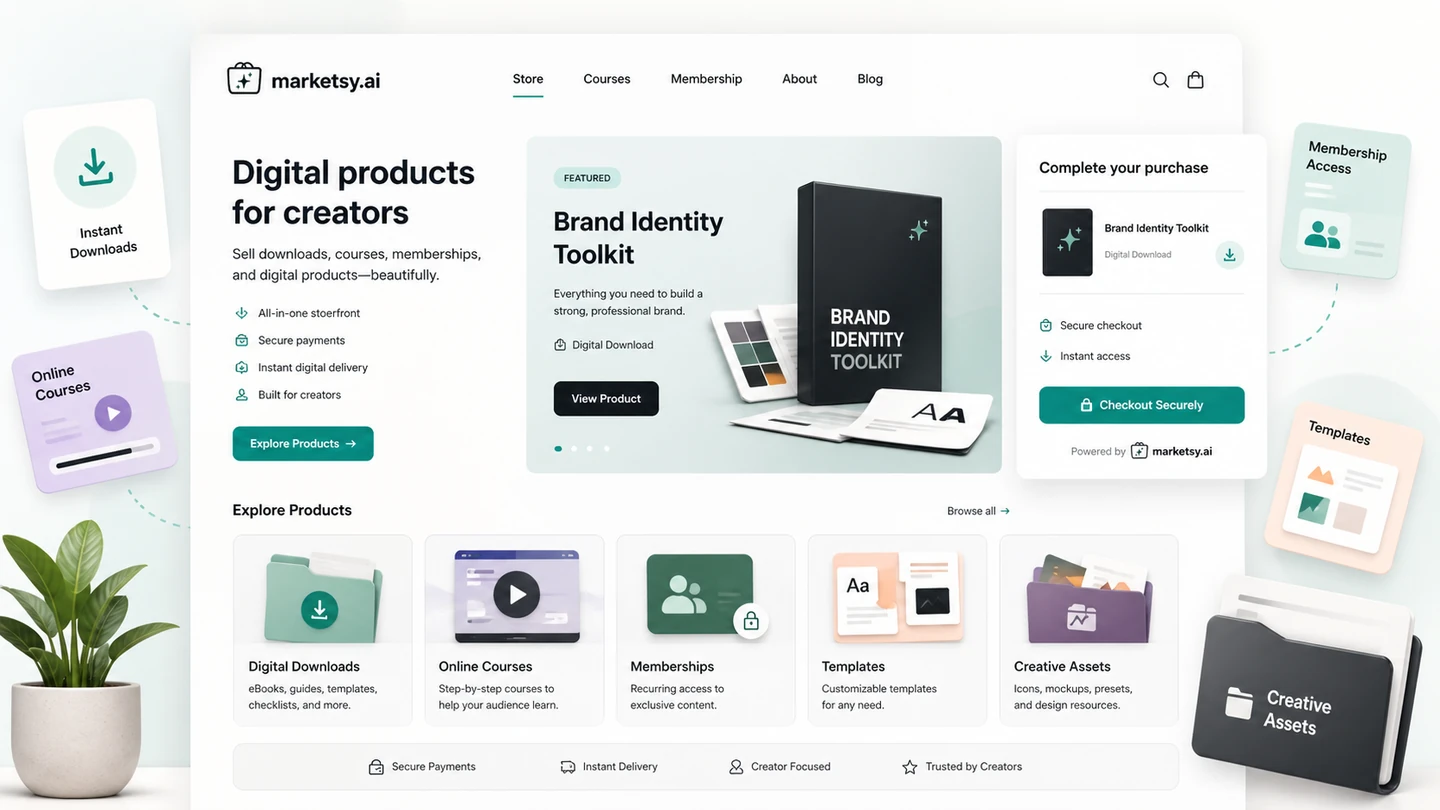
Marketsy is strongest when it compresses the early storefront setup. It is weaker if the buyer expects AI to solve product positioning, copy quality, audience building, customer support, or conversion strategy without effort.
Before paying, I would run one practical workflow: create one real product, publish a draft store, test checkout setup, inspect the product page copy, check delivery, and compare the store against Payhip, Gumroad, Shopify, or Podia for the same offer.
Workflow check: Marketsy is easier to judge after you test one real digital product, not after browsing the homepage alone.
Real-world buyer scenarios
Template seller with a small audience
A creator selling Notion templates, design assets, worksheets, presets, or Figma resources may find Marketsy useful because the storefront and payment setup can be lighter than building a full ecommerce site.
The risk is conversion. A simple storefront helps only if the product page explains the value clearly, the pricing makes sense, and the creator has a place to send buyers from. If most sales come from social media, email, or a niche blog, test how easily Marketsy fits those traffic paths.
Course creator testing a first paid offer
Marketsy may work for a simple course or membership offer when the creator wants to avoid assembling separate landing pages, checkout, files, and recurring product tools. It can be a sensible test platform if the course is small and the seller wants speed.
Where I would be careful is course depth. If the course needs student progress tracking, community features, complex drip content, certificates, quizzes, affiliates, or advanced email automation, Podia, Teachable, Thinkific, Kajabi, or another learning-focused platform may be stronger.
Microbrand selling digital-first products
A small brand selling downloadable resources, productized services, software templates, or digital add-ons may like the 0% platform commission positioning. That can matter if margins are tight.
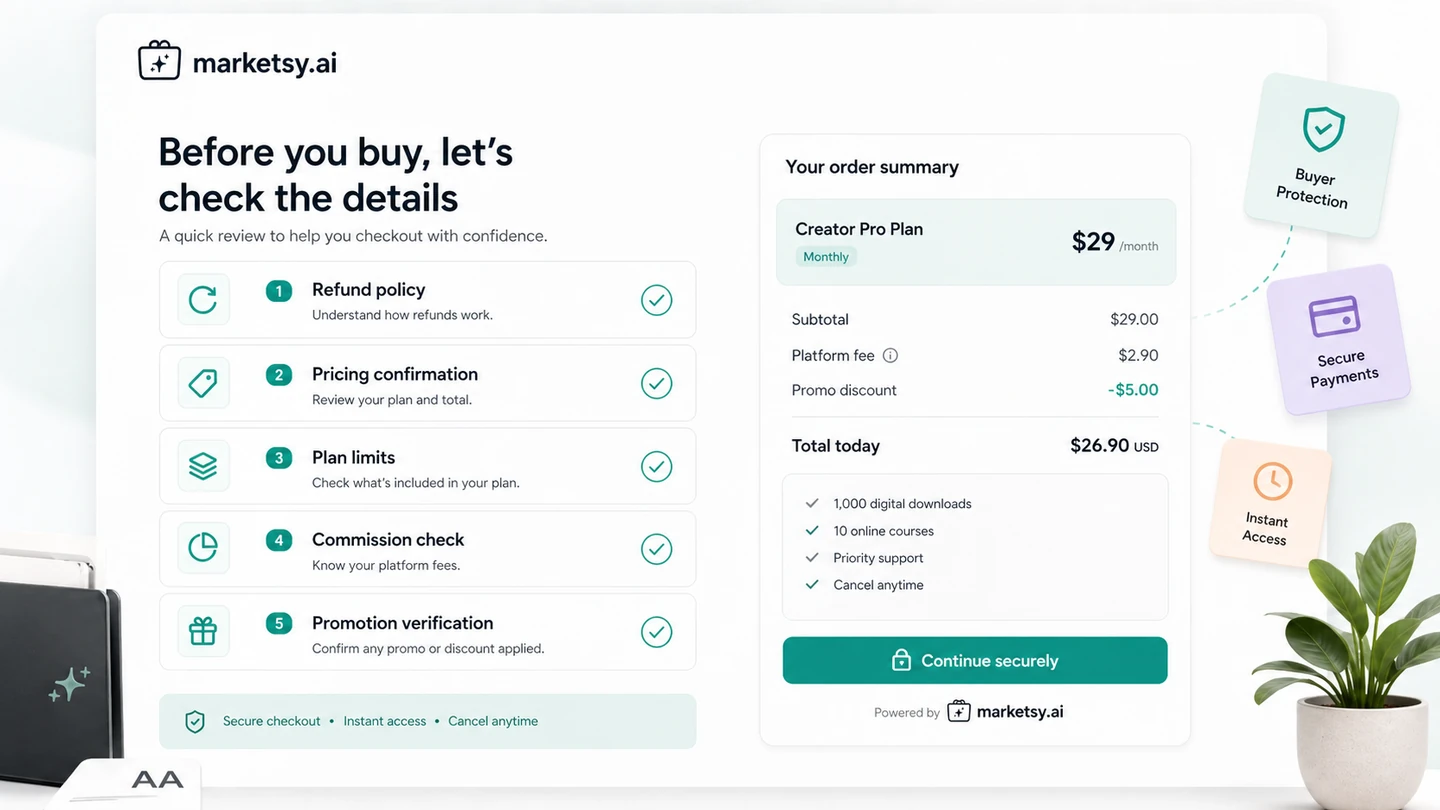
The buyer should still check payment processor fees, plan limits, AI coins, custom domain support, and refund terms. A 0% platform cut is attractive, but it is not the whole cost picture.
Founder testing a lightweight store before Shopify
Marketsy may be a useful early-stage test if the founder wants to validate a product before building a bigger store. The speed advantage is real only if the founder avoids turning the setup into another long design project.
If the product is likely to become a catalog, subscription business, physical goods operation, or advanced ecommerce brand, Shopify or WooCommerce may become the more durable route later.
Key features that actually matter
AI-assisted storefront and product setup
The AI angle is useful when it helps a seller get from blank page to editable storefront faster. Product descriptions, basic page copy, store structure, and product-listing assistance can save time for creators who are not strong at ecommerce setup.
Buyer note: AI-assisted copy still needs editing. Do not publish a product page just because it was generated quickly. Check the offer promise, product details, refund wording, and checkout trust before sending traffic.
Digital products, courses, and memberships
Marketsy’s strongest category fit is digital selling. Downloads, memberships, courses, templates, software resources, music, design files, and similar products are more natural than complex physical retail operations.
Buyer note: the more your offer depends on structured learning, community, or advanced subscriber management, the more carefully you should compare Podia, Teachable, Thinkific, or another education-focused tool.
Payment and checkout options
Public feature language points to Stripe and PayPal. That matters because a storefront without a trusted checkout path is just a page. Sellers should check gateway availability, regional support, payout process, processor fees, and how buyer receipts or delivery emails work.
Buyer note: payment processor fees still exist even when platform commission is positioned as 0%. Always separate platform fee, payment gateway fee, and plan cost.
Promo codes, embeds, and custom domains
Promo codes, widgets, embeds, and custom domains are useful when sellers already have traffic sources. A creator may want to embed a product card on a blog, link from a newsletter, or run a discount to an audience.
Buyer note: these features matter only when the traffic plan is real. If no one is visiting, promo codes and embeds do not create demand.
Webhooks, Zapier, and API access
Automation features can make Marketsy more interesting for sellers who want to connect orders to email, CRM, analytics, fulfillment, or support workflows.
Buyer note: verify current plan-level access. Do not assume API, webhooks, or Zapier are included in the lowest-cost path unless the live pricing page and checkout confirm it.
Pricing and plan value
Marketsy’s public pricing page currently emphasizes a low starting point and 0% revenue cut. That is a strong hook, especially for digital-product sellers who dislike marketplace fees.
But I would not make the buying decision from that headline alone.
The pricing history around Marketsy appears more complicated than a normal flat SaaS subscription. Public sources include current $1/month-style messaging, older blog language about trial and discounted subscription periods, and marketplace lifetime-deal pages with tiered AI credit and commission details. Those can all be useful context, but the live pricing page and checkout should be treated as the final source before payment.
The pricing question is less “Can I start cheaply?” and more “What does the chosen plan actually let me operate?”
A careful buyer should verify:
- current monthly or lifetime-style price
- whether there is a trial at live checkout
- whether 0% platform commission applies to the selected plan
- number of stores allowed
- user or team limits
- AI coins or credits
- custom domain support
- storage or file limits
- payment gateway setup
- promo code access
- embeds, webhooks, Zapier, and API availability
- what happens after any discounted period ends
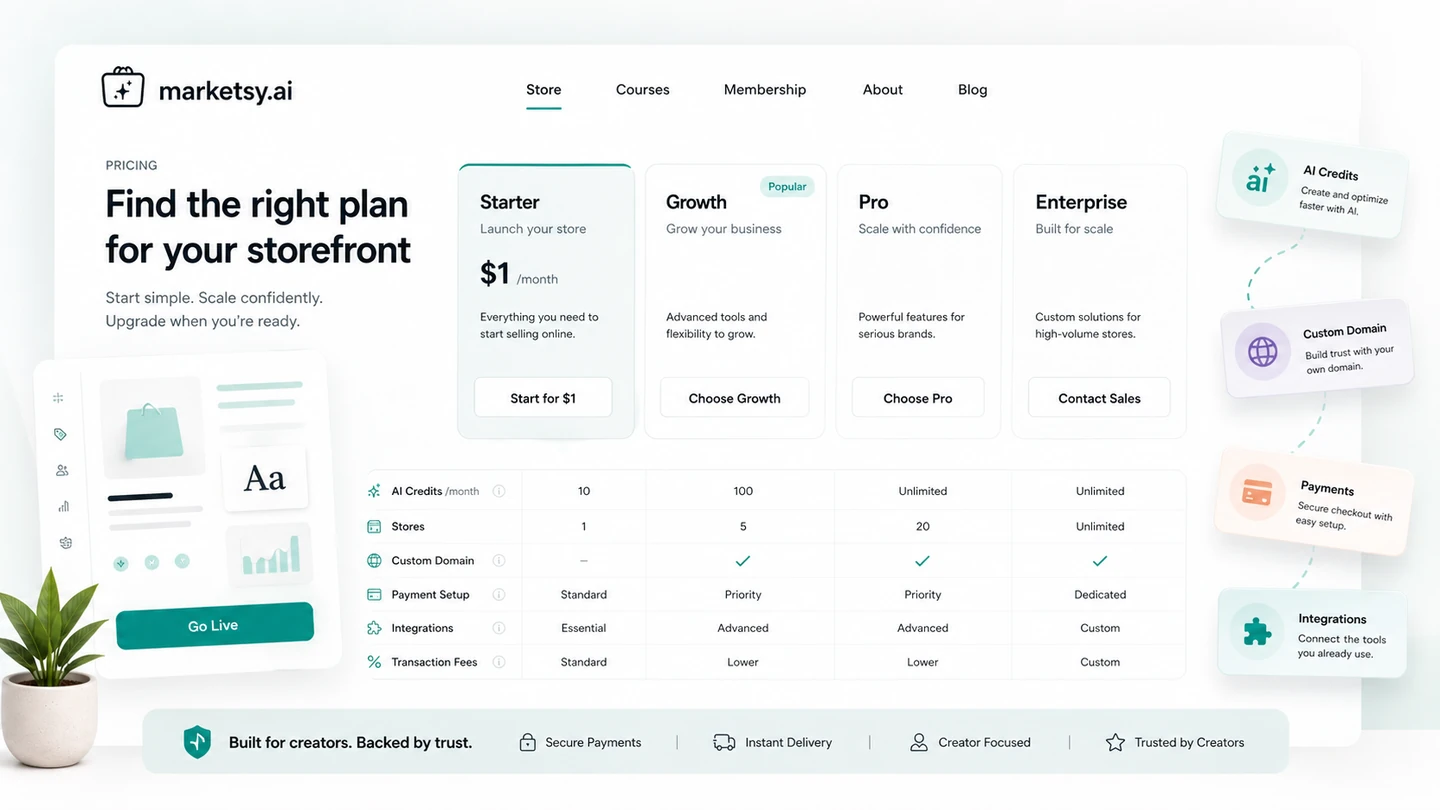
For a seller with one product and a simple checkout need, a low monthly path may be enough to test. For a creator building courses, memberships, custom domains, and automation, the real cost may depend on plan limits and connected tools. For a founder considering a lifetime offer, the question is not only price. It is whether the platform is mature enough for the business you want to run.
Pricing check: Treat the current pricing page and checkout as the final source before choosing a monthly, discounted, or lifetime-style path.
Check Marketsy pricing Check current offers Read store guide
Free plan, trial, coupon, and checkout notes
This is where buyers should slow down.
I would not assume a stable free plan unless the current pricing page and checkout clearly show one. Older Marketsy material has discussed changes to free-tier and trial-style paths, so the safer wording is simple: verify the current entry path before depending on it.
The same goes for lifetime or seasonal deals. AppSumo and partner-deal pages show that Marketsy has had public deal history, including lifetime-style offers and marketplace refund terms. That does not automatically mean those terms apply to a direct Marketsy purchase today.
For coupons, I would use a secondary mindset. A discount can improve a good purchase, but it should not create the purchase. First decide whether Marketsy fits the store workflow. Then check the Marketsy coupon page or current checkout route for active offers.
Do not expose or rely on old coupon-code claims unless the current route confirms them. The safer path is:
- confirm product fit
- verify current pricing and plan limits
- read the no-refund language
- check whether a current offer exists
- pay only if the store workflow makes sense without the discount
What I would check before buying Marketsy
If I were buying Marketsy for a real digital-product workflow, I would check these points before paying:
- The exact product type: Make sure your offer is a good fit for Marketsy, especially if you sell courses, memberships, software, or files that need special delivery logic.
- The current price and renewal path: Confirm whether the live checkout is monthly, discounted, lifetime-style, trial-based, or something else.
- Platform commission terms: Verify whether 0% commission applies to the plan you are choosing and how payment processor fees are handled.
- AI coins or usage limits: Check whether AI generation is generous enough for your store setup and ongoing product edits.
- Custom domain and branding: Confirm whether the plan supports the domain, white-label, and branding level you need.
- Payment setup: Check Stripe, PayPal, regional support, payout flow, and buyer delivery experience before launch.
- No-refund policy: Read the direct platform payment terms before paying, especially if you are unsure about fit.
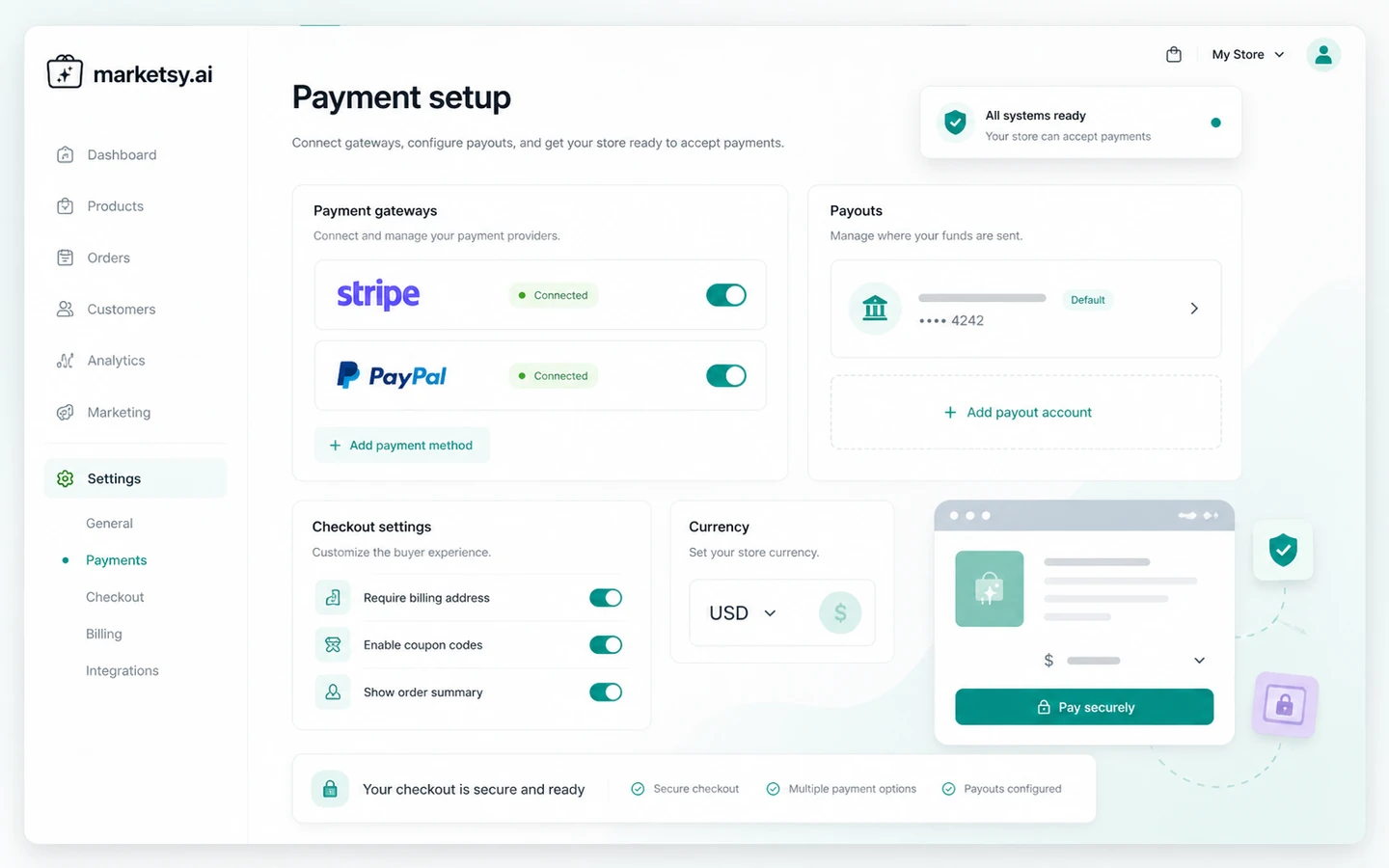
The no-refund point is not a small footnote. If a platform’s direct payments are final, the buyer should test fit before money changes hands.
A simple test before paying
Before paying for Marketsy, I would run a small test like this:
- Choose one real product, not a hypothetical idea.
- Write the product promise in one sentence.
- Build or draft the storefront page inside Marketsy.
- Check whether the AI-generated copy is usable after editing.
- Verify payment gateway setup and delivery flow.
- Compare the same product against Payhip, Gumroad, Shopify, or Podia.
- Decide whether Marketsy saves enough setup friction to justify the plan.
This test keeps the decision grounded. A store builder may look good in a demo, but the real question is whether it helps you sell one specific product more easily than the alternatives.
If the product page still needs heavy rewriting, checkout setup feels unclear, or a key feature sits behind a plan you were not expecting, pause before paying.
Pros explained
The first real pro is launch speed. Marketsy can shorten the gap between product idea and storefront, especially for creators who do not want to design every ecommerce page manually. That matters when the goal is to validate a digital product quickly.
The second pro is the product category focus. Marketsy is not trying to be a general business operating system. Its strongest story is digital products, courses, memberships, downloads, and small seller workflows. That focus makes the product easier to understand than broader ecommerce suites.
The third pro is the low-fee positioning. The 0% platform commission message is commercially attractive, especially for creators comparing marketplace fees. It matters most when the plan details confirm it and the seller has enough sales volume for platform fees to affect profit.
The fourth pro is the operational feature mix. Payments, analytics, promo codes, custom domains, embeds, webhooks, Zapier, and API access can help a storefront connect to a wider selling system.
The fifth pro is external footprint. Product Hunt, G2, AppSumo, and public deal pages show that Marketsy has some public history and user attention. That does not prove long-term fit, but it gives buyers more to inspect than a completely invisible tool.
Cons explained
The biggest con is refund risk. Marketsy’s direct terms describe payments made to the platform as no-refund. That makes the test-first approach more important than usual.
The second con is pricing clarity over time. Marketsy has had different public pricing messages, trial language, lifetime-style deal references, and marketplace terms. A buyer should not rely on an old article or deal page when current checkout details may be different.
The third con is maturity compared with larger alternatives. Shopify has a much deeper ecommerce ecosystem. Gumroad and Payhip are familiar direct routes for creators. Podia is more education-business oriented. Marketsy may be simpler and faster, but it may not have the same depth for every use case.
The fourth con is the traffic problem. Marketsy can help create the storefront, but it cannot guarantee buyers. Sellers without an audience, SEO plan, newsletter, social channel, paid traffic route, or affiliate plan may launch quickly and still see no sales.
The fifth con is category fit. If your business depends on advanced inventory, complex subscriptions, tax handling, marketplace discovery, learning management, or enterprise workflows, Marketsy may not be the safest first platform.
Green flags and red flags
Green flags:
- You already have a digital product ready to sell.
- You want a simple storefront rather than a full ecommerce build.
- You value low platform-commission pressure.
- You can verify the current plan limits before paying.
- You have a traffic source ready, such as email, content, social, or paid campaigns.
- You are comfortable testing one offer before scaling the store.
Red flags:
- You are buying because the starting price looks cheap, not because the workflow fits.
- You have no product, no audience, and no launch plan.
- You need a guaranteed refund window before you feel safe paying.
- You are relying on old lifetime-deal pages instead of current checkout terms.
- You need mature physical ecommerce operations or advanced course platform features.
- You expect AI to create the store, the product, the traffic, and the sales strategy for you.
Marketsy vs alternatives
Marketsy should be compared by seller job, not just by feature list.
Payhip vs Marketsy
Payhip is a direct alternative for digital product sellers who want a familiar way to sell downloads, courses, memberships, and simple storefront products. It may feel safer for buyers who want a known creator-commerce path with broad digital-product familiarity.
Marketsy may still make sense if the buyer wants AI-assisted store creation and likes the low-commission positioning. The tradeoff is maturity and confidence. Payhip may feel more established; Marketsy may feel faster and more AI-forward.
Gumroad vs Marketsy
Gumroad is the classic creator-selling comparison. It is strong for simple digital products, creator audiences, and quick monetization. If you already understand Gumroad’s fee structure and buyer experience, it may be the easier default.
Marketsy may appeal if you want a fresher storefront experience, 0% platform commission messaging, and more AI-assisted setup. The buyer should compare not only fees but also checkout trust, product page flexibility, customer experience, and recurring product needs.
Shopify vs Marketsy
Shopify is stronger for mature ecommerce operations, larger catalogs, physical products, fulfillment, apps, themes, checkout depth, and long-term commerce infrastructure. It is usually heavier than Marketsy, but that heaviness can be useful for serious stores.
Marketsy is better positioned for a lightweight digital-product launch. I would choose Shopify if the store is likely to grow into a full ecommerce operation. I would consider Marketsy if the goal is to sell a smaller digital offer quickly without building a large commerce stack.
Podia vs Marketsy
Podia is the stronger comparison when the main business is courses, memberships, community, coaching, or creator education. It is built around the creator-education model rather than only storefront setup.
Marketsy may still make sense for simpler course or membership offers, especially if the seller wants storefront speed and low platform-commission pressure. But if learning-product depth matters, compare Podia carefully before choosing Marketsy.
Trust, refund, and buyer-risk notes
The most important trust detail is refund language. Marketsy’s terms state that payments made directly to the platform follow a no-refund policy. They also clarify that this is separate from purchases made from independent sellers on individual Marketsy stores, which may have their own refund policies.
That distinction matters.
If you are buying Marketsy as a seller, you are evaluating the platform subscription or platform payment. If you are buying a product from a store hosted on Marketsy, you are dealing with the seller’s product policy. Do not mix those two situations.
Pricing also needs careful handling. The current pricing page gives a low starting signal and 0% revenue cut message, but older blog and marketplace pages show that pricing and deal structures have changed over time. I would treat live checkout as the source of truth.
Data and privacy should also be checked. A storefront platform handles seller account information, buyer transactions, product data, analytics, and connected tools. If you are selling sensitive files, paid educational content, or subscription products, read the privacy policy and payment setup carefully.
Finally, do not treat AI generation as a compliance shortcut. If Marketsy helps create copy, product listings, or store content, the seller still owns the responsibility for accuracy, legal claims, product rights, refund wording, and customer expectations.
Final verdict
I would consider Marketsy if you already have a digital product to sell, want a faster storefront launch, care about low platform-commission pressure, and are comfortable verifying the current pricing and no-refund terms before paying.
I would skip Marketsy if you are still searching for a product idea, have no traffic source, need a mature ecommerce app ecosystem, or want a traditional refund window before you feel safe trying the platform.
I would compare it with Payhip and Gumroad if you mainly sell simple digital downloads. I would compare it with Shopify if the business may become a broader ecommerce operation. I would compare it with Podia if courses, memberships, and creator education are the center of the business.
The safest next step is not to chase a coupon first. The safer path is to define one real product, verify the current Marketsy plan and checkout terms, and decide whether the storefront workflow saves enough time to justify the platform.
