
GPTZero Pricing, Plans & Workflow Fit
GPTZero is an AI detection and writing-authenticity platform for educators, students, writers, publishers, and teams that need more than a simple percentage score. It combines AI text scanning, writing feedback, Google Docs and Chrome workflows, classroom or LMS paths, and developer API access.
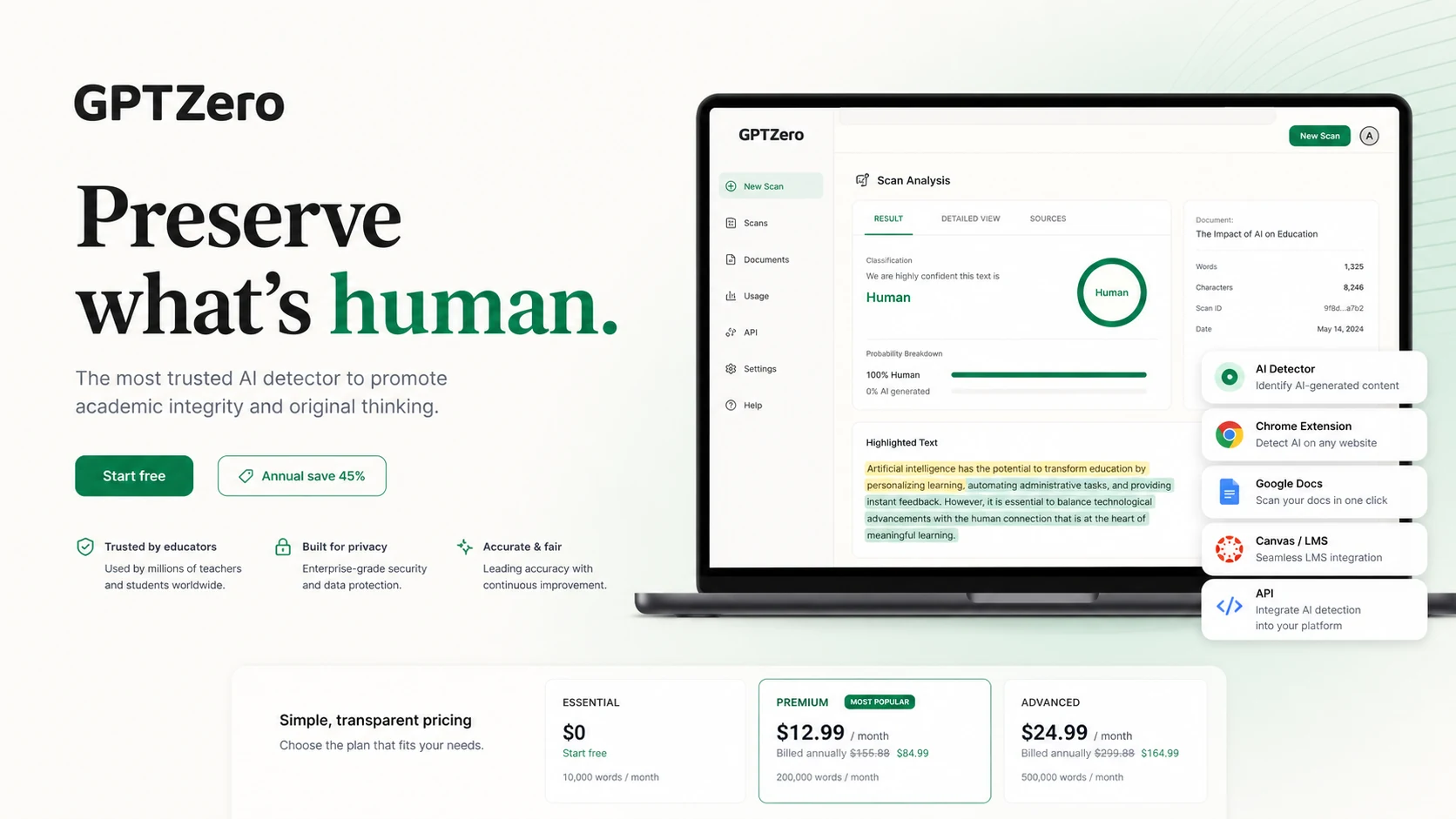
Fit → price → checkout
Use these routes after the official-site check: coupon first, review for fit, compare if unsure.
GPTZero pricing snapshot
Fast commercial checks before pricing, coupons, or a deeper review.
GPTZero product tour
The product tour should help buyers separate three decisions: whether GPTZero's detector fits the workflow, whether the dashboard and extension features are enough, and whether team or API access is worth paying for.
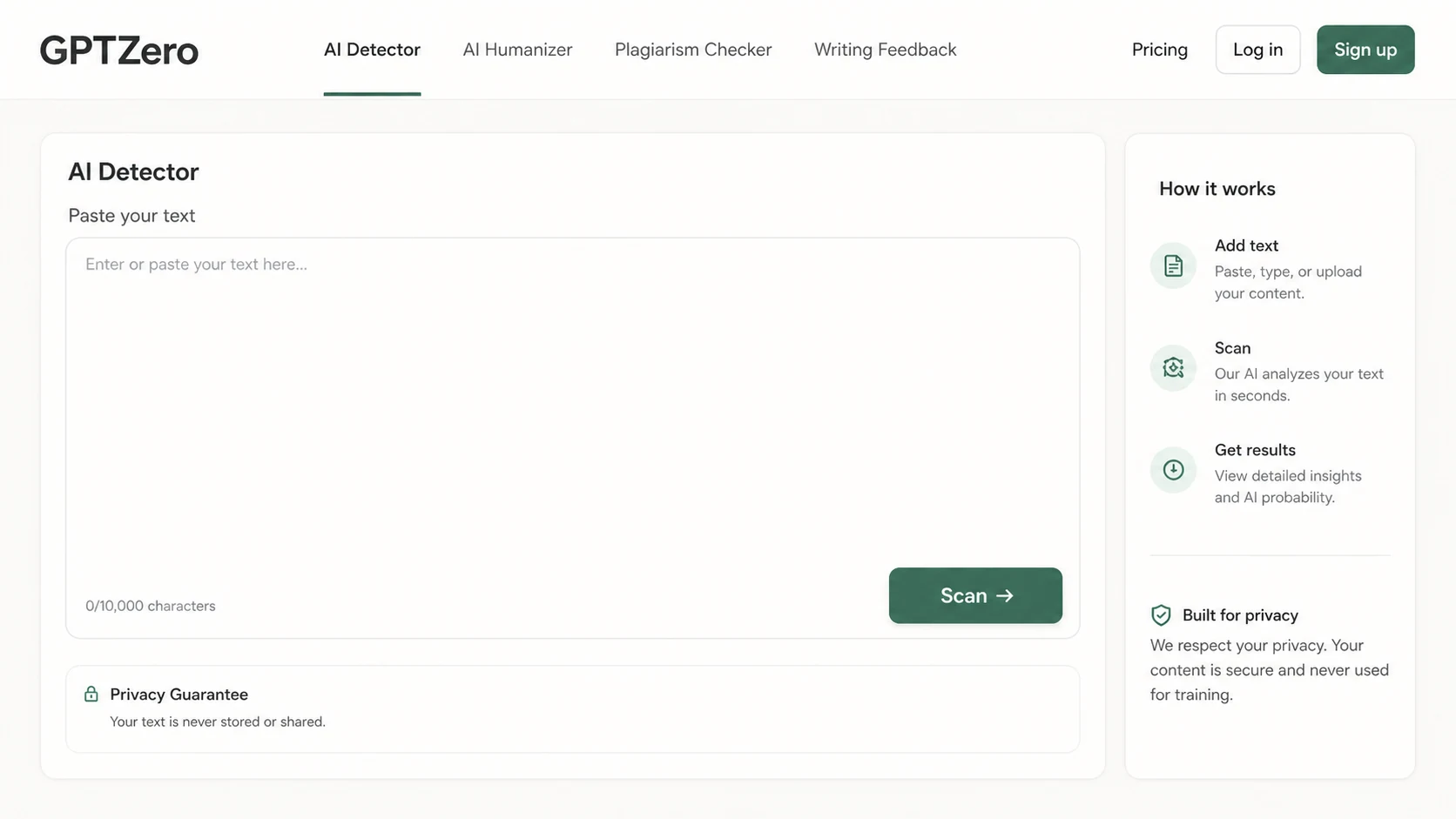
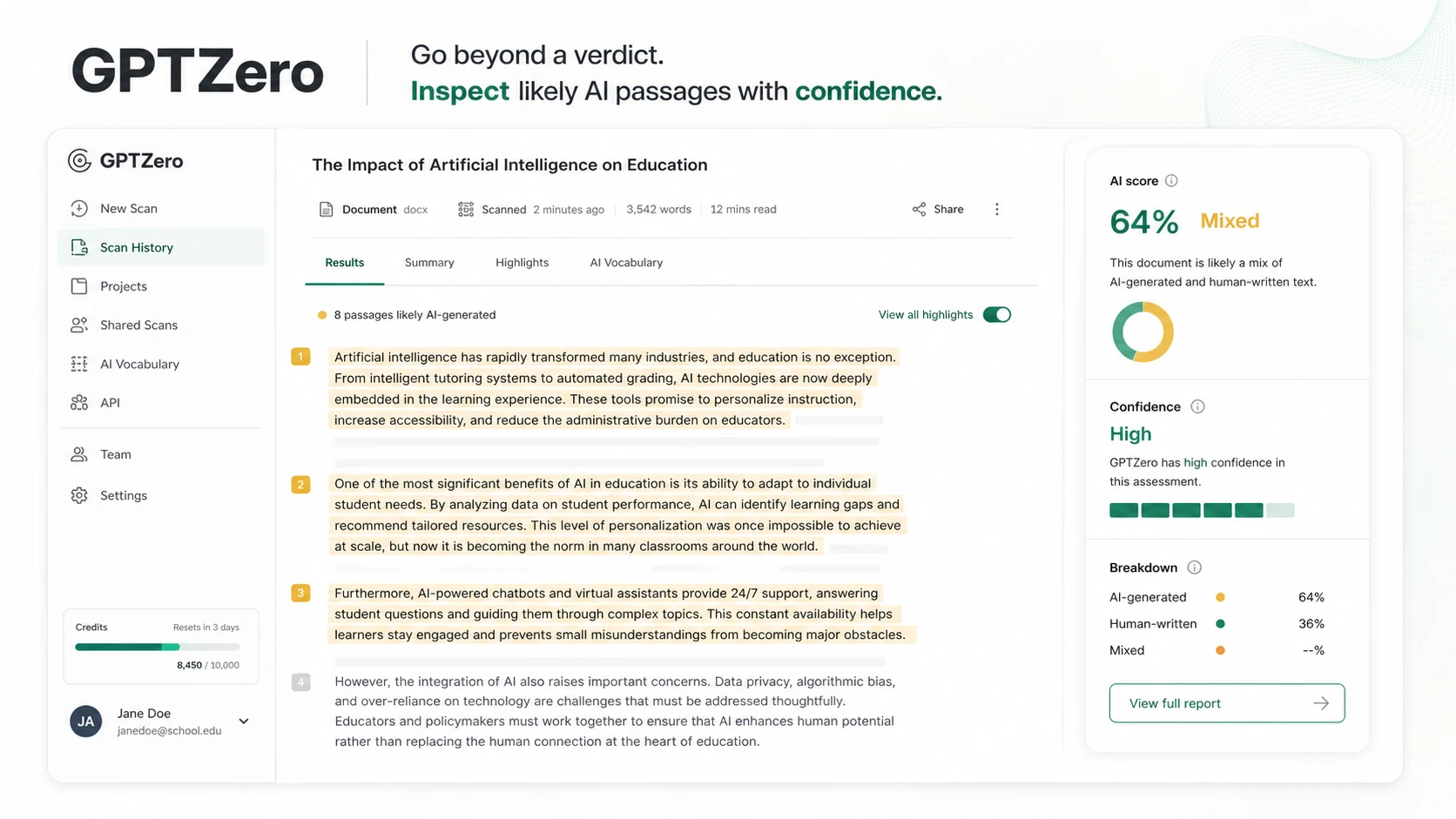
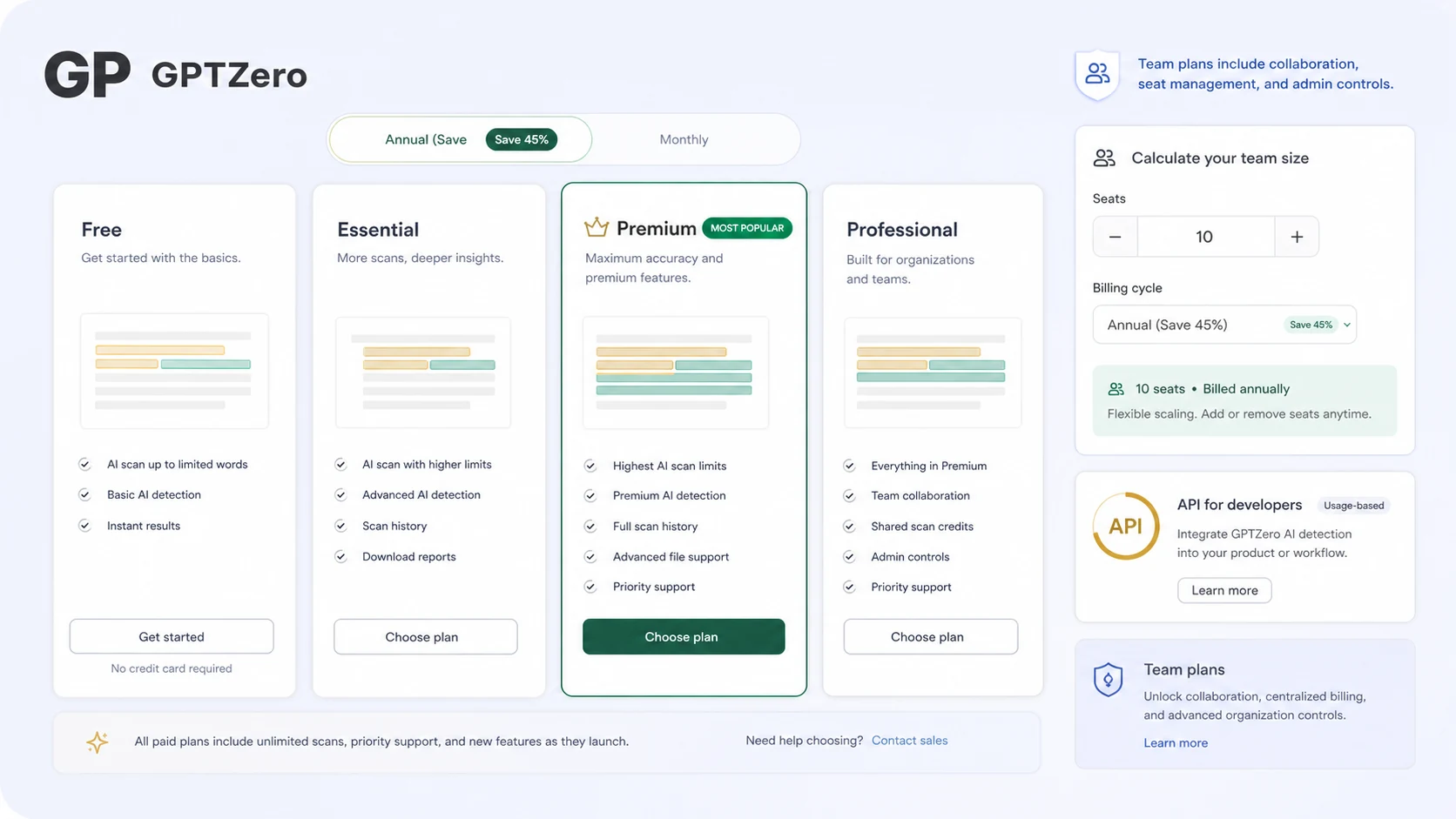
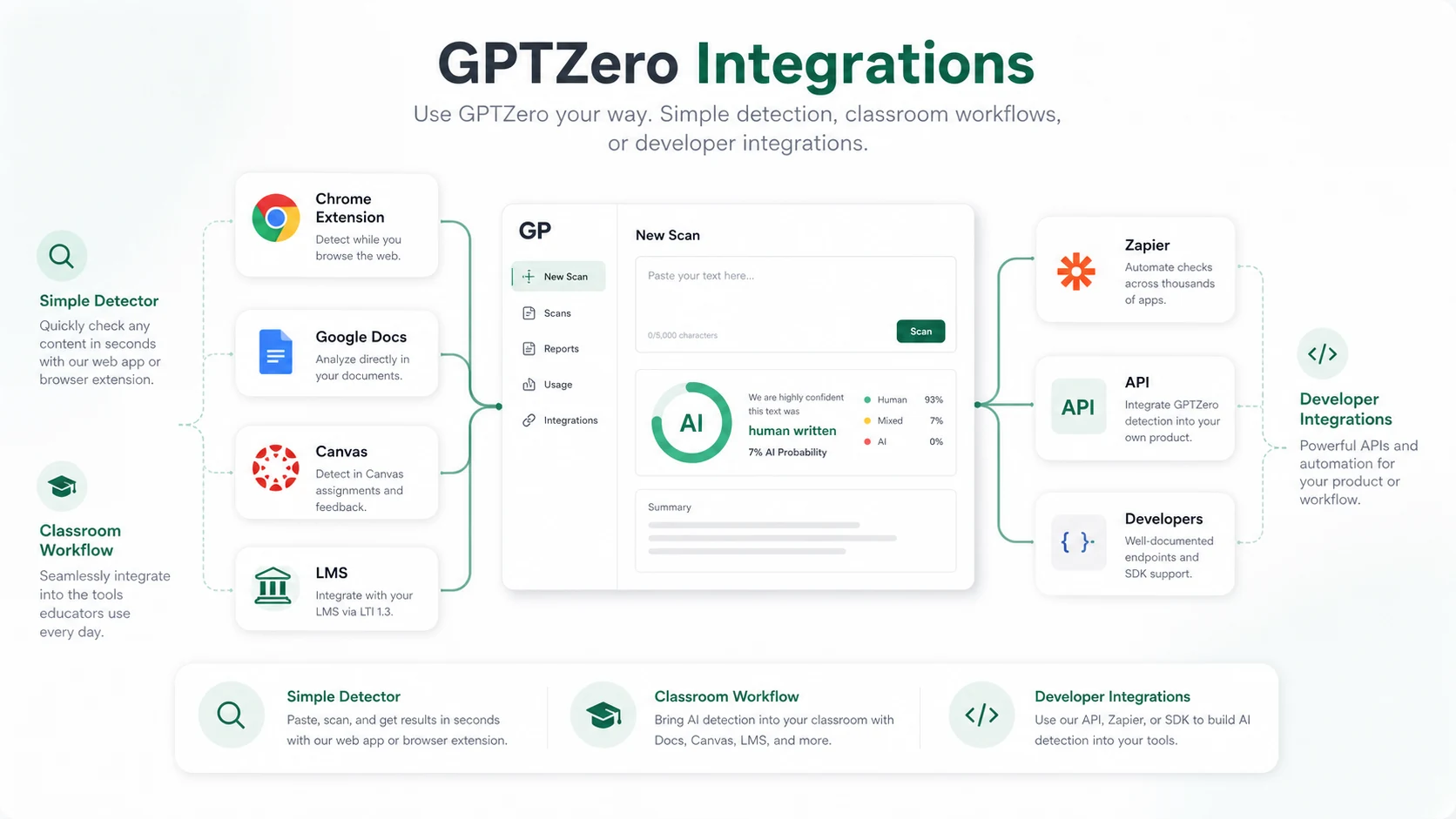
GPTZero is best understood as a detection workflow hub, not just a free AI checker. A buyer might arrive because they want to paste text and get a quick answer, but the real buying decision usually becomes broader: dashboard limits, Chrome and Google Docs workflows, classroom reporting, team seats, API access, and annual billing risk.
What GPTZero actually does
GPTZero detects AI-written text and helps users review writing quality, likely AI passages, plagiarism signals, and authorship-related context. The practical value is not that it gives a perfect yes-or-no answer. The value is that it gives teachers, editors, publishers, and teams a structured checkpoint before they make a decision about a document.
- Paste or upload text for AI detection checks.
- Use highlighted results to review the parts that need closer attention.
- Move into Chrome, Google Docs, or classroom workflows when copy-paste checking is too limited.
Pricing and plan fit
GPTZero's safest pricing path starts with the free entry point, then moves into the live plan calculator only when the buyer understands the workflow. The pricing page shows annual savings and team seats, while developer usage has its own API path. That makes the buyer question less about the cheapest label and more about whether the plan matches the number of scans, seats, and integrations you actually need.
- Use the free detector first for light testing.
- Check monthly versus annual billing before committing.
- Treat team seats and API access as separate buying questions.
Watch the Chrome and writing report workflow
The body video is useful because it shows GPTZero outside a simple paste-and-scan flow. Buyers who care about Google Docs, writing reports, citation checks, or authorship context should watch for how the extension changes the workflow, not just whether the detector returns a percentage.
- Look for how the extension fits a real writing process.
- Check whether writing replay or report-style evidence matters for your use case.
- Confirm whether the workflow is available on the plan you are considering.
Team, classroom, LMS, and API paths
GPTZero has several buyer paths that should not be mixed together. Solo users may care about free scans and paid dashboard limits. Educators may care about reports, Google Docs, LMS support, and classroom implementation. Developers need API subscription and key setup. A store page should make those paths visible before pushing the buyer toward a single CTA.
- Educators should confirm LMS, Google Classroom, Canvas, and reporting needs before buying.
- Teams should check seat count, shared billing, and admin workflow.
- Developers should use the API documentation and subscription path instead of assuming dashboard access covers integration.
What to verify before checkout
The biggest buying risk is not whether GPTZero has useful features. The risk is choosing a plan before confirming the final price, renewal behavior, trial availability, refund language, and whether the plan actually includes the workflow you expect. This is especially important because the terms say purchases are non-refundable.
- Verify the final checkout price after seats and billing interval are selected.
- Confirm whether a 7-day trial appears on the chosen plan.
- Read cancellation and non-refundable purchase language before entering payment details.
- Check API and team requirements separately from solo dashboard pricing.
Best next step
If you are still judging whether AI detection belongs in your workflow, start with the free detector and then read the GPTZero review. If the product already fits, move to the coupon or pricing path to check annual savings, live plan limits, and any current deal routing. If you need stricter plagiarism governance or publisher-focused workflows, compare GPTZero with Copyleaks and Originality.ai before paying.
- Start free when the use case is still light or uncertain.
- Read the review when workflow fit is not yet clear.
- Check the coupon or pricing route only after GPTZero already looks right.
- Compare Copyleaks, Originality.ai, and Winston AI when governance, publisher workflow, or reporting style matters.
Best savings path from this store page
This is the clearest savings route to check once the product already looks like a fit.
A third-party coupon tracker reports a GPTZero educator checkout coupon with recent community use. Treat this as a checkout-test path, not an official pricing-page guarantee.
The official pricing page should remain the fallback because this coupon path is reported by coupon sources rather than GPTZero pricing.
Save 45% annually
7-day free trial
Use comparison routes when the category fit is still open
Use these comparison routes when the product still looks plausible, but the category fit is not fully settled.
Originality.ai is usually the stronger comparison for agencies, publishers, and recurring editorial checks where credit usage and team workflow matter more than a free first scan.
Copyleaks is the closer fit when the buyer wants AI detection and plagiarism checking tied to LMS, education, API, or governance use cases.
Winston AI is worth checking when the buyer wants a simpler detector-style workflow with reports and less emphasis on GPTZero's writing replay or developer path.
Verification points worth checking before you click out
Where this store usually fits best in the workflow
GPTZero fits educators who need a practical checkpoint for essays, reports, or classroom writing. The buyer should still avoid treating a detector result as final proof and should verify reporting, Google Docs, and LMS requirements before paying.
GPTZero can help editors triage content before deeper review. It makes the most sense when the team wants highlighted passages and workflow context, not just a simple AI percentage.
Students and writers can use the free path to see whether a draft looks overly AI-like or needs revision. Paid plans only make sense when checks, feedback, or writing-report features become repeatable needs.
GPTZero's API path fits products or internal systems that need AI detection inside another workflow. Buyers should review API subscription requirements, documentation, and expected request volume separately from dashboard pricing.
Practical checkpoints before and after signup
- Clarify whether the buyer needs free checks, classroom reporting, editorial review, team seats, or API integration.
- Compare GPTZero against Copyleaks and Originality.ai before assuming one detector fits every use case.
- Run the free detector with realistic documents rather than polished examples only.
- Check whether the result format is useful enough for the actual reviewer, teacher, writer, or editor.
- Open the live pricing calculator and compare monthly, annual, team, and API paths.
- Verify trial visibility, cancellation terms, and non-refundable purchase language before checkout.
- Start with the narrowest workflow that proves value before expanding seats or annual billing.
- For API or LMS use, test implementation requirements before treating GPTZero as a simple dashboard purchase.
Fast-read signals for workflow fit and buying friction
Questions readers usually ask before choosing this store
What is GPTZero best for?
GPTZero is best for buyers who need AI detection as part of a real review workflow. It fits teachers, students, writers, publishers, and teams that want highlighted results, writing context, extension support, or API access rather than a one-time detector score.
Does GPTZero have a free plan or trial?
GPTZero has a free entry path for testing the detector, and its terms mention an optional 7-day free trial for new users. Buyers should still verify the live plan page and checkout screen because trial availability can depend on the exact plan and purchase flow.
Are GPTZero coupon codes the best savings path?
Usually no. The more reliable path is to start free, compare monthly versus annual billing, and verify the current plan calculator. Public coupon claims may appear on third-party coupon sites, but they should not be treated as verified unless they work on the live checkout page.
What should buyers verify before paying for GPTZero?
Check the final price, billing interval, seat count, trial visibility, cancellation terms, non-refundable purchase language, and whether the plan includes the workflow you need. API, LMS, Chrome, Google Docs, and team use cases should be verified separately.
When should I compare GPTZero with Copyleaks or Originality.ai?
Compare Copyleaks if plagiarism checking, LMS support, or governance workflows are central. Compare Originality.ai if the buyer is closer to agency, publishing, or recurring editorial checks. GPTZero is stronger when free entry, education workflow, writing reports, or API routing matter most.
Choose the next route that matches what you still need to decide
The strongest next click depends on whether you still need product judgment, a savings route, or a broader category comparison.