
Bluedot Pricing, Plans & Meeting Fit
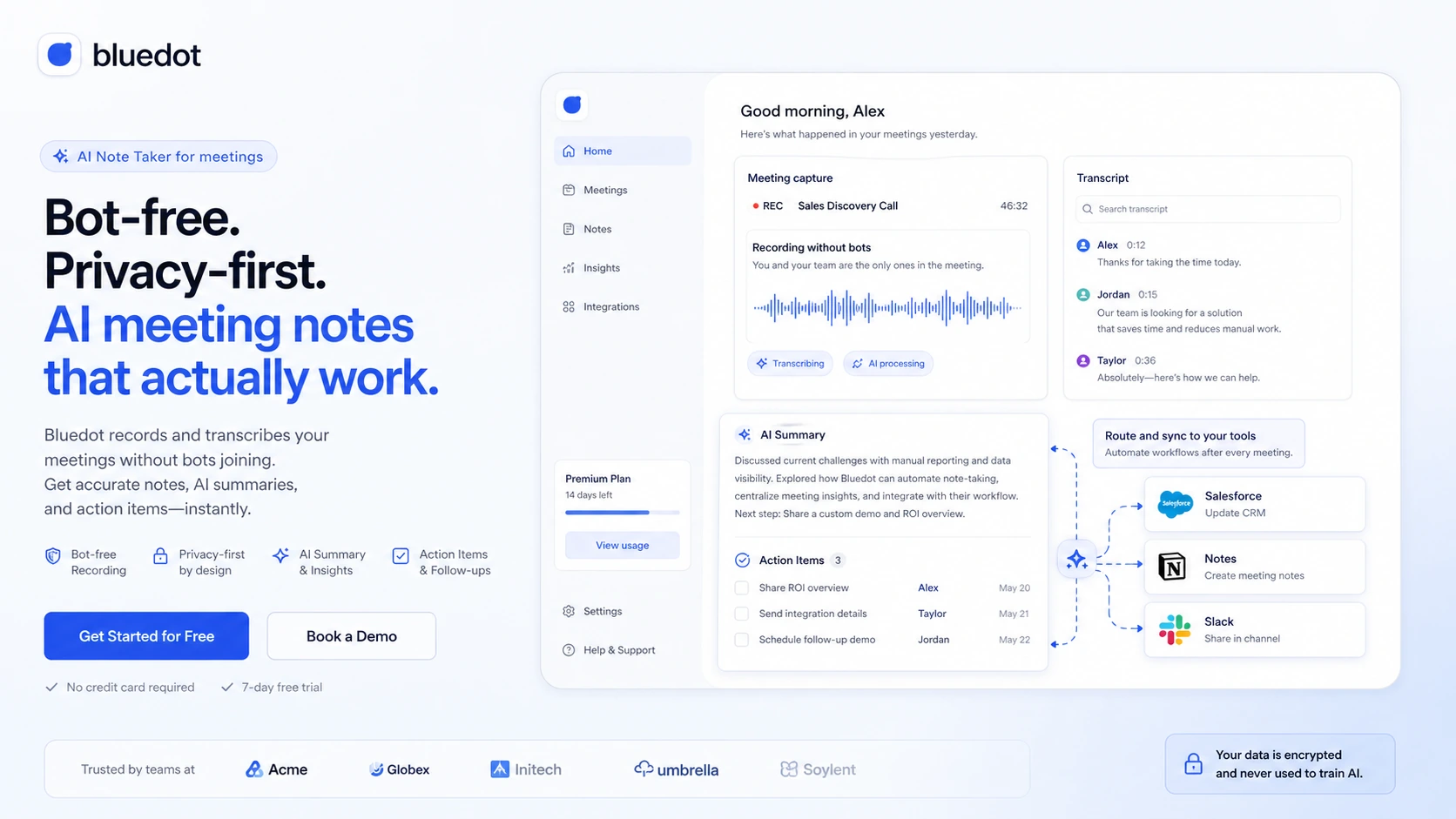
Bluedot is a privacy-positioned AI note taker and meeting recorder for people who want transcripts, summaries, recordings, and follow-up notes without adding a visible bot to every call. It fits buyers who care about meeting capture across online and in-person conversations, but the plan decision should be based on recording type, video needs, imports, CRM workflows, and cancellation risk.
Fit → price → checkout
Use these routes after the official-site check: coupon first, review for fit, compare if unsure.
Bluedot pricing snapshot
Fast commercial checks before pricing, coupons, or a deeper review.
Free plan includes 5 lifetime meetings and 1 hour max per recording
Audio-only unlimited meetings, unlimited storage, and public webhooks
Adds video meetings, unlimited duration, custom templates, and limited imports
Adds unlimited imports plus HubSpot and Salesforce integrations
Bluedot product tour for meeting note buyers
Bluedot is easier to evaluate visually because the buying decision depends on how recording starts, how transcripts and summaries appear, and how meeting outcomes move into team tools. Buyers should look at the extension, recorder, transcript, integrations, and pricing table before choosing a plan.
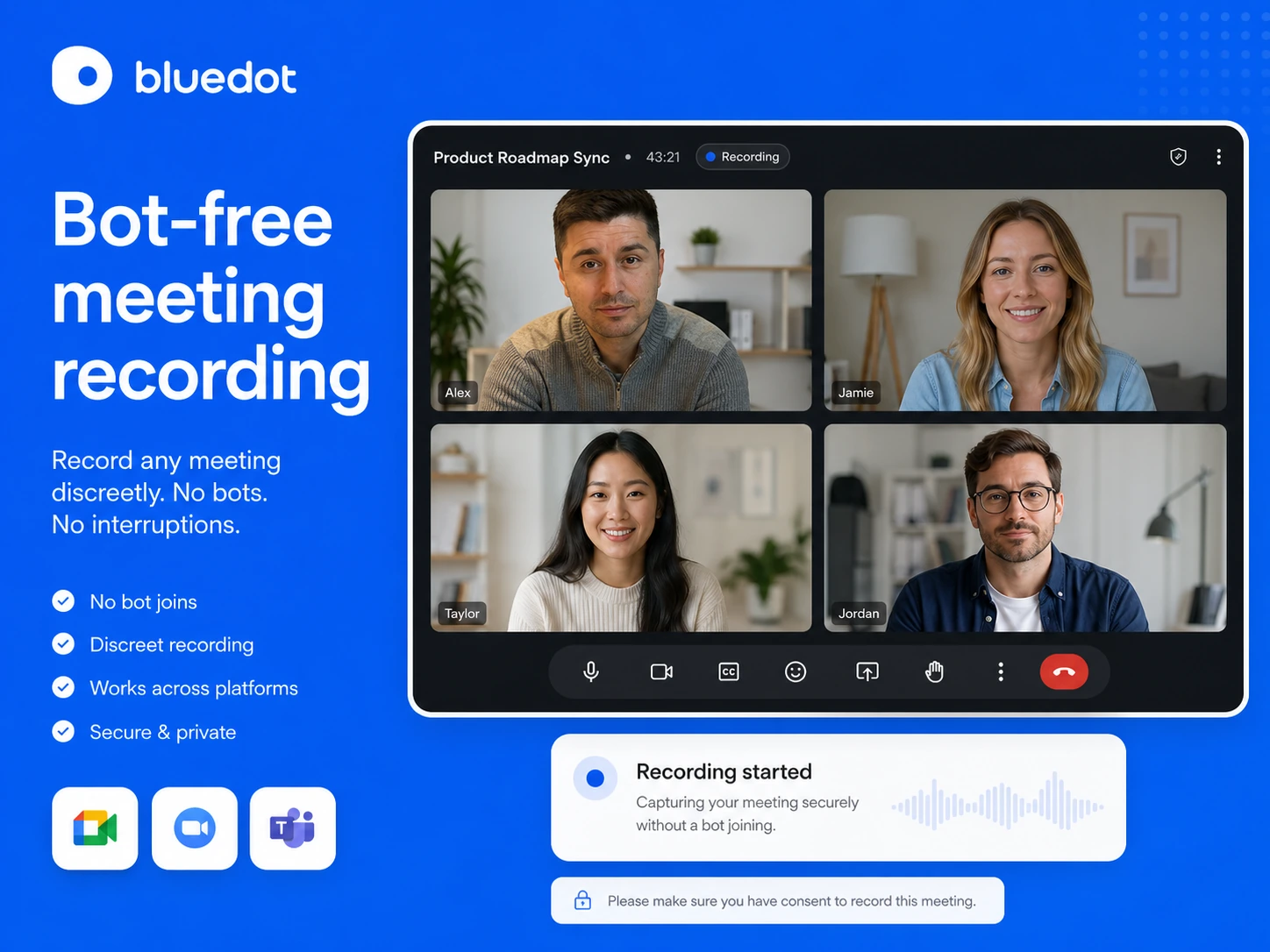
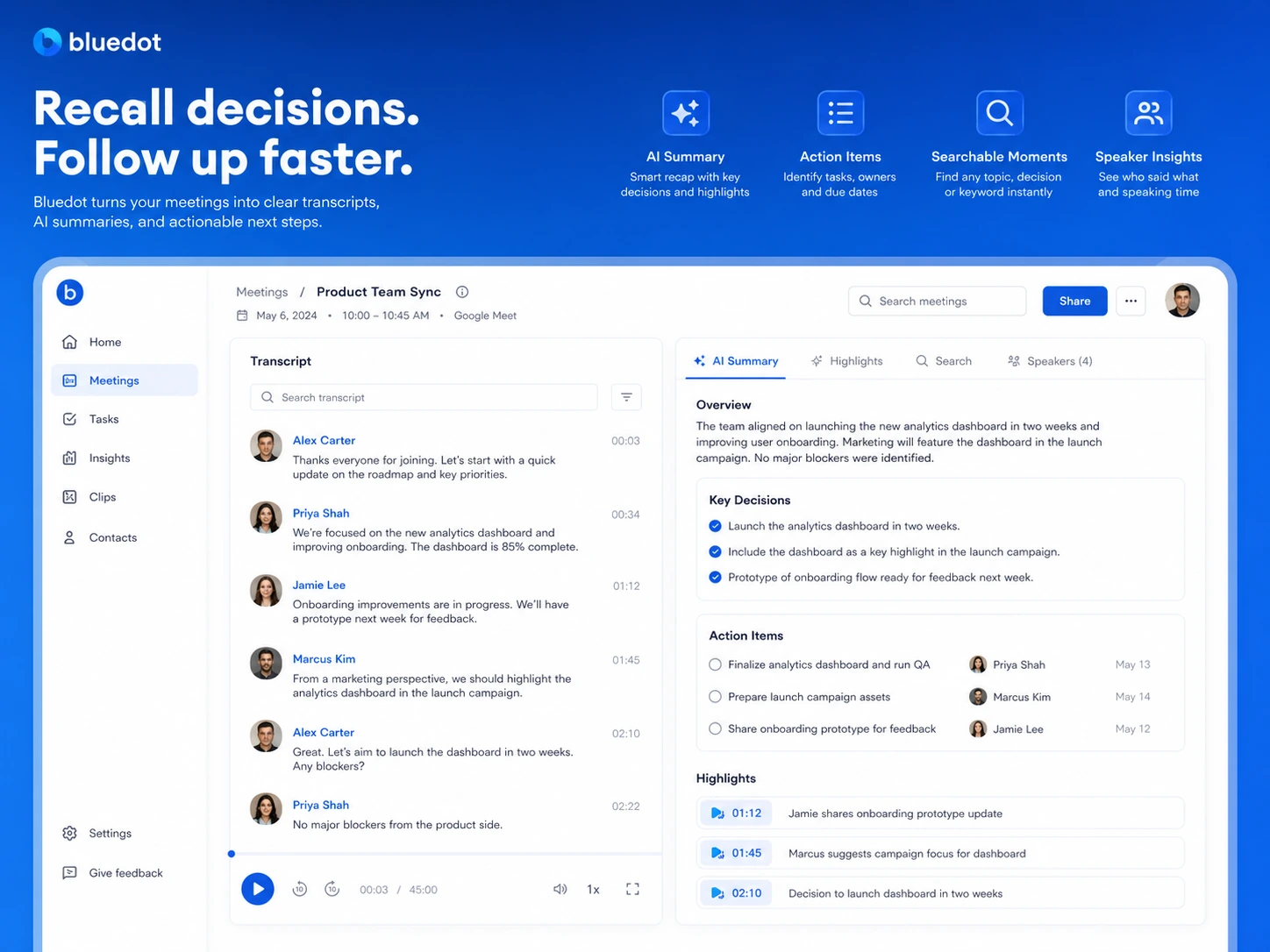
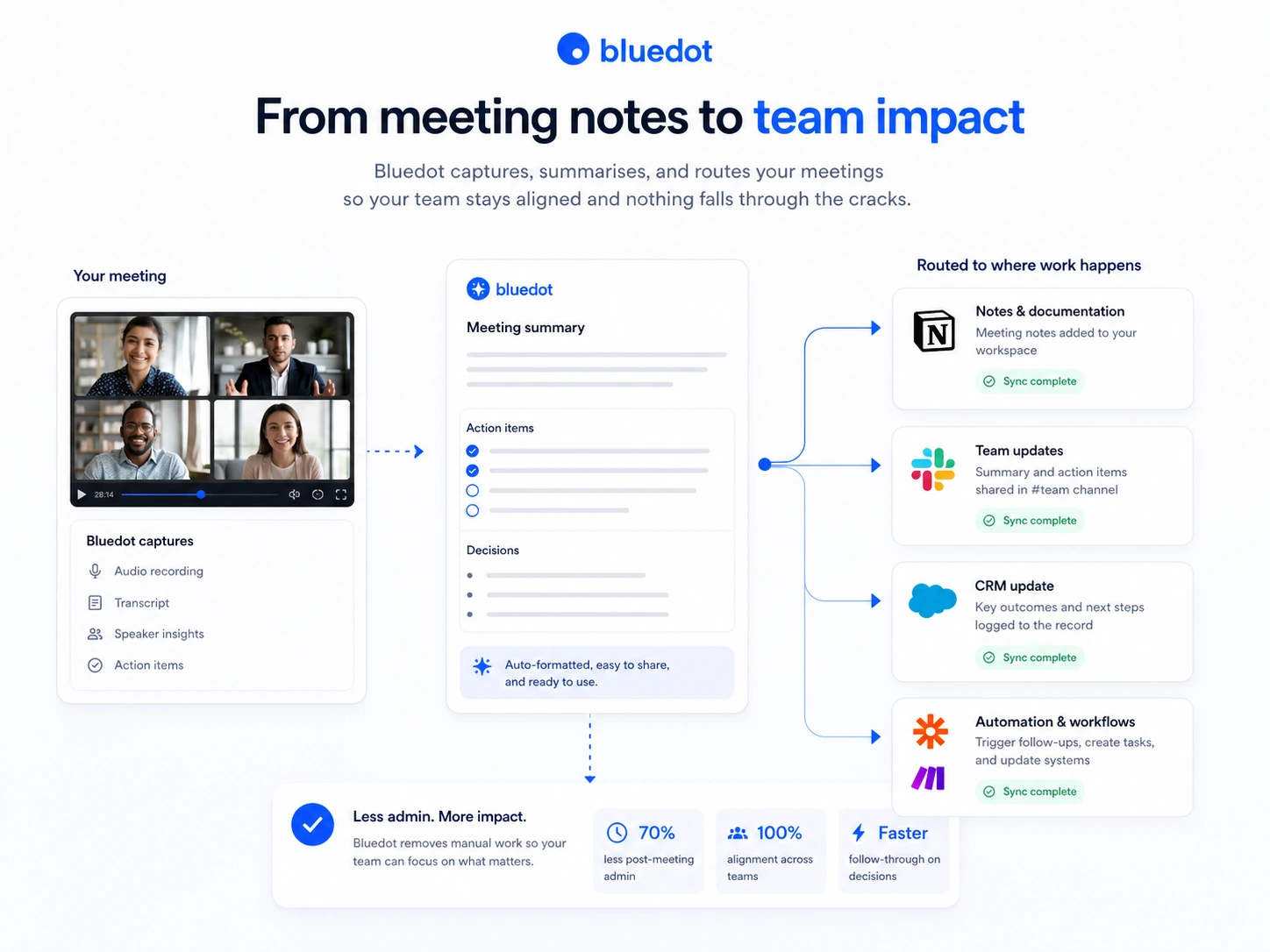
Bluedot is a buyer-fit decision for people who want meeting capture without turning every call into a visible bot experience. It records, transcribes, summarizes, and routes meeting outcomes into the places where teams already work. That makes it useful for founders, sales teams, customer success teams, recruiters, and operators, but only if the recording model fits the team's privacy and compliance expectations.
The Free plan is the right starting point because meeting note tools are difficult to judge from screenshots alone. A buyer should test transcript quality, summary structure, consent workflow, and integration fit before paying. The paid decision is mostly about whether Basic's audio-only path is enough or whether Pro and Business features such as video, imports, templates, and CRM integrations are worth the higher price.
What Bluedot actually does
Bluedot records meetings, creates transcripts, generates AI summaries, and helps move follow-up notes into work tools. The official positioning emphasizes bot-free recording, which means the tool is meant to capture calls without a separate meeting assistant appearing as another participant.
That workflow is useful when meeting records are needed but a visible bot would feel awkward, distracting, or unsuitable for the conversation. It also means buyers need to be disciplined about consent. Bluedot gives recording capability, but its terms say the user is responsible for obtaining required consent and complying with applicable recording and privacy laws.
- Capture online and in-person conversations.
- Generate transcripts, summaries, clips, and follow-up notes.
- Send meeting outcomes into tools such as Slack, Notion, Zapier, Make, HubSpot, or Salesforce depending on plan and workflow.
Pricing and plan fit
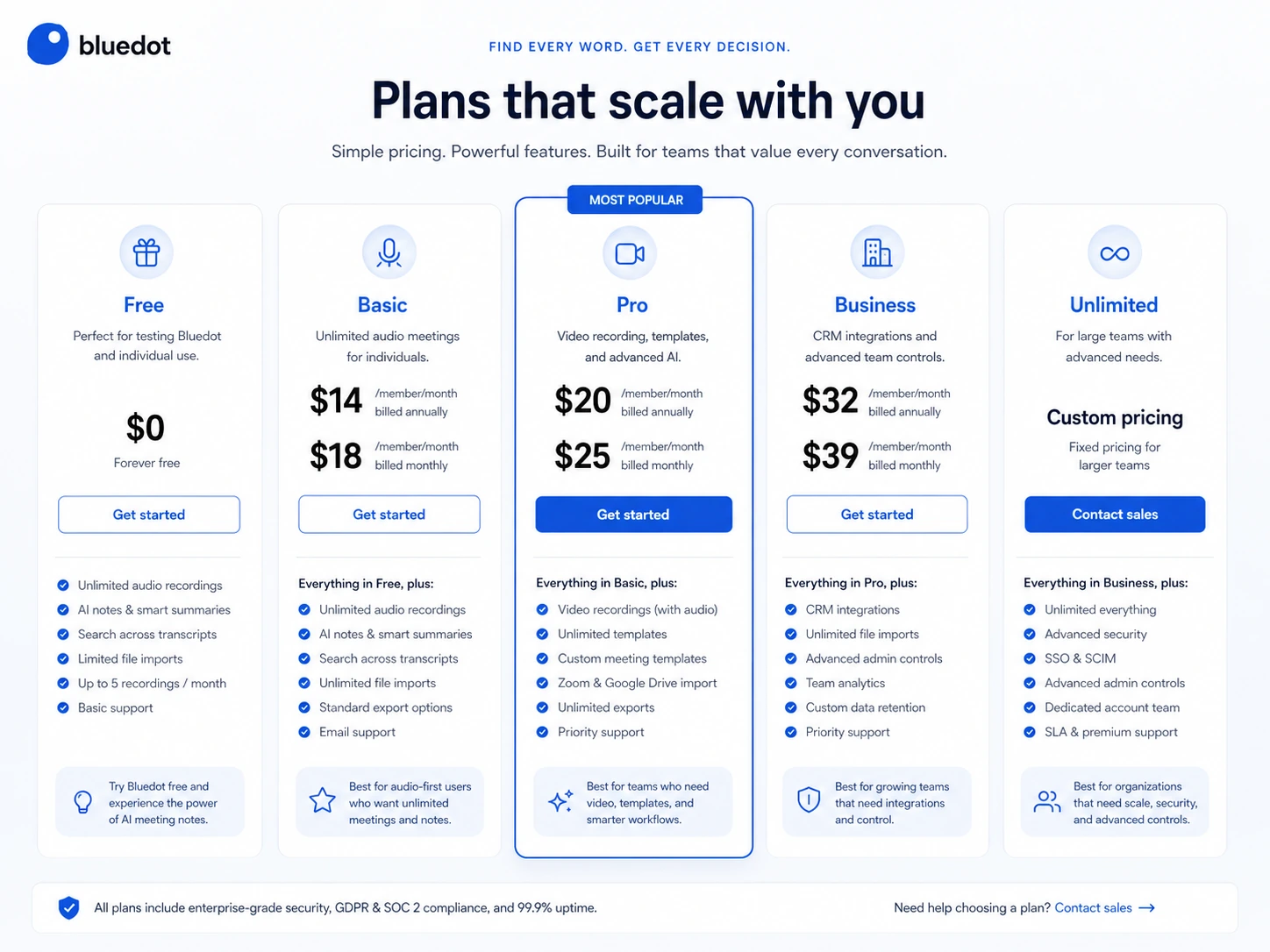
Bluedot's pricing is fairly clear, but the plan differences matter. The Free plan is for testing, not long-term use, because it allows only 5 lifetime meetings. Basic is the first paid step and supports unlimited audio-only meetings, unlimited storage, and public webhooks. Pro adds the features many serious users will care about: video meetings, unlimited duration, custom meeting templates, and imports. Business is mainly for sales and customer success workflows because it adds unlimited imports plus HubSpot and Salesforce integrations.
The safest interpretation is simple: Basic is for regular audio-first users, Pro is for power users who need video and imports, and Business is for revenue teams that want CRM-connected meeting workflows.
- Use Free to test quality and workflow fit.
- Use Basic when audio-only meeting capture is enough.
- Use Pro when video recording, unlimited duration, templates, or imports matter.
- Use Business when HubSpot, Salesforce, and unlimited imports are part of the value.
Free plan, annual savings, and coupon reality
Bluedot has a real free entry path, but it is limited to 5 lifetime meetings with a maximum 1 hour per recording. That is enough to test whether the transcript and summary are useful, but not enough for a manager, recruiter, founder, or sales team that records meetings every week.
The reliable savings path is annual billing and plan discipline. The pricing page shows lower annual per-member pricing than monthly pricing. A dependable public coupon code was not verified, so buyers should treat annual billing, correct plan selection, and careful workspace seat planning as the main savings routes.
Privacy, recording, and data-risk checks
Bluedot's privacy positioning is one of its stronger commercial angles. The homepage states that user data is never used to train or improve AI models, and the terms say customer content is processed only to provide and operate the service, maintain security and reliability, and provide support. That is a meaningful checkpoint for sensitive meeting data.
The risk is not only AI training. Meeting recordings can contain customer details, employee information, legal discussion, hiring notes, and internal strategy. Buyers should check who can access recordings, how recordings are exported, what happens after cancellation, and whether the team has a consistent consent process.
- Confirm participant-consent requirements before recording calls.
- Check who can access recordings, transcripts, clips, and shared summaries.
- Export important content before cancellation because recordings can be lost after the restore window.
Team workflow and integration value
Bluedot becomes more valuable when notes need to move somewhere useful after the meeting. The Chrome Web Store listing references CRM and Notion updates, clips, annotations, transcript-based video editing, and video hosting. The pricing page also separates lower-tier workflow support from higher-tier CRM integrations.
That means sales and customer success teams should not evaluate Bluedot as a simple transcript tool. The better question is whether it reduces the work after calls: updating CRM fields, sharing key moments, preserving objections, creating follow-up summaries, and keeping customer context available to the rest of the team.
- Check Slack and Notion workflows on Free or lower paid plans.
- Check HubSpot and Salesforce availability before choosing Business.
- Use clips and transcript search when the team needs evidence from calls, not just summaries.
Relevant alternatives to compare
Bluedot belongs in the same buying conversation as Fathom, Fireflies.ai, Otter.ai, tl;dv, Avoma, and Fellow. The comparison should not stop at transcription accuracy. Buyers should compare bot visibility, meeting platform support, video recording, free plan limits, CRM integrations, recording consent workflow, storage, retention, and refund flexibility.
Bluedot is especially worth checking when bot-free recording and privacy positioning are important. A more traditional AI meeting assistant may be safer when the team wants an explicit bot in the call, broader collaboration features, or a different compliance model.
- Compare Fathom if you want a simple meeting note tool with strong free-user appeal.
- Compare Fireflies.ai if broad integrations and searchable conversation intelligence matter more than bot-free capture.
- Compare Otter.ai if live transcription and mainstream meeting note familiarity are the priority.
- Compare tl;dv if video meeting recording and async sharing are the core workflow.
Best savings path from this store page
This is the clearest savings route to check once the product already looks like a fit.
Bluedot annual pricing lists Basic at a lower monthly equivalent than monthly billing for regular users who need unlimited audio-only meetings and storage.
Pro annual from $20/member/month
Business annual from $32/member/month
Use comparison routes when the category fit is still open
Use these comparison routes when the product still looks plausible, but the category fit is not fully settled.
Often easier for buyers who want a simple AI meeting assistant and a generous free path.
Stronger fit when searchable meeting intelligence and a larger integration ecosystem matter.
Better known for live transcription and mainstream meeting-note familiarity.
Worth comparing when video recording, meeting clips, and async sharing are the main workflow.
Verification points worth checking before you click out
Where this store usually fits best in the workflow
Bluedot can help sales teams capture calls, summarize objections, preserve clips, and route notes into CRM workflows when the correct plan supports the needed integration.
Recruiters can use Bluedot to keep interview transcripts and summaries, but they should be especially careful about consent, retention, and access control.
Founders and operators can use Bluedot to avoid losing decisions and action items across recurring strategy, customer, and internal calls.
Mobile and app-based capture can help users record offline conversations, but buyers should check local recording laws and whether participants are clearly informed.
Practical checkpoints before and after signup
- Use the Free plan for a real meeting and check transcript quality, summary usefulness, and export behavior.
- Decide whether your workflow needs audio-only recording, video recording, imports, templates, or CRM sync.
- Read the non-refundable payment terms and cancellation behavior before choosing annual billing.
- Connect the Chrome extension, desktop app, or mobile app based on the meeting types you actually record.
- Define when recording is allowed and how participants will be informed.
- Test Slack, Notion, Zapier, Make, HubSpot, or Salesforce routing before relying on it for production workflows.
- Review which workspace users really need paid recording seats.
- Export important recordings and transcripts before cancellation or downgrade.
- Confirm whether Unlimited, SSO, SCIM, and broader access controls are needed for larger teams.
Fast-read signals for workflow fit and buying friction
Questions readers usually ask before choosing this store
What does Bluedot do?
Bluedot records meetings, transcribes them, creates AI summaries, and helps route meeting notes into tools such as Slack, Notion, Zapier, Make, HubSpot, and Salesforce depending on the plan and workflow.
Does Bluedot have a free plan?
Yes. The Free plan includes 5 meetings per lifetime, max 1 hour per recording, Chrome extension, desktop app, mobile app, Zapier and Make support, and Slack and Notion integration. It is best treated as a test path, not a long-term production plan.
What is the cheapest paid Bluedot plan?
The cheapest paid plan is Basic, listed at $14 per member per month when billed annually and $18 per member per month when billed monthly during this store update. It is best for regular users who need unlimited audio-only meetings.
Does Bluedot offer refunds?
Bluedot's public terms state that payments are non-refundable. Buyers should test the Free plan first, confirm billing details before checkout, and export important recordings before cancellation or downgrade.
Which Bluedot plan should sales teams check first?
Sales and customer success teams should compare Pro and Business carefully. Pro adds video meetings, unlimited duration, custom templates, and limited imports, while Business adds unlimited imports plus HubSpot and Salesforce integrations.
Choose the next route that matches what you still need to decide
The strongest next click depends on whether you still need product judgment, a savings route, or a broader category comparison.